

 LinkedIn

A clean CPL graph can hide three weeks of nobody touching your Meta account. I have opened accounts with tidy reports, the same three creatives running since last month, budgets exactly where they started, and comments unanswered. The report said performance. The change log said nothing happened.
This is for you if you pay someone to run your Facebook and Instagram ads, or you are about to hire someone. Results matter, but sales shift with seasonality, attribution lags, and one big order can skew ROAS. Work leaves a trace. These eight weekly jobs are ordered by how quickly they can affect cost per result. Ask for the trace on Friday, not another promise to discuss performance on the monthly call.
1. Put at least one new creative into test
Meta decides who sees your ad, but creative decides whether they stop. With broad targeting doing much of the delivery work, a new hook, face, or first three seconds gives the system something else to try. That makes creative the first place I look when cost per result starts drifting.
I used to tell clients to wait until they had a polished batch of five. I was wrong. One new ad per week inside an existing ad set beats waiting for a monthly batch of five new ad sets. Add the ad to the same ad set and pause the loser: you keep the accumulated delivery history in that ad set rather than starting a new ad set from zero. New ad set, new learning. Same ad set, learning you can build on.
First step: pick one element of an existing ad to change, then launch the variant in its current ad set. Do not call five new ads a test if all five change the hook, image, offer, and audience at once. You need to know what you tried.
Ask for this proof: the ad set view showing the new ad’s ID and start date, plus the ad it replaced and why. A useful answer sounds like: “Launched Tuesday, hook variant against control, old version paused after 3,000 impressions at 0.62% CTR.” “We are monitoring creative performance” tells you nothing. No new ID with this week’s date means no new test went live.
2. Check frequency and CTR before fatigue gets expensive
Showing the same ad to the same people stops working before the headline number looks alarming. Frequency rises, the easy clicks get used up, CTR slides, and cost per result climbs last. By the time CPL jumps 30%, you may already have paid the fatigue tax for a week.
I look for the signals together, not one bad day: frequency crossing 3.0 while CTR drops 15% or more against the prior week, sustained for about seven days, or Meta flagging Creative fatigue. My working bands are 2.5 for early warning, 3.0 for caution, 3.5 for refresh now, and 4.0 or above for critical. A 10–15% CTR decline deserves attention. Cost per result rising 20–40% is the last domino, not the first alert.
First step: pull a seven-day versus prior-seven-day view by ad. Put frequency, CTR, and cost per result beside each other so a manager cannot point to one number and wave away the other two.

Ask for this proof: that comparison and the action it prompted. “Ad B hit 3.4 frequency, CTR fell 18%, so we paused it Friday and moved budget to Ad C” is an answer. “Performance dipped slightly; we are keeping an eye on it” is not. If nobody can show frequency next to CTR, nobody checked fatigue.
3. Move budget toward the qualified results
Meta will spend your daily budget where you left it even when winners and losers swap places underneath. A manager has to compare cost per qualified result by campaign and ad set, then move money with a reason written down. Otherwise, yesterday’s decision keeps spending today’s money.
The mechanism is auction pressure. Give more budget to the ad set closing leads at $42 instead of the one stuck at $71, and you buy more of the cheaper outcome. Fund both equally, and you buy the average. I have seen a 20% reallocation do more in ten days than a month of copy tweaks. That does not mean moving money for the sake of showing activity; it means making the account’s current results change the next spending decision.
First step: compare the ad sets on qualified outcomes, not just clicks or cheap form fills. Decide whether a budget move is warranted, then write the reason in one sentence before making it.
Ask for this proof: Change History at Account Overview level, filtered to this week, with the budget before and after. “Moved $30/day from Ad Set 2 to Ad Set 1 after Ad Set 1 produced 14 qualified leads at $38 versus 4 at $66” counts. “Optimized budgets for efficiency” does not. A budget that never moves is not management; it is rent.
4. Confirm conversion tracking fires and deduplicates
Bad tracking turns the other seven jobs into guesswork. Meta learns from the conversions you send it. If the pixel and Conversions API report the same purchase without sharing one unique event ID, Meta can count it twice. Then your reported ROAS is fiction, and the next budget move rests on it.
I check tracking before I believe a claimed win. The fix is boring and decisive: send the same event ID from browser and server so Meta can merge the reports. Then check Event Match Quality in Events Manager. I want an EMQ score of 8 or higher out of 10; below that, matching is weak and delivery can suffer. A chart that looks better is no substitute for knowing whether the events behind it are real.
First step: open Events Manager and inspect the conversion event your account actually uses. Run a test purchase or lead, then trace whether it arrives as expected from browser and server. Do this before treating a sudden ROAS jump as proof that the ads improved.
Ask for this proof: a current Events Manager view showing deduplication status and EMQ, plus the test event traced end to end. “Purchase deduplicated, EMQ 8.4, test event received from both sources Tuesday” gives you something to inspect. “Tracking looks fine” does not. No deduplication proof, no ROAS you can trust.
5. Review lead quality, not just the lead count
Cheap leads that never pick up the phone are expensive. A campaign can show a low cost per lead in Ads Manager and still fail commercially: people do not answer, live outside your service area, or do not fit what you sell. The dashboard records the form fill. Your business has to deal with the person behind it.
That is why this check starts in your inbox and CRM. Pull last week’s leads, count how many were contacted and qualified, and calculate cost per qualified lead by ad set. I have seen the $18 lead source lose to the $41 lead source once you price the appointment instead of the form fill. A manager who reports only the cheaper CPL may be defending the wrong campaign.
First step: agree on what “qualified” means in your business, then mark last week’s leads against that definition. You cannot improve lead quality with a report that never says which leads were worth calling back.
Ask for this proof: a one-page sheet with lead count, contact rate, qualified rate, and cost per qualified lead, plus one decision tied to the findings. Pausing the ad angle that drove leads who never answer or fit your offer is a decision. Showing total leads and CPL again is a dashboard screenshot, not a quality review. Count the leads that could become customers.
6. Check audience overlap and fix what you can
When two ad sets chase the same people, you can end up bidding against yourself. CPMs creep up, and one ad set may starve the other. That can look like a creative problem when the account structure is doing the damage.
The check is short: in Ads Manager, go to Audiences, select up to five audiences, then use Actions and Show audience overlap. Meta needs at least 10,000 accounts in each audience for a useful read. My working bands: under 10% is background noise; 10–30% is worth watching, with exclusions if performance dips; over 30% calls for consolidation or an exclusion. Detailed targeting exclusions went away in March 2025, so custom audiences are the cleaner exclusion option in most accounts.
First step: check the audiences used by ad sets competing for the same budget. If the overlap view is not useful for those audiences, say so rather than presenting a blank screenshot as an audit. If it is useful, compare the result with performance before changing the structure.
Ask for this proof: the overlap percentages and the exclusion added or ad sets merged. A manager can also show why no change was needed. What they cannot do is claim to have fixed overlap without showing what overlapped. No visible check, no overlap fix.
7. Cut placements that spend without producing qualified leads
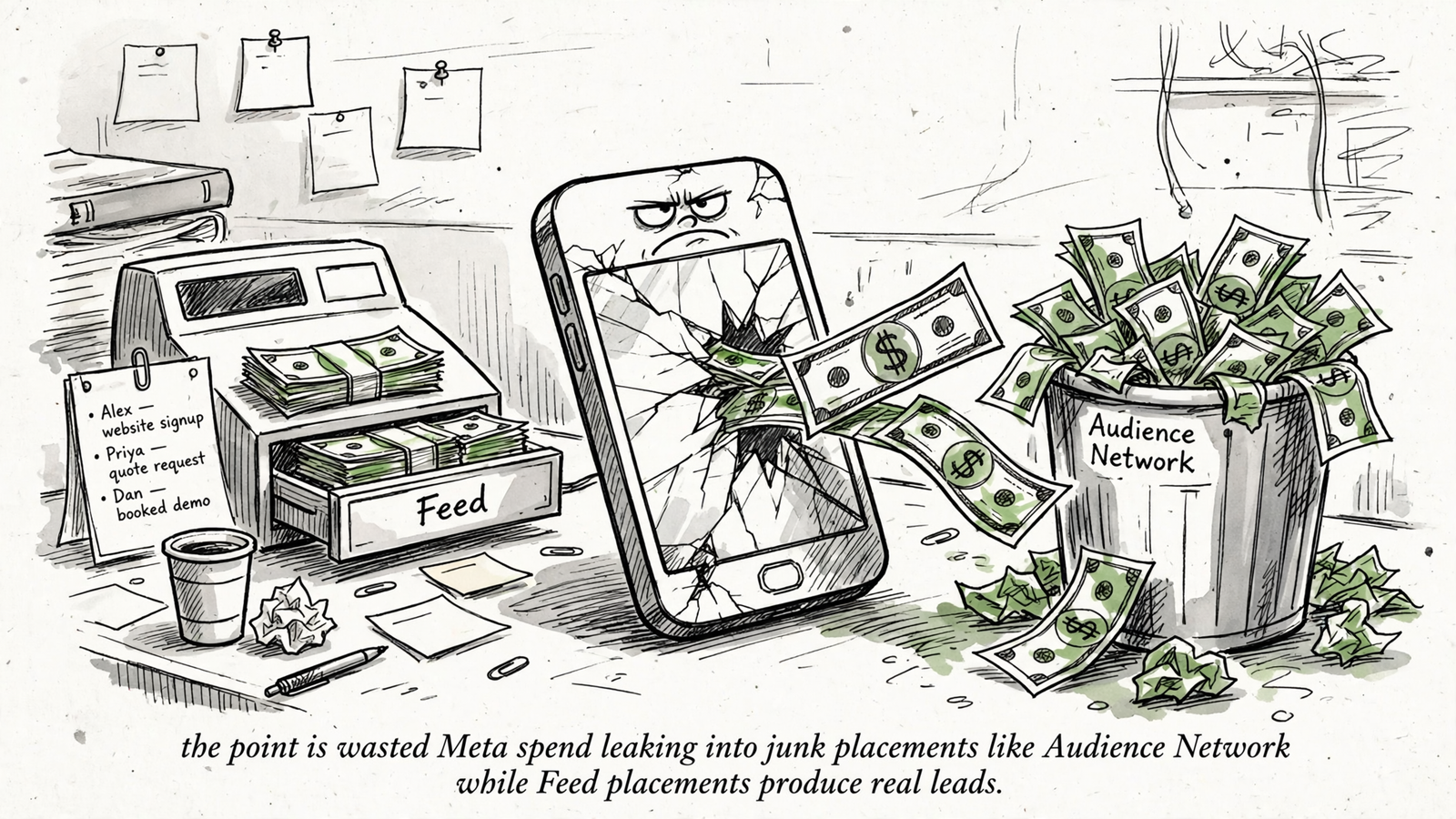
Advantage+ placements lets Meta put your ad where it expects a cheap result. Feed and Reels may be fine. Audience Network, for many small businesses, can become a slot machine of accidental taps inside third-party apps and games. A banner under a game can earn a click without earning a conversation. Cheap traffic is not the same as useful traffic.
I saw the split in one local placement breakdown: roughly $1,200 in spend, about $310 of it on Audience Network for hundreds of clicks and one lead who never answered. Roughly $890 in Feed produced 34 leads. Same week, different real estate. That example is a reason to inspect your own breakdown, not to assume every placement in every account behaves the same way.
First step: open Breakdown > By Delivery > Placement. Compare spend and qualified leads by placement, not clicks alone. If Audience Network is burning money without useful leads, go to Ad set > Placements, switch Advantage+ placements to Manual, and uncheck Audience Network. Keep Feed, Stories, Reels, and Marketplace for local demand where the breakdown supports them.
Ask for this proof: the placement breakdown and the before-and-after checkbox view. “Placements all perform about the same” is not an answer unless the manager can show you the qualified results behind it. Make the placement earn its spend.
8. Write next week’s test before this week ends
A manager without a written hypothesis will test whatever feels interesting on Monday. That is how an account gets six hook variants and no answer. A useful hypothesis names the audience, the change, the expected effect, and the reason. For example: a new UGC hook for cold broad because weak retention in the first three seconds could explain the CTR slide. Right or wrong, that gives you something to learn from. Random changes do not.
I keep the plan to one line and one owner. Anything longer becomes a deck. First step: write the next question before Friday ends and choose the metric that will decide whether the test dies or gets more room. Then next week’s new ad is a test of a specific idea, not proof that someone was busy.
Ask for this proof: one numbered hypothesis with its kill or scale rule. “Test 12: new first-frame price callout on Ad C; kill if hook rate stays under 22% after 4,000 impressions” tells you what will happen and what the manager expects to learn. “We will continue testing creatives” tells you neither.
A weekly report can fit this work on one page: eight lines with the new ad ID, the fatigue check and action, budget before and after, tracking status, qualified lead cost, overlap decision, placement decision, and next test. That is what I send when I run Meta Ads for a flat $1,499 a month, with audiences, budgets, and ads worked around the clock. No percentage of spend. No monthly deck hiding a quiet month. The point is not a prettier report; it is an account trace a business owner can verify.
If you enforce only one job this Friday, I would start with entry one. The other seven improve what you already run, but an aging ad set still needs somewhere new to go. One fresh ad per week gives fatigue an alternative and budget a better destination. Ask for the ID and launch date. If there is no ID from this week, you have your answer about what management meant in that account. Trust the trace, not the call. That is what groas is built to produce every week: new ads tested, winners scaled, changes logged with reasons, and one human who owns the outcome.