The best AI Google Ads tool for your agency is the one that lets you take on more accounts without hiring someone to approve its work all day. Most buyers start with a feature matrix instead. They compare automated bidding, negative keyword sweeps, and copy generation, then pick the cleanest dashboard for $199 a month.
Three weeks later, the senior buyer still logs into twelve client views every morning to click “Approve” on eighty recommendation cards. That is not automation. It is an administrative queue with a subscription attached. The tool has changed the chore from writing adjustments to checking them, while leaving the labor on your payroll.
If you manage 10 clients today and want to manage 15, 25, or 40, I would put the 40-row feature comparison aside. Two questions decide whether a tool protects your margins: How many hands-on minutes does it demand per account each week? And what happens to its price when a client scales their budget or you add an account? The answers matter more than the feature count.
What does the tool actually take off your team’s plate?
Start with active human minutes per account, not the number of tasks a vendor says it automates. If a tool saves thirty minutes of ad drafting but adds forty-five minutes of queue triage and verification, your effective hourly rate goes down. A prettier queue does not change that math.
In r/PPC discussions on managing multiple high-spend accounts, experienced media buyers describe how delivery gets harder as an operator juggles ten or more active accounts. The problem is not one dramatic failure. It is the constant context-switching: an ecommerce client pacing toward a weekend sale, a home-services account dealing with form spam, and a B2B SaaS campaign whose demo page has changed. If your software asks a buyer to inspect and approve routine adjustments in every client view, that buyer remains the bridge between the algorithm and Google Ads.

That is why I would ask for the workflow before the feature tour. Show me what happens when a search term needs excluding or a budget needs adjusting. Does the tool act within agreed limits, or does it leave another card for Monday morning? The handoff point is the product.
When a vendor says “AI,” who makes the change?
The label “AI” covers three different operating models: diagnostic audit tools, recommendation queues, and autonomous execution engines. Our breakdown of AI Google Ads tool categories goes deeper into the mechanics. For an agency, the immediate question is simpler: does the software identify work, package work for approval, or do the work within guardrails?
- Diagnostic audit tools identify issues. Adalysis offers ad-copy A/B testing and Quality Score audits. It does not take over daily bid management, budget pacing, or multi-campaign restructuring. That can be useful if diagnosis is your bottleneck, but your team still executes the changes.
- Recommendation queues package decisions for a human. Opteo turns adjustments into cards: pause a keyword, move twenty dollars between ad groups, or exclude an expensive query. The buyer still works through client feeds and approves the actions. If approval time is already your constraint, this model does not remove it.
- Autonomous execution engines make routine changes within human guardrails. groas uses specialized models to manage bids, pacing, and keyword exclusions continuously, while a human strategist sets direction and remains accountable. That shifts the buyer’s job from clicking through routine decisions to overseeing commercial strategy and checking the work that matters.
Operators managing 30 to 40 accounts raise the queue problem in r/PPC discussions about agency software. When Tuesday fills with client calls and tracking audits, the cards wait. So do the changes. Skip a recommendation-first tool if your team’s main problem is the time it takes to approve recommendations.
What will 10 accounts cost as their budgets grow?
Now look at the second constraint: how the vendor calculates your bill. I have argued that percentage-of-spend pricing fails agencies and clients because it penalizes efficiency. Spend-based software tiers create a similar problem. A client raises its Google Ads budget because the campaigns are working, and the subscription rises even if your team’s workload does not.
Say you have 10 clients spending an average of $15,000 a month each: $150,000 in total managed ad spend. Here is how the pricing models in this comparison affect that book:
- Double constraints: Opteo. The $129-per-month Basic plan caps both accounts and spend at 10 accounts and $25,000. Your $150,000 book also exceeds the Professional tier’s $100,000 spend cap at $249 per month, putting you on the Opteo Agency tier at $499 per month. The account count fits; the spend cap makes the decision.
- Spend tiers and overages: Optmyzr. Optmyzr’s pricing tiers put the entry Essentials plan at around $209 per month on annual billing, or $299 to $449 billed monthly, with caps of 25 accounts and $25,000 in spend. At $150,000, you move into Premium, whose price scales with spend. Cross a threshold for two consecutive months, and Optmyzr’s overage policy can upgrade your billing tier or add charges per additional $1,000 spent.
- Monthly recalculation: Adalysis. Adalysis starts at $149 per month for up to $50,000 in spend. Its subscription recalculates from trailing 30-day spend across connected accounts, so a seasonal push by two ecommerce clients can raise the tier, with four days of email notice.
- Enterprise commitments: Skai. Suites such as Skai are built around enterprise-scale commitments, including annual contracts starting around $160,000 and $4 million in minimum annual spend. That is not a practical starting point for a small agency.
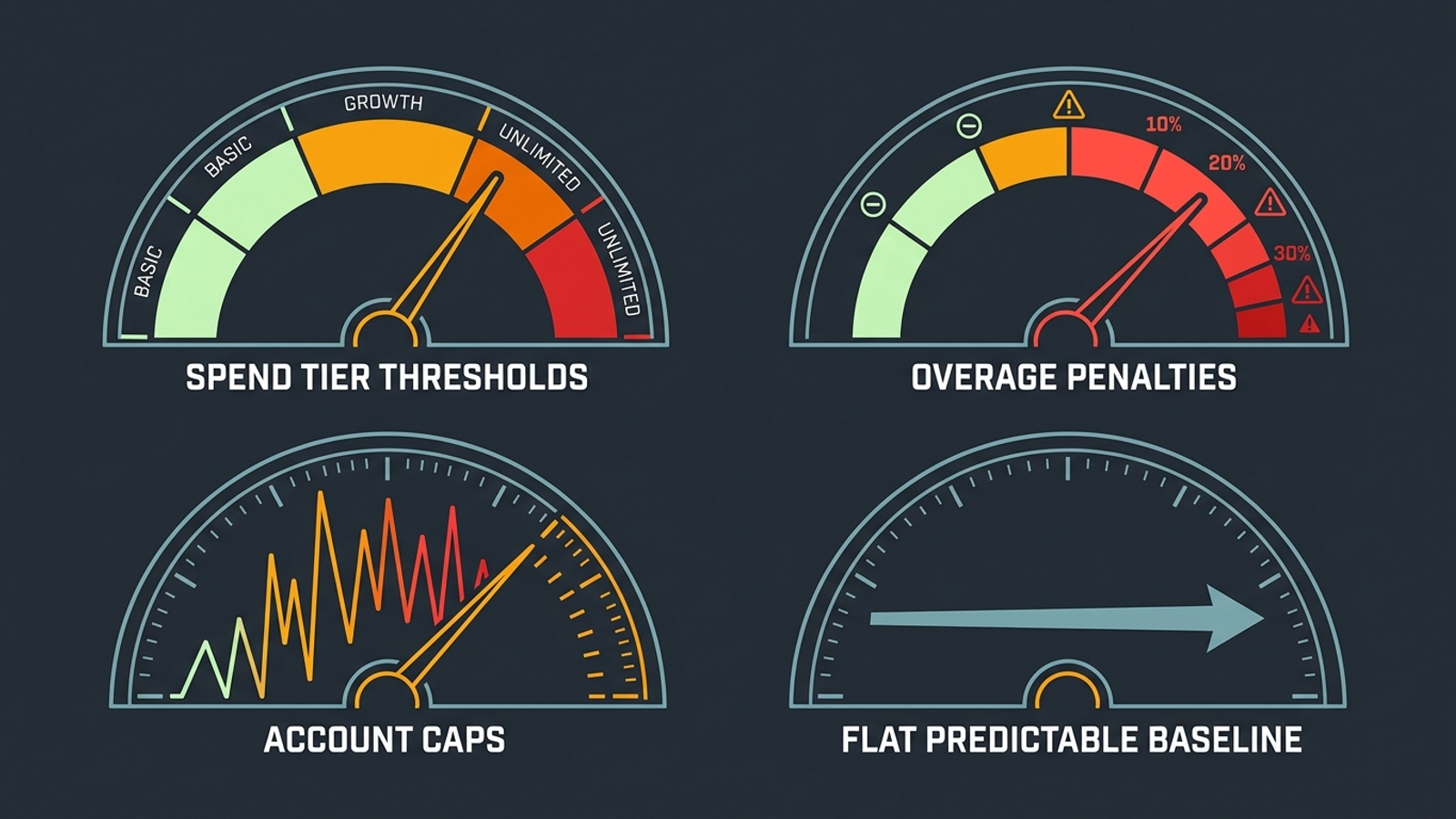
If those 10 clients each pay a $1,500 monthly retainer, gross agency revenue is $15,000. A $500 to $800 software bill takes roughly 3% to 5% of that revenue before you account for the buyer’s time spent approving recommendations. By contrast, groas for agencies pairs autonomous execution with flat pricing and no setup fee. Client budget growth does not create an ad-spend tax on the software bill.
Do not compare subscription prices alone. Compare the bill and the human hours needed to deliver the service.
Will “multi-account management” work for your mix of clients?
A tool can support many accounts without reducing the work of managing them. Two common approaches show why.
Blueprint platforms like Fluency suit highly repeatable campaign structures. In r/PPC discussions evaluating Fluency, operators describe the appeal of templates for large groups of similar businesses, such as dealerships or franchises. That is a different job from managing boutique clients with distinct landing pages, value propositions, and target CPA thresholds. When every account needs substantial custom setup, a rigid blueprint can consume the time it was meant to save.
At the other end are multi-channel dashboards like Madgicx. Its Meta-focused automation does not make it the answer to an agency’s Google Search and Performance Max execution workload. Reporting tiles and attribution views may help you see an account; they do not handle the bidding work described in this guide.
For a mixed client book, the test is execution across separate accounts without a separate manual routine for each one. If Account 4 starts spending on irrelevant broad-match queries on Saturday afternoon, your operator should not need a Monday coffee review to discover the problem. The same goes for pacing: pulling numbers from fifteen accounts into a Friday spreadsheet is still manual account management, even if the numbers came from an AI-branded dashboard. Skip the tool that makes switching tabs faster but leaves the work in those tabs untouched.
Which costs and commitments are missing from the demo?
A base subscription is only one line of the agency bill. Before you sign, ask what changes when you add a client, a contractor, a workspace, or more spend. Price the agency you expect to run, not just the one you run today. Check these four items in particular:
- Workspace separation. Dedicated client environments and contractor permissions may cost extra. Optmyzr charges Premium subscribers for add-on workspace accounts: $129 per month, or $90.20 per month billed annually. Spend in those workspaces still counts against the master spend cap.
- Spend overages. Ask what happens when managed spend crosses a threshold, whether the charge is automatic, and whether a short seasonal rise changes your tier. A client’s successful budget increase should not surprise your finance team.
- Seat licenses. Check the cost of adding a freelance buyer or giving a client stakeholder view-only access. A collaboration need should not quietly turn into a bigger contract.
- Onboarding fees. Some enterprise platforms charge $3,000 to $10,000 upfront before your team uses the interface. Put that amount in the same cost calculation as the subscription, rather than treating it as a separate implementation footnote.
This is the part of the demo where I would stop nodding at charts and ask for the billing terms. A vendor’s best-looking screen will not pay an overage.
Can you deliver under your agency’s name and leave when you need to?
If clients buy marketing services from your agency, check how the software appears in that relationship. White-label delivery needs two separations: reports under your branding, with your domain and logo, and backend execution that does not contact the client directly. A vendor-branded login or deliverable can complicate the relationship your retainer is built on.
Then check the exit. An annual contract with spend penalties leaves you carrying software costs if a client churns. Migration friction already makes changing tools a nuisance; a twelve-month commitment makes it expensive too. Month-to-month terms and zero setup fees keep costs closer to your active client roster.

Do not treat contract flexibility as a minor purchasing detail. It determines who absorbs the risk when your client book changes.
How should you test a tool before moving the whole book?
Skip the feature matrix and the canned interactive demo. Run this three-step test in order:
- Audit the hands-on minutes on your highest-maintenance account. Pick the account that generated the most frantic Slack messages last month. Track the time your buyer spends adjusting bids, pausing search terms, testing responsive search ad headlines, and checking pacing. Include the time spent verifying suggestions. If the proposed tool still requires individual approvals for the work you want off your team’s plate, stop there.
- Stress-test the bill against growth. Start with your current 10-client spend. Then price a scenario in which two clients double their budgets and you add three accounts. Look for tier upgrades, workspace charges, and per-$1,000 overages. Your technology cost should become cheaper as a share of agency revenue as you scale, not punish the growth. Use our platform evaluation framework to compare pricing with operational output before booking demos.
- Pilot on a messy mid-tier client. Do not test only on a pristine single-keyword search campaign. Use an account with mixed intent, fluctuating inventory, or volatile search volume. Check whether the platform makes defensible optimizations without handholding, records the reasoning behind its adjustments, and keeps CPA within your target threshold. Measure your buyer’s minutes during the pilot, not just the dashboard metrics.
The first thing to do today is calculate your cost of delivery per client account. Add up your media buyer’s weekly hours on mechanical tasks, multiply by their loaded hourly rate, and add your software subscriptions. If the result shows your team spending forty hours a month as human approval buttons, you do not need another recommendation queue. You need to take that work off their desks so they can get back to client strategy.