

 LinkedIn

Most agencies won’t tell you this: a high Meta cost per lead usually starts with boring inputs, not a lack of bidding cleverness. Count the wrong event, split a small budget too many ways, let creative go stale, or leave enquiries unanswered, and Meta will keep finding you more of what your setup rewards. I spent years doing the mechanical work in search accounts, and the rule carries over: fix the cause before you pay someone to manage the effect. The first 16 checks cost nothing. The last four tell you whether an agency can move cost per qualified lead, not just make a chart look better. Work from the top.
Checks 1–4: Make sure a lead means something
- Define a lead in writing: a submitted, valid enquiry, not a form open. If a report mixes opens, partial forms and submissions, its CPL is useless. Count completed forms with usable contact details, then distinguish those submissions from qualified enquiries in your CRM. A cross-industry Facebook CPL average of about $27.66 in 2025 cannot tell you whether your own $45 lead works. Customer value and the share of leads that become customers decide that.
- Check that Pixel and Conversions API report one lead, not two. Submit a test form and inspect the events in Events Manager. If one submission appears twice, your reported results and the signals Meta uses are distorted. Deduplicate the browser and server versions of the same event: the Pixel
eventIDand CAPIevent_idmust match, as must their event names. Check the actual submission before changing a bid. - Compare Instant Forms with your landing page on qualified leads, not raw CPL. Instant Forms produced a low CPL of about $34.10 in one dataset, but an easy form can also collect people who never intended to buy. If the close rate is weak, test a Higher Intent form with its review step and one or two questions about budget, timeline or location. Expect fewer submissions; judge the test by what happens after them.
- Confirm that the optimisation event matches the outcome you need. If you sell online, optimise for purchases and judge return on ad spend rather than celebrating cheap lead forms. If you generate enquiries, choose the deepest useful funnel event with enough volume to work from. An account told to find form submits will find form submits. It cannot infer that you meant booked calls or buyers unless those outcomes enter the measurement loop.
Checks 5–8: Stop dividing a small budget into smaller problems
- Count the ad sets competing for your budget. A $50-a-day campaign spread across four ad sets gives each very little room to gather results. Start with one campaign and one or two ad sets until there is a reason to expand. Consolidation does not magically improve an offer; it stops you asking several thinly funded ad sets to learn the same lesson separately. Before adding a segment, name what decision its separate results will help you make.
- Check whether your audiences overlap. Broad targeting, interests and stacked 1%, 3% and 5% lookalikes can repeatedly reach the same people. Where the audience-overlap view is available, compare the audiences rather than assuming their labels make them distinct; the overlap check requires audiences of at least 10,000. Treat overlap under 10% as low priority, watch 10–30%, and investigate consolidation or exclusions above 30%. Do not build a new ad set merely to rename an old audience.
- Stop making a meaningful edit every morning. Changing targeting, creative, the optimisation event or bid strategy can disrupt learning; repeatedly doing so makes a trend hard to read. Batch decisions into a weekly review instead of reacting to each day’s CPL. The point is not to ignore the account. It is to give a change enough time to show whether it helped before you change three more things and lose the explanation.
- Match the number of ad sets to what the budget can support. Meta’s learning guidance commonly uses about 50 results in a week after a significant edit. At a $60 target cost per lead, that is roughly $3,000 a week for one ad set, not five. If that spend is out of reach, keep the structure lean and accept slower learning. Splitting an already limited budget does not create more evidence; it spreads the evidence you have thinner.
Checks 9–12: Give people something worth responding to
- Check the age and performance of the ad carrying the campaign. Four to six weeks in front of the same audience can leave a winner tired. Look for frequency rising alongside falling click-through rate and rising CPL, rather than declaring fatigue from the calendar alone. If those signals move together, replace the ad or its angle before raising the budget. More spend behind a worn-out message buys more chances for people to ignore it.
- Count distinct creative concepts, not cosmetic variants. Three or four live concepts give you more to learn from than five backgrounds behind the same headline. Try the different approaches already available to the offer: a testimonial, a direct offer, a problem callout and a proof demo. Keep the offer consistent so the comparison means something. A new colour is not a new reason to care, however nicely it fills a testing spreadsheet.
- Match the ad’s opening promise to the page it sends people to. If an ad offers a $49 drain unblock and the landing page opens on a generic contact form, the visitor has to hunt for the deal they clicked. Put the same offer and price above the fold, with one clear action. Check this on the destination you actually run, not the page you remember approving. A click is not a lead, and a mismatch can waste it before the form loads.
- Check that each placement gets a usable cut. A horizontal video pushed into Reels with its text cut off is not extra reach worth celebrating. Prepare a 9:16 cut for Reels and Stories, and a 1:1 or 4:5 cut for Feed. Watch the ad in its placement before judging the creative’s performance. If people cannot see the message, changing the bid will not make the message visible.
Checks 13–16: Find out what happens after the form
- Measure speed-to-lead in minutes, not days. Find the time between a form submission and the first real response, including after hours. If an enquiry sits overnight, route it to someone who can call or text, and use an auto-reply where it helps. Aim to respond within five minutes. The point is not that faster replies make Meta’s reported CPL fall; it is that more of the leads you already bought have a chance to become qualified conversations.
- Send qualified CRM stages back to Meta. If Meta sees only form submits, it learns to find people who submit forms. Send later outcomes such as Qualified, Appointment, Opportunity and Closed-Won through Conversions API for CRM, with value where you have it. One worked example contrasts a $20 CPL campaign producing $12,000 with a $31 CPL campaign producing $35,000. For Instant Forms at volume, the Conversion Leads goal can use that feedback to pursue qualified leads rather than submissions. Check that the CRM stages are reliable before treating them as instructions.
- Report cost per qualified lead beside raw CPL. Join campaign, ad set and ad data to CRM outcomes every week. If a cheap ad set brings enquiries that never qualify, stop calling it the winner just because its CPL column is green. Keep the raw number: it tells you what Meta charged for a submission. Put the qualified number next to it: it tells you whether those submissions are useful. Neither figure needs a more impressive name.
- Judge return on ad spend at campaign level, not only across the account. A blended 2.8x ROAS can conceal one 5x campaign and two at 0.9x. Find what is pulling the average down, decide whether to fix or stop it, and reallocate with the underlying results in view. For lead generation, carry that same discipline through to qualified pipeline and closed revenue. An account average is a useful headline, not permission to leave weak spend hidden underneath it.

Checks 17–20: Make a prospective agency answer for the work
- Ask how the fee changes when ad spend changes. A percentage-of-spend fee can rise while the agency does no more work; a 10–20% arrangement with a minimum also gives the agency little financial reason to cut waste. Ask for a predictable flat fee and the scope behind it. I break down the same incentive problem for search in 7 Google Ads Agency Pricing Red Flags To Avoid In 2026. groas lists Meta Ads at $1,499 a month, regardless of ad spend, with no setup fee and month-to-month cancellation.
- Ask whether creative production and testing are included. Two launch ads followed by a separate bill for every replacement is not an ongoing testing plan. Get the expected cadence and what is included in writing: new concepts, placement-ready cuts, tests and decisions about what to scale. The fee question matters because stale creative can raise CPL while an agency reports that it is still monitoring. Make sure someone is paid to do the work, not merely to notice that it is due.
- Ask for actions taken, not just a weekly results chart. A CPL graph tells you what happened; a change log tells you what the agency did about it. Look for the change, the reason, the outcome being watched and the next decision. If the report says only that performance is being monitored, you cannot tell whether the fee bought account work or a polished account of the weather. Qualified pipeline should sit beside those actions, not disappear behind click and lead totals.
- Keep ownership of the ad account and your data. Confirm that the accounts, pages and audiences remain yours, and check the cancellation terms before signing. A six-month lock-in or an agency-owned account makes it harder to leave even when the results give you a clear reason. Month-to-month terms do not guarantee good work. They do make the team keep earning the next month’s fee, with your account still intact if it fails.
Printable checklist: run the free checks first
- 1. Define a valid lead; 2. deduplicate Pixel and CAPI; 3. compare forms by intent; 4. confirm the optimisation event.
- 5. Count ad sets; 6. check audience overlap; 7. batch edits; 8. fund the structure you run.
- 9. Check creative fatigue; 10. count distinct concepts; 11. match the ad to its page; 12. inspect placement cuts.
- 13. Time the first response; 14. return CRM stages; 15. track qualified CPL; 16. inspect campaign-level returns.
- 17. Check the fee; 18. confirm creative is included; 19. demand an action log; 20. keep account ownership.
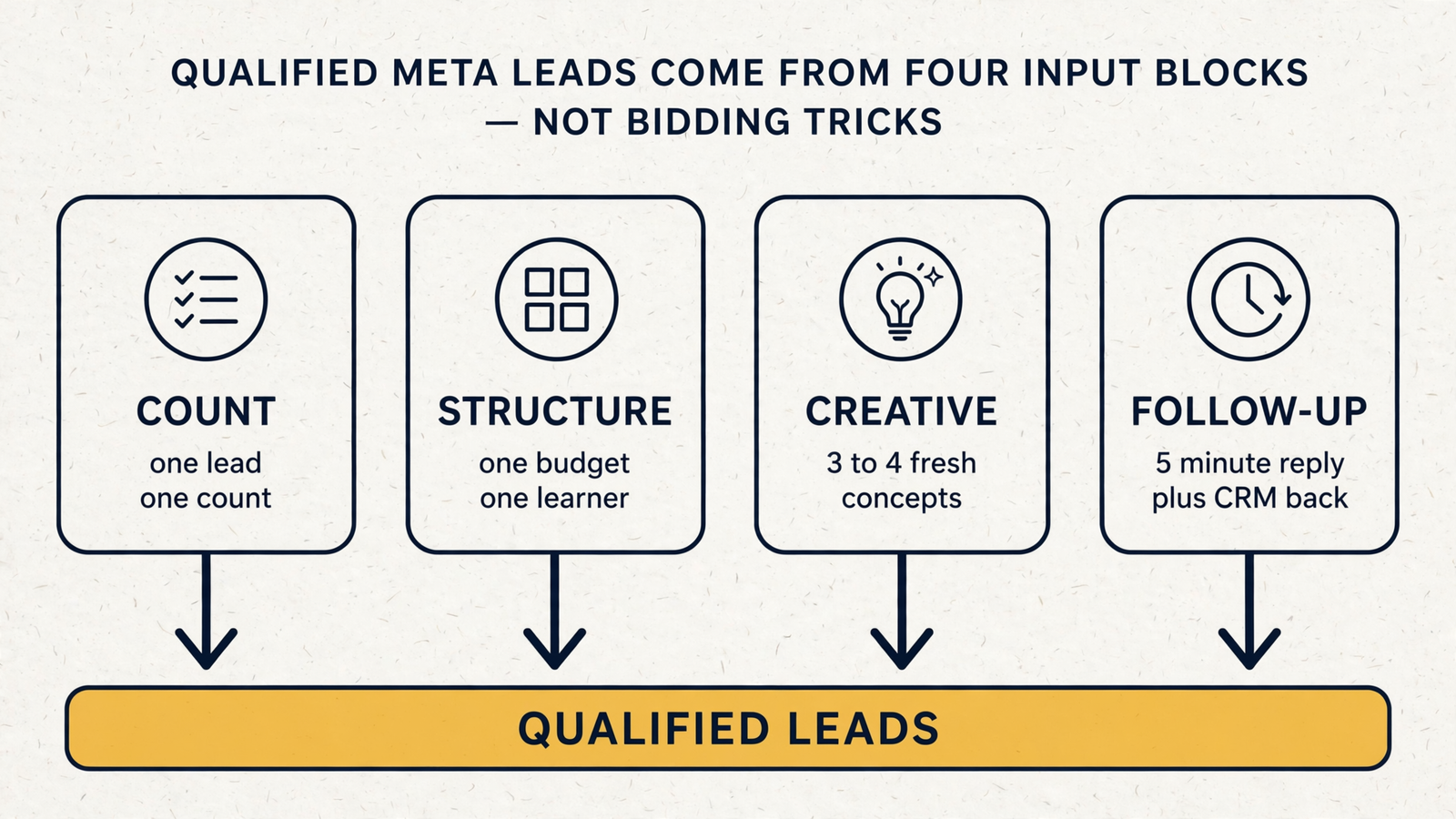
- Most-skipped check — 14: tell Meta which leads became qualified customers. It feels like plumbing, so it sits on the list while you buy more form fills. Skipping it costs you twice: you keep paying for enquiries that never close, and Meta keeps learning from submissions because you have not sent it the outcomes that matter. Run the 16 free checks before paying for help. If you do hire, hire for the daily work and accountability those checks expose; that is the case groas makes for its Meta Ads service. Do not pay for bidding cleverness while the feedback loop is broken.