

 LinkedIn

Bulk editing is the wrong feature to shop for if you run Google Ads for clients. It puts one decision into twenty accounts that may need twenty different decisions, then calls the result scale.
I ran that model by hand for years: small ecommerce brands, home services clients, and a SaaS startup that changed its offer every quarter. I know what the demo promises. Twenty accounts, one rule, one click. I also know what happens after you click apply. You check twenty accounts, explain twenty results, and fix the ones where the rule never fit. The click was not the work.
The demo sells one click. Your clients need twenty decisions.
You have seen the demo. A dashboard sits on top of Google, Microsoft, Amazon, Meta and LinkedIn, surfaces opportunities across your accounts, then lets you apply bid adjustments, keyword additions and negatives across every account at once. The rep smiles. Your cost per specialist hour appears to have fallen off a cliff.
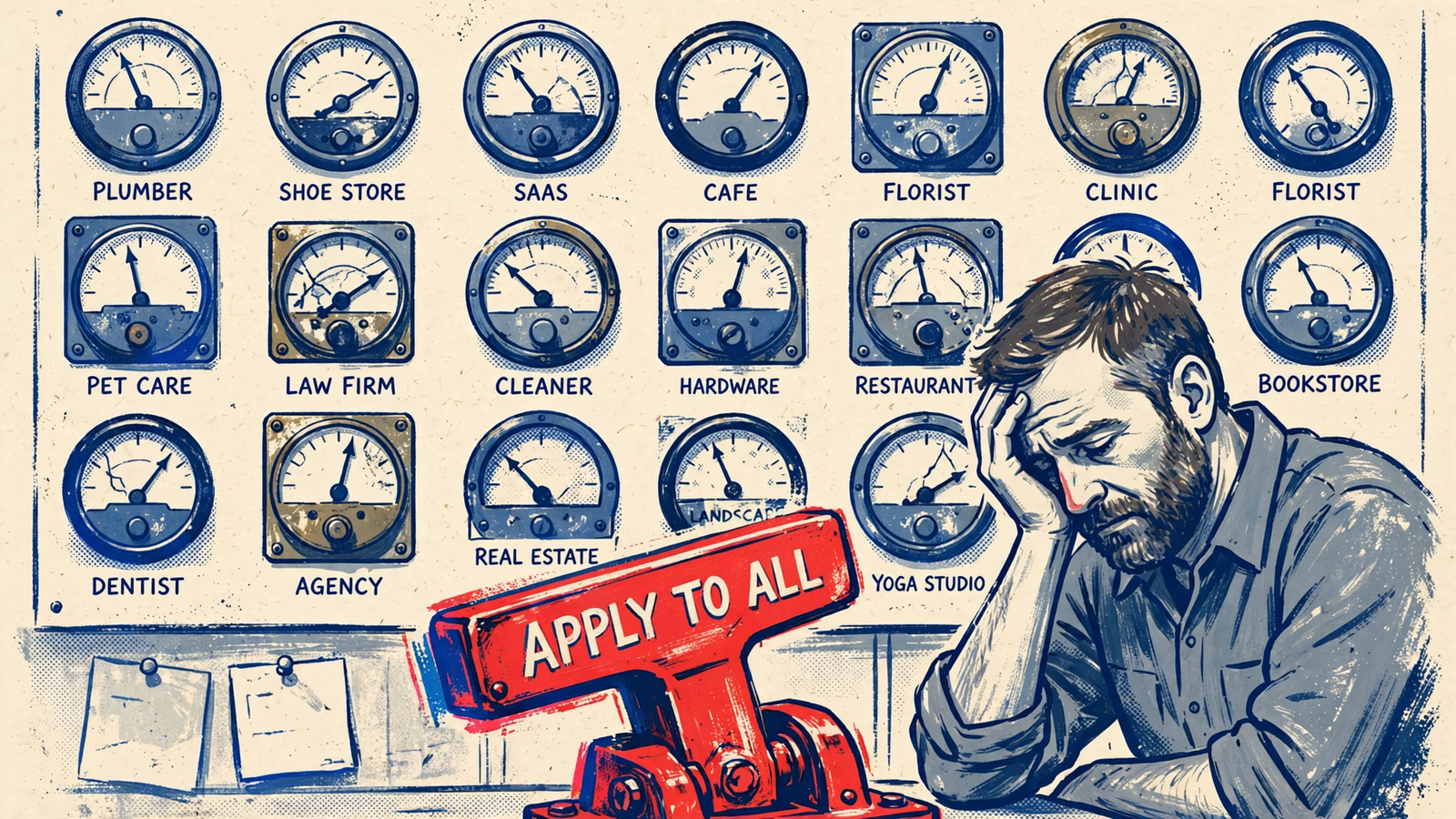
The before picture is real, which is why the pitch works. Handling PPC for one brand takes attention. Doing it for 10+ clients means campaigns to optimize, reports to produce, and alerts arriving faster than a specialist can clear them. I lived that queue. When you manage 10 to 30 accounts to stay profitable, a button that clears 20 alerts at once feels like hiring without hiring.
But clearing an alert is not the same as making a sound decision. If every account needs a different answer, the button merely distributes the first answer faster. You still need someone to find the mistakes. Measure the work after the click, not the speed of the click.
One negative keyword can cut waste in one account and sales in another
Take the negative keyword rule every bulk demo loves: add “free” and “DIY” across the portfolio. For my old plumbing client, that was correct. Someone searching “free drain unclogging advice” was not looking to book a $289 job. For the ecommerce store selling an $18 drain cleaner, that search could be a buyer researching before the cart.
One click excludes junk in account four and potential revenue in account eleven. What the deck calls efficiency, I call one decision applied where it was never made. The difference is not buried in a setting. It is in what each business sells and what its customers mean when they search.
This is why a shared negative list cannot replace account judgment. The list may be easy to copy; the intent behind each search is not. Before you ask whether a tool can push a negative everywhere, ask whether it knows where that negative belongs.
Shared bid rules ignore volume and conversion lag
Bid rules run into the same problem. A practical floor for Smart Bidding is at least 30 conversions in 30 days for Target CPA and 50+ for Target ROAS. Google lets you turn it on with less, but performance rarely stabilizes below that. In a small agency portfolio, clients can sit on opposite sides of that line. Say you run 20 accounts. Four clear it. Sixteen do not. A shared bid rule treats all 20 as if they have the same signal. For the sixteen, you have automated a decision the algorithm cannot hold.
Then there is time. Conversion lag can span 14 to 60 days in B2B lead gen or high-AOV retail. A click today may not report as a conversion for a month. Because the conversion is credited back to the click date, recent days look artificially weak. Put a one-day ecommerce cycle and a 30-day home services cycle under the same rule, and the slower account looks as though it is failing while it is still waiting for results. The rule can suppress its bids before those conversions appear.
I watched the pattern by hand: same CPA target, same rule, one account starved while the other scaled. Different cycles need different windows, different targets, different patience. A rule that cannot wait for an account’s results cannot judge that account’s performance.
The work I mistook for typing
I used to tell clients a shared negative list and a shared bid sheet would keep fees down. I was wrong. My 1am negative mining worked for the plumber and poisoned the store. My bid increase that saved the SaaS account blew the daily cap on a seasonal ecommerce brand with half the margin.
The work was never just entering the change. It was remembering which client could wait 30 days for proof and which one would miss payroll if I waited. A bulk tool did not learn that part from me. It just let me act on the wrong assumption faster. That is the distinction worth carrying into the next demo: repeated actions are not always repeated decisions.
Bulk tools save keystrokes, not the review queue
I will give bulk editing its due. It saves a specific kind of time:
- Saved: repeated entry. A standard agency tool starts at around $209 a month for $25K in managed spend, up to 25 accounts. You type a negative once instead of 20 times. If your team would spend 15 minutes per account adding the same list, that is five hours saved that day. On a small payroll, five hours matter.
- Not saved: per-account judgment. Someone still has to decide where that list fits, review what happened, and explain the result to each client. The button does not take those conversations off the calendar.
Accurate bulk execution cannot compensate for weak conversion tracking, either. Bulk budget and bid changes under Smart Bidding still have to account for lag and the time each account needs to respond. Otherwise, the change is quick and the diagnosis is slow. You open all 20 accounts anyway. You read each result against its own window. You tell the plumber why his spend dropped while you tell the retailer why hers did not.
Saved keystrokes do not equal saved decisions. If the review and explanation queue remains, your best operator is still carrying it. They just have more changes to review before lunch.
Ask for an engine per account, not a bigger apply button
Stop asking how many accounts you can touch at once. Ask how little each account needs touching. The replacement for bulk work is independent, per-account execution with its own context. Each client gets bids, budgets, negatives and timing set from its volume, lag window and margin. Routine changes run without waiting for a specialist to click approve. That is how the plumber on a 30-day cycle and the store on a one-day cycle can each get a decision suited to their business in the same week.
Independence does not mean hiding the work. The vendor has to show it per client: what changed, why, what it cost, and what came back. If you manage multiple clients, you already know why MCC control without per-account proof falls apart. Your client does not care that 19 other accounts improved. They care what happened in theirs and why their CPA moved.
A portfolio-level report cannot answer that question for them. It leaves your specialist to reconstruct the account story after the changes ship. If the tool cannot produce a readable account-level action log, you have bought a faster way to create explanations, not fewer explanations to give.

Put the human above the approval queue
In the bulk model, your senior person still spends the week approving. Approve the negative push. Review the 20 diffs. Rewrite the client email when three accounts dip. That is why hybrid setups with a human between the tool and the account keep failing: you pay for software and still pay for the hours.
The alternative has a cost. You give up routine, change-by-change approval and put more weight on the goals, budgets and guardrails you set for each client. The strategist owns those choices and the client relationship. Execution runs per account around the clock, while the action log makes its decisions visible. Human attention moves to strategy and accountability rather than a ceremonial click on every routine bid or negative.
That is how groas runs agency accounts behind the scenes. Connect clients once and delivery runs under your name, with reports carrying your branding and a strategist supporting your team without stepping in front of the client. Bids, budgets, ads and landing pages move through per-account execution, with changes logged and reasoned. Your people spend time on strategy and client relationships instead of clearing tickets. You do not need a faster approve button. You need fewer things that need approving.
The narrow cases where I would still buy bulk editing
I will name the exception because it proves the rule. If your 20 accounts are close to identical, buy the bulk tool. Same franchise offer, same landing page template, same geography structure, same ticket size, same conversion volume. A shared negative list can fit when the intent and lag window fit too. I have never run into that portfolio outside a franchise system. If you have, per-account execution buys you little for those shared decisions.
The other buyer wants hands on every account. Some owners want a specialist to review each bid change before it ships, whether for compliance or because control feels safer. A bulk tool serves that preference. You pay the $209 a month plus the specialist hours underneath it, and you keep the review queue. But you get speed inside the model you chose.
Just stop calling it hands-free. If you want control, buy control. If you want hours back, buy something that removes routine decisions from the queue rather than merely speeding up their entry. The distinction between tools that assist a specialist and tools that run the account is laid out in this AI Google Ads tools buyer guide. Know which one you are paying for.
Four questions for the next vendor demo
Skip the accounts-per-click math. The vendor wants you to ask how many accounts one rule can touch. Ask how many touches each account still needs after it runs. That number is your payroll. I ask four questions, and I ask them flat:
- How many specialist touches does one account need in a normal week? Count reviews, approvals, report edits and client explanations. If the answer is three hours times 20 clients, you did not buy scale. You bought typing help.
- Where does per-account context live? Ask how the system sets a different bid, budget and evaluation window for the plumber on a 30-day lag versus the store on a one-day lag. If it cannot show you, expect it to treat them the same.
- Can I read last week’s work per client in plain language? Ask what changed, why, and what moved. If the log stops at portfolio level, you will still write the client email yourself.
- What happens when one rule is wrong for six of my twenty accounts? Ask who catches it, how fast, and who explains it. The wrong answer is you.
Do not let a polished dashboard substitute for those answers. The number that matters is specialist touches left per account, not accounts touched per click.
Count the clicks left per account
Agencies shopping for AI tools ask for bulk management across dozens of clients. They want the tool that runs campaigns end to end and takes the least hands-on work. Bulk editing answers the wrong version of that request. It tells you how many accounts one click can touch. It does not tell you how many clicks, reviews and explanations each account needs afterward. That second number is your margin, your burnout rate and your client retention in one figure.
Buy independent execution that drives routine specialist approvals toward zero: one account, one context, one set of decisions, logged so you can defend the work. Keep shopping for the biggest apply button and you will get exactly what you pay for: a faster way to be wrong in twenty accounts at once, with the same payroll, the same 1am reviews, and the same client call explaining why their account got someone else’s rule.