

 LinkedIn
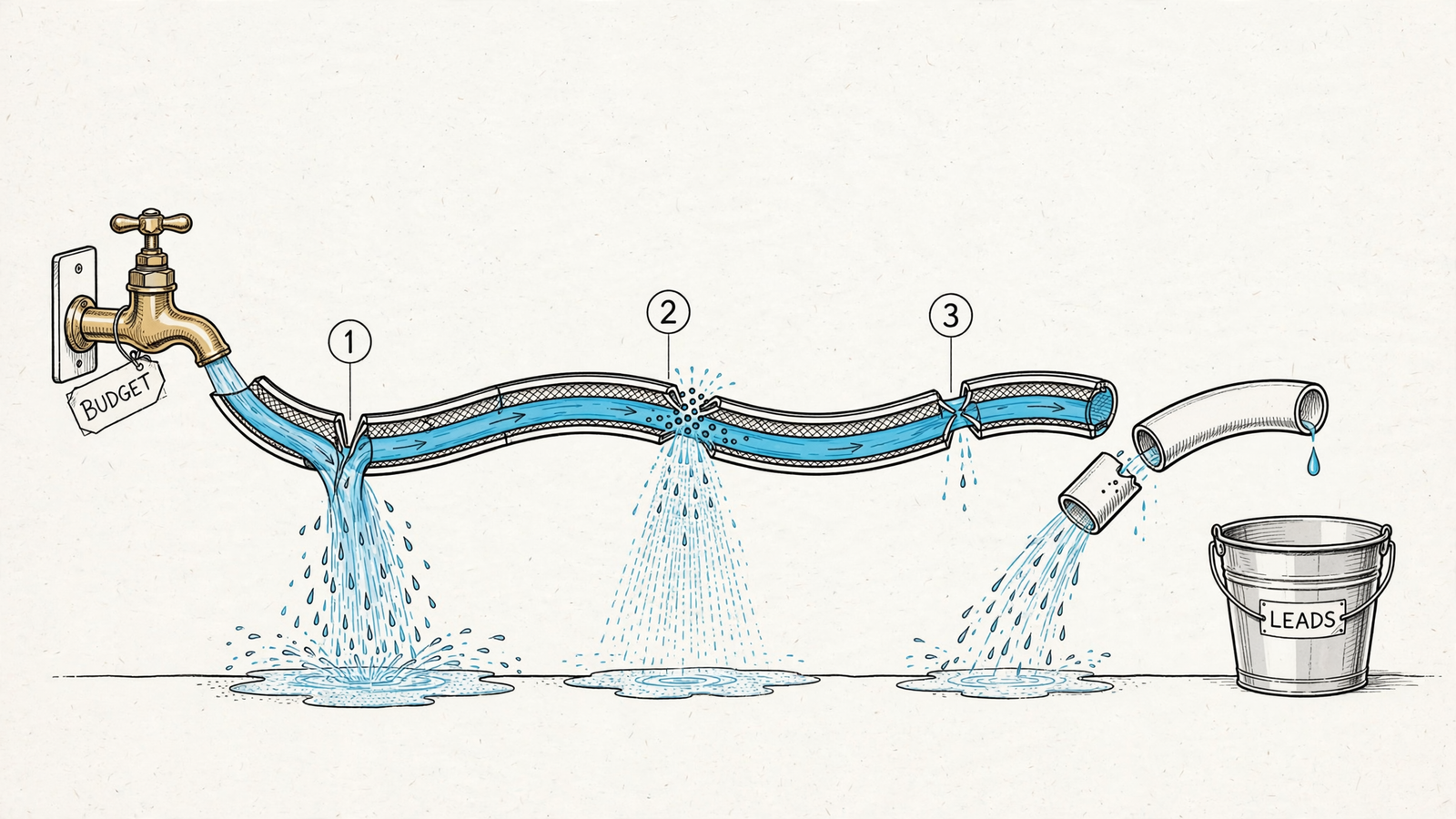
Your Google Ads account spends every day and brings back no leads. Give one person about an hour a day for 14 days, with no extra budget, before you pay anyone to take it over. I have run this rescue enough times to be blunt: when spend produces nothing, the first suspects are usually conversions counted wrong and queries bought wrong. Check those before blaming competition, raising bids, or buying an audit. In two weeks, you can find out whether the account needs a tracking fix, tighter search management, or help with the page where the click lands. Buy the diagnosis before you buy the takeover.
1. Set the limits before touching the account: days 1–14
Cost: about 14 hours of one person’s time and no increase in ad budget. Buys: a decision you can defend. That person needs access to Google Ads, Analytics, and the website. No account rebuild, new campaign types, five landing-page tools running in parallel, or developer sprint disguised as a quick fix. Each block has a question to answer. If a task needs more than your hour that day, log it for day 13 and keep moving.
What gets cut on purpose: account restructuring, ad copy rewrites at scale, Quality Score chasing, audience expansion, and Performance Max surgery. Some of that may matter later. None tells you much while you cannot trust the conversion number. A practitioner guide to ads that spend without producing leads points to the same recurring failures: wrong keywords, missing negatives, poor pages, wrong bidding, and broken tracking. Spending more comes after you know which failure you have.
The point is not to fix everything in 14 days. It is to walk into a hiring conversation able to say, “My tracking lies,” “My queries are wrong,” or “My page drops the handoff.” Say you spend $20k a month with nothing to show. That answer is worth more than another audit PDF. The blocks below use 13 of the roughly 14 available hours; keep the remaining hour for whatever proves slower than expected.
2. Prove the conversion count is real: days 1–3
Cost: three hours. Buys: a number you can use without optimizing toward fiction. Open Tools > Conversions and read what is set to Primary. If pageviews, time on site, or every phone-number click count as Primary, Smart Bidding may be learning to buy browsers rather than buyers. In a 2026 audit of 122 ecommerce accounts, 66 had conversion-tracking problems, including 27 counting micro-conversions such as pageviews as Primary and 26 with double or triple counting. In one account, 80 site-search goals masked 16 real purchases. That is what a busy conversion column can hide.
Next, check for the double-count I used to miss myself. If a native Google Ads tag and a GA4 import record the same form submission, and both are Primary, one lead can become two bidding signals. Keep one Primary and demote the duplicate to Secondary. I used to tell clients the GA4 import was automatically the cleaner choice. I was wrong to treat that as a rule. Here I would use the native tag as Primary and keep the import available to compare, rather than let both steer bidding.
Day 3 is manual. Test-submit each form and walk through the call path from the live page, with Tag Assistant open. Check what fires, look for the result in Ads, and confirm whether each lead action uses One or Every. A quote request should count once per ad interaction. If yours counts every submit, repeated attempts can make a thin lead count look healthier than it is. If a test does not appear when you check, record that as a tracking question, not proof that the ad brought no lead.
For context, the search benchmarks across 16,000-plus campaigns put average conversion rate at 7.52% and cost per lead at $70.11. Those averages are not your target. But if your reported conversion rate is 0% or under 1%, they are another reason to verify the count before declaring the traffic hopeless. Do not touch keywords until you know what a lead looks like in the account.
3. Find the queries you actually paid for: days 4–6
Cost: three hours. Buys: a list of terms that consumed budget, not a guess about your keywords. Go to Insights > Search terms, set the range to the last 30 days, and sort by cost descending. Ignore the comforting click total for a moment. Read what the account bought. I look first for job seekers, freebie hunters, DIY researchers, wrong locations, and competitor searches that do not belong in this account. Tag each visible term keep, negative, or move to its own intent bucket. If you skip this, the later bid changes are guesswork.

Broad match plus Smart Bidding can drift when conversion data is thin. The system still has to find auctions; without a trustworthy signal and a maintained negative list, volume can look like progress. That same 122-account audit found unmanaged search-term waste in 75 accounts, with 34 missing negatives and 24 running uncontrolled broad match. One wallet store ran 62 broad keywords in one ad group on $30 a day; only eight ever got a click.
I used to tell clients broad match was fine if you watched it. I was wrong about the second half. Nobody watches it hourly. Add negatives for the irrelevant queries you found, pause the three worst offenders outright, and mark the ad group trying to cover five intents with one page for a later split. Do not spend this three-hour block rebuilding it. If your negative list has not changed in 30 days, you are not managing search. You are funding it.
4. Follow the click to the page: days 7–9
Cost: three hours. Buys: a view of where qualified interest might die. Pick your five most expensive keywords and use ad preview to follow the message to the landing page. Read each page on your phone with one thumb. A useful audit checklist’s basic test is whether the page answers the query above the fold and works on a phone. If someone searches for an emergency plumber on Saturday and lands on a homepage with a slider, a stock photo, and a Contact Us button three scrolls down, the ad has handed off the wrong conversation.
The mechanism is plain: query promises, page delivers, form collects. Check that chain in order. Does the headline repeat the search intent in ordinary words? Is there one offer and an obvious next step? Is proof near the form? Can a tired person finish the form in about 60 seconds? You do not need a new landing-page platform to spot a headline that answers a different question.
I once watched recordings where 40% of paid clicks tapped a phone number that was an image, not a link. No tracking fired. No lead counted. Everyone blamed keywords. That is why the page check follows the tracking and query checks, rather than replacing them: a click can be relevant and still fail at the handoff. Fix the three pages taking 70% of spend and leave the rest alone for now. If a motivated visitor cannot use the page on mobile, do not buy that page more traffic.
5. Put bidding back behind the evidence: days 10–12
Cost: two hours across three days. Buys: a bid plan that does not outrun the data you just checked. If you have under 15 real conversions in 30 days, I would not assume Target CPA or Target ROAS has enough clean signal to make good decisions here. Those strategies use conversion data to set bids; thin or distorted data can leave them chasing the wrong auctions or struggling to spend. After the tracking and query checks, consider Maximise Clicks with a max CPC cap, or Manual CPC on your five keepers. Put 70% of the daily budget on the campaign with the cleanest intent rather than spreading the same money across every weak guess.
Check location, network, and auto-apply settings while you are there. You may find the account serving beyond the area you cover or buying traffic on a network you did not mean to include. Do not call that an algorithm problem before reading the settings. Keep the total budget flat; this step is a reallocation, not permission to spend more.

Then check what still counts toward bidding. In the groas B2B tracking case study, correcting GA4 tracking gave Smart Bidding cleaner signals to work with. The order matters: fix what the system hears before asking it to act faster. Automation multiplies the signal you give it.
6. Decide what kind of help you need: days 13–14
Cost: two hours. Buys: a brief for the right work, including work you can keep doing yourself. Write down three numbers: real conversions in the last 14 days, the share of visible search-term spend you marked as junk, and conversion rate on the pages you checked. Note any test lead that failed to appear and any fix that needed more than the allotted hour. You now have a diagnosis, not just a list of complaints.
Do the math the audit sheet asks for: lead-to-customer value against cost per lead. If you close one in ten leads and a customer is worth $4,000, $400 per lead is your break-even point on that simple calculation. But no break-even figure rescues a report that counts form refreshes as customers. Verify the lead first; price it second.
Put the account in one of three buckets:
- Fixed it yourself. Tracking counts once, junk share falls under 15%, and two or three real leads come in. Keep reviewing negatives and give the corrected bidding setup time rather than changing it again tomorrow.
- Needs ongoing hands. You found the leak but cannot keep reviewing search terms, adding negatives, and holding the page owner to message match. Buy that operating work, not another diagnosis.
- Needs a structural rebuild. Five intents still sit in one ad group, location and network settings spray spend, or change history shows a month of inactivity while nobody can identify the account owner. Do not buy minor optimizations for an account that needs rebuilding. Buy the rebuild, or start clean.
The handover checklist: make a provider show its work
If you land in bucket two or three, hand over your diagnosis rather than just the login. Ask any provider who offers to audit and manage the account to answer this checklist in writing before touching bids. Compare the answers with the complete account audit checklist and keep them beside your day 13 numbers.
- Show that I own the Ads account, Analytics, and Tag Manager, and that you have access rather than ownership. No account control, no deal.
- Show which conversion actions are Primary and which duplicates you will make Secondary.
- Show one test lead moving from click to Ads conversion to CRM; flag any handoff you cannot verify within 24 hours.
- Show the 30-day brand versus non-brand spend split. Brand can take credit while non-brand burns budget.
- Show the date of the last search-terms review and the last 20 negatives added.
- Show 30 days of change history and identify which auto-applies are on.
- Name the three pages taking 70% of spend and the person responsible for fixing them.
- Show how you connect leads to closed revenue, not just form fills. Skip this and you can buy more bad leads faster; a B2B SaaS team that optimized toward closed revenue scaled pipeline 80% on a flat budget.
7. When the 14-day limit lifts, buy execution against the fault
Cost under the constraint: none beyond the time and budget already committed. Buys: a clear next purchase when you are ready to make one. If junk share stays high after one pass of negatives, another audit PDF is not the answer. You need someone in the account reviewing terms, holding bids to real conversions, and keeping the page matched to the query. If tracking remains unreliable, fix that before rewarding anyone for a better-looking report. If the structure is the problem, ask for a rebuild rather than paying indefinitely to work around it.
That is the work I used to do at 1am, and it is the work percentage-of-spend retainers still bill like it takes 2015 effort. For buckets two and three, I would take the day 13 diagnosis to groas rather than pay for another periodic review. Its Search Ads service costs a flat $1,499 a month, not a cut of spend, with bids, keywords, and budgets worked around the clock and a named human responsible for direction. You should not have to interpret a dashboard to find out what changed. Know the fault first. When the constraint lifts, buy the execution that answers for revenue.