

 LinkedIn
The cheapest dynamic landing page tool can be the most expensive thing in your search stack. I have watched buyers spend a week comparing monthly prices, pick the lowest line item, and pay for that choice in lost conversions. I used to do the same math when I ran accounts by hand: treat the page builder as a commodity, then make the ads tool the real decision.
Here is the shopping trip. Three tabs open: Unbounce starts at $99 a month, Landingi’s white-label plan runs $185, and Instapage starts at $299. The smallest number wins the spreadsheet. But a common dynamic-text setup reads a URL parameter and swaps text on the page. That parameter can carry the keyword that matched your ad. The keyword is not necessarily what the person typed into Google. Two different things, and the buyer rarely asks which one the page is answering.
Google matches keywords to close variants, and there is no way to opt out: reordered words, added or dropped function words, and same-intent queries your keyword list never contained. A page that merely repeats the matched keyword can miss the need behind the search. The tool works as designed. Its design answers to your list instead of your customer.
The page has one job: finish the answer the ad started
Everything downstream of a search starts with a sentence a stranger typed into a box. The ad answers it. The page is where that answer has to survive contact with a skeptical person on a phone at 11pm. If the promise holds together, the visitor has a reason to convert. If it falls apart, no clever text swap rescues it.
Google’s advertiser guidance gives a plain example: if a keyword targets “discount shoes” and the ad promises 20% off, the page should help the customer find and buy discounted shoes. Google ties that alignment to ad relevance and landing page experience. The trade calls this message match. I check it the unglamorous way: read the search terms report, read the ad, load the page, and ask whether the page answers the need that brought the visitor there.
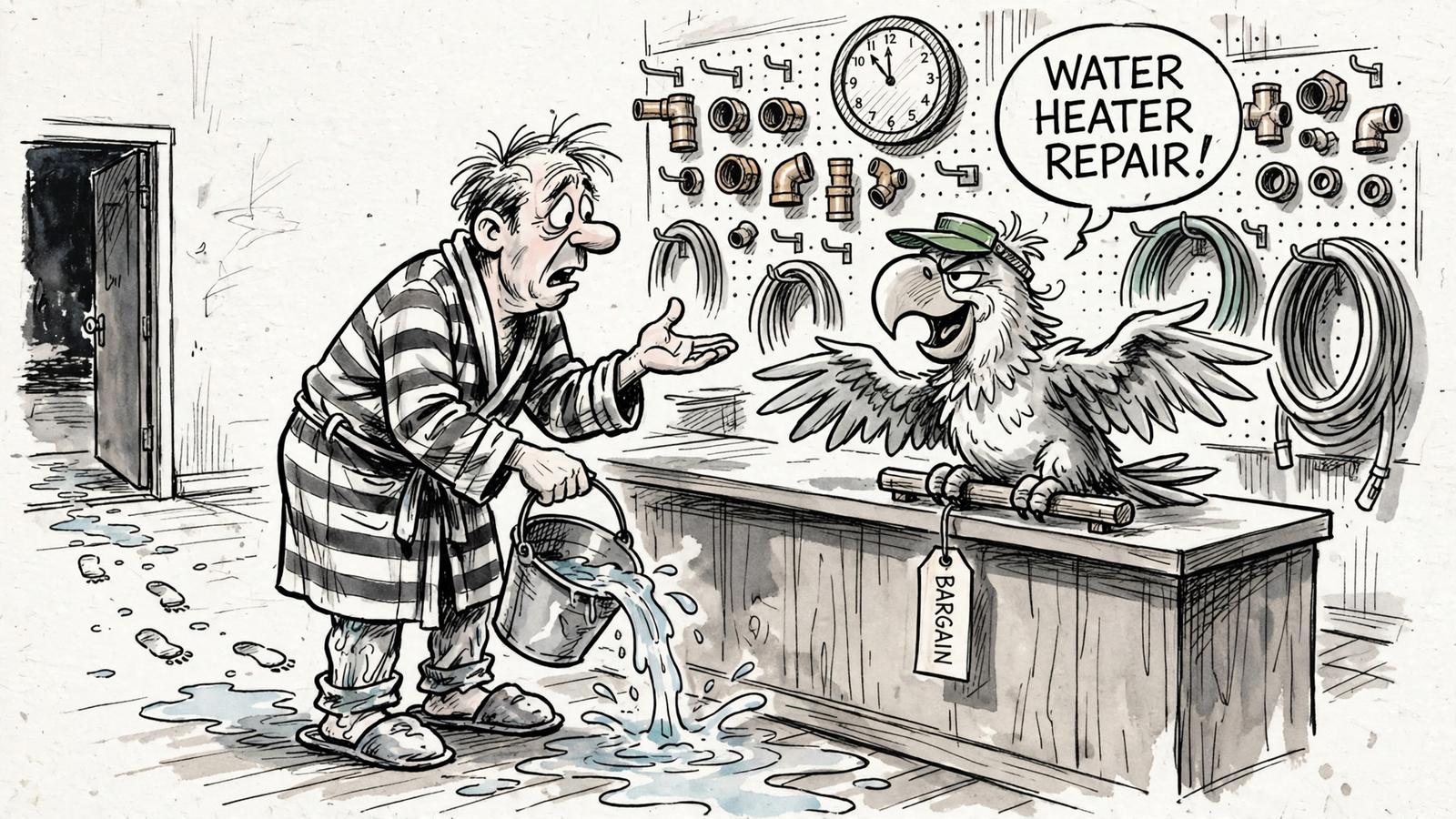
Take a home services example. Someone searches “water heater leaking how much to fix” at 11pm. The keyword is “water heater repair,” and the ad promises fast service. A dynamic builder puts “water heater repair” in the page headline and calls the job done. But the person asked about cost. The headline matches the keyword while leaving the question unanswered. Matching a field in an ads account is not the same as matching intent.
Quality Score is a warning light, not the auction price
Google rates each keyword from 1 to 10 using expected click-through rate, ad relevance, and landing page experience. Those components are marked above average, average, or below average against advertisers showing for the same searches. One correction matters here: Quality Score is a diagnostic, not an input to the auction. Google assesses auction-time ad quality for each impression. Quality Score helps you spot where relevance may be weak after the fact; it is not a dial a page builder turns to lower your CPC.
The page still matters. Omologist’s guide cites published data in which conversion rate moved from 3.1% to 8.4% in six weeks after a dedicated, message-matched page replaced a generic one. For scale, Unbounce’s benchmark across 57 million conversions puts the median landing page at 6.6% and Google paid search traffic at 11.3%. Those figures are not a forecast for your account. They show why page relevance is worth more attention than a $99-versus-$299 tab comparison. Ask what feeds the page before you ask what the builder costs.
A page can change while the account stands still
I learned that part the expensive way. On an ecommerce account I ran years ago, the client’s web team shipped a redesign over a weekend. Same URL, new template, faster load, better photography. Nobody told me. By Tuesday, the head terms showed below-average landing page experience. It took me two weeks to find what had changed: the new template had dropped the shipping-estimator block the old page carried below the fold. The bids had not moved. The offer had not moved. The page had.
I cannot assign every auction result to that one missing block. I can say the account had no way to keep the page and the campaign in step. A landing page is not a set-and-forget asset.
Why a bolted-on builder misses ordinary traffic
Its text swap reads the keyword, not the question
Here is the mechanic from the vendor documentation. Unbounce’s dynamic text replacement can build a final URL using [landing page url]?[parameter]={KeyWord:Default text}. The page fills its text from that parameter; if it is missing, the visitor sees the default. Unbounce’s documentation calls for a default value when the search term does not match keywords in the ad group. The important distinction is in the fields: Google’s search terms report shows what someone searched and which keyword matched it separately. The URL swap carries the keyword. It does not reveal the exact query to the page at click time.
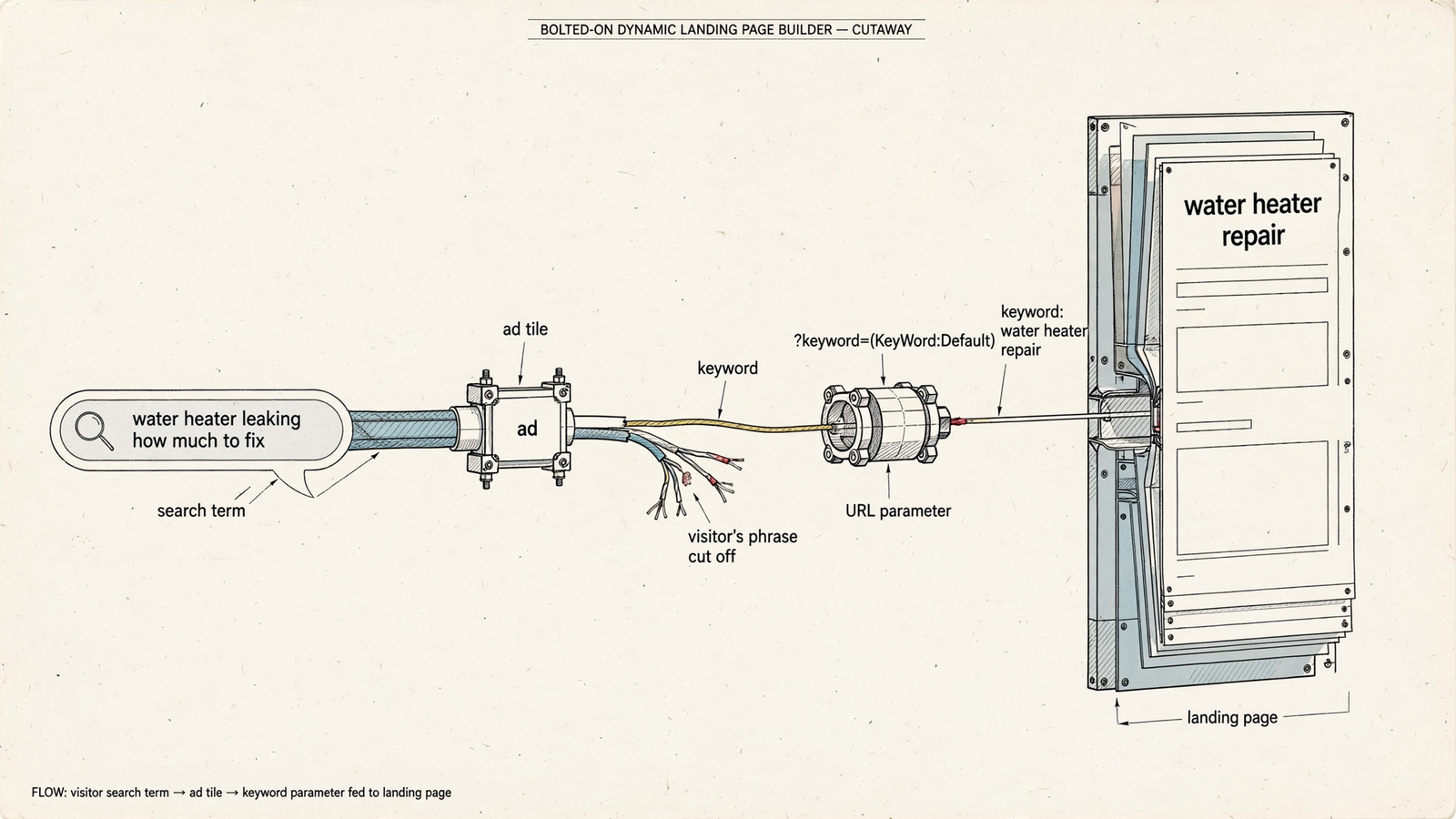
This is ordinary traffic, not an edge case. Under Google’s close-variant rules, a phrase keyword for “images royalty free” can serve an ad on “free copyright images of baseball”; Google confirms there is no opt-out. A page repeating “images royalty free” may be less useful to that visitor than one that actually deals with the baseball-image need.
Shallow swaps are not a substitute for checking the result. In one r/PPC test that changed only two or three page elements, landing page experience remained below average for 22% to 100% of keywords across five themes. In another account discussed by an operator, conversion rate fell from 43% to 36% across campaigns after dynamic keyword insertion was applied to pages. Those accounts do not prove every text swap fails. They are a good reason to stop treating the swap itself as the outcome. Check the query, the page, and the conversion data.
Ads change; pages drift
Message match is a standing condition, not a build-time task. Ads rotate. Offers change. Someone edits a CTA, and the page quietly diverges from the ad pointing at it. In one r/DigitalMarketing discussion of underperforming accounts, practitioners noted that clients often have more ad variations than landing page variations. The ads get tested while everyone lands on the same page.
Two tools can mean two change schedules and two owners. If your ads and pages are updated by different people on different calendars, message match becomes a photograph of last quarter.
Two tools leave you holding the receipt
AgencyAnalytics’ white-label roundup lists Landingi’s White Label plan at $185 a month for programmatic pages and Adalysis at $126 a month for PPC automation. They are separate categories from separate vendors; the roundup does not claim they share a feedback loop. One tool may show the click and cost, while the other shows the visit and form. When CPA rises, somebody still has to connect the page change, the ad change, and the conversion result.
That somebody is usually the person holding both logins. The subscription price does not include the time spent reconciling the work.
An integration has to do more than pass a parameter
White-label vendors have a word for closing that gap: integration. Ask what it does. Sometimes the answer is a URL parameter, a dashboard, and another login. Adtunez pitches white-label audit and monitoring software at $79 per account per month, with a suggested resale price of $300 to $500. It reports and alerts. It does not ship or change a page. That may be useful audit software. It is not a mechanism for keeping pages aligned with ads.
A feedback loop requires more than inserting a string into a headline. It needs page results to inform the next page decision and the account decisions around it. Unbounce’s dynamic text replacement page describes relevance and Quality Score benefits, but the text-swap mechanic is still keyword in, page text out. The URL parameter does not, by itself, carry the page’s performance back to a bid or an ad.
If the page test and the ads account cannot compare results, you are running two experiments with one budget. Ask what happens after a visitor converts, not just what appears before they click.
Put three questions ahead of the monthly price
The three pricing tabs make the wrong spreadsheet. Price is the easiest column to fill because it does not require you to understand the mechanism. I would put these questions first, in this order:
-
What signal shapes the page? Ask whether the headline merely repeats a matched keyword. The exact search term is not a magic value the builder can pull from that URL parameter. What matters is whether the team uses available search-term data to refine the page, and whether the page reflects the ad-group and offer context now rather than the keyword list as it stood at launch. For the water-heater campaign, I would want the cost question visible in the search terms report and addressed in the page work, not another “water heater repair” headline in a demo.
-
Who updates the page when the ad changes? A builder can publish a page and still leave nobody responsible for it afterward. Ask who checks it when copy rotates or an offer moves. That owner needs the access and mandate to change the page, not a reminder to look at it on Friday. In my ecommerce example, the important failure was not that a web team redesigned a template. It was that the account learned about a consequential page change two weeks late.
-
Do page results inform account decisions? When a page variant performs better or worse, who sees that result alongside the ad and bid data? Ask for the change log or workflow that shows how a page result leads to the next decision. Do not accept “integrated” as an answer. If nobody can show the path, the loop is a sales-deck arrow.
That is why I stopped treating landing pages as a separate purchase. The page is not a deliverable the ads tool points at and forgets. It is part of the account’s work, with changes that need an owner and a record. groas builds a landing page for every ad group and works on pages alongside bids, keywords, and budgets around the clock, with logged changes and a named strategist owning the outcome. Its flat fee puts the page and ad work under one operating model. That is a stronger answer to the three questions than buying a builder and hoping somebody connects it to the campaign later.
The narrow case for the cheap add-on
There is a buyer the cheap tool fits. If you run one campaign, one ad group, one stable offer, and a tight set of search intents you check by hand, a simple text swap may be enough. Exact match alone does not eliminate close variants, so I would still read the search terms. If a designer can build the few static pages you need faster than you can configure a builder, skip the dynamic tool entirely.
Everyone else should stop mistaking a low line item for a low cost. Close variants arrive. Ads rotate. Pages drift. Two dashboards tell partial stories, and the reconciliation lands on your desk. Meanwhile, the builder dutifully pastes “water heater repair” into the headline while the person asking “water heater leaking how much to fix” goes back to the results. The tool logs a successful swap.
That is the cost of the cheapest tab. Not the $99: the relevance you lose when nobody checks whether the page answers the search, compounded across the traffic and budget you keep buying. If you compare tools on price alone, you may not notice until you have spent months paying for clicks your page was built to misunderstand.