

 LinkedIn

A half-built ChatGPT Ads account does not always need an agency. First find out whether you can launch at all; paying someone to rebuild a campaign will not fix a platform access restriction.
Maybe Persona rejected your business verification. Maybe billing asked for the same document twice. I get why you would want someone to take the whole thing off your hands. I used to get that call on Google Ads, too. The expensive mistake is asking for a restart before you know what actually stopped you.
Here is the outcome: a documented launch decision in about an hour. You will check whether your business can advertise, identify the unfinished work, and hand over a blocker list instead of a blank check. Eligibility depends on where your legal billing entity sits, not where you want to show ads. An agency can take over campaign work. It cannot substitute for platform access.
Can you actually launch, or is this an access block?
Start with OpenAI’s Ads Manager Availability page. Find the country of the legal entity that will be billed. If it says Available, you can move on to the account. If it says Coming Soon or is not listed, self-serve is not available yet; sign up at ads.openai.com for notification. I used to tell clients to fix the account first and ask about eligibility later. I was wrong. Here, eligibility comes first.
The distinction is straightforward:
- Access restriction: You cannot get into Ads Manager or add billing, and support points you back to the availability list.
- Unfinished setup: You are inside ads.openai.com but stuck on Persona identity verification, logo or legal-name review, or billing.
Both produce the same feeling: nothing is running. They need different responses. Community threads describe an advertiser whose $50 card authorization hold tied up funds while setup remained blocked and another whose legal name did not match the DBA shown in ads. Those are setup problems worth documenting, not reasons to throw away the whole build.
What can an agency take over? Verification paperwork, campaign structure, tracking, and daily management. What can it not do? Replace your access with its own. OpenAI says the advertiser creates the account, then adds the agency as a user. There is no Google MCC or Meta Business Manager equivalent here, and a user who reaches 10-plus accounts cannot create more. Skip anyone offering to spin up your account under their own entity and bill you through it. You would be building on someone else’s access. Skip anyone claiming certified ChatGPT Ads partner status, too; no certification exists.
Do not pay someone to fix an access restriction. Pay them to finish setup once access is confirmed.
Where did your DIY attempt actually stop?
Check the unfinished work in this order. The first blocker can make every later task premature.
- Verification and billing. You need a legal business name, Tax ID or EIN, logo and favicon, payment method, Persona identity verification, and a policy compliance check. Ads cannot serve until verification and billing are complete. If your legal name and DBA do not match, or your logo is pending review, record that before you work on the campaign.
- Tracking. Identify what is installed, what is sending events, and whether a test click survives your redirects. This is the unfinished piece in almost every handoff I see. The setup calls for OpenAI Pixel browser code, Conversions API server events, UTMs, and the
opprefclick ID preserved through redirects so GA4 or call tracking can tie a click to revenue. Lose the ID in a redirect and clicks with zero attributed conversions tell you very little about the channel. - Campaign inputs and landing page. Check the ad-group context hint, geography, offer, and page together. There are no keywords, demographics, or in-market audiences to pick. Context hints are freeform descriptions, such as cushioned everyday running shoes for beginners. If the hint says personal injury lawyer but the page says full-service law firm, lists three practice areas, and ends in an old contact form, the system has little clear offer to match and the visitor has little clear action to take.
There are two traps inside that checklist. First, the Conversions objective runs as oCPC or oCPM, so you still pay per click or impression. You cannot change the objective or conversion event after creating the campaign; you have to build a new one. That punishes the usual DIY plan to launch now and fix tracking later. Do not authorize spend until the Pixel fires, a server event lands, and a test click keeps its oppref ID end to end.
Second, check whether the brief itself fits the available inventory. Ads serve to 18-plus Free and Go users, including logged-out users, but not to Plus, Pro, Business, Enterprise, or Edu users, in Temporary Chats, or near sensitive topics. If you planned for full-funnel ChatGPT reach, the blocker is the brief, not the setup. Custom audiences are not a quick workaround: they require 25,000 matched users for targeting, with 100,000 recommended. For most small businesses, they work only as exclusions.
The work that finishes this part is boring: one offer per ad group, one page that delivers it in under three scrolls, and one conversion tied to an outcome such as a booked job or qualified pipeline instead of a page view. If you cannot name the conversion in one sentence, you are not ready to pay for clicks.
What do you hand over so nobody rebuilds blindly?
I have taken over enough half-built accounts to know the pattern. The client says, “Just finish it.” The new manager rebuilds from zero. A month later, we discover the Pixel was already firing and the landing page was already fine. You paid to repeat work you had done.
Make a one-page inventory and blocker list instead. It takes about 20 minutes and changes the conversation from “Quote me a rebuild” to “Here is where I stopped.” Include:
- Account and ownership: your advertiser-owned login at ads.openai.com, the admin, the agency user you added, and whether anyone is near the 10-account creation limit.
- Verification state: Persona status, legal name versus DBA, Tax ID submitted, logo and payment method approved or pending, plus screenshots of the exact error.
- Tracking state: OpenAI Pixel installed, Conversions API sending, and a test click keeping its
opprefID through to GA4 or call tracking. - Campaign drafts: context hints written, geographies set, landing pages linked, conversion event picked, and what remains missing.
Keep account ownership with you. If a provider will not read that list before quoting, expect to pay them to rediscover it.
How do you find someone who finishes instead of advises?
Ask for hands-on execution, not a course outline. Anyone can sell you a ChatGPT Ads training video. You need someone who has worked through verification, billing, Pixel installation, and a live campaign recently. Ask which ad accounts they are inside now, which blockers they cleared, and what their last three launches needed before spend started. If the answer is a deck about AI strategy with no mention of Persona checks, policy review, or context hints, you are talking to a consultant. Claims of certified ChatGPT Ads partner status are another red flag.
Sales calls also blur four different offers:
- Consulting tells you what to do and leaves the build to you.
- Training teaches your team the clicks.
- A waitlist holds your place while access opens up.
- Managed service builds, launches, and manages the campaign afterward.
For a stalled build you want the fourth, with a named owner and a written launch checklist. Who approves copy and budget? Which conversion counts? What daily cap applies? What must be true before spend goes live? My rule from agency takeovers still holds: if there is no single name on the account and no checklist with dates, you bought advice priced like labor. Pay for a launch list with a name on it, not a promise to figure it out.
What first test should you agree to before spending?
Do not approve open-ended spend. Put the conversion, budget ceiling, and approval responsibilities on a one-page test sheet both sides sign. Then check whether the minimum test is worth running.
The minimum is $25 per day per campaign in USD, CAD, and AUD. OpenAI suggests a $3 to $5 max CPC to start, and early reports put CPCs at $2 to $5. One Canadian agency test spent CA$198 for 47 clicks and one conversion. At the daily minimum, a four-week test is roughly $750 or more in media before any fee.
In the US, the daily minimum averages over seven days, with up to 2x spend in one day and 7x over seven days. Use a campaign-total budget as the stricter cap. A $175 one-week cap is the tightest pilot I would sign under that $25-a-day structure; a home-service guide uses the same cap. If you cannot fund a test that you can judge against a booked job or qualified pipeline, pause. Do not buy clicks you cannot evaluate.
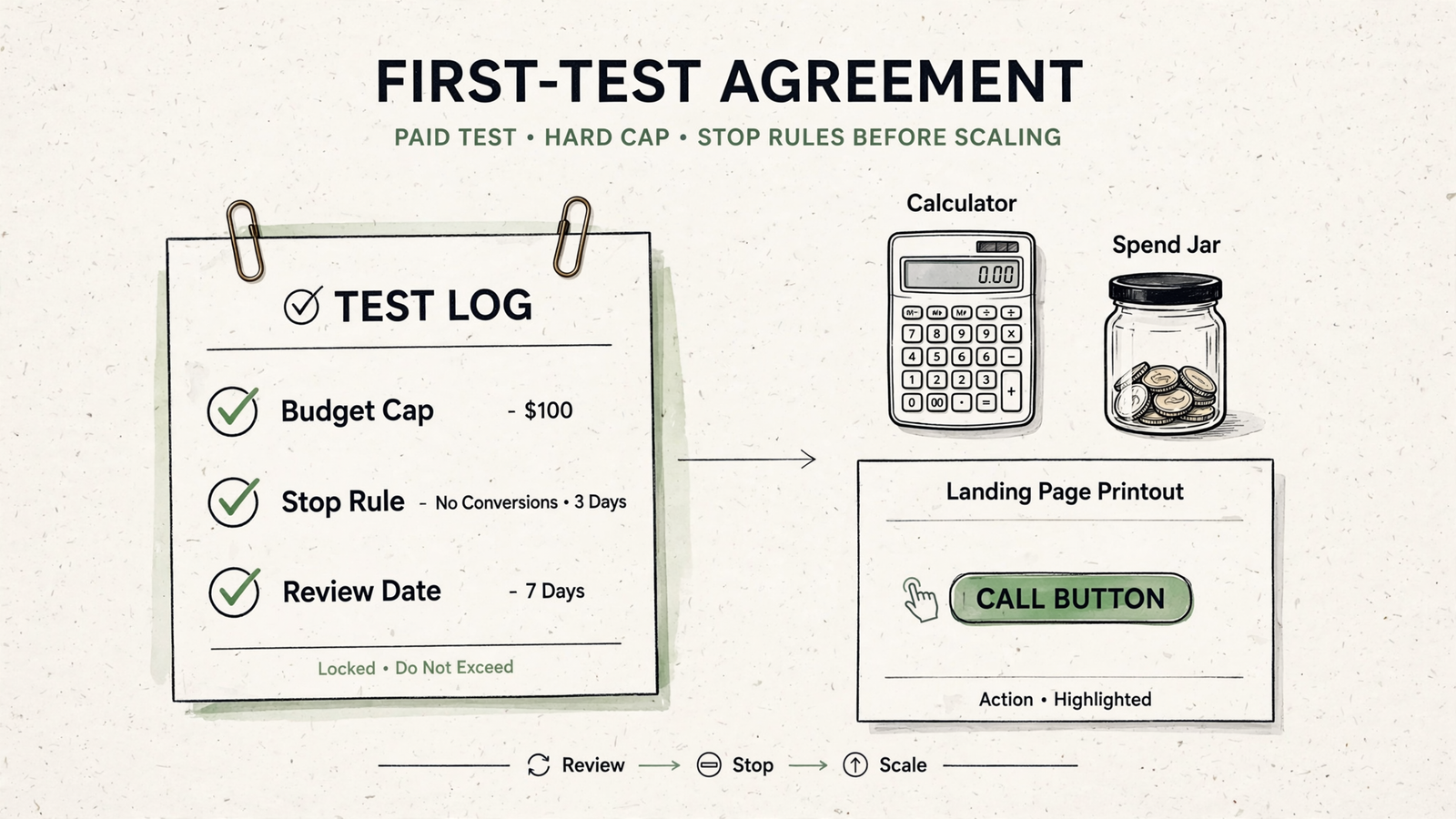
Write the decision rules before the first click:
- Continue if tracked conversions come in at a cost per booked job you can live with.
- Change the context hint or landing page if clicks arrive but conversions do not. More budget is not the first fix.
- Stop for policy blocks, no inventory in your geography, or a cost per lead that breaks the offer even after the page is fixed.
That last rule matters. In early contractor data, 37 contractors booked 34.1% on ChatGPT versus 48.8% on Google, with $654 versus $893 revenue per lead. Different channel, different close rate, different math. Decide your stop rule while spend is still zero; once it starts, everyone finds a reason to keep going.
What if access is not available yet?
This is where a good provider tells you not to spend. If your billing entity is in a Coming Soon country or is unlisted, there is no self-serve build to finish and no campaign management to sell.
Ask for a short pause memo: the date access was checked, the result, confirmation that you signed up for notification at ads.openai.com, a recheck date, and the tracking and landing-page work you can do meanwhile. That way, a later launch does not become another stall. Anyone offering to run ChatGPT Ads for you where the ad product is not available is selling you Google Ads with a new label. A pause memo beats a retainer with nothing to run.
What does hiring groas cover, and what stays separate?
If access checks out and you want someone to finish the build and manage it, here is the line groas draws. Search Ads is one service at $1,499 a month covering Google Ads, Bing Ads, and ChatGPT Ads together, for one flat monthly fee regardless of ad spend. Across those platforms, the service covers ongoing work on bids, keywords where applicable, and budgets, plus a landing page for every ad group and a dedicated account manager who owns the result. ChatGPT Ads still use context hints, not keywords.
The fee is month to month, with no setup fees and cancellation anytime. The 7-day money-back guarantee starts at checkout. Media is separate: you pay OpenAI, Google, and Bing directly for clicks. After signing up, you share access to what you have, agree on goals during an onboarding call, and work starts within 24 hours. You keep the accounts, pages, and data; groas finishes the unfinished setup and manages against pipeline and revenue, not clicks alone.
What is the first thing to do today?
Open the availability page and check your billing entity before you email an agency. If it says Available, make your one-page inventory and send that instead of asking for a quote to start over. If it says Coming Soon, save the result, sign up for notification, and work on tracking and the offer page while you wait.
Either way, walk into the next call with proof of what stopped you. That is what turns a stuck setup into a launch decision you can defend.