

 LinkedIn

Most agencies won’t tell you this: an AI visibility score is often a Monday spreadsheet with better fonts. I’d rather run the same buyer prompts on a fixed schedule and log what changed in ChatGPT, Gemini, Perplexity and AI Overviews. You don’t need a $300/month dashboard to know whether those answers name you. You need a prompt set that stays put, a sheet that separates mentions from citations, and enough discipline not to rewrite a page every time one answer flips. This is the checklist I’d keep open every Monday. Set it up once, aim for a 30-minute weekly pass, and use the monthly checks to make sure the log means what you think it means.
Before week one: freeze the prompts and build the sheet
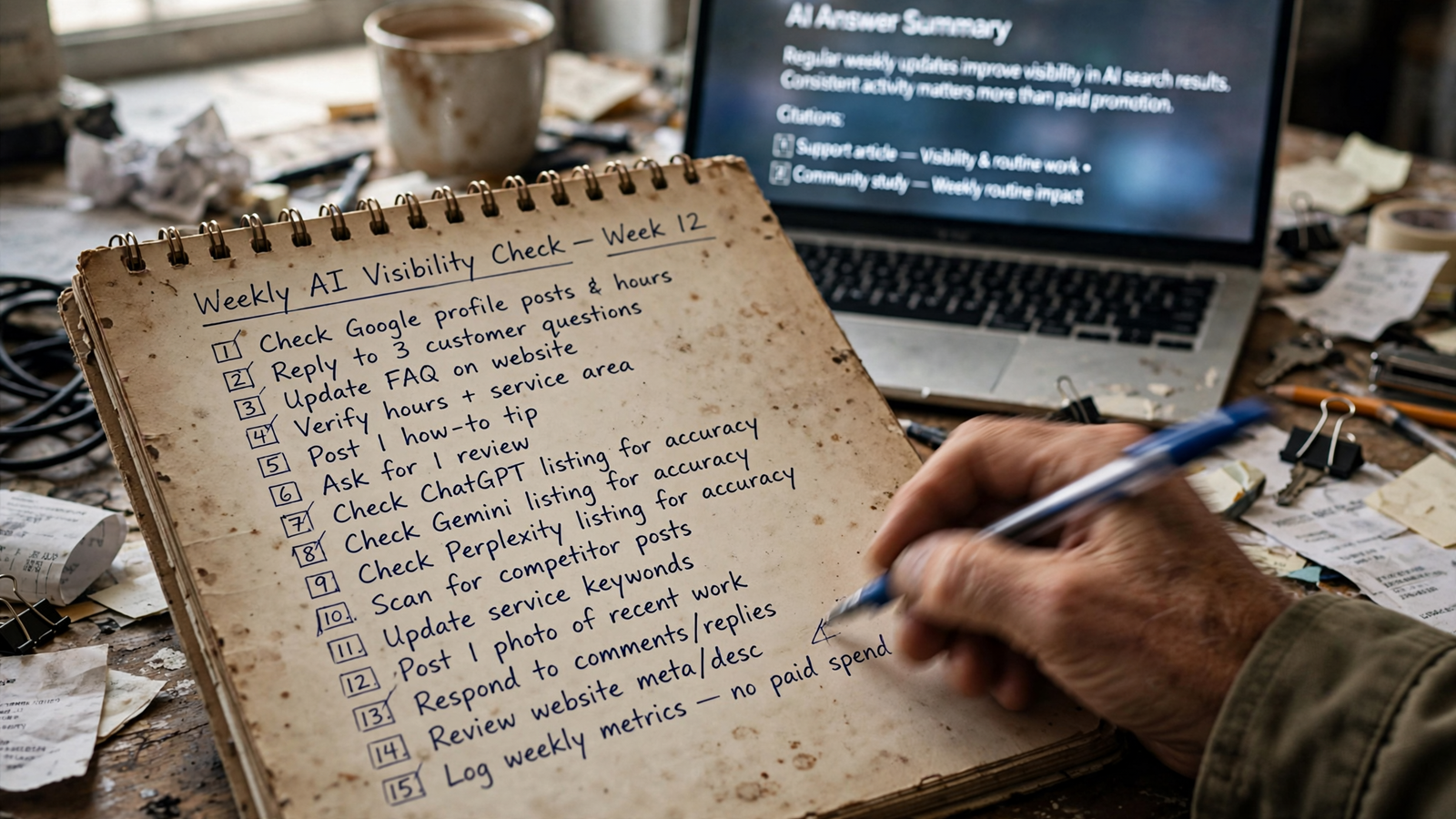
- Write 20 buyer prompts in customers’ words, not keywords. Pull the wording from sales calls, reviews and support tickets, then save each prompt exactly as you plan to enter it. A search term such as “accounting software” is not necessarily the question a buyer asks an assistant; the wording is part of what you’re testing. If you need a starting point, use this buyer-intent prompt sheet, then narrow it to questions relevant to your business. Keep the original 20 unchanged long enough to see a trend. You can add prompts later, but don’t quietly replace a weak one and call the new result improvement.
- Split those prompts into four buckets: category, comparison, problem and local. Five in each is a workable starting split, not a rule for every business. Record the bucket beside the exact wording so you can spot a pattern instead of staring at 20 unrelated rows. Keep category prompts separate from prompts containing your brand name; a branded question can make your mention rate look healthy while buyers asking whom to hire or what to buy never see you. A whole bucket at zero is worth investigating. A single zero is a row in the log, not yet a verdict on your content.
- Fix the engines before you record a baseline. Check ChatGPT, Gemini, Perplexity and AI Overviews separately, using the same applicable prompts in each. Record the engine, available model information, locale and date. Don’t roll the results into one visibility score: being named in one answer does not cancel out being absent from another engine’s answer. The engines can surface different pages and competitors for the same question, which is precisely why the split matters. If a prompt cannot be tested consistently in an interface, mark that limitation in the sheet rather than treating a different test as the same one.
- Build a log with separate fields for named, cited and competitor named. Use columns for date, engine, signed-in status, exact prompt, brand mentioned, brand cited, cited URL, competitors named and wrong claims. Add a notes field for changes you cannot capture cleanly in a yes-or-no cell. A manual sheet layout is enough; the point is to make next Monday comparable with this Monday. Don’t put “appeared” in one column and leave yourself to remember whether that meant a name in the answer, a linked source, or your own site appearing somewhere in the interface.
- Run the full set once and label it week-zero baseline. Record what the answers actually say, including zeros, before you start fixing pages. Freeze the prompt wording, bucket labels and engine list for the weekly comparison. The baseline is not a score you need to defend; it is a reference point. If you change a prompt, note the change and start a new comparison for that row. I’d rather have a plain baseline with gaps than a polished percentage built from prompts that change every time someone dislikes the number.
Every Monday: run the same check, then stop
- Use a fresh or logged-out session where the interface allows it. Keep the location and prompt order consistent, turn memory off when possible, and note the session conditions in the sheet. Consumer interfaces can include browsing tools and other behavior that an API test does not reproduce, so don’t mix the two and call them one weekly series. Checking while signed in and then counting an answer shaped by your own history as public visibility is the common mistake. Budget the first five minutes to open the sheet, confirm the sessions and enter the date, engine and model details. If an interface changes, log that too.
- Record a brand mention and a linked citation as different outcomes. Mark “mentioned” when the answer names you, and “cited” when it links to you or lists your page as a source. An answer can do either, both or neither. Record wrong claims separately; a confident but inaccurate description is not the same outcome as a clean mention. Keep branded-prompt and unprompted buyer-prompt rates apart so a question that already contains your name cannot rescue a weak category result. This is where a blended dashboard number tends to lose the detail you need to decide what to fix.
- Record the exact URL cited, not just the domain. A home page, pricing page, review and comparison page tell you different things about the answer you received. Paste the URL into the row rather than writing “site cited,” and note when a citation switches pages on the same prompt. You are not trying to infer everything the engine read from one link. You are preserving the visible result so you can compare it with next week’s result and, later, with the URLs in your server logs. A changed URL is useful evidence; a domain-level tick hides it.
- Name every competitor that appears where you hoped to appear. Record the names in the prompt’s row, by engine, rather than compiling one league table for the entire week. The useful question is not “Who won AI?” but “Who answered this buyer question when we didn’t?” One engine may name you while another names a competitor or cites a third-party page, so keep the comparison per engine. If the same competitor replaces you on two or more prompts in a week, mark those rows for review. Don’t assume the answer is to change every page at once.
- Flag changed states; don’t fix pages mid-run. Mark a new mention, lost citation, new competitor, wrong claim or cited-URL switch. Use roughly minutes 5 to 25 to run and log the prompts, then the last five minutes to mark changes and choose one thing to inspect. That is a time budget, not a guarantee that every interface will cooperate. If you have time, repeat a changed prompt before treating one answer as a trend. My working rule: act on a loss of both mention and citation that persists for two weeks on the same engine; record a one-week blip without chasing it. Keep running and fixing in separate blocks, or your Monday check becomes an afternoon.
Monthly: check the pages and the bot log
- Pull 30 days of server or edge logs and filter for AI user agents, including
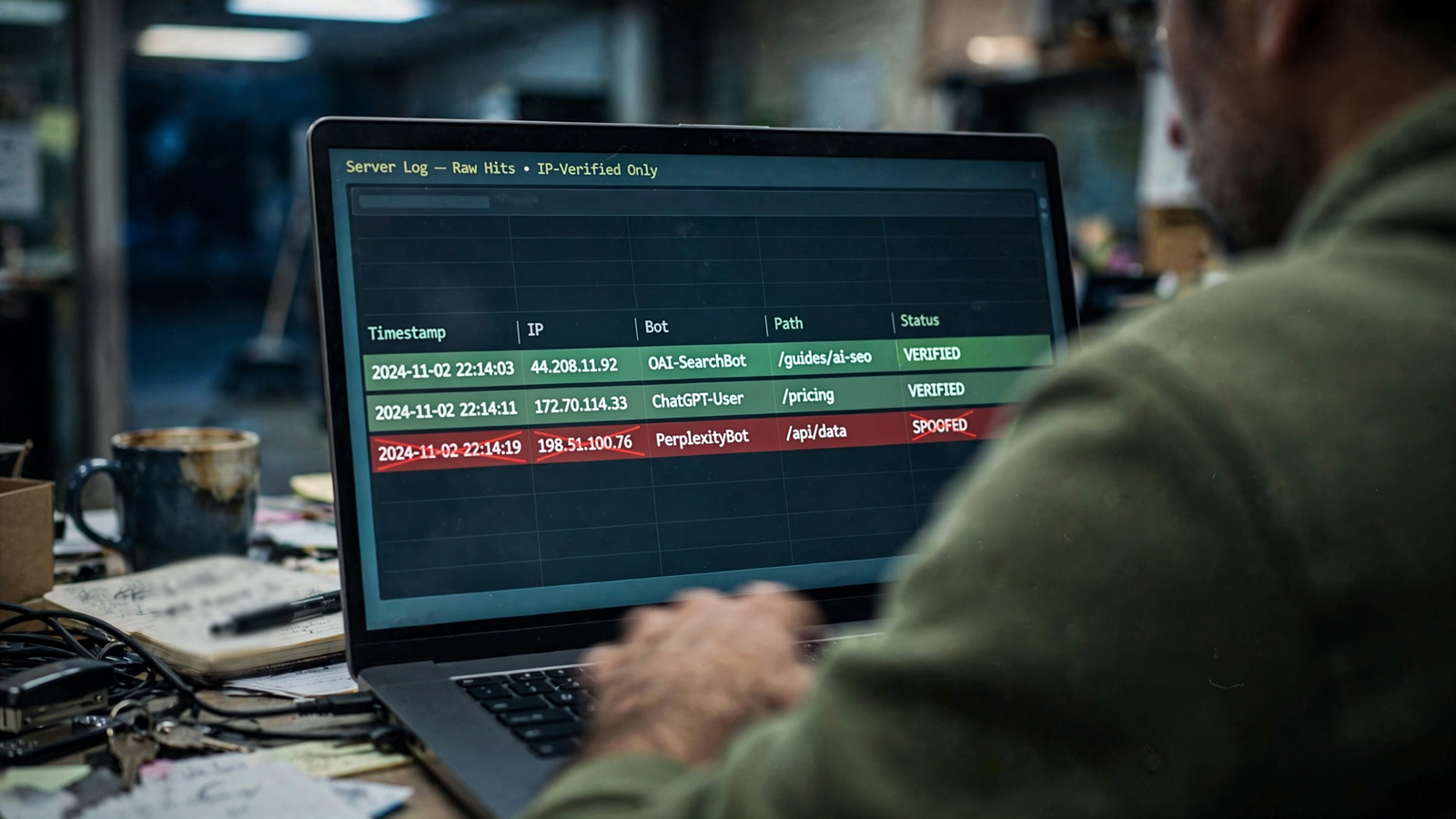
OAI-SearchBot,ChatGPT-User,PerplexityBot,ClaudeBotandGPTBot. Group results by bot, URL, status code and date. A200indicates the request received a readable response;403and429point to blocked or limited requests. A bot hit is not a visit, a citation or proof that a particular answer read your page. These requests can fetch HTML without running your analytics scripts, and an answer may draw on an earlier index crawl rather than a fetch immediately before the prompt. Use the logs to inspect access, not to inflate your mention count. - Match logged URLs to the pages cited in your Monday sheet. Which cited pages also appear in the log window? Which fetched pages never appear as citations in your fixed prompt set? Keep the dates visible when you compare them. A citation without a fetch in those 30 days does not prove the page is about to drop; your log window cannot show every earlier crawl or every path by which an answer was assembled. The practical check is narrower: look for blocked responses, unexpected URLs and a mismatch worth investigating. Don’t turn “I cannot see a fetch here” into “the engine never read this page.”
- List prompts with no mention or citation after two weekly runs. Group them by the buckets from step 2, then add three columns to each gap: the page you want to win, the page the answer actually cites, and what that page answers that yours does not. Keep each note to one line. A zero is a content question to investigate, not proof that you lack a citable page or that the tracker is broken. This is where a spreadsheet mention tracker earns its keep: the recurring gaps become a backlog. If you publish a fix, keep testing the same prompt; don’t change the question to make the page appear.
- Decide which page to work on before you decide which metric to improve. If an answer repeatedly cites a page that gives buyers prices, steps or comparisons while yours stays generic, inspect that difference and make the missing answer clear on the relevant page. Don’t assume the same edit will work across engines. One may surface your own service page; another may lean on a third-party list. The repeatable mention-audit method is useful here because it keeps the re-test tied to the original buyer question. Pick one gap, make one relevant fix, and log what changed. A prettier aggregate score is not a fix.
When the Monday pass costs more than the answer
- Hand off the routine when running it crowds out fixing it. My triggers are practical: the Monday pass takes more than 45 minutes two weeks running; the prompt set needs to grow past 50 to cover services or locations; or a launch or bad answer makes daily checks necessary. At that point, compare the hours spent checking with the work left undone. I used to tell clients to buy a tracker. I was wrong to treat another dashboard as the whole answer. If you need checks run, pages fixed and a log kept without managing the process yourself, that is the work groas does: continuous execution against buyer prompts with human strategic ownership. Keep the fixed prompt set when you hand it off. Otherwise, you lose the comparison that made the routine useful.
- Last check, and the one most teams skip: verify bot hits before counting them as coverage. A user-agent string is a claim, not an identity; check it against the bot provider’s published IP information before relying on the hit. A plugin report full of unverified requests can look reassuring while your fixed prompts still show no citation. The cost of skipping this check is not a messy spreadsheet. It is leaving the page untouched because you think the engines are fetching it, while the answer your buyer sees still names someone else.