

 LinkedIn

An agency can promise to improve your Meta ROAS without promising to sell one more thing. Change the attribution window, and the number can rise while your store revenue stays flat. Before anyone promises better ROAS, ask which ROAS they mean.
Start with one fact: Meta does not count money in your till. Ads Manager builds a return-on-ad-spend figure from purchase signals your store sends, the ads Meta credits for those purchases, estimates where signals are missing, and the revenue value attached to each event. Change a layer and you can change the reported result without changing the orders.
Keep one example in view. Say you spend $2,000. Meta reports $9,000 in purchase value: a neat 4.5x. Shopify shows $4,800 under one reporting setting and $3,600 under another for the same dates. That gap does not, by itself, mean either tool is broken. The reconciliation starts with the counting rules. Let’s build them from the first purchase signal up.
Step 1: Your store tells Meta a purchase happened
Everything Meta knows about a sale starts outside Meta. A customer buys, and something on your side has to send the purchase event. Usually that means two routes: the browser pixel on the thank-you page and the Conversions API sending an event from your server. Running both gives Meta more chances to receive a signal. It also gives you two chances to report the same order.
I used to treat dual tracking as pure upside. I was wrong. The browser and server events need matching identifiers so Meta can recognise them as one purchase rather than two. The event name, pixel and corresponding browser eventID and server event_id matter here. If an app, plugin or custom setup sends different IDs, the two reports may not be joined. One Shopify order can then become two reported purchase events. A healthy-looking ROAS is not much comfort if its purchase count is inflated.
The useful check is not simply whether Conversions API events equal Shopify orders. A server event is one route by which an order reaches Meta; that comparison alone cannot tell you whether Meta also counted a browser event. For a clean seven-day period, compare store orders with the purchase events Meta receives, then inspect whether browser and server events for the same order carry matching IDs and are being deduplicated. Event matching is the part worth checking, not the reassuring sentence in a plugin’s documentation.
Why fix this before touching creative? Meta uses the purchase signal to guide delivery as well as reporting. If it learns from duplicated purchases, it is learning from the wrong account of what worked. In the running example, the $9,000 numerator is not yet a useful number if the underlying purchase events are wrong. Get the order count right before you interpret the return.
Step 2: Meta chooses which ad gets credit
Suppose the purchase events are clean. You still have not established which purchases belong in the ROAS column. An attribution setting determines which interactions with an ad can receive credit and how long that credit remains available. The 7-day click plus 1-day view setting, for example, can credit a purchase after a click within seven days or a qualifying view within one day.
Picture one buyer in our $2,000 campaign. They see a Meta ad, do not click it, later reach the store through a Google ad and buy. Under a setting that includes 1-day view, Meta can credit its ad. A store report using last non-direct click can credit Google. It is one order, not two. The disagreement begins when two reports answer different questions about it.
That is why I look at view-through before diagnosing a large Meta-versus-store gap. Remove 1-day view with Compare attribution settings and see what happens to reported purchase value. This does not prove the view had no effect on the buyer. It tells you how much of the reported result depends on a rule that credits an ad without a click. That is a narrower, more useful conclusion than either “Meta created every sale” or “Meta created none of them.”
The window can make a dramatic difference. Practitioner examples show the same period reading 2.53x under one setting and 0.52x under 7-day click alone, or 4.2x under a longer click window and 3.1x under 1-day click. The orders did not change when someone opened a dropdown. A different attribution window is a different definition of success, not an optimisation result.
The rules have changed over time, too. Click-through treatment changed in March 2026, while 1-day view remains the longest pure-view window available through the Ads Insights API. The practical point is not to memorise a historical setting. It is to put the setting next to any ROAS figure you are asked to judge. For our example, $9,000 at the selected setting and $6,000 at 7-day click can both describe the same campaign. The $3,000 difference tells you something about credit, not about extra orders.
Step 3: Missing signals become estimates
Now assume you know which interactions qualify. Meta still cannot observe every purchase path cleanly. ATT opt-outs, ad blockers and consent choices can leave gaps between an ad interaction and a purchase signal. Meta uses modelled conversions to estimate some outcomes it cannot observe directly. Those estimates can appear alongside observed results in Ads Manager and contribute to the ROAS you see.
This layer is easy to miss because a dashboard total looks like a count. It is not necessarily a ledger of individually observed orders. If more of the path is unavailable, the reported figure depends more heavily on Meta’s model. That does not make every estimated conversion imaginary, and it does not tell you precisely how much of the $9,000 in our example is modelled. It means you should not treat the Ads Manager purchase value as an independent copy of your store’s order records.
Here the distinction is simple: an estimate can help an ad system decide where to spend, while a store order record tells you what the store recorded. They serve different jobs. Use modelled ROAS as a platform signal, not a bank statement.
Step 4: The purchase gets a revenue value
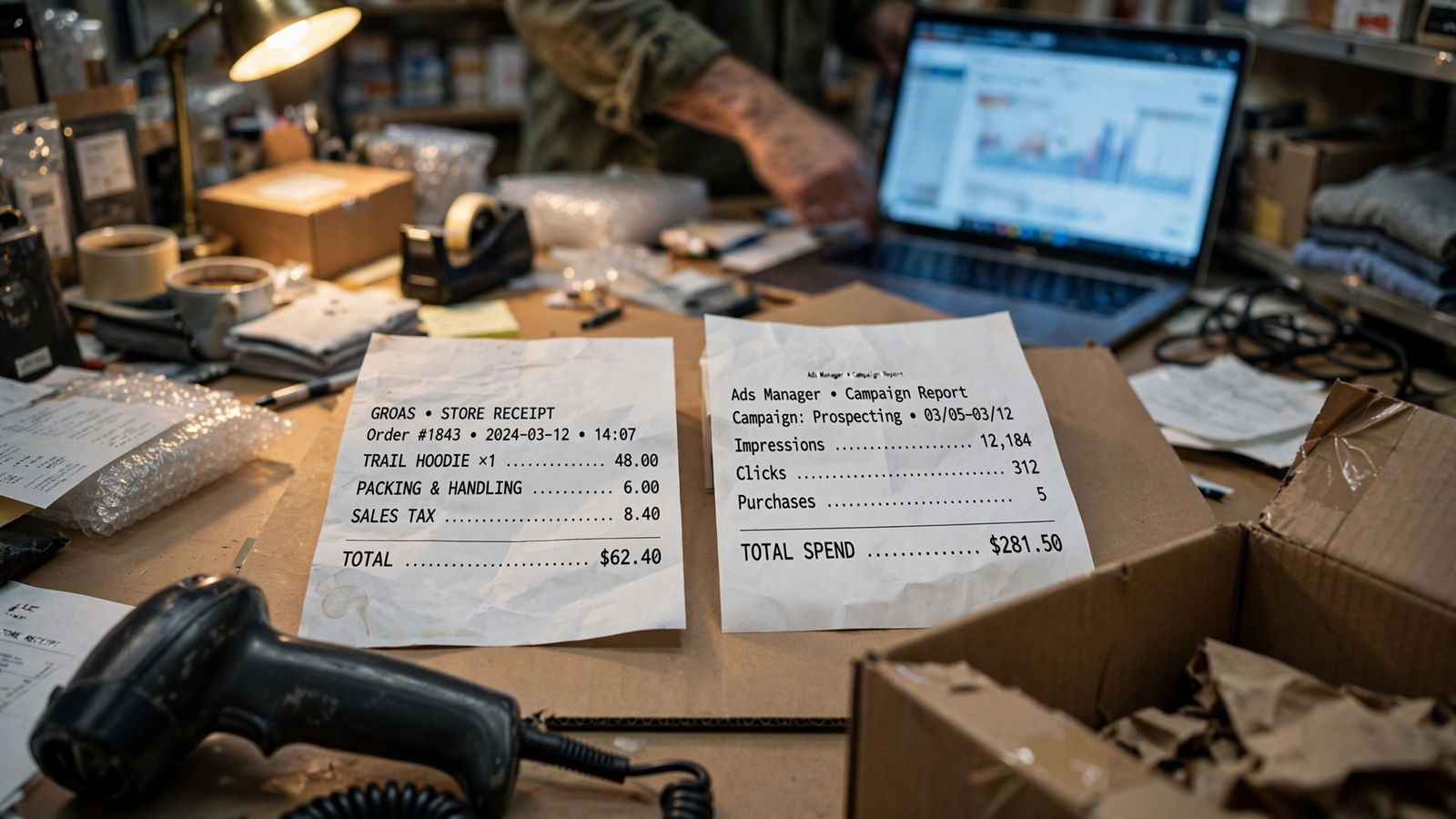
We now have a purchase event, a rule for crediting an ad, and possible estimates where the path is incomplete. The last ingredient in ROAS is the value attached to that purchase. Meta starts with the value your store sends in its Purchase event, alongside its currency. That value is not automatically the money your business ultimately keeps.
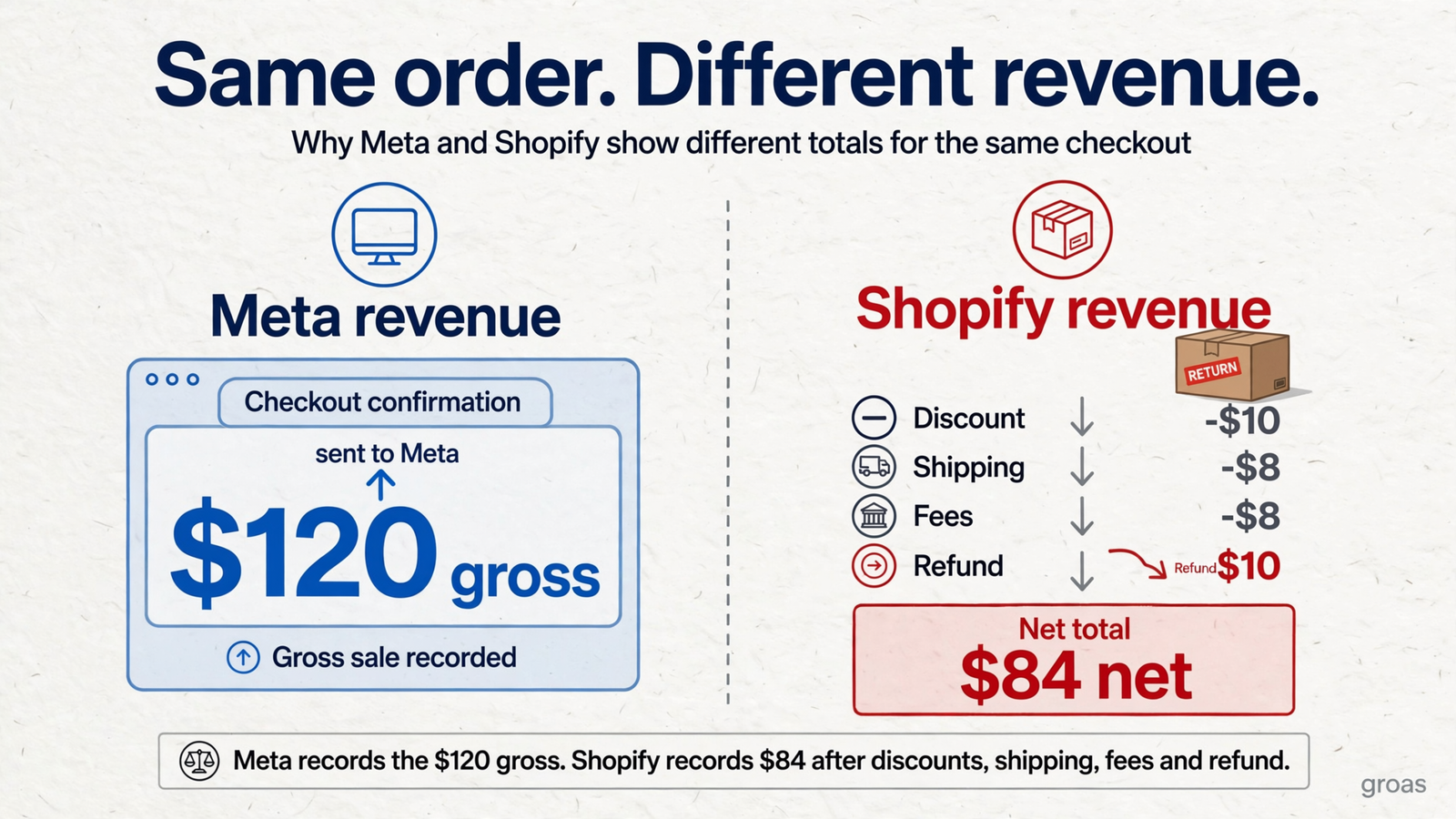
At checkout, an order can carry one value. Later it can be returned, refunded, cancelled or edited. Store reporting can reflect those changes, often on a different date from the original purchase. The two reports can therefore disagree even when they refer to the same customer and neither has duplicated an event. Before comparing totals, check what each report includes: discounts, shipping, taxes and later reversals can all affect what you mean by “revenue.”
For a category with substantial returns, the difference can change a spending decision. Returns-adjusted ROAS subtracts refunded revenue on attributed orders before dividing by spend. One apparel example had a reported 3.8x become 2.89x after 24% refunds. That is not a small formatting preference. It changes the amount of return available to pay for the ads.
Go back to our $9,000. Even if every purchase is correctly matched and every credited ad is acceptable to you, the gross value sent at checkout can still exceed the value the store keeps later. The numerator needs a definition, not just a dollar sign.
Why a wider gap can appear as you scale
At $50 a day, a campaign may find buyers who click and purchase quickly. At $500 a day, more of the paths you pay to reach may involve an ad view without a click, a later email, a search visit or a purchase on another device. Those paths give the reporting systems more opportunities to disagree. More spend does not guarantee a wider gap, but it makes a wider gap worth investigating rather than waving away.
Meta and Shopify can credit the same order differently: one may include a qualifying view, while a store marketing report under a last non-direct-click setting credits the later visit. Lost referrers and cross-device journeys can complicate the comparison further. None of that, on its own, establishes whether the extra spend was profitable.
This is why practitioners may start ecommerce prospecting with the default setting but examine lead generation and remarketing through click-only windows. Remarketing is especially likely to encounter people who already know the brand and may later return through email or search. I want to know whether a reported lift survives when view-through credit is removed. If the gap widens during a scale-up, split the result by window before you rewrite the ads.
Make an agency name the ROAS it promises
Any pitch to “improve ROAS” needs a definition before it needs a slide deck. Ask whether the target uses 7-day click plus 1-day view, 7-day click alone or 1-day click. Then ask to see those settings side by side using Compare attribution settings. Ask whether the revenue is the value sent at purchase or a figure adjusted for returns.
Those questions are not an objection to Meta advertising. They are how you keep the agency’s work separate from its choice of scoreboard. If a reported win disappears when you compare the same dates under the same attribution setting, the account has not demonstrated the win the pitch implied. The window got wider.
I also want the store figure beside the platform figure. Click-only comparisons can be particularly useful for remarketing, where a later email or branded search visit may otherwise sit next to an earlier ad view in competing reports. You do not need every tool to agree. You need the manager to explain why they do not. A ROAS gain created by a dropdown is not a performance gain.
Put three decisions beside the dashboard number
For a weekly report, keep the dates, currency and timezone consistent, and allow for the most recent days to settle before drawing conclusions. Then use the same reconciliation rules each week. I want three decision numbers, with the campaign’s selected-setting ROAS shown alongside them for context:
- Meta 7-day click purchase value. This removes view-through credit from the comparison. Use it to examine what the platform reports after clicks, not as a substitute for store revenue.
- Store revenue by UTM campaign under last non-direct click. This gives you the store report’s account of which campaign receives credit. Use it to challenge budget decisions made on Meta’s number alone.
- Returns-adjusted revenue on those orders, divided by spend. This asks what remains after refunds. Use it to judge whether the apparent return still supports the spend.
Our $2,000 example can now be read without pretending the figures are interchangeable: $9,000 under Meta’s selected setting is 4.5x; $6,000 under Meta 7-day click is 3.0x; Shopify shows $4,800 under any-click and $3,600 under last non-direct click, or 2.4x and 1.8x against the same spend. These are illustrative readings of different rules, not four successive stages in which revenue physically disappears. The next question is how returns change the store figure you plan to spend against.

Now take a new pitch: you spend $20,000 a month, and an agency promises 4x in 60 days. Work upward from the purchase, not downward from the headline. Are browser and server events identifying the same orders? Which attribution window produces the promised 4x? How much of its purchase value survives a click-only comparison? What value was sent at checkout, and what remains after refunds?
If the 4x is on the selected Meta setting, it represents $80,000 in reported purchase value. It does not, by itself, promise $80,000 in store-kept revenue. The 4x Meta versus 1.8x Shopify gap is exactly the kind of disagreement those questions are meant to explain. At groas, we report the store-kept number alongside the platform result, because that is the one your card statement has to live with. Anyone promising better ROAS without naming the counting rule is choosing the number they get graded on.