

 LinkedIn
Your Google Ads account already contains the phrases buyers used before they converted. I would mine those phrases before paying for a platform to guess which AI prompts matter.
I spent years mining search term reports for negative keywords. The same habit works here: start with the language that drove conversions, turn it into direct buyer questions, and check whether ChatGPT, Perplexity, Gemini, and Google AI Overviews cite you. In an afternoon, you can build a ranked gap list without another subscription.
What you’ll have, and what you need
You will finish with a spreadsheet that ties each tested prompt to its original query, paid-search conversions and cost where available, the sources an AI answer cited, and a priority score. It is a diagnostic sheet, not a claim that one AI response represents a permanent ranking.
Before starting, open your Google Ads account, your Google Search Console property, and a blank spreadsheet. You need conversion data in Google Ads for the paid-query ranking to mean anything. If that data is not reliable, build the sheet anyway, but do not treat its priority scores as evidence of commercial value.
Keep the original query beside every rewritten prompt. Otherwise, you will end up with a tidy list of questions and no way to tell which ones came from buyers.
Step 1: Export the search terms that converted
In Google Ads, go to Campaigns > Insights and reports > Search terms. Set the date range to Last 90 days. Use Add filter > Conversions and set conversions to greater than 0. Under Columns > Modify columns, include Search term, Match type, Impressions, Clicks, Cost, Conversions, and Conv. value. Then choose Download > CSV.
Expected result: a file of search terms associated with recorded conversions, with cost and conversion columns you can bring into the sheet. Keep the exported numbers as they appear. A recorded conversion is not necessarily a closed sale, and conversion value is only as useful as the values configured in the account.
Mistake to avoid: exporting the Keywords tab. Keywords are the targeting choices you made; search terms are the queries people used. This exercise starts with their language, not yours.
Step 2: Add low-click questions from Search Console
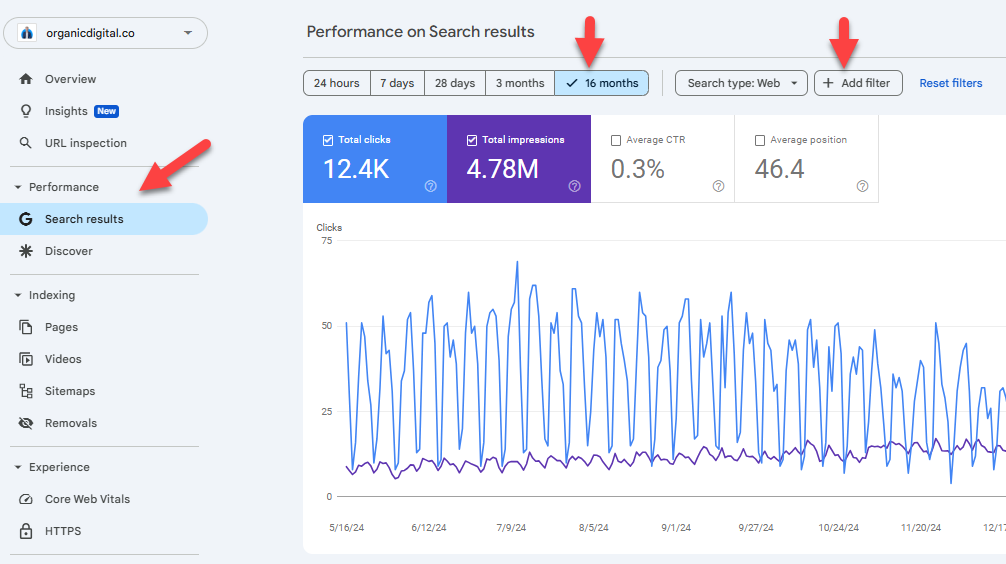
In Google Search Console > Performance > Search results, set the date range to Last 3 months. Choose + New > Query, select Custom (regex), and enter this expression to find queries beginning with question words:
^(who|what|where|when|why|how|which)\b
Apply it, open the Queries table, and export it with Export > Download Google Sheets or Download CSV. In the exported sheet, filter Clicks to less than 5 and sort Impressions from highest to lowest.
Expected result: a second seed list of questions for which your site appeared in search but drew few clicks. They are worth inspecting, not automatically worth creating content for. A question with impressions can still be irrelevant to a purchase.
Mistake to avoid: treating this list like the converting Ads list. Search Console supplies visibility and click data here, not the paid conversions you will use to rank commercial gaps. Keep a Source column so you can tell them apart. The Search Console regex example is useful if you want a visual check of the filter before exporting.
Step 3: Rewrite queries as buyer prompts
Paste both exports into a tab named Master Seed. Keep one row per source query, add the Source column, and insert Conversational Prompt beside the raw query. Start with the highest-converting Ads terms and the Search Console questions most relevant to the same commercial decisions.
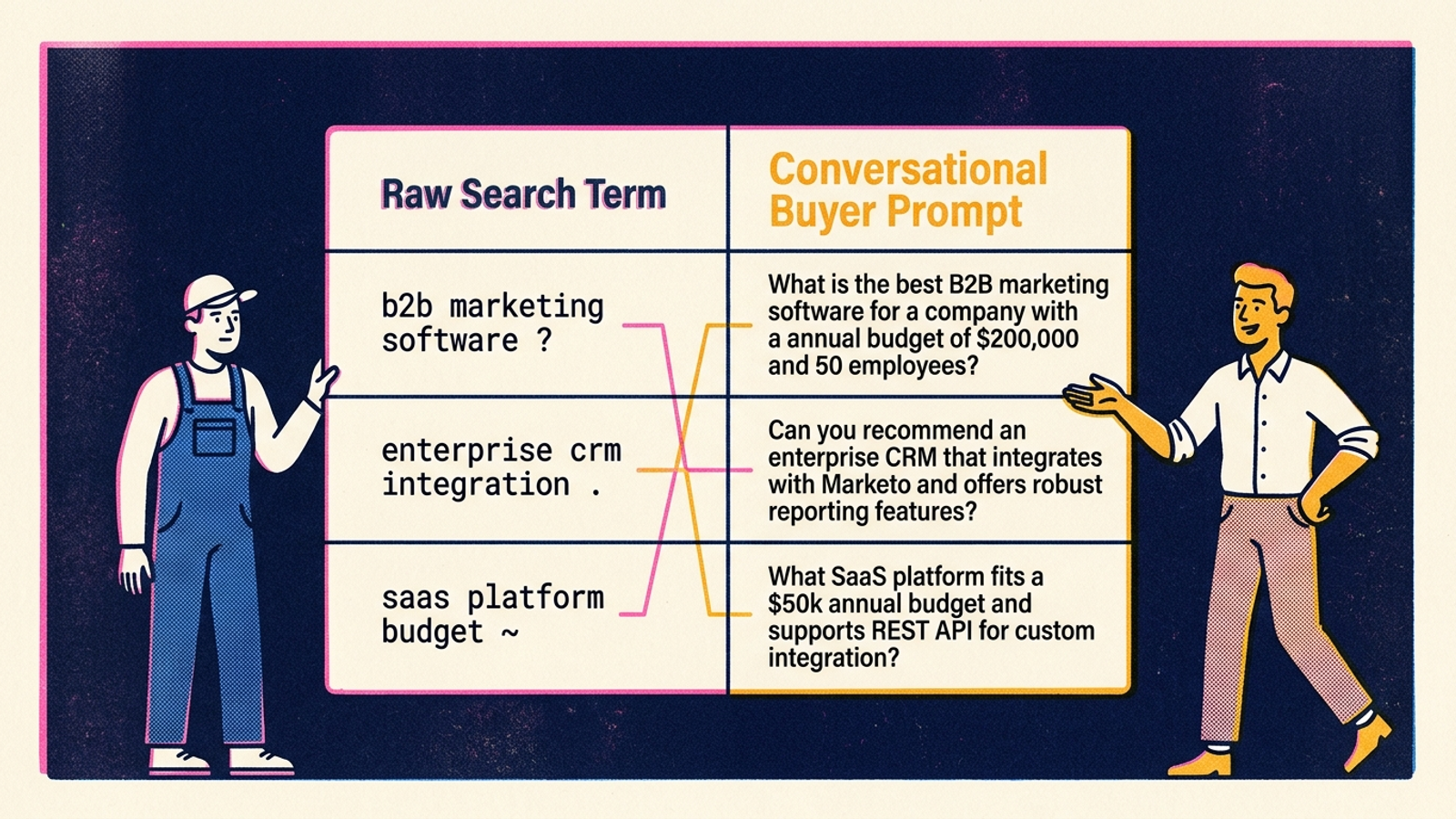
A search-box fragment such as b2b warehouse management software integration sap gives you a topic. A conversational prompt must supply the decision the buyer is trying to make. Do not dress every query up with an invented persona. Add only constraints that belong to the query or to the buying situation you actually want to test.
Use these three rewrites as patterns:
- Evaluation: Turn
hubspot vs activecampaign b2b pricinginto a direct cost-and-feature comparison question. For example:What are the cost and feature differences between HubSpot and ActiveCampaign for a 20-person B2B sales team?The team size is a test constraint, not something the original query proves. - Constraint: Turn
hipaa compliant online formsinto a fit question:What are the most reliable HIPAA-compliant form builders for healthcare clinics, and which ones provide a signed BAA on their entry tier?Keep the BAA detail only if it reflects a decision you need the answer to address. - Shortlist: Turn
commercial roofing contractors chicago reviewsintoWhich commercial roofing contractors in the Chicago area have the strongest reputation for flat-roof silicone coatings?Again, the coating is an added test constraint; remove it if the original demand is broader.
Expected result: prompts a buyer could plausibly ask, each traceable to a source query. Mistake to avoid: testing a bare keyword and calling the answer an AI visibility result, or stuffing a prompt with “Act as an experienced procurement director” when a plain question will do.
Step 4: Cluster prompts by the decision they represent
Add an Intent Cluster column. Put related prompts into small groups of roughly 5–10, and label each group by what the buyer needs from the answer:
Vendor Shortlist: name providers in a category.Direct Comparison: weigh named vendors against one another.Technical Constraint: establish whether a solution meets a specific requirement.
Expected result: groups you can review without mixing three different buying decisions into one bucket. This is the part that should feel familiar if you have built tightly themed ad groups. The label describes the decision, not merely a word shared by the queries.
Mistake to avoid: grouping what is enterprise inventory management with best enterprise inventory software for multi-warehouse retail because both contain “inventory management.” One asks for an explanation; the other asks for a shortlist. Keep the commercial prompt in the priority set. Put the introductory question elsewhere unless it has a clear reason to be there.
Step 5: Test each prompt and record the cited pages
Add Tested Engine, Brand Mentioned, Brand Cited, Competitors Named, and Citing URLs to the sheet. Give each prompt-and-engine combination its own row so a result from one engine cannot overwrite another.
Open a clean browser window without signing into a personal consumer account. Run the prompt in ChatGPT with web search active, Perplexity, and Gemini. For Google AI Overviews, run the query in Google Search and record an AI Overview only if one appears. Do not fill that cell with a result from ordinary search links and call it an Overview.
For each answer, mark Brand Mentioned when the answer names your company. Mark Brand Cited only when it attaches an explicit link or citation to your site. Copy the relevant links into Citing URLs, including competitor pages when they occupy the answer. If there is no citation, record that rather than guessing which page informed the response.
Expected result: a checkable record of who appeared, who got a link, and which pages you may need to beat. A plain-text mention and a linked citation are different outcomes; AI visibility metrics can obscure that distinction.
Mistake to avoid: seeing your brand name in a paragraph and marking Brand Cited as yes. Read the citation drawer or linked sources. Then inspect the winning pages: do they answer the technical question directly, show a comparison, publish pricing, or offer information your page omits? Write down what you can actually see. Do not infer why an engine selected a page from one response.
Step 6: Score the paid-search gaps
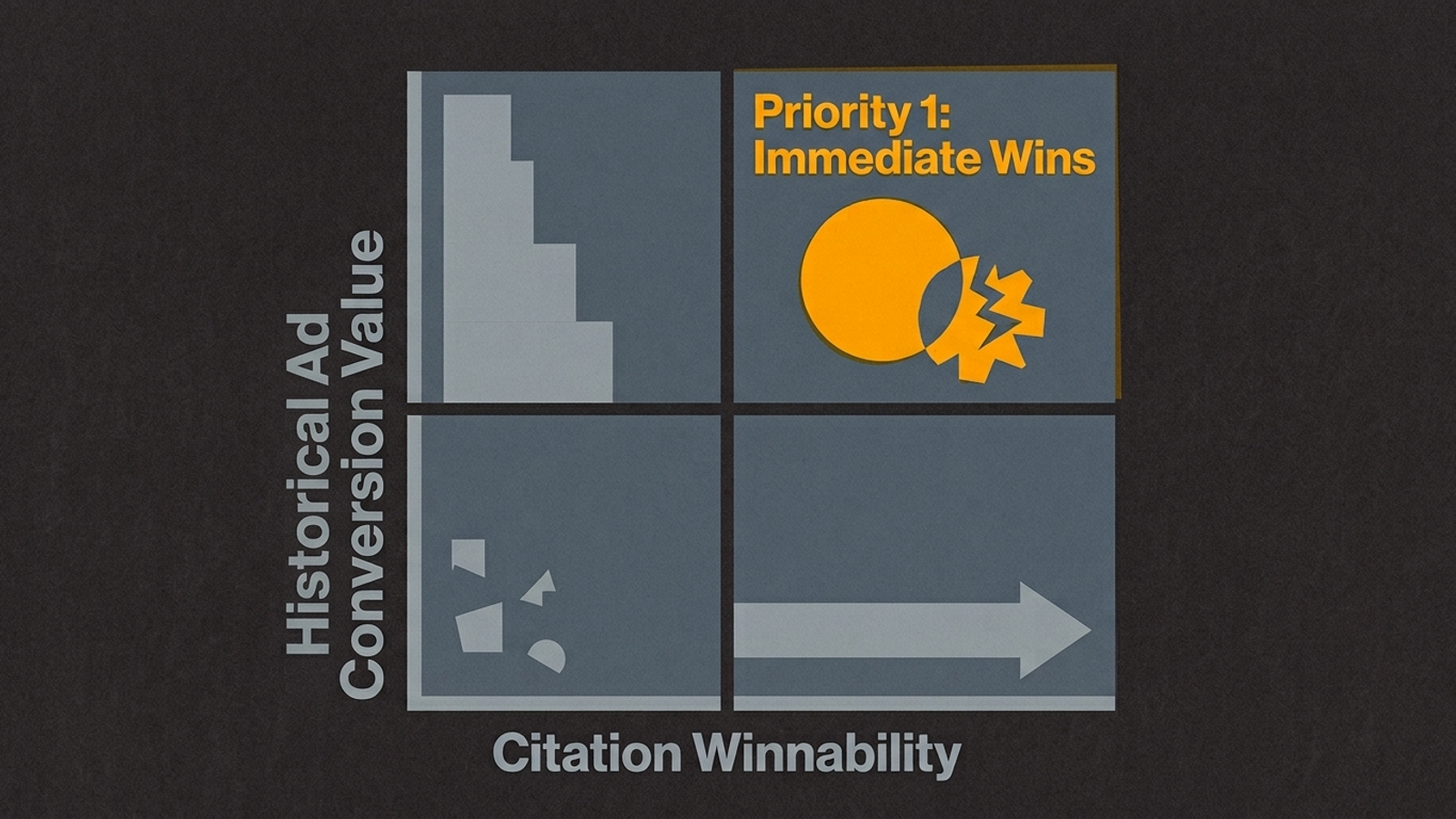
Add 90-Day Conversions, 90-Day Cost, Winnability Multiplier, and Gap Priority Score. Carry conversions and cost across from the original Ads term. For a prompt based only on Search Console, leave the paid fields blank and review it separately; zero paid conversions does not mean zero business value.
Assign the multiplier from the pages currently cited:
3— more approachable: thin listicles, old forum threads, or generic blogs answer a question your existing converting page could address directly.2— harder: dedicated competitor documentation, detailed comparison pages, or proprietary case studies cover the question. Closing that gap calls for more than cosmetic copy edits.1— hardest: the citations point to regulatory databases, Wikipedia, or major review platforms whose role your own landing page is unlikely to replace.
Set Gap Priority Score to conversions multiplied by the multiplier. For example, if C2 contains 90-Day Conversions and F2 contains Winnability Multiplier, enter:
=C2*F2
Expected result: after sorting Gap Priority Score from high to low, the top paid-query rows combine recorded conversion volume with a citation gap you may be able to address. Use 90-Day Cost beside the score to see what you have spent on the underlying term; the formula does not pretend cost and conversions are interchangeable.
Mistake to avoid: assigning 3 because a competitor’s page looks ugly. Score the cited source against the answer your own page could provide. A weak-looking page may still contain the precise facts your page lacks.
Step 7: Choose the first page to fix
Read the top scored rows and open the corresponding landing pages. Use this illustrative sheet, not a claim about a measured account, as a model for the final review:
| Google Ads search term | Converted buyer prompt | 90-day conversions | Brand cited? | Citing source | Gap priority | First page edit |
|---|---|---|---|---|---|---|
route planning api dispatch | What route optimization tools provide direct REST APIs for real-time dispatching? | 42 | No | Older technical blog | 126 | Put documented API details on the landing page |
commercial hvac maintenance cost | What is the average commercial HVAC maintenance contract cost per square foot? | 19 | No | Competitor pricing PDF | 57 | Make available pricing information easier to find |
enterprise file sync hipaa | Which enterprise file sync solutions provide signed BAAs for clinics? | 11 | No | G2 category index | 11 | Deprioritize this citation gap |
Expected result: one high-priority prompt, one page to inspect, and a specific answer the page needs to make easier to find. For the route-planning example, check whether the landing page plainly documents the API details the prompt asks for. Add a clear specification table if you have those details to publish. Do not invent limits or response times to fill an empty cell.
Mistake to avoid: commissioning a broad introductory post because a direct technical answer is missing. Start with the existing page tied to the converting term. If it cannot answer the question, identify what information is missing before writing.
Where the spreadsheet stops being enough
This sheet finds candidates. It does not give you a stable AI ranking. Three limits matter once you try to maintain it:
- Answers vary. Run an identical prompt again and you may get different brands or citations. A single check describes that response, not durable visibility. Research on repeated AI recommendations is a useful reminder to test more than once.
- Manual checks multiply.
20prompts across4engines mean80checks. Run each three times and you have240. That is manageable for a first pass, not a pleasant recurring task. - The evidence gets old. Search terms keep accumulating, pages change, and AI answers change. Date each test and refresh the rows you intend to act on.
Treat the score as a work queue, not a promise of citation. It tells you where to inspect first. It cannot tell you that editing a page will make an engine cite it.
Verify the edit, then revisit the bid
After updating the first page, wait 14 days and rerun your top three winnable prompts in ChatGPT, Perplexity, and Google Search for AI Overviews. Repeat the checks rather than trusting one favorable answer. Record whether your domain moves from absent to mentioned or cited, and keep the new URLs and test dates in the sheet.
Once you see a repeatable change, make your first operational adjustment in Google Ads: audit the exact-match bid on the underlying commercial query against its conversions and cost. Do not lower a bid merely because an AI answer cited you. A citation is visibility; the Ads decision still depends on the performance data you started with.
Takeaway: pay for action, not another chart
The afternoon build is enough to find your first gaps. It is not a good forever system for hundreds of prompts, repeated checks, page work, and paid-search adjustments. A monitoring tool may count mentions; it does not, by itself, decide which converting query deserves attention, improve the page, or own the result. Before buying another dashboard, read this guide to AI visibility dashboards and compare AI Google Ads and search optimization tools by what they do after they find a gap.
That is the distinction I care about. The search terms report gives you a commercially grounded starting list. The test shows where your answer is missing. The page edit is the work. groas is built to carry that work across paid and organic search: specialized models execute continuously within client guardrails, while a named human strategist owns direction and accountability. Recommendations are cheap; execution is the product.