
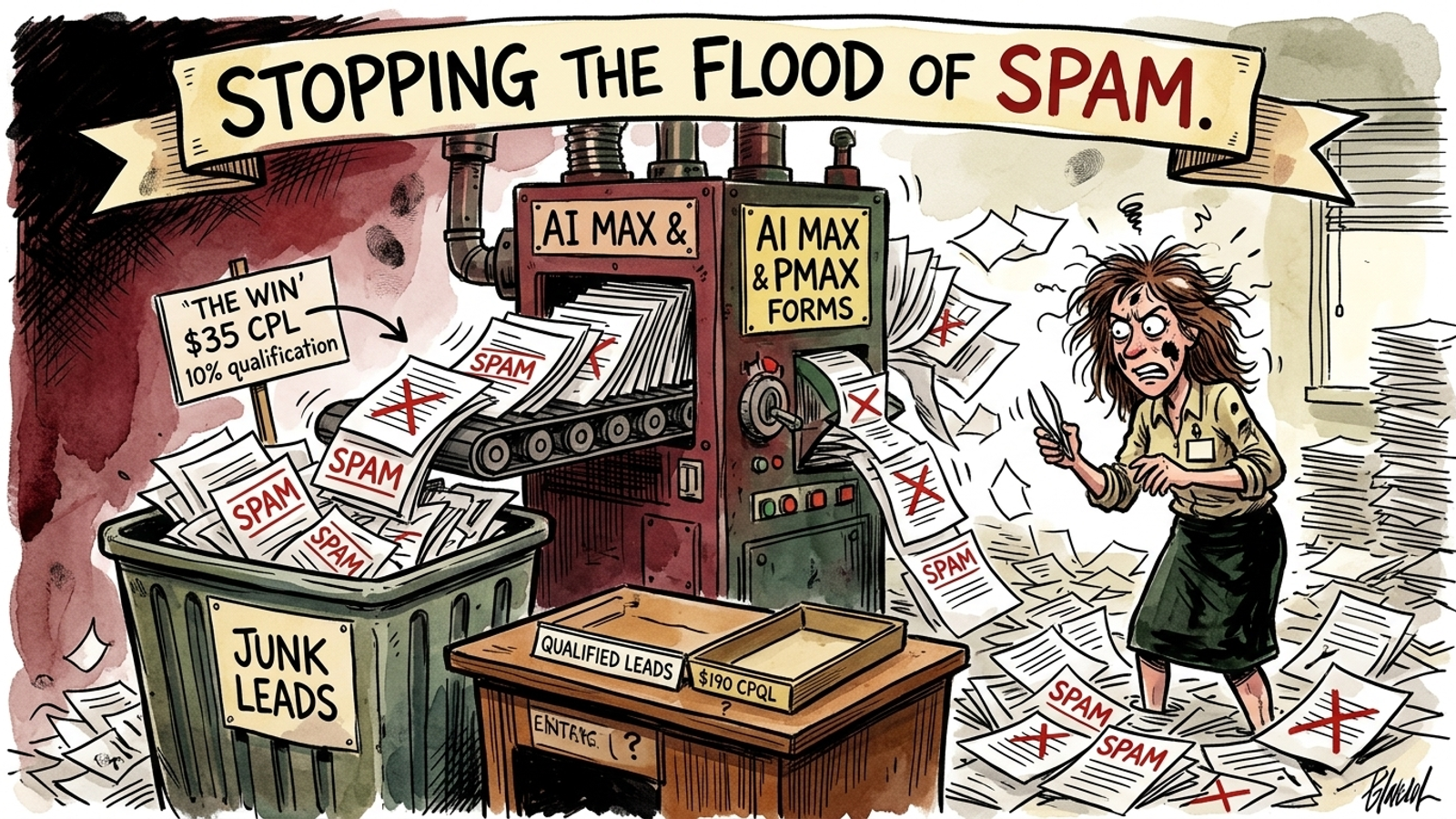
$15,000 a month. Sixty days. Qualified form fills are the only win that counts. Under that constraint, I would pick the Leads objective and wire qualified-lead feedback into Google Ads before letting AI Max or Performance Max spend freely. Campaign type comes second; the signal you pay it to chase comes first.
Point either system at a standard “Thank You” page and the dashboard can look wonderful while your intake desk sorts spam, disconnected numbers, and forms nobody remembers submitting. Smart Bidding is not malicious. It is literal. If a cheap junk form counts as a conversion, the system has every reason to find another one.
This is the order I would use for a form-fill business selling high-ticket contracts: commercial contracting, specialized home services, or B2B services. The cap is $500 a day for 60 days, with a decision at each checkpoint about what earns the next dollar. Demand Gen is an optional nurture test, not a third campaign I launch because there is room for another row in a report.
1. Day 0: Spend $0; define what a lead is worth
At $15,000 a month, the working cap is $500 a day, or $30,000 over this 60-day plan. That is enough to test an account, not enough to split indiscriminately. At the draft’s illustrative $12 cost per click, $500 buys roughly 40 to 45 clicks a day. If a landing page converts 8% of them, that is about three or four raw forms. Only some will qualify. Fragment that volume across Search, PMax, and Demand Gen on Day 1, and each campaign gets too little useful feedback for the decisions you are asking it to make.
The first allocation is attention, not media spend. Before launch, I would:
- Choose the Leads objective for a form-fill account. It describes the job. It does not, by itself, tell bidding which submissions are good; the conversion setup has to do that.
- Define a qualified lead in the CRM. A reachable prospect with an appropriate project is not the same event as someone pressing Submit.
- Keep the raw form fill as a secondary conversion for observation, and make the CRM-qualified milestone the primary goal I want bidding to pursue.
- Set up Enhanced Conversions for Leads and pass eligible offline milestones back through Google Ads Data Manager. The feedback must reach the account within the attribution window.
If you cannot distinguish a qualified inquiry from a bot fill in your own records, do not ask an automated campaign to make that distinction for you. What this step buys: a definition of success the rest of the plan can actually use. What gets cut: raw-form volume as the sole success metric, and any launch that depends on fixing tracking after the budget is gone.
2. Days 1–14: Spend $500/day on fenced Search, not three experiments
The first 14 days cost $7,000 total, all in one Search campaign using AI Max for Search campaigns. PMax gets $0. Demand Gen gets $0. Search gives me a tighter starting point for finding people already looking for the service; AI Max can then expand matching and adapt assets inside boundaries I chose before launch.
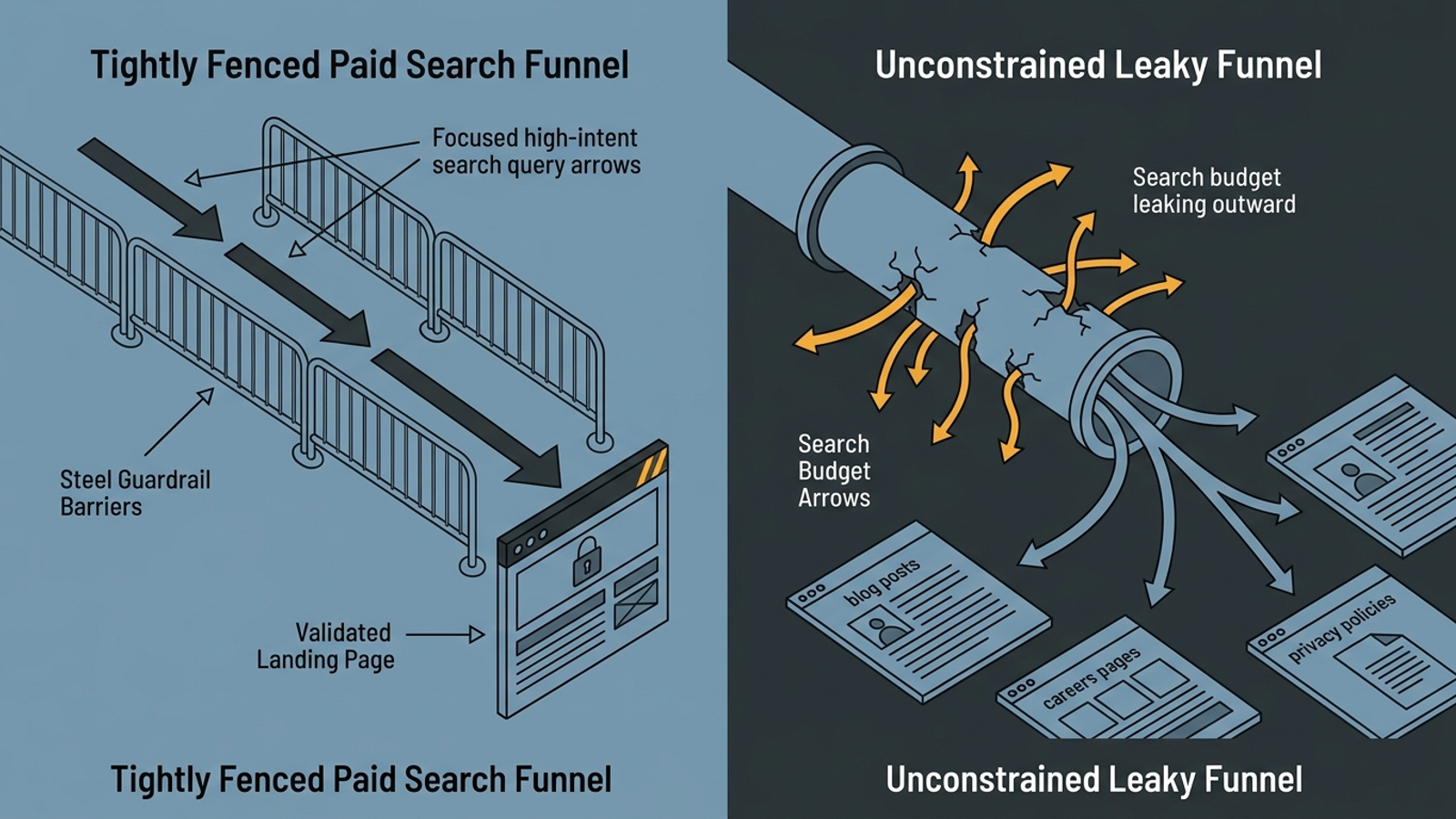
Those boundaries are the point of the phase. Demand-led does not mean “let the system discover anyone who might someday care.” It means start with active commercial searches and keep expansion close enough to that intent that the resulting forms teach bidding something useful. AI Max’s search term matching, text customization, and Final URL expansion can broaden coverage. They can also spend on loose queries or send a click to a page that has no business collecting this lead.
I would put three controls in place before the first click:
- Exclude brand where appropriate. Do not let navigational searches make this prospecting test look more productive than it is.
- Restrict destinations. Keep the blog, careers, about, and legal pages out of Final URL expansion. Send traffic to landing pages with a deliberate conversion path.
- Add friction that qualifies. Ask for project scope, timeline, and location rather than relying on a single-step contact box. The goal is not a prettier form-completion chart; it is fewer submissions the intake team has to reject. The lead-quality and booked-jobs case study shows why I care about that distinction.
I used to treat every extra form field as a conversion-rate problem. For this account, a raw conversion rate that rises because bots have an easier job is not an improvement. What this step buys: a concentrated read on commercial demand and lead quality. What gets cut: the premature PMax launch, cold Demand Gen, and site-wide landing-page roulette.
3. Day 14: Spend $0 deciding whether Search needs repair
A fortnight of spend is a checkpoint, not permission to admire a low CPL. I would read the search terms, landing-page performance, and CRM dispositions together. The proposed early targets are roughly 25 to 35 raw forms and at least 10 to 15 qualified leads, but the decision depends on what arrived, not on hitting a neat-looking count.
The first kill rules apply to the Search setup:
- If the raw form conversion rate is below 3.5%, inspect and rebuild the landing page rather than buying more of the same traffic.
- If more than 20% of search terms are non-commercial despite the negative lists, tighten matching and exclusions.
- If cost per raw lead exceeds $120 on the illustrative $12 CPC baseline, pause broad match and return to phrase match while conversion density recovers.
That pause is not a verdict against AI Max forever. It is a refusal to pay for wider matching before the account can identify a useful lead. What this step buys: an evidence-based decision about whether the core is ready to carry an expansion test. What gets cut: the familiar explanation that another few weeks of junk forms will somehow teach the system restraint.
4. Days 15–28: Give PMax up to $125/day only if Search earns the expansion
PMax does not get a budget because Day 15 appears on the calendar. If Search is bringing in qualified leads at or below the target cost and still has useful impression share available, I keep the full $500/day in Search. For lead generation, Search-only can beat a hybrid setup because the money stays concentrated on active commercial intent.
If high-intent Search impression share crosses 65% and extra Search budget is producing diminishing returns, I would test PMax at $125/day for 14 days. Search retains $375/day. That is a $1,750 PMax pilot inside the same $7,000 fortnightly cap, not extra spend. I would not take the $125 from Search that is already producing closed revenue merely to satisfy a campaign-mix diagram.
The pilot needs its own fences:
- Upload first-party lists of past closed-won customers as audience signals.
- Exclude brand traffic so it cannot flatter the prospecting numbers.
- Turn off Final URL expansion and send clicks to the vetted landing page.
- Exclude mobile app placements to reduce accidental clicks.
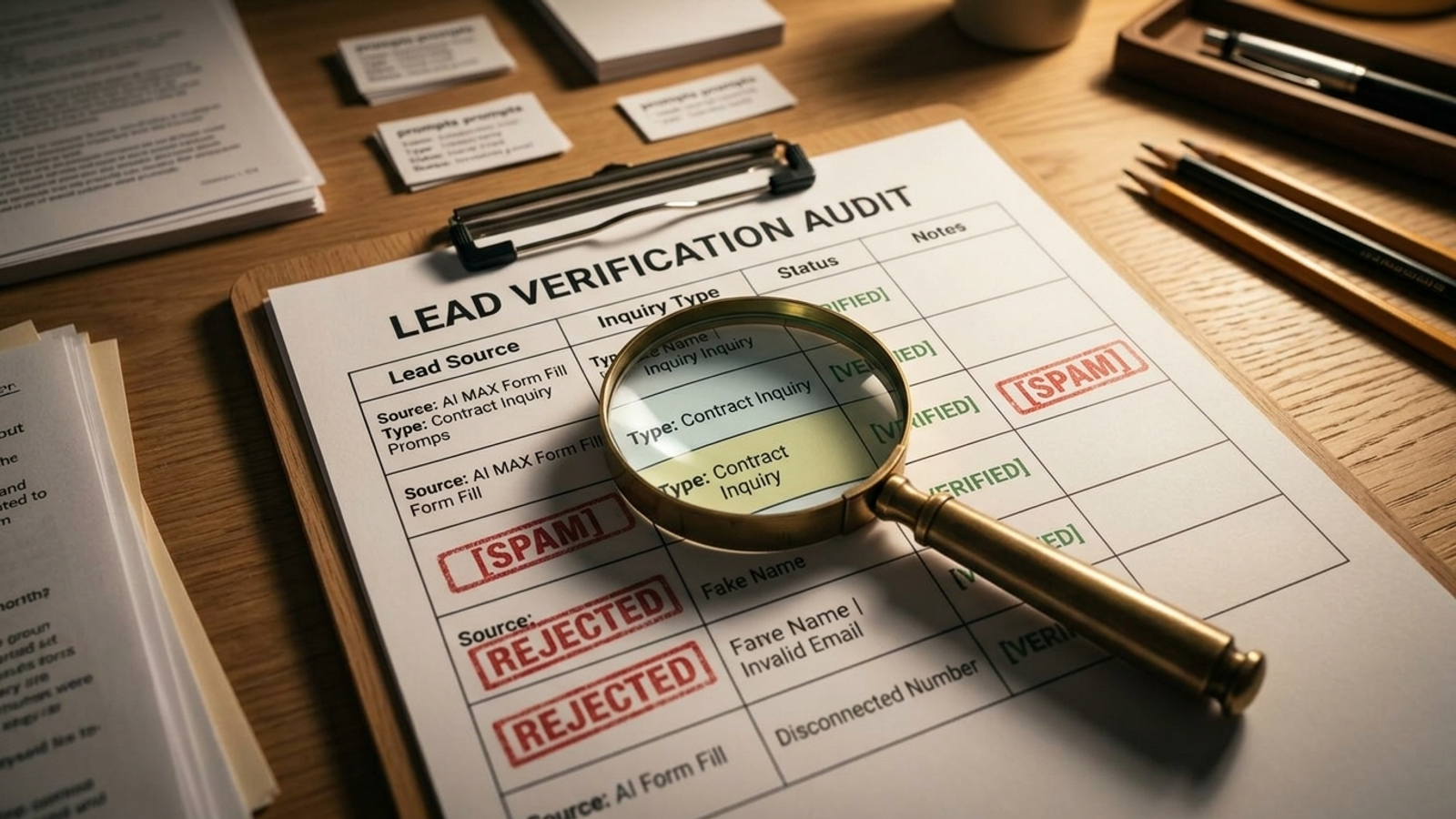
Then compare the submissions with the CRM, not just the Google Ads conversion column. A $20 form fill that nobody can contact is not a bargain. I would keep raw fills at a nominal value and assign higher values to qualified pipeline milestones, as discussed in this lead-gen automation breakdown. Bidding must follow the qualified milestone, whether the account uses a CPA target or value-based approach.
Day 28 is the PMax kill gate. If more than 40% of its submissions fail basic CRM qualification, or its cost per verified lead exceeds Search’s by 25%, I stop the pilot and return its $125/day to Search. I do not call rejected leads “learning” and send the invoice.
What this step buys: a bounded test of additional reach when Search is running out of room. What gets cut: PMax as a mandatory companion campaign, and any claim of success based on cheap raw forms.
5. Days 29–42: Spend no more than $75/day on Demand Gen nurture
By Day 30, the plan has spent $15,000. Search has either kept the full budget or survived a PMax pilot that earned its place. Now I would ask a narrower question: is there an existing audience worth bringing back to the qualified form?
Demand Gen is not my substitute for Search. As our Demand Gen campaign guide explains, it serves across visual and discovery surfaces, including YouTube Shorts, in-feed video, Discover, and Gmail. It has no Search inventory. On this budget, I would not use it to buy cold form submissions and hope a high-friction intake flow sorts out the rest.
If I have usable first-party audiences and authentic video assets, I can test nurture at up to $75/day. I would use unclosed CRM leads from the past 90 days and visitors who reached a pricing or estimate page without submitting. The creative should address project timelines, scope, and real client results, then point back to the qualified form.
The $75 comes from the experimental allocation, never on top of the $500 cap. If PMax survived at $125/day, I can reduce it to $50/day and give Demand Gen the other $75; Search stays at $375/day. If PMax failed, I can give Search $425/day and Demand Gen $75/day. If I lack a clean audience or persuasive assets, Demand Gen gets $0 and Search keeps the money. Generic image impressions are not an audience strategy.
At Day 42, I cut Demand Gen if the click-to-submission rate among returning visitors is below 4%, or if blended customer acquisition cost across the account rises by more than 10% after its introduction. What this step buys: a limited attempt to recover known intent. What gets cut: cold-audience prospecting and creative assembled simply because a campaign needs something to show.
6. Days 43–60: Allocate every dollar by qualified-lead cost
The final stretch is an allocation decision, not a hunt for the lowest number on the dashboard. Cost per qualified lead (CPQL) is the measure. A campaign with a $35 CPL and a 10% qualification rate costs $350 per qualified lead. Another at $95 CPL with 50% qualification costs $190. The first one wins the dashboard screenshot. The second one earns the budget.
I would match campaign submissions to CRM outcomes, then set the daily split:
- Core Search: ordinarily $350–$400/day, or 70–80% of the cap, if a tested expansion layer remains in place. Keep validating search terms and negative keywords.
- Expansion: $100–$150/day, or 20–30%, across whichever tested option earns it. It stays only if verified CPQL is within 15% of the Search baseline.
- No qualifying expansion: $500/day back to Search. Focus that spend on the best-performing geographic areas and conversion hours rather than preserving PMax or Demand Gen for appearances.
These are allocations, not promises that every account needs two campaign types. What this step buys: a final split based on leads a business can actually work. What gets cut: cheap CPL as the deciding metric and any experiment that cannot justify its share of the cap.
7. Day 60: Keep the plan only if the business can support it
There are three conditions under which I would skip this playbook rather than pretend better bidding will fix the operation:
- Slow intake. If the sales team cannot contact submissions within two hours, valid prospects can go cold before the CRM judges them. That bad feedback then flows back into bidding.
- Deals under $1,000. At this spend level and the illustrative $12 click, a long qualification and learning cycle is a poor fit for a low-value offer.
- No tracking or form control. If the site cannot support the needed conversion setup and qualifying intake flow, the account cannot reliably teach bidding which forms matter.
When the 60-day cap lifts, I would scale only the allocation that survived those tests. Then the constraint becomes execution speed: how quickly can the account prune bad queries, adjust bids, and test intent-matched pages without waiting for the next scheduled review? That is the gap we built groas to address. Its autonomous models handle continuous campaign execution while a named strategist owns the guardrails and revenue outcomes. Whether you use that operating model or manage the account yourself, keep the order intact: qualified signal first, controlled demand second, wider reach last.
Frequently asked questions
How should I set up Google Ads to optimize for qualified form leads?
Make the CRM-qualified lead milestone the primary conversion goal and keep raw form fills as a secondary conversion for observation. Define what qualifies in the CRM, then use Enhanced Conversions for Leads and Google Ads Data Manager to return eligible offline milestones to Google Ads within the attribution window.
How should I spend the first two weeks of a $500-a-day lead-gen plan?
Put the full $500 per day into one Search campaign using AI Max for Search campaigns for the first 14 days, and give PMax and Demand Gen no budget. The article’s plan uses this concentrated period to assess commercial demand and lead quality before testing expansion.
How can I keep AI Max from sending lead-gen traffic to irrelevant searches or pages?
Exclude brand searches where appropriate, restrict Final URL expansion so traffic avoids pages such as the blog, careers, about, and legal pages, and direct clicks to vetted landing pages. Use form fields for project scope, timeline, and location so submissions can be better qualified.
When should I add PMax to a lead-generation account?
Test PMax only if Search is bringing in qualified leads at or below the target cost and high-intent Search impression share has crossed 65% with diminishing returns from extra Search budget. The proposed pilot is $125 per day for 14 days; stop it if over 40% of submissions fail basic CRM qualification or verified-lead cost is more than 25% above Search’s.
When does Demand Gen make sense for a form-fill business?
Use Demand Gen for a limited nurture test when you have usable first-party audiences and authentic video assets, such as unclosed CRM leads from the past 90 days or visitors who reached a pricing or estimate page without submitting. Cap it at $75 per day from the existing budget, and give it $0 if those audiences or assets are missing.
How should I decide which campaign gets the budget at the end of the 60-day test?
Compare cost per qualified lead (CPQL) by matching campaign submissions to CRM outcomes, rather than choosing the campaign with the lowest cost per raw lead. The article’s example gives one campaign a $350 CPQL at a $35 CPL and 10% qualification rate, while another has a $190 CPQL at a $95 CPL and 50% qualification rate.
When should a business skip this 60-day lead-gen plan?
Skip it if the sales team cannot contact submissions within two hours, if deals are under $1,000, or if the site cannot support the needed conversion setup and qualifying intake flow. In those situations, the account cannot reliably return useful lead-quality feedback to bidding.