

Google did not rename Discovery and call it a day. It changed the campaign type, set an automatic upgrade deadline, and left advertisers to find out whether their old settings still made sense.
This is the version of the migration a team could easily have run into: leave a working Discovery campaign alone, accept the upgrade, then spend the next month trying to explain why familiar numbers look unfamiliar. It is a typical composite, not a claim about one client account. I used to tell clients to wait out platform migrations. I was wrong about this one. The decision that could prevent most of the damage was simple: build Demand Gen beside Discovery before Google moved the campaign for you.
The setup: continuity came with a deadline
Google announced the transition in August 2023 with immediate beta sign-up. Demand Gen opened to all advertisers, with optional upgrades, in October. Accounts without an account team were auto-upgraded by November, and every remaining Discovery campaign was auto-upgraded between January and March 2024.
The reassuring part was Google’s official upgrade language: active Discovery campaigns enrolled in the beta would auto-upgrade without disruption, with historical data and learnings carried over. A busy team could read continuity and hear sameness. Why rebuild something the platform says it will carry over?
Because carrying over a campaign is not the same as preserving the conditions that made it work. The audience options, available inventory and creative demands were changing. If you did nothing, you still migrated. You just did it on Google’s schedule, with the old build as your starting point.
That was the setup: an overhaul described in the language of continuity, plus a clock.
The first sign: reach stopped behaving as expected
Start with audiences. In Discovery, Optimized Targeting could expand reach beyond your selections. Demand Gen introduced first-party-seeded Lookalike segments: Narrow and Balanced reached the 2.5 to 5% most similar users, while Broad reached 10%.
Those are different ways to find people. Optimized Targeting could wander outward from the existing setup. A Lookalike segment starts with a seed list and looks for similarity. If a team built its Demand Gen audience around Lookalikes without checking the seed and width, reach could come back far tighter or looser than expected. The campaign name would still look familiar. The audience decision underneath it would not.
The preventive move belonged before migration: build seed lists of 1,000-plus users and choose the width deliberately. A thin list and Broad reach are a poor substitute for an audience plan. Check the seed before blaming the bid.
Then the creative met inventory it was not built for
Discovery used images, image carousels and product feeds; Demand Gen added standard YouTube video and Shorts. That was not merely another asset slot. A square image made for a silent Discover scroll does not become a vertical video because a campaign upgrades.
Here the first sign could be a falling blended click-through rate. The wrong diagnosis would be that the audience had suddenly gone bad. More inventory can make post-migration metrics volatile, and YouTube placements typically have lower CTR than Discovery placements. A change in the mix can move the blended number without proving that targeting failed.
The view into that mix was limited, too. At launch there was asset-level reporting but no placement-level reporting. That made a quick explanation from a single CTR chart even less trustworthy.
The better call was to prepare video and refresh image creative before migration. Do not ask an old image library to answer for a new set of formats. Build for the inventory, then read its results.
The wrong call: carry over the budget, then judge the first month
The campaign was still spending, so the team left bidding alone. Discovery offered Maximize Conversions or Maximize Conversion Value, with optional tCPA or tROAS targets. Demand Gen kept those options and added Maximize Clicks for traffic or longer-path goals. A carried-over bid strategy could look reassuringly unchanged.
But the same target was now being asked to work across a different mix of traffic. Budget mattered more than the unchanged label suggested. The published guidance was to plan for a daily budget of 15 times target CPA, or 20 times value divided by ROAS, and allow four to six weeks of learning including conversion delay.
Say the Discovery campaign spent $20,000 a month and had a $40 target CPA. Fifteen times that CPA is $600 a day. Carry a $100-a-day test budget into the new campaign, change targets every time the chart wobbles, and the test tells you very little. It does not establish that Demand Gen is broken. It establishes that the team asked a learning system to work with far less budget than the guidance called for.
Conversion goals added another way to misread the result. Google also suggested lighter actions such as add-to-cart to feed learning faster. That can be a deliberate choice. It is not a reason to compare a new count containing add-to-carts with an old purchase-only count and call the difference performance.
Before touching a target CPA, check what the campaign is buying, what it is counting and whether it has enough budget to learn.
The damage: a clean-looking pre/post chart with the wrong answer
About thirty days after the upgrade, somebody pulls the obvious chart: Discovery CPA before, Demand Gen CPA after. The new number is higher. Demand Gen gets blamed.
That comparison looks decisive because both sides say cost per conversion. It is not necessarily measuring the same job. Demand Gen reaches people across Discover, YouTube and Gmail. Practitioners testing it early warned advertisers to expect fewer conversions with a higher CPA or lower ROAS than Search or Performance Max, rather than measuring those campaign types alike. The old Discovery figure is useful history. It is not a control group for a campaign with different inventory, assets and possibly conversion goals.
One SMX breakdown captured the traps: expecting bottom-funnel CPAs from mid-funnel traffic, spray-and-pray targeting, bland creative and optimizing without negatives. In this composite, the team can hit several at once. It keeps a loose audience, reuses the images, leaves an untidy conversion set in place and judges the resulting campaign against the old CPA. Each decision makes the next diagnosis harder.
The damage is not just a worse-looking report. It is the time and spend lost fixing the wrong thing. A CTR drop gets treated as proof of bad targeting. A different conversion count gets treated as proof of better bidding. A budget-constrained learning period gets treated as the campaign’s settled performance. The chart is precise; the comparison is not.
The fix the team should have made before the deadline
The root cause was not one disastrous setting. It was a passive migration decision: let the auto-upgrade run, then troubleshoot whatever changed. Practitioners watching the transition advised advertisers to plan early rather than wait for the automatic upgrade. I would have taken that literally.
Build a manual Demand Gen campaign beside the existing Discovery campaign. Review the audience and its seed. Prepare assets for the formats the new campaign can serve. Choose the conversion goal before launch, set a budget that gives the test a chance, and move spend only when the new build has given you a usable read. Keep Discovery history as a baseline for context, not a target the replacement must magically reproduce.
This matters most when the budget is small. Early testing found that $50 to $100 per day could struggle even with strong first-party signals. An advertiser could spend $60 a day on Discovery for two years and still find that $60 a day inadequate for the new job. The budget stayed the same. The demands on it did not.
If the account could not support the proposed Demand Gen build, that was worth knowing before the deadline, not after a month of frantic bid edits. A side-by-side migration gives the team a decision; an automatic one gives it a surprise.
If the auto-upgraded campaign is still spending
The deadline has passed, but the order of the audit still matters. I would not start with the bid slider. I would check audiences, assets, goals and budget, in that order, because each can make the next number harder to interpret.
First, open the audience setup and read what is actually there. If the campaign uses a Lookalike, what is the seed, how large is it, and which width did the team choose? If the list is thin, rebuild it around past buyers or high-value leads where possible. Aim for the 1,000-plus-user seed recommended ahead of migration before assuming that a wider setting will solve delivery. Do not diagnose an audience from its label alone.
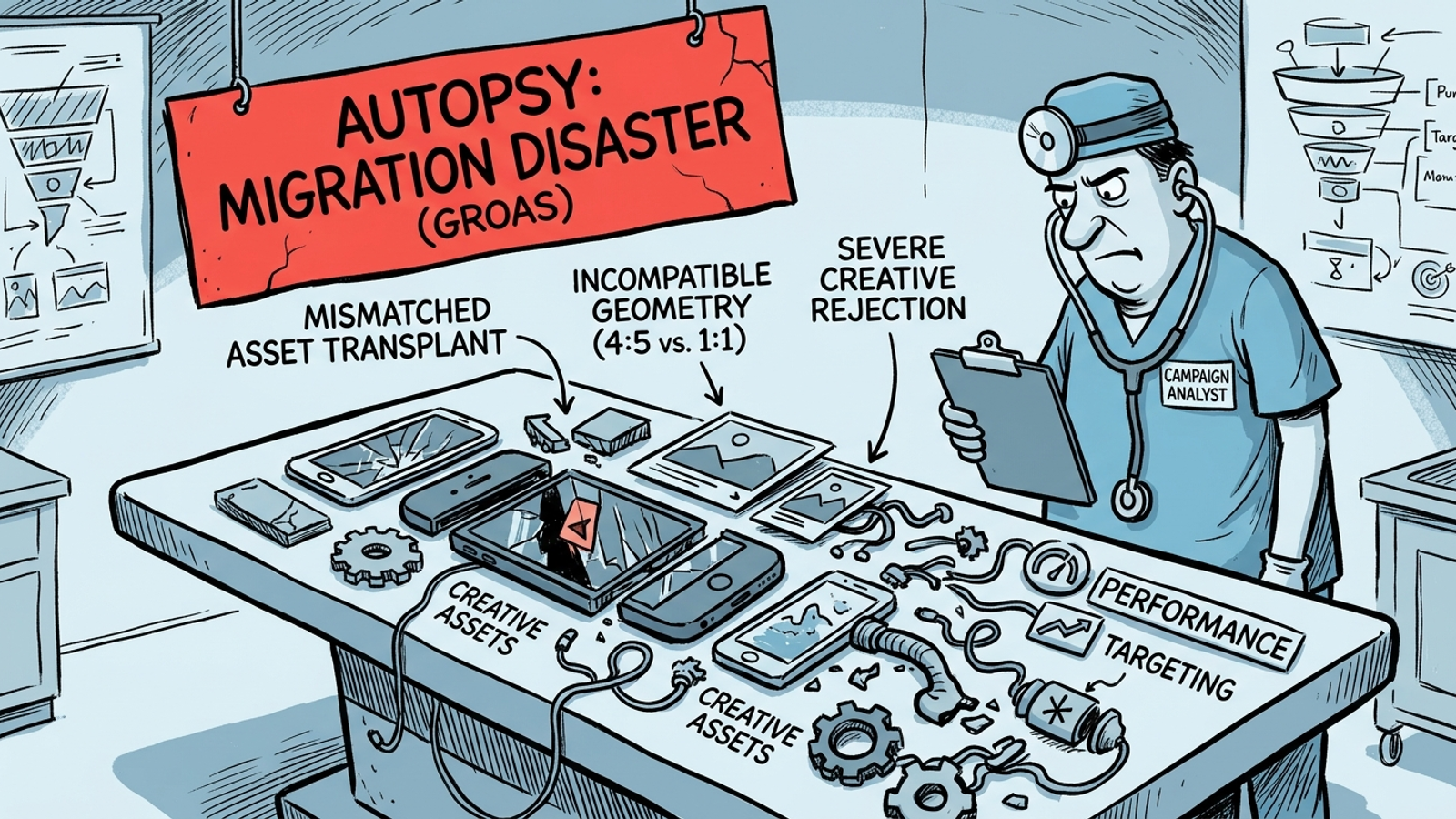
Next, inspect the assets. Pull the asset report and look at what creative the campaign has to work with. If the build still relies on Discovery-era images, make native video and refresh the images rather than treating a blended CTR change as a verdict on every format. Where the decision is whether Demand Gen or another campaign type should take the job, this Demand Gen vs. Performance Max comparison is the next question to answer. For this campaign, though, fix the audience and the format mismatch before touching bidding.
Third, open the conversion goals. Read the events the campaign actually optimizes toward, not the ones everyone remembers discussing. A set containing purchases, add-to-carts and an old import will not answer the same question as purchase-only reporting. Choose the downstream event the business wants to pay for, then give the campaign time to learn against a clean signal. If the upgraded build has become a pile of patches, I would rather make a fresh Demand Gen build with the intended goal and assets than keep adding fixes to a setup nobody can explain.
Then face the budget. One practitioner rule was to budget 10 to 15 times CPA for 50-plus conversions a month. At a $60 target CPA, that works out to $600 to $900 a day, or roughly $18,000 to $27,000 a month. That is not spare change. If the campaign has only $100 a day, do not spread it across a broad audience and several offers, then expect the same learning pace. Narrow the scope of the test to the geography, product or service line that matters most.
Finally, retire the January-Discovery-versus-March-Demand-Gen verdict. Compare equal windows of the Demand Gen build against itself, with the same conversion set and attribution and enough time for conversion delay. Look at downstream outcomes alongside the campaign report rather than asking one old CPA figure to settle a new campaign’s value. I used to keep the old Discovery target taped to the replacement. I was wrong. The old number measured the old setup.
The platform preserved a path through the upgrade. It did not make the audience, creative, budget and measurement decisions for the advertiser. That is the distinction the team in this postmortem missed.
The single rule I apply to forced migrations now: never let the platform choose your migration date for you. Build the replacement beside the old campaign, give it the inputs and budget its new job requires, then move the spend when you have a reason to.
Frequently asked questions
When did Google automatically upgrade Discovery campaigns to Demand Gen?
Accounts without an account team were auto-upgraded by November 2023, and every remaining Discovery campaign was auto-upgraded between January and March 2024. Advertisers who did nothing were still migrated, just on Google's schedule with their old build as the starting point.
How do Demand Gen Lookalike segments differ from Discovery's Optimized Targeting?
Optimized Targeting in Discovery could expand reach beyond your selections, while Demand Gen's Lookalike segments start from a seed list. Narrow and Balanced reach the 2.5 to 5% most similar users, and Broad reaches 10%. The recommendation is to build seed lists of 1,000-plus users and choose the width deliberately.
Should I prepare new creative before migrating a Discovery campaign to Demand Gen?
Yes. Demand Gen added standard YouTube video and Shorts to Discovery's images, carousels and product feeds, so an image library built for a silent Discover scroll was not built for the new inventory. The better call was to prepare video and refresh image creative before migration.
Why did my click-through rate drop after the Discovery to Demand Gen upgrade?
More inventory can make post-migration metrics volatile, and YouTube placements typically have lower CTR than Discovery placements. A change in the ad mix can move the blended number without proving that targeting failed. Asset-level reporting existed at launch but placement-level reporting did not, which makes a single CTR chart even less trustworthy.
How much budget does a Demand Gen campaign need to learn?
Published guidance was to plan for a daily budget of 15 times target CPA, or 20 times value divided by ROAS, and allow four to six weeks of learning including conversion delay. Early testing also found that $50 to $100 per day could struggle even with strong first-party signals.
Is it fair to compare my old Discovery CPA with my new Demand Gen CPA?
Not really. Demand Gen reaches people across Discover, YouTube and Gmail, and practitioners warned to expect fewer conversions with a higher CPA or lower ROAS than Search or Performance Max rather than measuring those campaign types alike. The old Discovery figure is useful history, not a control group for a campaign with different inventory, assets and possibly conversion goals.
What should I check first in a Demand Gen campaign that was auto-upgraded?
Check audiences, assets, conversion goals and budget, in that order, before touching bidding. Read the Lookalike seed and width, inspect whether the creative still relies on Discovery-era images, confirm what the conversion goals actually count, and make sure the daily budget supports the campaign's learning needs.
Why build a Demand Gen campaign manually instead of accepting the auto-upgrade?
Building Demand Gen beside the existing Discovery campaign lets you review the audience seed, prepare assets for the new formats, choose the conversion goal and set an adequate budget before moving any spend. A side-by-side migration gives the team a decision; an automatic one gives it a surprise.