

 LinkedIn

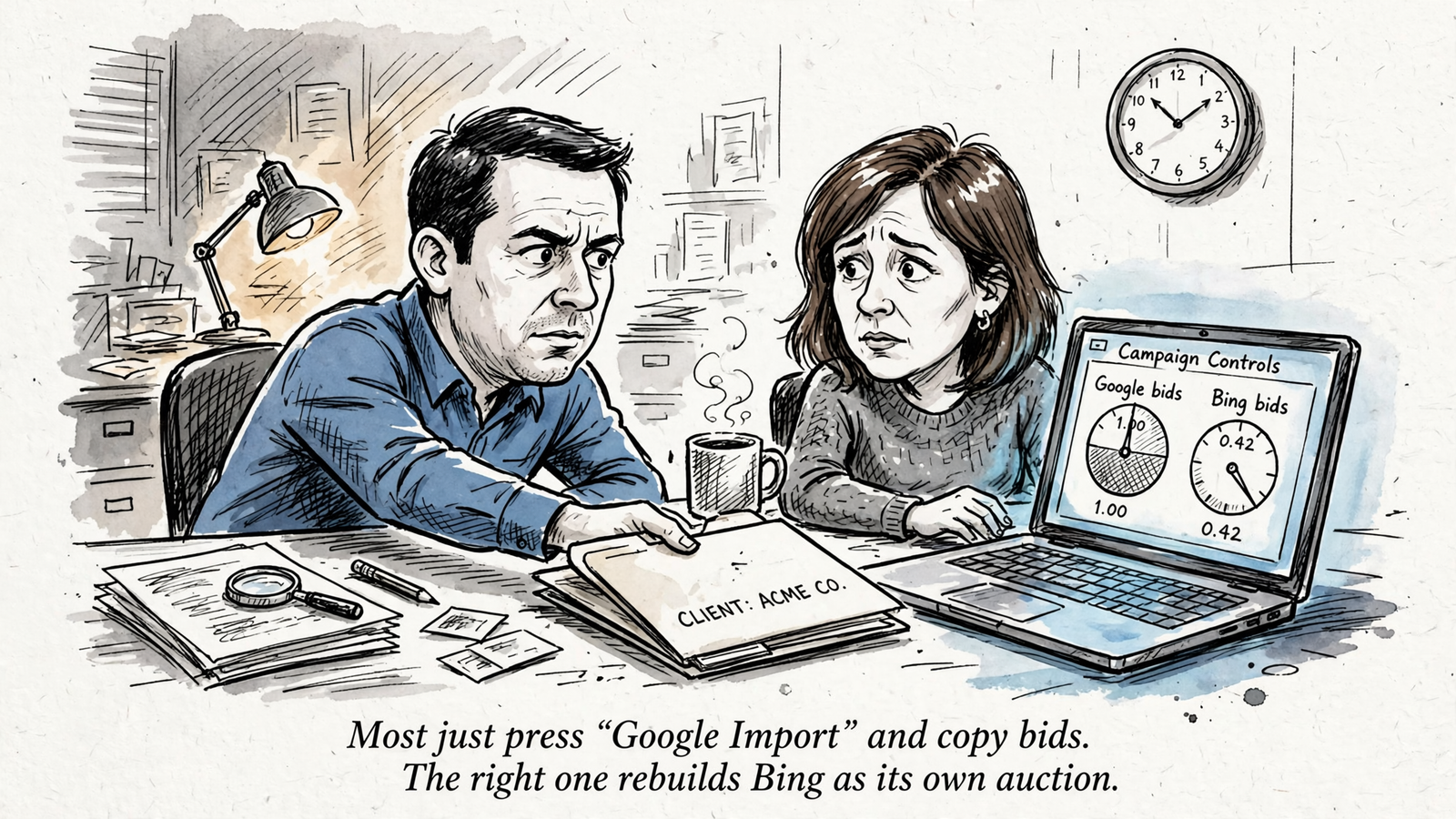
Your best first Microsoft Ads client is already buying profitable Google Search traffic and running out of budget. Most agencies start with everyone instead, press Google Import, and end up explaining why a smaller copy of the Google report deserves its own fee.
I did a version of that years ago. It made Bing look pointless, and the fault was mine: I had picked clients with little reason to expect extra demand from it. The better rollout starts with two or three accounts where profitable non-brand campaigns cannot capture all the search volume available to them. Across 73 advertisers running search on both platforms, Microsoft search CPC averaged $1.54 versus $2.93 on Google. Cheaper clicks do not prove incremental leads, but they give a capped account a sensible place to test for them.
Qualify first. Then price the test, hand off access and tracking, and report whether the leads are worth keeping. Reverse that order and Bing becomes another tab nobody opens.
Why does adding Bing to every client go wrong?
The default rollout is Google Import for everyone. Press the button, map the campaigns, launch. Microsoft warns that most core settings import, but some audience types, extensions and beta features may not map. It tells importers to check budgets, bids, locations and tracking first because those control spend. Skip that check and the new account inherits Google’s structure without a decision about what makes sense on Microsoft. Then the client sees a handful of clicks and asks why they are paying a management fee for them.
A capped Google account gives you a sharper question. Its profitable campaigns are losing impressions because of budget, not because nobody wants the offer. Microsoft has a separate auction in which to look for more of that commercial demand. In the same 73-advertiser study, non-brand clicks cost $1.57 on Microsoft versus $3.56 on Google. That price gap makes a test attractive. It does not make every Bing conversion incremental; the search terms and qualified leads still have to bear that out.
Practical takeaway: choose a client with a profitable constraint, not merely an unused channel.

Step 1: Which clients should get the first test?
Open Google Search for the last 30 days. I look for three things, in this order:
- Cost per conversion at or under target for at least three weeks on campaigns that drive pipeline.
- Search lost IS (budget) above 15 to 20% on those campaigns.
- Non-brand average CPC above $4, ideally above $8, where cheaper clicks have more room to matter.
The distinction in the second line is important. Budget-capped means the ads could not show because the daily budget ran out. Rank-capped means Ad Rank lost the auction. Read the bigger source of lost share first, and only expand campaigns already booking jobs profitably. A client can have an impressive impression-share problem and still be a poor candidate if the existing clicks do not pay.
Skip these accounts for now, even if the client asks for Bing:
- Thin or untrusted data: Google Search produces under 30 conversions a month and you do not trust the tracking. Another platform will not repair that.
- Mostly brand traffic: The account is brand-only, or brand supplies 80% of conversions. You risk presenting more cheap brand clicks as new demand.
- Rank loss and messy queries: Most lost share comes from rank, while the search-term report is full of junk. Clean that before buying more traffic on either platform.
- Too little test budget: The client spends under $2,000 a month on Google Search. At the study’s suggested 10 to 20% test allocation over 90 days, that leaves roughly $200 to $400 a month for Bing. You may spend more time interpreting it than it earns.
Practical takeaway: pick two clients with capped, profitable non-brand Search. Park everyone else.
Step 2: How should you package and price it?
Sell Microsoft Ads as a separate line item for the first 90 days, not as an invisible addition to the Google retainer. Its own fee and report make the question visible: did this spend produce qualified leads beyond what the client was already buying? If it lives inside a bundle, the client may credit every good lead to Google and remember Bing only when its invoice arrives.
White-label fulfillment is commonly priced flat per account and platform rather than as a cut of spend. I price the retail add-on the same way. At 10 to 15%, a $3,000 Bing test would produce a $300 to $450 management fee. That does not leave much room for onboarding, decisions and reporting. A percentage also makes the management bill rise when the media budget rises, whether the work does or not.
Say a client spends $20,000 a month on Google and you set a $3,000 Bing test budget. A $600 to $800 flat retail add-on gives both sides a predictable number. Check that fee against your actual fulfillment cost before you quote it. I run this through groas Search Ads: $1,499 a month for Google Ads, Bing and ChatGPT Ads together, with no spend-based cut or setup fee. If you already use that cross-channel service for the client, you can assess the Bing add-on against the existing engagement. If Bing is the only work you are buying, a $700 retail fee plainly does not cover a $1,499 wholesale bill. Do the arithmetic, not the pitch-deck arithmetic.
Practical takeaway: set a flat fee, but price against the work and wholesale cost you actually carry.
Step 3: What should a white-label partner actually do?
Before I hand over a login, I ask three questions:
- Do you set Microsoft bids and budgets for its own auction, or import and mirror Google?
- Who owns UET setup and conversion verification before launch?
- What changes week to week without me chasing you?
A useful answer contains verbs: review Microsoft search terms, add negatives, adjust bids and budgets against cost per conversion, pause spending without proof, and refresh copy. Those are the kinds of weekly optimization and first-month reporting tasks Microsoft describes. A weak answer contains nouns: dashboard, sync, alignment. I used to accept the nouns. I was wrong, and my clients paid for that lesson in duplicated work.
That is why I want done-for-you execution rather than another freelancer with a Google Import button. In my look at six options ranked by what they actually do, the distinction that mattered was work done continuously on bids, keywords and budgets, with actions logged and a named strategist accountable for the numbers. That is the model I want from groas, not a monthly check-in that puts the decisions back on my desk. I still run the 10 checks for a white-label Microsoft Ads partner before handing over a client. A capable operator cannot rescue a hand-off with bad access or unverified tracking.
Practical takeaway: buy execution, not a report with your logo on it.
Step 4: What has to be in the onboarding hand-off?
Keep the hand-off to one page. Its purpose is to make the first month’s numbers usable, not to impress anyone with a document nobody will reopen.
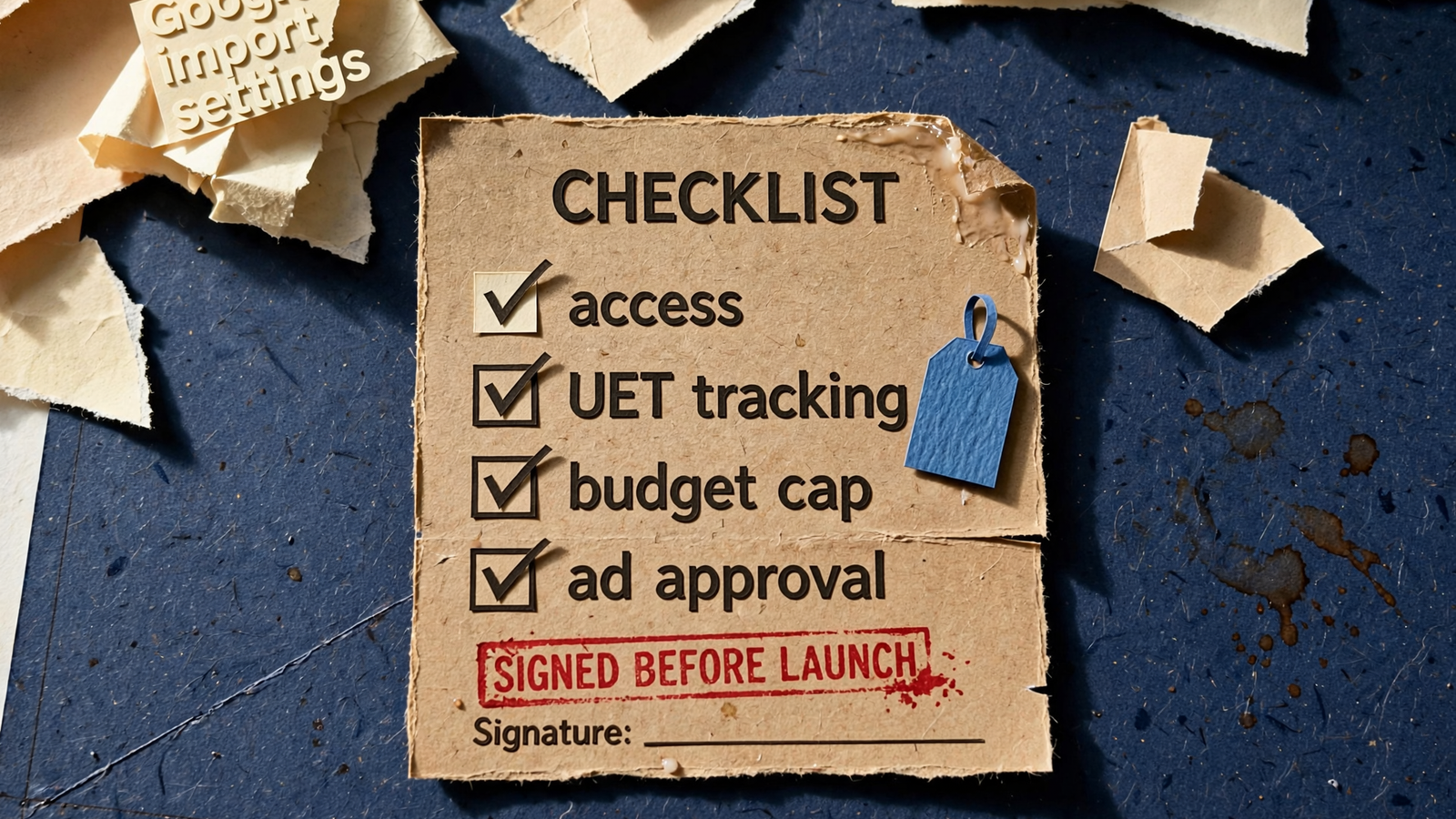
- Access: Give the partner the Microsoft Ads permissions needed to manage the account and its conversion setup, plus GTM publish rights where needed. Confirm who retains account ownership.
- Tracking: Put the UET base tag on the site, configure the conversion events you intend to count, and verify them before spend begins. If tracking is not trustworthy on Google, do not assume the import fixes it on Microsoft.
- Consent: For visitors in the EEA, UK and Switzerland, account for Microsoft’s ad_storage consent-signal requirements. If the client sells into those markets, settle the consent and measurement setup before you interpret conversion totals. The UET Conversions API can be part of that setup; it is not a substitute for checking what actually records.
- Guardrails: Cap the test at 10 to 20% of Google Search spend. Set a cost-per-conversion ceiling 10% above Google’s to allow for thin early data, and match geos and languages to the profitable Google campaigns.
- Approvals and import review: Name the person who approves copy. Then check the imported budgets, bids, locations and tracking first, as Microsoft advises. Review keywords, match types, negatives and copy before launch.
I put the decisions in a short email for the client to approve. It makes the budget and responsibility lines harder to miss than a long onboarding deck.
Practical takeaway: no verified UET, no launch.
Step 5: What should the first 30 days prove?
Week one is plumbing, not a victory lap. Start from the Google keywords and copy that already convert, but reset bids for Microsoft’s auction rather than inheriting Google’s numbers unquestioned. I start non-brand bids 20 to 30% below Google CPCs, then let the data determine where they go. Confirm that UET records the conversions you care about before increasing spend.
Read the Microsoft search-term report twice in that first week. Its query mix will not be an exact copy of Google’s, and shared negatives may need checking after import. Add negatives early instead of waiting for a tidy month-end report to tell you where the budget went. If early CPA looks ugly, investigate the queries and tracking before declaring the channel a failure or raising bids to make the graph look busier.
Weeks three and four are for the continuation decision. By day 21, I want roughly 15 to 25 Bing conversions and a search-term pattern that looks like relevant non-brand demand rather than brand spill. That count is a working threshold, not proof of incrementality. Compare qualified leads and cost per qualified lead with Google, then move budget toward ad groups that convert and pause those that spend without proof. If you cannot tell which leads were qualified, fix that reporting gap before calling cheaper clicks a win.
Practical takeaway: use the early days to fix measurement and queries; use the later days to judge lead quality and cost.

Step 6: What belongs in a white-label report?
One page, every Monday, under your agency logo. Clients do not need another set of tabs. They need to see what they spent, what came back, and why you believe Microsoft added something useful rather than simply collecting clicks on their own name.
Show Google and Bing side by side: spend, qualified leads and cost per qualified lead. Separate Bing’s non-brand conversions from brand conversions. Then add two short lines: what changed this week and what happens next. Where the data supports it, explain how Bing contributed while profitable Google campaigns remained budget-capped. Where it does not, say that the test has not established incremental pipeline yet. Do not turn a search-term comparison into a claim that you know exactly which individual leads Google would have captured.
A consolidated white-label report with spend, leads and ROAS is a useful starting format. I also require the partner’s action log. The partner supplies the work and the raw numbers; I give the client the account-level explanation and own the decision. If the report cannot answer whether the test deserves another month, rewrite it.
Practical takeaway: no credible case for additional qualified demand, no automatic renewal.
Step 7: When do you scale, pause or drop Bing?
Day 30 gets a decision, not a ceremonial status call:
- Scale when Bing’s cost per qualified lead is within 10% of Google’s and Bing itself is losing more than 20% impression share to budget. Raise its budget 20 to 30% and keep the cost ceiling in place.
- Pause and fix when the test spent its full 10 to 20% allocation but produced fewer than 10 conversions in 30 days, even though the search terms look clean. Check UET, the form and call routing before buying more traffic.
- Drop it for now when more than half of Bing conversions are exact brand terms the client already owns on Google, or when Google is no longer capped. The original reason for this client’s test has weakened.
These are operating rules, not a promise that day 30 will deliver a perfectly measured answer. A thin result can mean you need to repair the test, not extend spending by habit. Scale capped winners, fix broken measurement, and cut brand copies.
Do one thing today. In Google Ads, filter the last 30 days for campaigns with cost per conversion at target and search lost IS (budget) above 15%. Find two owners worth emailing. Keep the pitch to three lines: Google Search is profitable and capped; we can test whether Microsoft adds qualified demand at a lower auction cost; we will give the 90-day test its own 10 to 20% budget, ceiling and report. Qualify those clients first. The rest is process you can hand to a partner while you keep the relationship.