

 LinkedIn

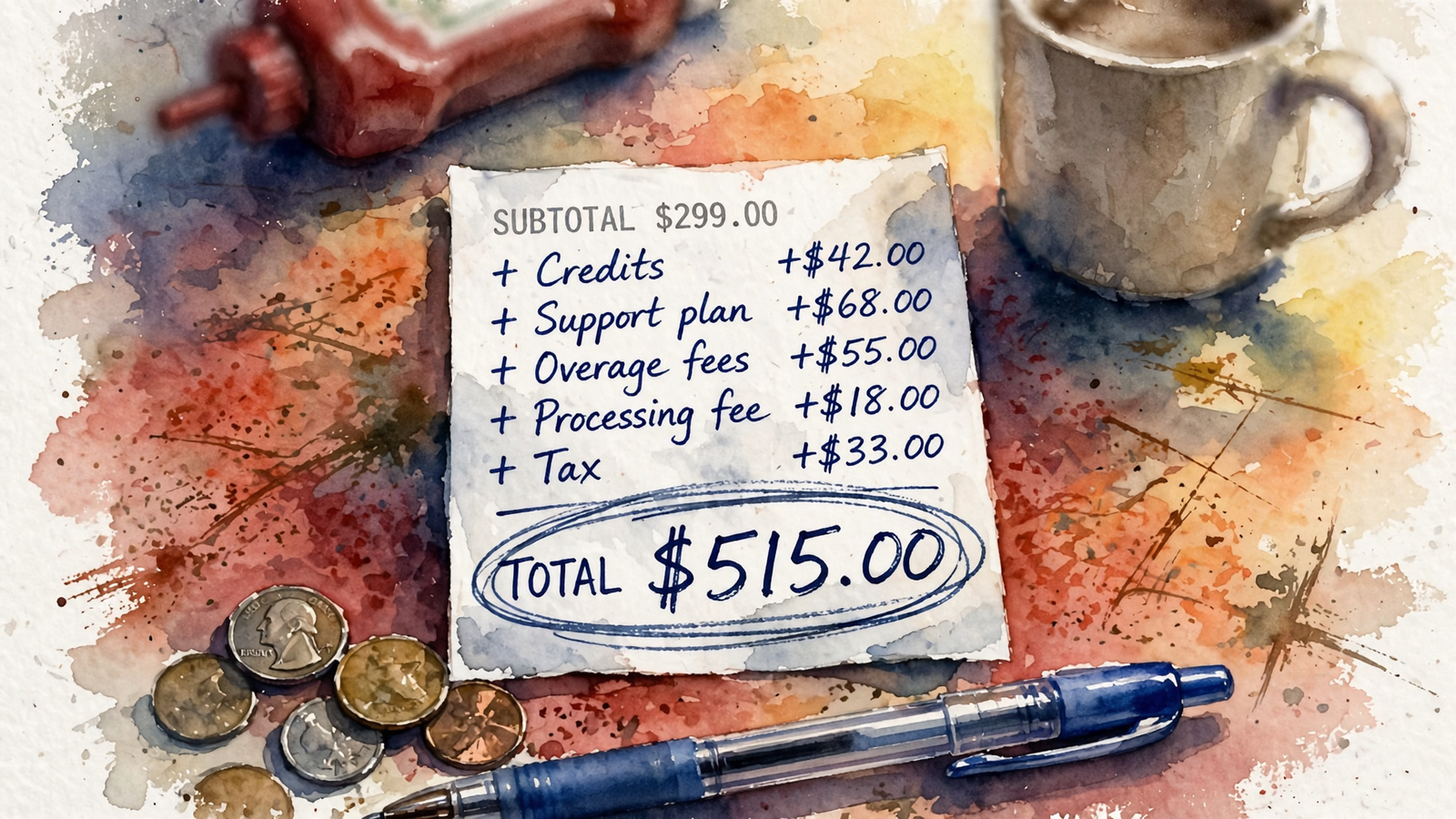
The $299 AI Google Ads plan can cost $2,498 a month once you add the work it leaves with you. That is the illustrative bill for one store spending around $20k a month on Search and Shopping: $299 for recommendations, $149 for a landing page builder, $50 for server-side tracking and $2,000 of owner time. The cash subscriptions alone total $498. Neither figure includes Google ad spend, a one-off tracking fix, overages or a rough learning period after migration.
I used to manage accounts like this spreadsheet by spreadsheet. The subscription was rarely the line that surprised an owner. The surprise came when the tool recommended 40 changes and someone still had to make them, or when the landing page feature turned out to live in another subscription. Here is the bill with the buckets kept separate.
| Cost | Listed or hidden? | Timing | Price or cost driver | Source |
|---|---|---|---|---|
| AI recommendations tool | Listed | Recurring | $299/mo illustrative sticker; check the plan’s spend and account limits | $299 example in this bill; Optmyzr’s limits and overages show how limits can change a tool bill |
| Spend or account overages | Hidden until a limit is crossed | Recurring when applicable | Optmyzr’s published example: $150 per extra $100k of spend; extra accounts can add $5–$15 each, with additional spend billed at 0.1% | Optmyzr overages |
| Landing page builder | Separate subscription | Recurring | $149/mo for Unbounce Experiment in this example; its listed monthly tiers also include $99 and $249 | Unbounce pricing |
| Server-side tracking hosting | Separate subscription if needed | Recurring | $20–$100/mo; this example uses $50 | Tracking setup overview |
| Tracking repair | Usually not in the sticker price | One-off, if needed | Depends on what is broken and who fixes it; no repair quote is included here | Scope to confirm with the vendor |
| Owner execution | Not billed by the tool | Recurring | Five hours a week at $100/hour, counted as four weeks: $2,000/mo | Illustrative time-and-rate calculation |
| Migration learning period | Not on the vendor invoice | One-off per disruptive switch | Performance may fluctuate for 1–2 weeks, sometimes up to 6; the cost cannot be priced without a result to compare against | Google Ads guidance |
| groas Search Ads | Listed alternative | Recurring | $1,499/mo flat, with execution and a landing page for every ad group included | groas pricing |
The $2,498 total is a worked example, not a quote from one vendor. In particular, Optmyzr’s published overages illustrate what to check for; they are not an extra charge I have silently attached to the hypothetical $299 plan. That distinction matters. A pricing page can obscure the full bill without every vendor charging every fee on this table.
Line 1: Check what the subscription actually buys
Start with one Google Ads account running Search for high-intent terms and Shopping or Performance Max for the catalog. At $20k a month in ad spend, the first question is not whether $299 looks affordable. It is what happens when spend rises, an account gets added or the plan reaches another limit.
Optmyzr’s published overage rule is a useful example of why I read that part of a pricing page first: $150 for each extra $100k over a plan limit, plus $5 to $15 for an extra account over the limit, with additional spend billed at 0.1%. Those are Optmyzr’s terms, not universal AI-tool fees. If another vendor says its plan is flat, ask what flat covers before you build a budget around it.
Agencies put a different label on the recurring charge. The cited management-fee range runs from $500 to $5,000 a month, or 10 to 20% of spend. The draft comparison is $300 to $750 for templated campaigns, $750 to $2,000 for custom strategy with weekly work, and $2,000 to $5,000-plus when landing page work and senior staff enter the picture. I used to sell the middle tier. I was wrong about how much weekly work that fee necessarily bought. A retainer tells you what you pay; it does not, by itself, tell you how much gets done.
Against both models, groas Search Ads lists $1,499 a month, with no cut of spend and no setup fee. That is more than the $299 sticker. It is less than the worked example once the separate subscriptions and owner labor are counted. Compare the work included, not just the first line of the invoice.
Line 2: Add the page builder the tool leaves out
A recommendation to improve an ad’s landing page is not a landing page. If the tool stops at advice, you still need somewhere to build and test what it recommends. This is where an all-inclusive pitch often becomes two subscriptions: one for the instruction, another for the ability to act on it.
Unbounce lists Build at $99 a month, Experiment at $149 and Optimize at $249. Dynamic text replacement and Smart Traffic sit in the higher tiers. The cited Instapage figures are $79 a month on an annual Create plan and $159 on an annual Optimize plan, with the quoted tiers metered at 15,000 and 30,000 unique visitors. Heatmaps, ad-to-page personalization and AdMap are held for custom-priced Convert. Monthly and annual prices are not interchangeable, and a visitor limit is not a feature you can ignore just because the first invoice fits your budget.
For the worked bill, I chose $149 for Unbounce Experiment because it puts a specific testing plan beside the recommendation tool. That does not mean every advertiser needs it. It means that if dynamic pages or testing are on your requirements list, you should price them before comparing plans. groas includes a landing page for every ad group in its Search Ads fee. A $299 recommendation tool cannot win this comparison by leaving the page out of its column.
Line 3: Separate tracking hosting from tracking repair
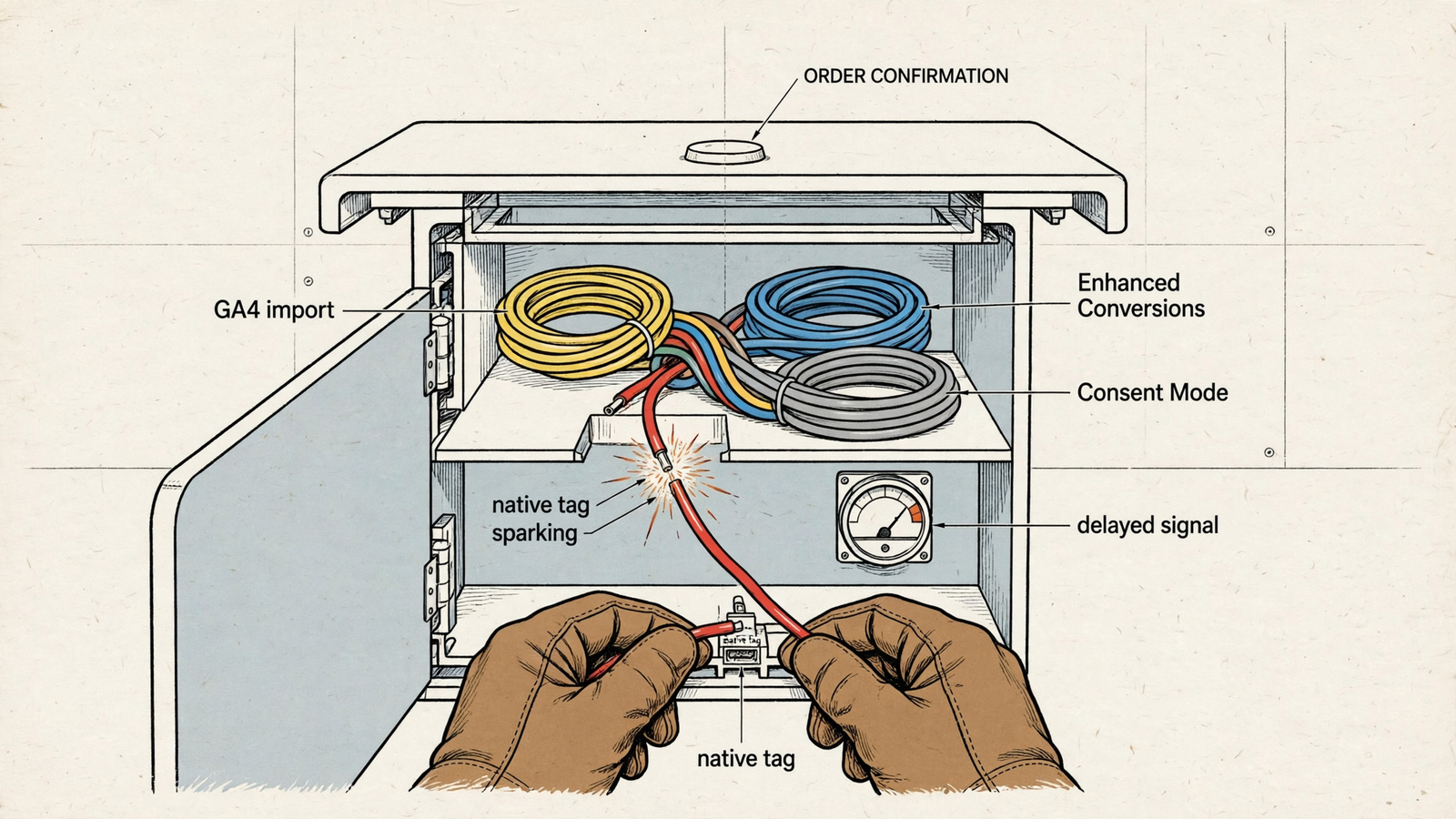
No bidding system improves a conversion signal it cannot see. Before paying a tool to optimize an account, I want to know which conversion action is primary, whether the tag fires correctly and who will fix it if it does not. That work can be a one-off repair. Server-side hosting, if you need it, is a separate recurring cost. Vendors have an incentive to blur the two when the subscription sounds cleaner without either.
The tracking setup overview notes that GA4 Key Events can arrive with a 6-to-24-hour delay and use different attribution from a native Google Ads tag. It also describes Enhanced Conversions using hashed email and phone data, and the four Consent Mode v2 settings that need attention: ad_storage, ad_user_data, ad_personalization and analytics_storage. If the bidding signal is wrong or incomplete, buying a smarter recommendation engine does not repair it. It gives the engine a worse account to work on.
The same overview puts server-side GTM hosting at $20 to $100 a month and discusses it as more relevant above roughly $10k in monthly spend or with iOS-heavy traffic. I used $50, a point within that range, in the example bill. That is a budgeting choice, not a claim that every $20k account must buy server-side hosting. Client-side tracking plus Enhanced Conversions may be enough. Nor have I slipped an unpriced tracking repair into the $2,498 total.
Ask the vendor two separate questions: Is the tracking setup sound? And if it is not, who does the repair and who pays? Get answers before treating the subscription price as the total.
Line 4: Put your own hours on the invoice
Recommendation tools leave execution with you. The alert says add negatives, split an ad group or rewrite three pages. Someone still has to decide whether the recommendation makes sense, apply it, check the result and deal with the breakage. Calling that work free because no vendor invoices for it is an accounting trick.
Here is mine: five hours a week × $100 an hour × four weeks = $2,000 a month. Five hours is the illustrative workload for this $20k account with two campaign types, not a promise that every account takes exactly five. Your hourly rate may differ too. Put in your own numbers if you like; do not put in zero because the work lands on your calendar rather than on a receipt.
I priced my old agency hours this way for clients who wanted to keep execution in-house. The number tended to get their attention. It should. A recommendation tool can be useful when someone has the time and skill to act on it. If you still open Google Ads every Tuesday to apply someone else’s suggestions, though, you bought homework, not management.
groas says it runs bids, keywords and budgets around the clock, with a dedicated strategist, private Slack and a weekly report of actions and why they happened. That is the distinction worth paying for in this comparison: execution is included rather than handed back to the owner. Price the hours the cheap plan requires from you.
Line 5: Treat migration as a risk, not a made-up fee
Changing a setup can put automated bidding back into a learning period. Google says Performance Max and automated bidding typically need one to two weeks, sometimes up to six, with possible fluctuations in spend and performance. It cautions against changing budget, bidding or targeting during that window. That is a reason to plan a switch carefully, not a license to call every dollar spent in those weeks a loss.
At $20k a month, plenty of budget runs while a new setup settles. But spend during learning is still ad spend, and the draft gives no measured CPA change that would let me put a dollar figure on the downside. Keep the migration risk outside the $2,498 recurring total. Ask what changes the vendor will make, what it will leave alone and when you can fairly judge the result. If the first tool only recommends changes you cannot keep up with, moving again may mean another period of uncertainty. That is a poor way to discover what the subscription omitted.

Line 6: Check what you can take with you
The exit cost depends on ownership. If an agency created and owns the Google Ads account, cancelling can mean losing access to campaign history, keyword and search-term data, audiences and other account learning rather than simply changing who manages it. The account-ownership warning is worth reading before the first dollar runs.
The cleaner arrangement is that you own the account and pay Google directly, while the manager connects through an MCC. Put that in writing. Ask the same question about landing pages: where do they live, and what happens to them if you cancel? A cheap monthly price is not cheap if leaving forces you to replace the pages along with the manager.
groas says your accounts, pages and data stay yours, with month-to-month terms, no lock-in and a seven-day money-back guarantee. For this bill, that ownership clause matters more than another feature name. It tells you whether cancellation means changing access or rebuilding assets you thought you already owned.
The recurring total, then the costs outside it
Now put the worked $20k advertiser back on one page. The recommendation route is $299 + $149 + $50 = $498 a month in tool, page and tracking-hosting subscriptions. Add the illustrative $2,000 of owner time and it becomes $2,498 a month in subscriptions and labor. Possible overages sit outside that number because they depend on plan limits. A tracking repair sits outside it because no one has quoted the work. Migration risk sits outside it because no performance loss has been measured. Google ad spend is excluded from both service totals.
The alternative in this comparison is groas Search Ads at $1,499 a month, with execution and a page for every ad group included. On the stated requirements and workload, it comes out ahead of the $299 recommendation stack. That is the point of the breakdown: the lowest software price is not necessarily the lowest operating cost. For a longer look at add-ons, see 9 Hidden Costs of AI Google Ads Tools; for the retainer comparison, see what agencies charge in 2026.
Before signing any of them, I would ask five questions. Use the vendor’s answers to replace the assumptions in this bill with your own numbers. The 15-question hidden-fee checklist has the longer version.
- What happens to my price when I cross a spend threshold or add another ad account? Give me the charge and the limit.
- Which modules cost extra: landing pages, dynamic text replacement, testing, reporting or extra seats? Which tier includes each one?
- Who checks and fixes tracking, including the primary conversion tag, Enhanced Conversions, Consent Mode v2 and offline imports? What is included, and what is a separate job?
- Do I own the ad account, history, audiences and pages if I cancel? Is the account linked through an MCC while I pay Google directly? Put it in writing.
- Do you execute changes in my account or leave me to apply recommendations? How many hours a week do you expect from me, and how will you handle the learning period?
The cheapest mistake is buying the $299 plan without counting the hours that turn this example into a $2,498 monthly commitment. The most expensive is switching twice because you did not ask who would do the work or what you would still own when you left. Price the whole bill before you sign.