

 LinkedIn

Most agencies choose a white-label platform on a sales call. I would put a stopwatch on three to five real client accounts before signing anything.
I published White-Label Google Ads Platforms Ranked by Weekly Human Touch-Time, but a ranking cannot tell you how your accounts, team and approval habits will change the number. That is why this is a second look: not another ranking, but a test you can run on your own book.
The question: How many specialist minutes per client account does a platform remove without hurting CPA, ROAS or qualified conversions? And if it fails, can you leave cleanly? Log two baseline weeks, then give each candidate a structured 30-day trial. A slick demo will not answer either question.
Set up a trial your accounts can actually fail
Pick candidates that do different jobs, not three versions of the same dashboard: a toolkit that runs rules with a preview, a recommendation engine that queues cards for approval, and an autonomous engine that executes inside guardrails. Optmyzr describes a Rule Engine with preview-before-run, while Opteo serves one-at-a-time recommendation cards. Adalysis says it makes no changes without explicit permission. The distinction to test is simple: who acts, who suggests, and how much work remains with your specialist?
Choose three to five accounts that stress those differences. Do not offer up your three cleanest retainers. Include, where your book allows it:
- A low-spend, relatively simple lead-gen account.
- A high-spend account with real build complexity.
- An account where offline conversions determine whether CPA means anything.
- An inherited mess with tangled naming and old experiments.
If you have only three, make sure one is the mess. If groas is a candidate, use five: its agency offer has a five-account minimum. I used to tell clients to pilot on the easy account. I was wrong. Easy accounts make every platform look hands-free.
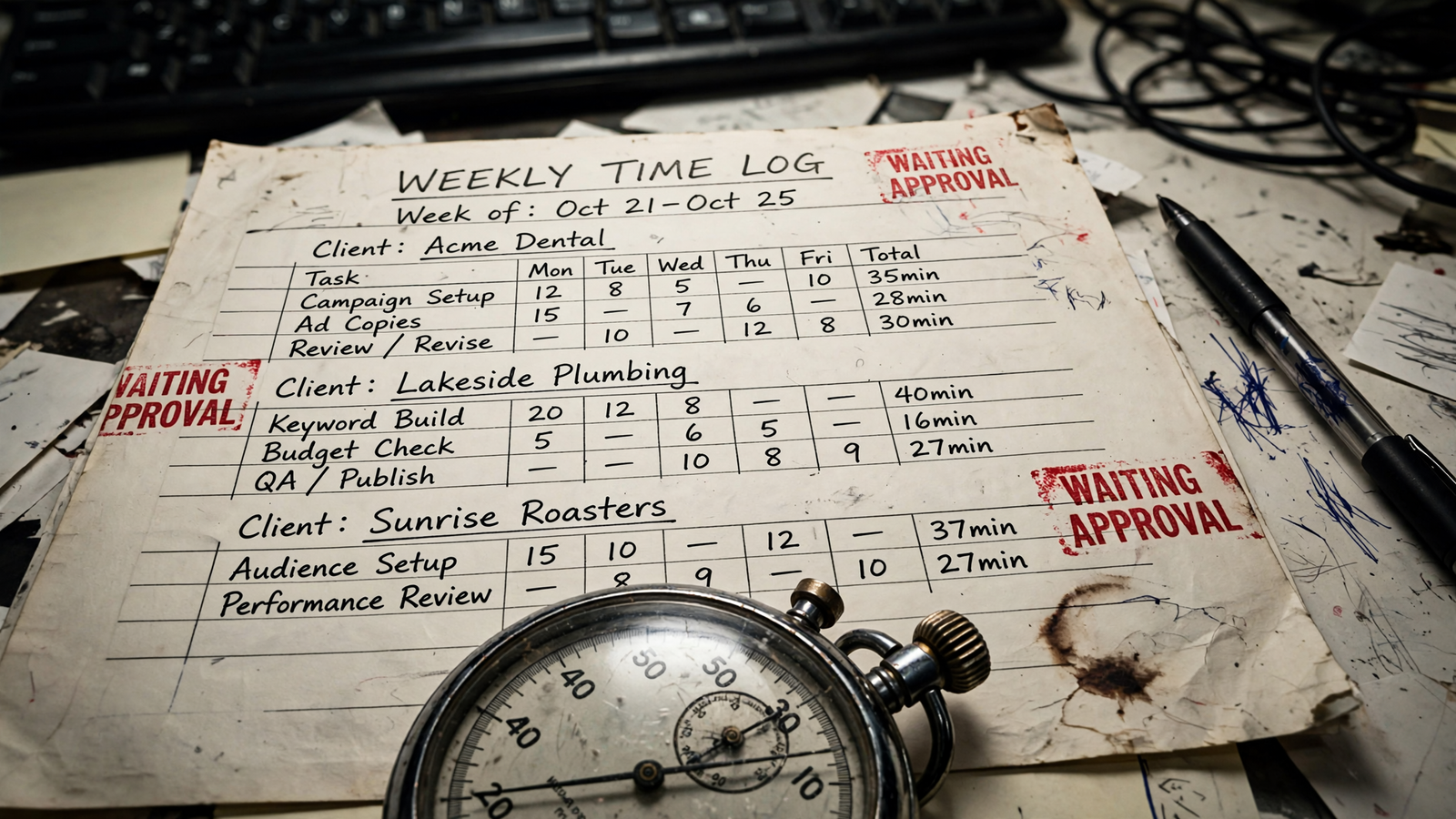
Start the clock before you connect anything. For two weeks, have the people doing the work log the date, task and minutes for each account. Separate reviewing suggestions, approving changes, building reports, fixing errors and answering client questions. That split matters because a platform may eliminate one task while quietly creating another. One agency-margin breakdown puts ongoing optimization and reporting for a lightweight support package at 5 to 10 hours per month per client. Your own starting number is the one that matters here.
Then run a 30-day trial for each candidate. Parallel trials are cleaner when you can assign comparable accounts and staff them without letting two platforms edit the same account. They put the candidates in the same calendar window, but different accounts still bring different problems. Sequential trials let you use the same accounts and are easier to staff; they also leave more room for timing to distort the comparison. Either way, record budget, offer, landing-page and tracking changes as they happen. Keep those inputs steady where you can. Do not quietly discard a week because the client changed its offer.
Check trial length before planning the calendar. Optmyzr lists a 14-day trial with no card and pricing from $209 per month, tiered by spend; Adalysis lists a 30-day free trial with unlimited accounts and users and cancel-anytime terms. A 14-day window can tell you something, but it is not a 30-day result. Arrange a longer test if you need one, or mark the shorter observation plainly. Keep the commitment reversible while you test: trials or month-to-month terms, not a setup fee or annual lock. For comparison, one fulfillment offer lists month-to-month service with no contract, minimums or setup fee, and an account touch at least once a week. If a rep asks you to sign before the test starts, log that answer.
Measure the work, including the work that moved
Keep the baseline log running during each trial. Add who made each change and how long an approval waited. Total human minutes per account per week is the headline measure; the task split tells you whether work disappeared or merely changed shape. A trial could show fewer minutes overall while approval time rises. What the deck calls automation, I call a second inbox to clear.
Pull change history weekly. Count platform-made and human-made edits, suggestions still waiting at Friday close, and the oldest waiting age in days. A recommendation queue can look productive while its backlog grows. Card-by-card review and explicit-permission systems put a person between the suggestion and the edit. That may be exactly the control you want, but charge those minutes to the platform. Forty cards still waiting after two weeks are not forty completed optimizations.
Track outcomes on the same basis as baseline: CPA, ROAS and qualified conversions, not clicks or impression share alone. Log every human rollback, why it happened and the minutes needed to fix it. One change that pauses a good ad group can consume the review time you saved elsewhere. A drop in human minutes only counts as a win if the outcomes that pay the client hold.
Reporting needs its own line in the log because its cost often lands in the client inbox. Count questions a white-label report fails to answer: why spend moved, what changed, what happens next. A template that prompts four follow-up emails did not save reporting time; it moved that time to correspondence. Before buying, verify account ownership, whether fees sit apart from spend, how reports carry your brand and what non-solicitation terms say. Keep the ad account and billing in the client’s name so its history stays put if you leave (ownership points to check in writing). A report earns its keep when follow-up work falls, not when its charts look cleaner.
Test the exit before you need it
Do this in week one, not week four after client work is already flowing through someone else’s system. Confirm where the ad account lives, how your manager access works, and whether you can retrieve full change history, scripts and settings on demand. Ask what happens to reports and data when access ends. Treat anything promised only on a call as unverified until you have it in writing.
If scripts are one lane in your comparison, assign them a named owner. Google Ads Scripts limits include a 30-minute run time for a single-account script; manager scripts run for 30 minutes unless parallel execution extends the limit to 60, with a cap of 50 accounts per run. Scripts can save work, but someone still has to own what happens when a run stops.
Get the cancellation terms in writing: notice period, setup fees, minimums and who keeps what. One fulfillment pattern worth testing against is no contract, minimum or setup fee, with provider access rather than provider ownership. You are not just testing how easily work starts. You are testing whether the client can keep working if you stop.
Read the result as minutes saved against outcomes held
Plot each account using human minutes on one axis and the outcomes you tracked on the other. Do not let a single tidy account speak for the messy one.
- Minutes fall; CPA, ROAS and qualified conversions hold: the platform has removed work without breaking what pays the client.
- Minutes barely move; reports look nicer: you bought a reporting layer, not fulfillment. That may be useful, but price it as reporting.
- Minutes fall; outcomes slip: inspect the changes and guardrails before calling it a win. I cover that failure mode in Why Giving AI Full Control Of Your Google Ads Budget Is A Mistake (And What To Do Instead).
- Minutes rise: reject it as a time-saving platform, however polished the demo was.
Before projecting anything, mark the weeks affected by seasonality, a mid-test budget change or a one-off repair such as fixing broken tracking. Do not let that work masquerade as a normal weekly saving. If the result rests on a disrupted week, extend the observation or leave the result inconclusive.
Project a credible winner to 5, 15 and 40 accounts. First calculate weekly human minutes saved per account: baseline minutes minus trial minutes. Multiply by the number of accounts you expect to serve, then account for approval and exception work that remains. Keep minutes and money in separate columns until you convert the time saved using your own specialist cost; only then compare it with the platform fee. Spend-tiered charges can rise as clients grow, a concern also raised in this pricing comparison. A flat per-account fee does not rise just because an account moves from $5k to $30k in spend. Test the cost on your book, not on the demo account.
Decide what you are buying, not what the demo called it
If minutes barely moved, do not renew a reporting tool as fulfillment. If minutes dropped by 30% or more but CPA or ROAS slipped, inspect the goal and guardrails: qualified conversion definitions, CPA ceilings and spend caps. Then re-run two weeks before judging the bidding. A fast platform acting on loose goals is still acting on loose goals.
If minutes fell and outcomes held across all your test accounts, including the inherited mess, you have a stronger case for multi-client resale. That is the pattern to project to 40 accounts. Approval queues tend to add work with each account; execution inside sound guardrails has a better chance of removing the weekly shift.
Here is my expectation, stated before the result so you can prove me wrong: previewed rules and recommendation queues will help a good specialist work faster, while an autonomous engine executing inside guardrails is more likely to reduce the time someone must spend owning that shift. Mechanism first, verdict second. You can compare that execution distinction in Adalysis Vs. Adzooma Vs. groas: Which Google Ads Tool Actually Executes (And Which Just Recommends). Buy the platform that removes the shift, not the one that gives you a faster way to work it.
Copy this weekly trial log into a sheet
Use one row per account per week. Fill two baseline weeks before any platform trial, then four trial weeks for each candidate with a full 30-day window. Keep the task categories identical throughout. This tab-separated header gives you the whole log in one paste:
Account Week Reviewing suggestions (min) Approving changes (min) Building reports (min) Fixing errors (min) Client questions (min) Total human min Platform changes Human changes Suggestions waiting Friday Oldest wait (days) Rollbacks CPA ROAS Qualified conversions Notes (budget, seasonality, fixes)
For each week, check that the task minutes add up to total human minutes. Put the reason and repair time for each rollback in the notes or in a linked change log. If a cell is blank because you could not obtain the data, mark it missing rather than treating it as zero. The deciding measure is human minutes per account per week at outcomes that hold, with an exit you verified in writing.
If you put groas in the lineup, judge it by this same sheet, not its sales page. Its agency offer is $299 a month per client account per service, flat regardless of ad spend, with a five-account minimum. Its pricing terms are month-to-month with no setup fees, and accounts, pages and data stay yours. Delivery runs under your brand with branded weekly reports, and every change is logged with its reasoning. Test whether that turns your specialist’s time into reading the report and staying client-facing while qualified outcomes hold on the messy account too.
Start this week. Pick the accounts and log two ordinary weeks before giving each platform its trial. If the minutes fall and outcomes hold, you have a reason to sign. If they do not, you have a reason to walk. A ranking points you toward a category. The stopwatch tells you what that category costs on your book. Sign the one that removes the shift.