

Set your Google Ads Target ROAS to the return your spreadsheet says you need, and you may stop buying the clicks that produce it. Target ROAS is a bid throttle, not a business goal. Raise it above what your account currently achieves, and Smart Bidding can retreat from auctions before your improved margin ever has a chance to appear.
The usual advice sounds disciplined: calculate your breakeven return from your margin, then put that number into the campaign. Guides to Target ROAS make the breakeven calculation feel like the natural starting point. It belongs in your financial planning. It does not automatically belong in the bidding field. One number tells you what the business needs; the other influences which auctions you can afford to enter.
That distinction matters most when the numbers look uncomfortable. An account returning 270% ROAS might have a spreadsheet breakeven of 333% based on gross margin, yet repeat orders may change what the business can afford to pay for a first purchase. Typing 350% into Google Ads does not settle that accounting question. It tells the bidding system to pursue a much higher return from the auctions in front of it. If those auctions do not support the target, spend and conversion volume can fall. The spreadsheet still looks tidy. The campaign goes quiet.
A higher target can buy you fewer auctions
Smart Bidding estimates the value of an auction and uses your target to decide how aggressively to bid. The useful shorthand from this breakdown of Target ROAS mechanics is bid ceiling ≈ predicted conversion value ÷ target ROAS. It is a way to understand the pressure your setting puts on bids, not a promise that every auction follows one visible, fixed calculation.
Suppose the predicted conversion value associated with a click is $2.00. At a 200% target, dividing by 2.0 gives a $1.00 ceiling in that simplified model. At 400%, the ceiling becomes $0.50. The shopper has not changed. Your willingness to pay has. The target does not negotiate with the shopper or improve the product page; it changes the bid that can reach the auction.

Volume falls before the report tells you why
Raising Target ROAS does not ask Google to find richer shoppers or persuade existing ones to fill bigger baskets. It makes the system bid more selectively. When bids fall, auction access can disappear before a higher ROAS shows up in a report. You may lose competitive searches that previously produced sales, not just the clicks you were happy to cut. Search Engine Land’s discussion of bid-target health gets at the same problem: an inflated target can mean giving up valuable auction opportunities.
The symptoms are familiar to anyone who has watched an account stop spending its budget. Delivery falls, then conversion volume falls with it. Fewer conversions leave the bidding system less information about which searches and shoppers are worth pursuing. That is the starvation spiral behind the “Google Ads don’t spend my budget” complaints: the advertiser asks for better efficiency and gets fewer chances to earn revenue at all.
Some lost spend may be a sensible cut. The mistake is assuming all lost spend was waste. A quieter campaign can look reassuring if you only inspect efficiency. Check what happened to profit before congratulating yourself on the ROAS column.
Average ROAS can rise while profit falls
The breakeven calculation assumes the next advertising dollar behaves like the average dollar. Search auctions do not hand you identical customers at identical prices. Narrow your bids enough and the campaign may concentrate on the easiest demand: brand searches, repeat buyers, and highly specific product queries. Those conversions can make average ROAS look excellent while the business misses profitable sales elsewhere. That is why marginal ROAS matters more than a trophy-sized average. The useful question is not whether the remaining sales look efficient. It is whether the sales you gave up were worth more than their ad cost.
Take a simple cash example. An account spends $20,000 and generates $80,000 in revenue: 400% ROAS. At a 40% gross product margin, that is $32,000 in gross profit before ads and $12,000 after ad spend.
Now suppose a higher target changes the mix. Spend falls to $6,000, revenue falls to $36,000, and reported ROAS rises to 600%. At the same margin, gross profit is $14,400. After ads, the business keeps $8,400. The agency gets a slide showing a 50% lift in ROAS. The owner gets $3,600 less.
Those are illustrative outcomes, not a forecast for every campaign. The arithmetic makes the point: a better ROAS can accompany a worse business result. The first setting spent more, but it also left more cash after those ad costs. If you manage to the ratio alone, you can cut profitable volume and call it an improvement.
“It’s still learning” does not explain lost sales
When spend drops after a target increase, the standard response is to wait: the algorithm is recalibrating. Give a campaign time to respond to a change, yes. But patience does not make an unreachable target reachable. Google’s Target ROAS guidance cautions that a target set too high can limit conversion volume and points advertisers toward historical performance when choosing an initial target.
If delivery has collapsed, ask what the new setting did to auction access. Waiting is useful when you need to see how a change settles. It is not a substitute for checking whether the campaign can still buy the demand it used to win. Do not use learning as a label for a problem nobody intends to diagnose.
Start with the return the account has achieved
I would start with observed ROAS over a trailing 30-day window, allowing for conversion lag. If customers typically buy five days after clicking, evaluate days 35 through 5 rather than treating yesterday’s incomplete conversion data as a verdict. Suppose that window shows 240% ROAS. Start the Target ROAS at 240%, not at a hoped-for 300% or a theoretical 330% breakeven.
Matching the observed return is not a guarantee that delivery will remain unchanged. It is a starting point tied to auctions the account has actually won. That is a much less heroic assumption than asking the same campaign to clear a substantially higher bar overnight. From there, you can see whether a tighter target removes waste or simply removes sales.
Raise the target in steps, not on impulse
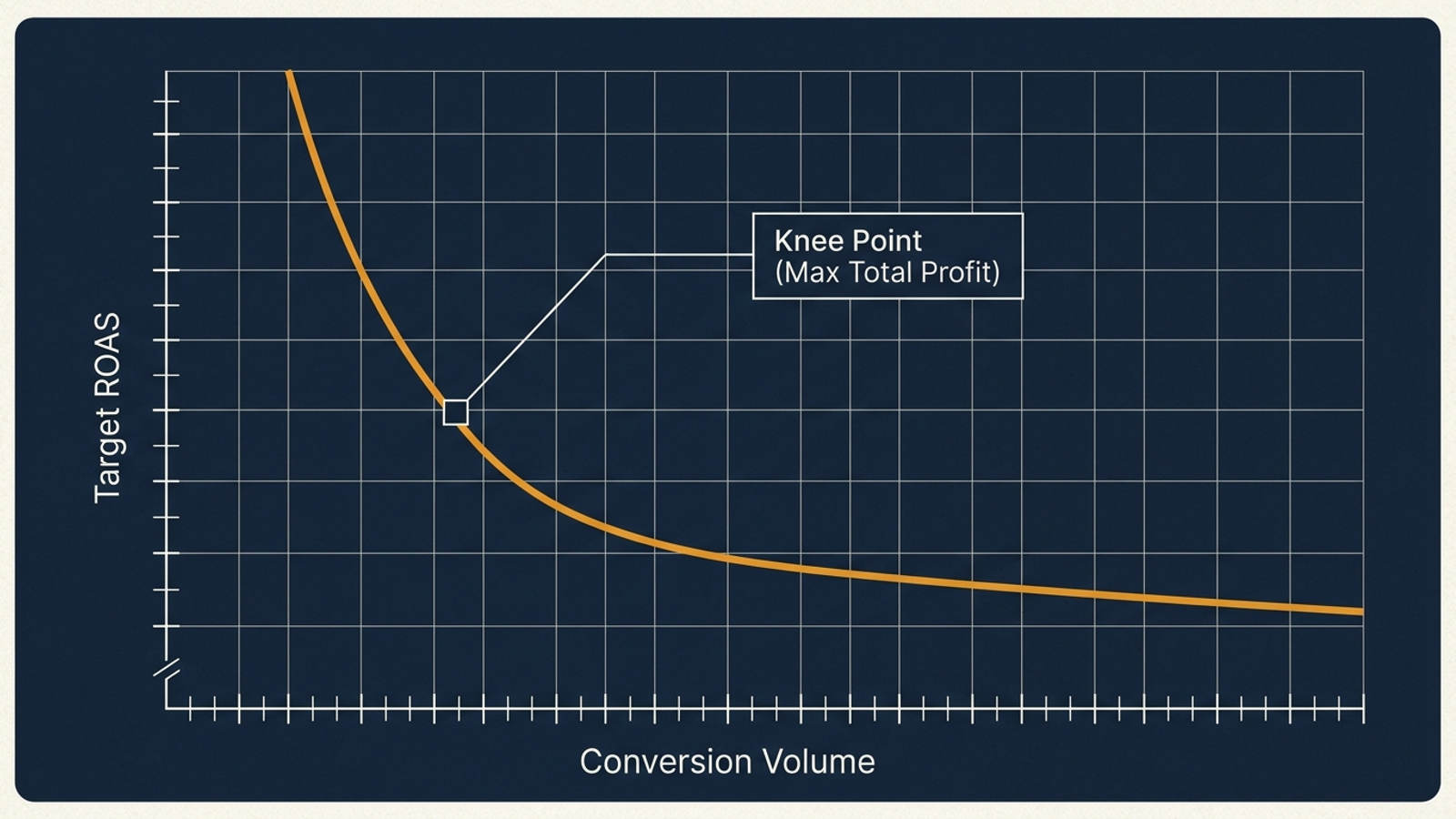
Once you have a baseline, raise the target in measured steps rather than jumping straight to the margin your spreadsheet wants. The target-calibration guidance here suggests changes of 10% to 15%, followed by a 7-to-14-day stabilization window. At 240%, a first move to roughly 265% is a test. A jump to 350% is a bet that the account can sustain a very different auction mix.
I have seen the other bad habit, too: changing targets every Tuesday because Monday’s report looked ugly. That whipsaws a system that needs enough time and conversion information to show what the last change did. It also makes the next decision harder: if spend and sales move, which setting gets the credit or the blame? Continuous execution with guardrails is part of the case for groas over the agency routine of sporadic account reviews and reactive tweaks. But automation does not repeal the auction math. Whether a system or a person turns the dial, the target has to meet the market before you can push it.
Test where efficiency starts costing you cash
Here is the question I would put in a test plan: At what target does lost auction volume begin to reduce total cash contribution? I expect a rising target to improve the reported ratio at first by cutting less attractive auctions. Push it far enough, and it can also cut sales whose gross profit more than paid for their ads. The test is meant to find that turn, not to prove that the highest attainable ROAS wins.
Use one high-volume campaign with at least 50 conversions a month. Keep ad creative, negative keyword lists, and landing pages unchanged during the observation period. If you change relevance or conversion rates while adjusting bids, you will not know which change produced the result. Record the same measures at each stage: daily spend, conversion value, actual ROAS, and Search Lost IS (rank). Write down the baseline before changing the target; otherwise, you are comparing the new setting with your memory of the old one.
- Week 1 — establish the baseline. Set Target ROAS to the trailing 30-day observed return, accounting for conversion lag. Record the starting measures.
- Weeks 2–3 — make the first step. Raise Target ROAS by 12%. Allow 14 days for delivery to settle, then account for conversion lag when reading the results.
- Weeks 4–5 — test the next step. Raise the target another 12% relative to the first raised setting. Keep the same controls and record the same measures; allow for conversion lag before judging this stage, too.
- Check for lost access. If Search Lost IS (rank) rises by more than 15 percentage points while weekly spend falls by more than 20%, treat that as a warning that the higher target is suppressing auction participation. Check contribution before making another increase.
In your spreadsheet, calculate Net Ad Contribution for each stage: conversion value × gross margin percentage − Google Ads spend. Compare that dollar amount with spend, conversion volume, and Search Lost IS (rank). The reported ROAS alone cannot tell you whether the next step helped. Nor can a short run pin down one permanently perfect setting; the point is to see whether tightening the target still improves what the business keeps. A warning about lost auction access prompts a closer look at the dollars, not an automatic verdict that every lost click was valuable.
If contribution rises as spend falls, the tighter target has earned another look. If contribution falls while ROAS rises, move back toward the setting that produced more cash. That is the decision the test is for.
Skip this step-test when the signal is thin
This protocol needs enough conversion volume to make its changes readable. Fewer than 30 conversions a month? Skip the Target ROAS step-test. A drop in sales may be ordinary variation rather than evidence that bids are shutting you out, and the system has less information to work with. Even above that threshold, I would use the protocol as written only for a campaign meeting its 50-conversion starting condition. A neatly formatted spreadsheet will not make a thin signal stronger.
Flat transaction values also make this a poor fight to pick. If you sell high-ticket B2B software, assign arbitrary values to leads, or run a low-volume catalogue, asking a ROAS strategy to optimise predicted basket value can create more noise than insight. In those cases, the case for Target CPA instead of Target ROAS is more relevant than finding a finer return percentage. Choose a bidding target that matches the signal you actually have.
A bidding target cannot put profit in the bank
High ROAS screenshots are easy to sell. Percentage-of-spend contracts and monthly decks make them easier still: the report celebrates a tidy efficiency number while the business may have sold less product and kept less profit. I do not care how clean the slide looks if the contribution line went backward.
Google Ads is an auction, not an accounting spreadsheet that accepts your desired margin as an instruction. A Target ROAS can help you control what you pay for demand. It cannot create enough demand at whatever return you type into the box. Your breakeven calculation still matters, but it belongs beside the campaign results, where you can use it to judge the business decision. It cannot force the auction to offer you that return.
Set the target from observed performance. Raise it deliberately. Watch conversion volume and the dollars left after ad spend. Ignore that sequence, and you can get exactly the ROAS you asked for on a campaign too starved to matter.
Frequently asked questions
Should I set my Google Ads Target ROAS to my breakeven ROAS?
Not automatically. Your breakeven calculation belongs in financial planning, but typing it into the bidding field tells Smart Bidding to pursue a return the account may not currently achieve. If the available auctions do not support that target, spend and conversion volume can fall.
How does raising Target ROAS affect how much Google bids per click?
A higher target lowers the bid the system is willing to make. In the simplified model, bid ceiling ≈ predicted conversion value ÷ target ROAS: a $2.00 predicted conversion value at a 200% target gives a $1.00 ceiling, while at 400% it gives $0.50. The shopper has not changed; your willingness to pay has.
Why did my Google Ads campaign stop spending after I raised Target ROAS?
A higher target makes the bidding system more selective, so it can lose competitive searches that previously produced sales. Delivery falls first, then conversion volume falls, and fewer conversions leave the system less information about which searches are worth pursuing. That starvation spiral is behind many budget-underdelivery complaints.
Can reported ROAS go up while my profit goes down?
Yes. In the article's example, a 400% ROAS account spending $20,000 keeps $12,000 after ad costs, while a tightened campaign at 600% ROAS keeps only $8,400. A higher target can concentrate bids on brand searches and repeat buyers, so the average looks better while profitable sales elsewhere are lost.
Is a drop in spend after raising Target ROAS just the learning phase?
Not necessarily. Give a campaign time to settle, but patience does not make an unreachable target reachable. Google's own guidance notes that a target set too high can limit conversion volume and recommends basing the initial target on historical performance, so check what the new setting did to auction access rather than just waiting.
What Target ROAS should I start with, and how fast should I raise it?
Start at the account's observed ROAS over a trailing 30-day window, allowing for conversion lag; if the window shows 240%, set the target at 240% rather than a hoped-for 300%. Then raise in measured steps of roughly 10% to 15%, with a 7-to-14-day stabilization window, instead of jumping straight to a margin-based number.
How do I find the Target ROAS level where efficiency starts costing me money?
Run a step test on one high-volume campaign with at least 50 conversions per month, keeping creative, negative keywords, and landing pages unchanged. Record daily spend, conversion value, actual ROAS, and Search Lost IS (rank) at each stage, and calculate Net Ad Contribution (conversion value × gross margin − spend). If contribution falls while ROAS rises, move back toward the setting that produced more cash.
When should I skip a Target ROAS step-test?
Skip it if the campaign gets fewer than 30 conversions a month, because a drop in sales may be ordinary variation and the system has too little information to work with. Flat transaction values are another poor fit: if you sell high-ticket B2B software, assign arbitrary lead values, or run a low-volume catalogue, a Target CPA strategy matches the signal better.