

 LinkedIn

I would rather ask what to fix this week than open another SEO dashboard. Once Claude or ChatGPT can read Search Console, GA4, audit findings and Semrush/Ahrefs data through one groas connection, the work becomes a handful of questions: these are the 15 I would ask.
Connect once, then copy the prompts
When to use this: before the first prompt, so the assistant can connect rankings, clicks, site health and link gaps without another export.
- Connect your website and Google accounts in groas.
- Add groas to your AI as a custom connector using
https://mcp.groas.ai/mcp. In Claude, use Settings → Connectors → Add custom connector. - Confirm the assistant can read Search Console, GA4, audit findings and Semrush/Ahrefs data for the site.
- Replace every
[SITE]below with your domain. Replace other bracketed placeholders as needed.
The adjustment that matters: use the same site across every data source. groas Unlimited costs $19 a month flat for unlimited teammates, accounts and sites; the point here is one connected answer, not another stack of exports.

1. Find queries already close to useful rankings
When to use it: monthly, or after a content push. I start with striking-distance queries: terms already ranking at positions 5–15, with impressions but few clicks.
For [SITE], list Search Console queries from the last 90 days ending 3 days ago where average position is 5-15 and impressions are over 100. Show query, ranking page, clicks, impressions, CTR and average position. Sort by impressions descending.
The adjustment that matters: change 100 to 500 for a large site. The 5–15 position band gives me a useful starting point, but the impression threshold should keep the list small enough to act on. A thousand near-wins is still a backlog.
2. Separate a traffic drop into its moving parts
When to use it: after clicks fall, before blaming an update. I want to see whether rankings, demand or click-through rate changed.
For [SITE], compare the last 28 days with the prior 28 days, ending the latest period 3 days ago. List the 10 pages with the largest click loss. For each, show clicks, impressions, average position change and the top 3 queries that slipped. Classify the pattern as position loss, CTR loss at similar positions, or lower impressions. Flag mixed patterns rather than forcing one explanation.
The adjustment that matters: ask for GA4 engagement on those same pages. If clicks fall while engaged sessions hold, that changes the investigation; it does not automatically prove the missing traffic was worthless. I want to know which losses deserve attention, not just which bars turned red.
3. Find strong rankings with weak click-through
When to use it: pages appear near the top but earn few clicks. This gives me candidates for snippet work, not a blanket instruction to rewrite every title.
For [SITE], use the last 28 days ending 3 days ago. Find pages with 1,000+ impressions, average position 1-5 and CTR under 2%. Show page, top query, impressions, CTR and current title. Suggest a title under approximately 60 characters with the primary query near the front and a clear reason to click.
The adjustment that matters: keep the position filter. The high-impression, low-CTR filter is more useful when weak rankings are not mixed into the same list. I do not want a title rewrite prescribed for every page sitting at position 14.
4. Find overlapping pages before merging anything
When to use it: multiple pages appear for the same query, particularly after a migration or a buildup of tag pages. I want the overlap visible before choosing a page to keep.
For [SITE], use the last 90 days ending 3 days ago. Find queries where 2+ pages each received 50+ impressions. Limit the output to the top 20 queries by total impressions. Show each query and its pages, with impressions, clicks and average position for each. Flag candidates for a keep, merge or noindex review; do not apply changes.
The adjustment that matters: name the intended target page where one exists. Two URLs appearing for a query is a reason to inspect them, not enough information to tell the assistant to remove one from search. Keep the decision separate from the detection.
5. Make an audit explain its priorities
When to use it: after a fresh crawl, before forwarding a report to whoever approves the work. Audit exports are very good at making 200 issues look equally urgent.
Explain the top 10 SEO audit findings for [SITE] in plain English, ordered by likely traffic impact. Cross-reference affected pages with Search Console performance. For each finding, give: what it means in one sentence, which pages or templates it affects, and the likely consequence of leaving it unresolved for 90 days. Mark uncertainty clearly.
The adjustment that matters: request a grade-8 reading level. The developer can read the raw crawl; this version is for the person deciding whether the work happens. I want traffic at risk, not a dramatic retelling of the crawler’s severity labels.
6. Turn the audit into five fix tickets
When to use it: the priorities are agreed, but nobody has a task they can pick up. A report is not a work ticket, however expensive the PDF looks.
Turn the top 5 audit issues for [SITE] into fix tickets for [CMS]. For each, give the affected URL or URL pattern, the change required, how to verify the fix in 2 minutes, and whether groas can apply it to the connected site or a developer is needed. Tie the priority to affected pages with Search Console impressions.
The adjustment that matters: make [CMS] specific, such as WordPress + Elementor. I want a ticket written for the site that exists, not the imaginary website every generic audit seems to assume. Keep the verification step in every ticket.
7. Check indexing before rewriting content
When to use it: rankings slip after a site change. I want to separate pages with indexing problems from indexed pages that simply lost position.
For [SITE], inspect pages that lost average position in the last 28 days ending 3 days ago. Use dataState=final for Search Console performance data. Cross-reference audit and available indexing findings. Separate pages reported as deindexed, noindexed or canonicalized elsewhere from pages confirmed as indexed but slipping. Mark pages with insufficient indexing evidence as unknown.
The adjustment that matters: keep dataState=final. It excludes the newest partial performance data; it does not itself diagnose indexing. I want the assistant to distinguish a confirmed problem from a missing piece of evidence before anyone starts rewriting a perfectly serviceable page.
8. Put technical fixes beside pages earning clicks
When to use it: the audit is long and I need a short technical queue tied to pages people already visit.
Cross the audit findings for [SITE] with Search Console clicks in the last 28 days ending 3 days ago. Find pages in the top 20 by clicks with a recorded issue: broken internal link, missing title, slow mobile load or redirect chain. Order by clicks on affected pages. Give the issue, proposed fix and affected template where relevant.
The adjustment that matters: restrict the list to templates I control. A header fix touching 400 pages can be a better use of the afternoon than polishing one neglected post. Prioritize the affected pages, not whichever warning happens to appear first in the export.
9. Build a backlink outreach list, not a shopping list
When to use it: quarterly, or when reviewing competitors. I want referring domains that already link to relevant rivals, not a total-link-count contest.
Using Semrush/Ahrefs data, compare [SITE] with [RIVAL_1], [RIVAL_2] and [RIVAL_3]. List domains linking to 2+ rivals but not to us. Show domain, number of rivals linked, linked target URLs and likely link type: editorial, directory, partner or press. Order by number of rivals linked, then relevance to [NICHE].
The adjustment that matters: start with three close rivals. A backlink gap identifies outreach prospects; it does not prove those links caused a ranking. I use the overlap to narrow the list, not as permission to buy my way through it.
10. Give each outreach prospect a reason to care
When to use it: the gap list exists, but “please link to us” is still the entire outreach strategy.
For the top 20 gap domains from the previous answer, identify one existing page on [SITE] that could earn a link, or one page we should create. Map each domain to that page and give a one-sentence outreach angle: data, quote, image, tool or correction. Explain the fit using the page the domain already links to.
The adjustment that matters: add a boundary: No guest-post farms, no paid links; suggest only pages we can improve in one day. I want an outreach queue I can use, not a content production plan disguised as a quick win.
11. Find topics competitors cover and I do not
When to use it: the link profiles look similar, but competitors still appear for relevant searches. I want to inspect the topic and page-format gap next.
Using Semrush/Ahrefs data, compare [SITE] with [RIVAL_1] and [RIVAL_2]. List 20 queries where both rivals rank in positions 1-10 and we rank outside the top 20 or not at all. Show query, ranking rival pages and page type: guide, tool, category or comparison. Include word counts where available. Flag 5 queries where we already have a related page to expand.
The adjustment that matters: keep page type in the output. A rival ranking with a calculator while I offer a 400-word post is a different assignment from adding a missing phrase. Inspect the format before commissioning more words.
12. Turn one near-win into a focused outline
When to use it: I have chosen a striking-distance query and need an editing plan for its ranking page, not a fresh article competing with it.
Draft an outline for [QUERY] targeting [PAGE_URL]. Read the existing page and, where accessible, the top 3 Google results. Give proposed H2s and H3s, a direct answer for the first 100 words, 3 relevant questions those results leave unanswered, and 2 internal links with suggested anchor text. State which pages you could not inspect rather than guessing.
The adjustment that matters: paste [QUERY] exactly as Search Console records it, typos included. That keeps the measured demand visible while the assistant plans the answer. I can tidy the prose without tidying away the question people actually asked.
13. Draft one section without flattening the voice
When to use it: the outline is approved and I need a usable section, not 1,500 words that all sound like an introduction.
Write a 200-word section for [QUERY] under the H2 “[HEADING]” on [PAGE_URL]. Use this brand voice: [BRAND_VOICE]. Answer the query in the first 2 sentences. Include this supplied detail: [PRIMARY_DATA_OR_PRICE_OR_STEP]. End with one line explaining who this is not for. No filler, generic introduction or invented supporting details.
The adjustment that matters: keep it to one section at a time. “Plain-spoken contractor” is a useful voice instruction; a full article generated in one pass is a larger editing commitment. I would rather keep one strong section than rewrite six interchangeable ones.
14. Find internal links with a reader-facing purpose
When to use it: a new or updated page is ready, and I need relevant routes into it from existing content.
For [PAGE_URL], targeting [QUERY], suggest 3 internal links from existing pages on [SITE]. For each, give source URL, exact suggested anchor text using a natural query variant, and one sentence explaining why the link helps a reader. Include Search Console impressions for each source page and use GA4 to add engagement context where available.
The adjustment that matters: require source pages that already receive impressions. That keeps this pass focused on visible pages rather than forgotten URLs. I want the assistant to check the source, not merely find somewhere it can squeeze in an anchor.
Before applying edits: keep approval and undo visible
When to use this: a prompt produces a title, internal link, new section or technical fix worth publishing.
- Let the assistant draft the change for the connected website.
- Check the proposed edit before approving it.
- Keep the change log, reason and one-step undo available.
- Leave autopilot off unless deliberately enabling it; it stays off until switched on.
The adjustment that matters: distinguish reading data from changing the site. My rule is simple: draft first, inspect the change, then approve. A useful recommendation is not permission to publish it.
Before judging the result: use a fair comparison
When to use this: an edit is live and the urge to refresh Search Console arrives.
- Allow for Search Console’s 2–3-day reporting delay.
- Give title and content edits 28 days, then compare like-for-like periods.
- Check position alongside CTR; a simultaneous ranking change complicates the explanation.
- When a whole template slips together, investigate the broader movement before rewriting every page.
The adjustment that matters: do not confuse a change in the chart with proof of what caused it. I want a useful comparison, not a victory lap four days after editing a title.
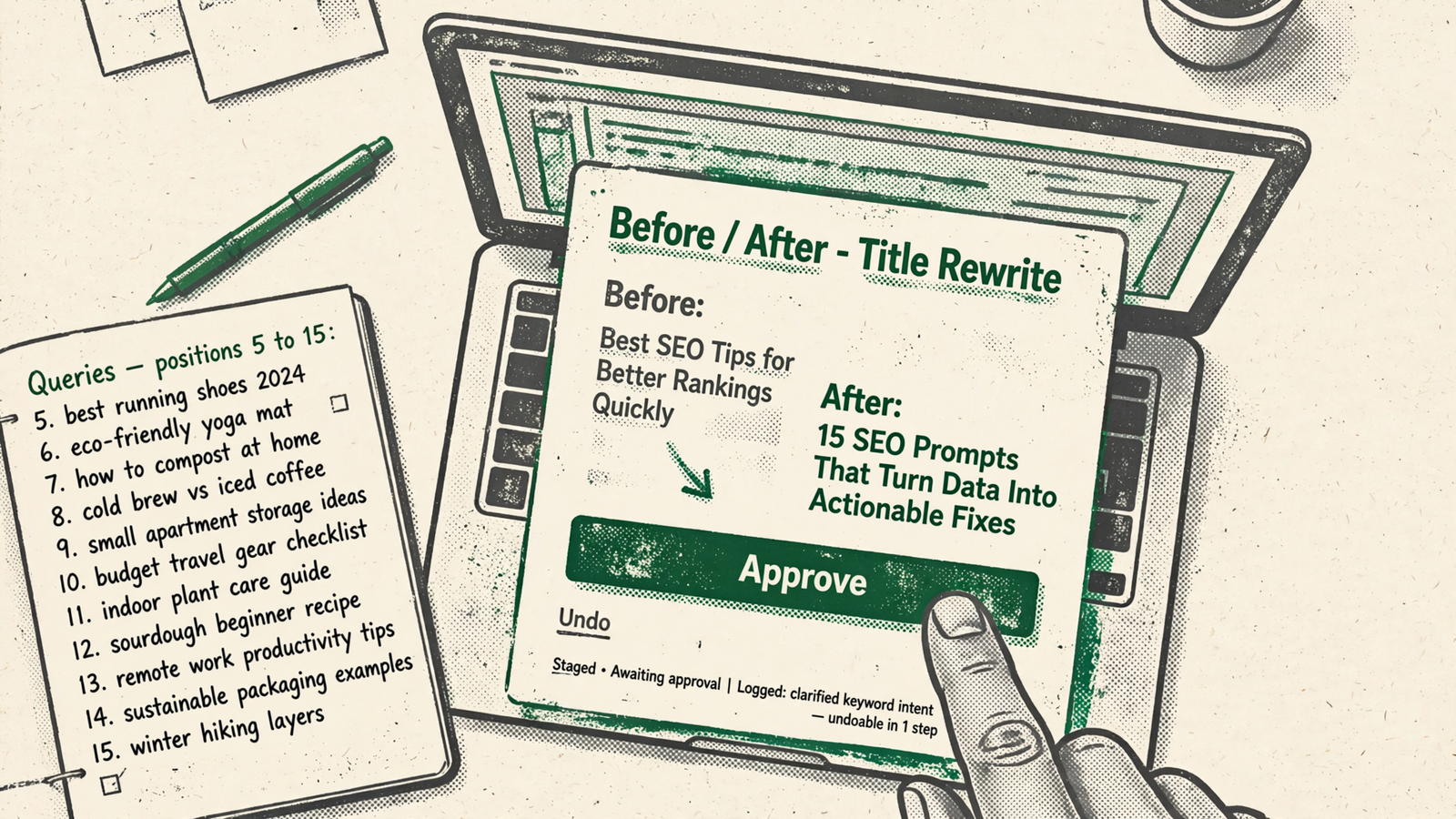
15. My most useful prompt: ten near-wins, one fix each
When to use it: monthly, when I need the shortest route from data to an editing queue. This is the one I would keep because it forces the order: data first, page second, single change third.
For [SITE], use the last 90 days ending 3 days ago. Find the top 10 queries by impressions with average position 5-15 and 100+ impressions. For each, name the ranking page and recommend one change: a title rewrite under approximately 60 characters, a direct answer in the first 100 words, 1-2 new sections, or 2-3 internal links. Explain why that change fits the page. Give one prescribed next action, not a menu.
The adjustment that matters: specify the intended target page if pages overlap. Then approve the edit and run the prompt again in 28 days. I rate this highest because one page with one clear next action beats another audit PDF.


