

 LinkedIn
Most agencies won’t tell you this: one AI answer is not visibility. I treat buyer prompts like a search terms report: run a fixed list every Monday, log the answers, and find the queries where a competitor gets named and I don’t.
The Monday setup: make the answers comparable
Use this before the first run. In Google Ads, I never judged a keyword on one click. I checked a fixed set of queries on a schedule and flagged the losers. The same discipline turns AI answers into a trend rather than a folder of screenshots.
- Pick 15 to 20 buyer-phrased prompts from the 60 below for a 45-minute starter panel. Freeze their wording for four Mondays. If you can cover all 60 consistently, use all 60.
- Run each prompt in a fresh chat. Keep location and login state consistent between weeks, and use the same wording on every platform you check. That is what makes run 2 comparable to run 1 (comparability method).
- Log the engine, model version and raw answer. A single run is a sample, not evidence that a certain percentage of answers mention you (single-run warning).
- Where time allows, run each prompt at least twice per engine. Record whether you appeared, your position, competitors named and sources cited (manual starter method).
Adjustment that matters: start with a panel you can repeat, not 60 prompts you abandon after Monday one. I used to tell clients one check was enough. I was wrong. Answers drift.
The 60 prompts: copy, replace brackets, repeat
Use the same placeholders every week. [CATEGORY] is what you sell, [CITY] is your service area, and [COMPETITOR] is the name that keeps showing up when yours does not. Replace bracketed text; leave the surrounding sentence alone.
1. Shortlist prompts: catch the named recommendations
Use these first when you want to see who makes a buyer’s initial list. Run them in ChatGPT with browsing on, Gemini, Perplexity and a logged-out AI Overview check.
Best [CATEGORY] for small business in 2026
Best [CATEGORY] for [SPECIFIC USE CASE]
Top 5 [CATEGORY] brands for [CUSTOMER TYPE], pros and cons
Shortlist 3 [CATEGORY] options under $[PRICE] with reasons
Which [CATEGORY] would you recommend for [PROBLEM]?
Best [CATEGORY] for beginners vs professionals
Most reliable [CATEGORY] according to reviews
Best rated [CATEGORY] in [CITY]
What is the best [CATEGORY] for [BUDGET RANGE]?
Rank these [CATEGORY] options: [A] vs [B] vs [C]
Best [CATEGORY] with good customer support
Safest [CATEGORY] choice if I need it to work first time
Adjustment that matters: keep one prompt with your city and eleven without it. You want to know whether the gap is local or broader.
2. Comparison prompts: find the competitor-only gaps
Use these when buyers know the category and are picking a winner. These are where I find most competitor-only gaps. Put your closest rivals in the comparison slots; leave [THIRD OPTION] open if you want to see whom the engine supplies.
[CATEGORY A] vs [CATEGORY B] for [USE CASE], which is better?
[YOUR BRAND] vs [COMPETITOR], pros and cons
[COMPETITOR] vs [YOUR BRAND] for [CUSTOMER TYPE]
Best alternatives to [COMPETITOR] for [PROBLEM]
Best alternatives to [YOUR BRAND] for [PROBLEM]
Is [YOUR BRAND] worth it compared to [COMPETITOR]?
What do customers switch to after [COMPETITOR]?
[YOUR BRAND] vs [COMPETITOR] vs [THIRD OPTION] for [BUDGET]
Which is easier to set up: [YOUR BRAND] or [COMPETITOR]?
Which has better reviews: [YOUR BRAND] or [COMPETITOR]?
What would you buy instead of [COMPETITOR] under $[PRICE]?
Cheapest credible alternative to [MARKET LEADER] for [USE CASE]
Adjustment that matters: keep the unflattering one. Best alternatives to [YOUR BRAND] hurts to read, but it can surface review pages you need to address.

3. Pricing prompts: catch stale numbers
Use these when buyers have a budget in mind. Price answers can change or be wrong, which is why you log them instead of trusting a screenshot.
How much does [CATEGORY] cost in 2026?
[CATEGORY] pricing for small business, what should I expect?
[YOUR BRAND] pricing vs [COMPETITOR] pricing
How much does [YOUR BRAND] charge for [SERVICE]?
Is [YOUR BRAND] worth the price?
Cheapest [CATEGORY] that is still reliable for [USE CASE]
[CATEGORY] cost per [UNIT]: what is normal?
Hidden fees to watch for with [CATEGORY]
Does [YOUR BRAND] offer discounts or annual pricing?
What affects [SERVICE] quotes in [CITY]?
How much should I budget for [PROBLEM] fix?
[CATEGORY] under $[PRICE]: what do I give up?
Adjustment that matters: record the stated price beside what your site actually says. A stale third-party page may be supplying the wrong number.
4. Problem-aware prompts: find demand you never bid on
Use these when the buyer has a problem but has not named your category. In my old search terms reports, this was the language vendors tended to miss: symptoms rather than diagnoses.
How do I fix [PROBLEM] without replacing [CURRENT SETUP]?
Why does [PROBLEM] keep happening after [COMMON FIX]?
[PROBLEM] getting worse, what should I check first?
How to choose someone to fix [PROBLEM] in [CITY]?
What causes [SYMPTOM] in [CATEGORY] and how urgent is it?
DIY vs hire a pro for [PROBLEM]: what is cheaper long term?
How long does [SERVICE] take for [PROBLEM]?
What questions should I ask before hiring [PROVIDER TYPE]?
Signs I hired the wrong [PROVIDER TYPE] for [PROBLEM]
How to prevent [PROBLEM] after [SERVICE] is done?
What does [ERROR / SYMPTOM] mean for [CATEGORY]?
Who fixes [PROBLEM] on weekends in [CITY]?
Adjustment that matters: keep the symptom wording sloppy on purpose. Buyers type symptoms; vendors type diagnoses. Check who gets named for the buyer’s version.
5. Local prompts: separate city gaps from category gaps
Use these if you serve a defined area. AI Overviews can vary by country and city, so check them logged out and record the location (location note). Run the list with [CITY] filled in; for the near me prompt, keep location on and record where it resolves.
Best [PROVIDER TYPE] near me for [PROBLEM]
Best [CATEGORY] in [CITY] for [CUSTOMER TYPE]
Who installs [CATEGORY] in [CITY] with good reviews?
Emergency [SERVICE] in [CITY], who should I call?
Affordable [SERVICE] in [CITY], what is a fair price?
Top rated [PROVIDER TYPE] in [CITY] for [USE CASE]
[CATEGORY] store near [NEIGHBORHOOD / ZIP] open now
Who fixes [PROBLEM] in [CITY] on weekends?
Best [CATEGORY] for [CITY] homes with [CONDITION]
Local [PROVIDER TYPE] vs national chain for [SERVICE]
Is [YOUR BRAND] available in [CITY]?
Reviews for [YOUR BRAND] in [CITY]
Adjustment that matters: check that your Google Business Profile categories describe the service you actually provide. Do not change a category just to chase the wording of one prompt.
The tracking sheet: one answer, one row
Use this every Monday. Copy the header into Sheets, then add one row for each prompt on each engine you check. Freeze the prompt panel for four weeks before adding or cutting queries.
Date | Engine + Model | Prompt (exact text) | Brand mentioned? (Y/N) | Score 0-3 | Cited URL (yours) | Competitors named (in order) | Position in answer (1st, list, footnote) | Recommended vs only referenced | Notes / location set
Adjustment that matters: add a Raw answer pasted tab and save the full text. Answers can change between runs; you need the wording when a score moves (keep raw answers). Keep mention and citation separate: your brand can be recommended without a link, and your page can be cited without the answer recommending you (mention vs citation).
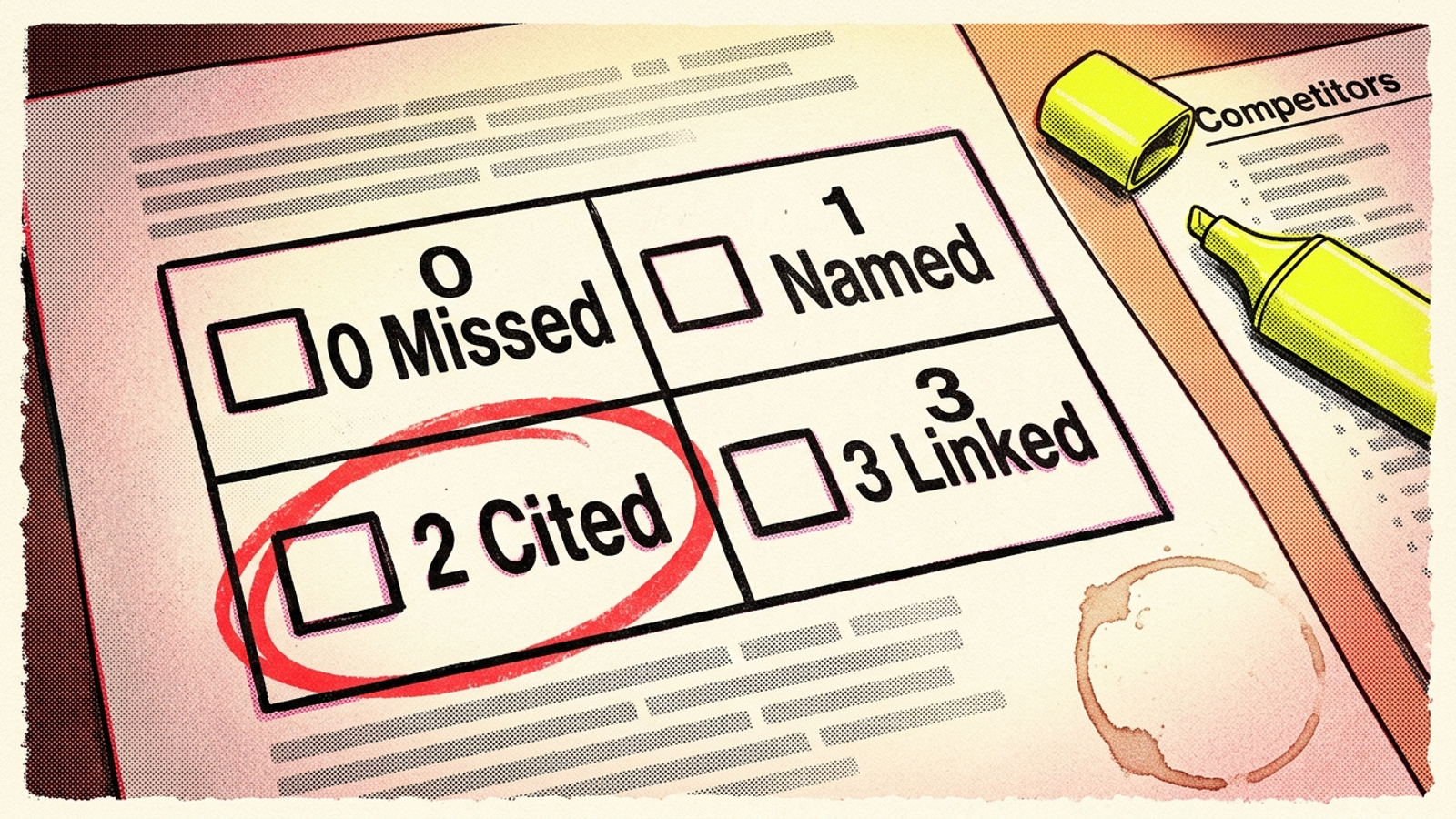
The 0–3 rubric: score the answer, not your hopes
Use this after pasting each raw answer. The score tracks how your brand or page appears; the separate Brand mentioned? column tracks whether the answer actually names you.
| Score | Record this when |
|---|---|
| 0 | Neither your brand nor your page appears. |
| 1 | Your brand is mentioned, but your page is not cited. |
| 2 | Your page is identified as a source without a link. |
| 3 | Your page receives a linked citation. |
For brand inclusion rate, count the rows marked Y and divide by rows checked. For a visibility score, add the points, divide by rows checked × 3, then multiply by 100 (hand scoring math). Keep branded prompts separate: Is [YOUR BRAND] worth it? can inflate an average while unbranded buyer prompts still name your competitors.
Adjustment that matters: when a page is cited but your brand is not named, record the citation score and mark brand mentioned N. One number cannot do both jobs.
The clean-run checklist: don’t score your own history
Use this before interpreting a change. A rising score means little if this week’s engine knows more about you than last week’s did.
- Fresh chat: start each prompt without conversation history. Use a consistent logged-out state or separate account so prior interactions do not shape the next shortlist (clean-session rule).
- Search mode: for pricing prompts, I check ChatGPT plain and with browsing or search on, then label the two runs. They can draw on different sources. When a citation score drops, I look at Perplexity first because its citations are easier to inspect.
- Location: check AI Overviews logged out in incognito, with country and city written down. The same wording can return a different answer elsewhere (location variance).
- Overview links: record the top five organic links beside the Overview citations. Do not assume a ranking tells you which page the answer will cite: the draft’s cited comparison puts top-10 overlap at about 38% in early 2026, down from about 76% a year earlier (overlap drop).
Adjustment that matters: diagnose the specific miss. If you rank but are not cited, inspect whether the page has a passage the engine can use. If you are cited but do not rank, inspect the cited page before writing something new.
The loss-list filter: competitor named, brand absent
Use this after week two. Filter the sheet to rows where a competitor appears and your brand is marked N. Those are the prompts worth reading, not merely counting.
- For each row, keep the competitors’ order and position, cited sites, sentiment, date and whether any brand was recommended or merely referenced (competitor sheet fields).
- Count which prompts repeat as losses. Sort the filtered rows by frequency and use the top ten as your content list.
- Read the cited material before choosing a fix. The engine may have found a clear sentence in a review list, comparison page or help doc that your page lacks.
- Turn each confirmed gap into one task: a quotable pricing paragraph, a city page that states availability, or a comparison section that names the alternative honestly. A common pattern is appearing for
best [CATEGORY]but disappearing on the emergency or price-specific version (gap example).
Adjustment that matters: write the fix against the variant you lost, not the broad prompt you already win. For a deeper pass, use a loss list that pinpoints the prompts where rivals win.
The handoff rule: buy a tool after you know what to track
Use this when the panel stops fitting your Monday. Sixty prompts across three engines plus Overviews means 240 answers before repeat runs. That is not my 45-minute starter job; it is a larger monitoring job.
- Keep it in-house while a fixed 15-to-20-prompt panel fits into 45 minutes and gives you useful losses to investigate.
- Consider a tracker when you need the full 60 across every surface, daily checks, multiple cities or repeated runs to smooth out drift. Entry tools sit around $29/month; deeper multi-engine platforms around $399/month.
- Wait four Mondays before buying if you can. Without a frozen list and baseline, you are paying to automate noise. The fixed buyer-prompt panel method lays out the repeat-run approach.
Adjustment that matters: pay to repeat a useful measurement, not to discover what the measurement should have been.
The artefact I’d keep
Use this if you copy only one part of the file: take the twelve problem-aware prompts and the 0–3 sheet. Best-prompts show where you lose a shortlist you knew existed. Problem prompts expose demand in the buyer’s sloppy symptom language; the sheet shows exactly where a competitor gets named and you score zero. Those rows are the content brief.
Adjustment that matters: when the loss list grows longer than you can write to, consider handing the tracked-prompt process to a done-for-you service. Until then, run it Mondays, freeze the wording, and let the losers tell you what to fix.