

 LinkedIn

You move from WooCommerce to Shopify on Tuesday: new checkout, new thank-you page, same Google Ads account. By Friday, reported purchases are down 40%, and the audit wants you to fix the bids. I’d hold them. A tidy account grade can reward you for fixing everything except the thing that broke. Before I ask ChatGPT what changed in the campaigns, I want to know whether a purchase still gets counted the same way it did on Monday.
Myth 1: A good account grade means purchase tracking survived the move
I get why people trust the grade. Green ticks, a score, a short list of missing assets. It looks objective, and the fixes are easy to assign. But the grader checks the account for the things it knows how to grade. It doesn’t watch somebody pay on the new checkout and check that Google Ads receives the purchase with the right value, currency, and transaction ID.
That’s how an account can score well while its purchase action is still waiting for the old thank-you page. The grader can spot an empty field. It can’t tell whether two purchase actions are counting the same Shopify order. Smart Bidding doesn’t get the account grade as a second opinion. It gets the purchase signal you give it.
I’d start with an inventory, not a repair. If you connect ChatGPT through groas, ask it to list the purchase conversion actions, their sources and statuses, and their recent counts. Give it the migration date and tell it not to make changes. What I want to see is which action is primary, what it’s counting, and whether another action might be claiming the same orders. If the inventory still describes the old store, stop there. The missing assets can wait.
Myth 2: The tracking status says Active, so we’re fine
I used to read the Status column like a pregnancy test. Green, we’re fine. Red, we’re not. Then I watched an Active tag fire on the wrong event for three weeks. It was active, all right.
Read the Google Ads conversion status labels for what they are: clues about recording activity, not an inspection of the checkout. Awaiting conversions doesn’t by itself mean the site is broken. Active doesn’t tell me whether the tag fires once per paid order, whether it sends the right currency, or whether it’s still listening for something on the old WooCommerce site. The reassuring label and the wrong event can coexist quite happily.
I ask ChatGPT through groas to give me the exact status and source for each purchase action. Then I place a test order with Tag Assistant running. I want to see the purchase fire once and check the value, currency, and transaction ID it sends against the Shopify order. The account inventory tells me which action to investigate; the checkout test tells me what actually fires. Test the purchase, not the color of the status badge.
Myth 3: Shopify orders and Google Ads purchases should match
Shopify says 112 orders yesterday. Google Ads says 61 purchases. I understand why that starts a panic email. I don’t understand why the email always treats the difference as missing conversions. The two systems aren’t doing the same job.
Shopify logs store orders. Google Ads reports purchases it can attribute to ads. Click-date reporting can put credit on a different day from the order, data-driven attribution can split the credit, and reporting lag can leave recent purchases out of the totals you’re looking at. Consent banners, ad blockers, and Safari restrictions can also keep the tag from sending a signal. I don’t expect the two totals to match even when the checkout works.
What I do want to know is whether the gap changed at the migration. Pull redacted store totals yourself and give them to ChatGPT separately, with dates and a time zone. groas reads the ad account; it doesn’t pull your Shopify orders through that connection. Put the trends beside each other on either side of the move, and don’t treat the latest Ads numbers as final while they’re still coming in. If the gap widens at the cutover, that’s a reason to look at what changed in tracking. It isn’t a count of lost orders.
Myth 4: Fewer reported purchases means the ads stopped working
Clicks hold. Spend holds. Purchases fall off a cliff. The temptation is to blame the new site, the new prices, or the campaigns, then cut something before the next client call. I’ve killed good campaigns on that logic. The budget cut was easy to explain. It was also the wrong thing to do.
A missed purchase and a purchase that never happened can look the same to Smart Bidding: neither shows up as a conversion. Double counting creates the opposite problem, giving the bidder more credit than the orders warrant. Either way, an account that keeps bidding on the bad signal can turn a tracking issue into a spend issue. The first drop on the chart matters more to me than how dramatic the chart looks by Friday.
Ask ChatGPT through groas to line up the migration date with daily impressions, clicks, spend, and counts for each purchase action. Then ask it which line moved first, without asking it to explain why. If spend held and reported purchases fell at the cutover, investigate measurement before cutting budget. That sequence gives you a hypothesis to test. It doesn’t prove demand held up any more than the conversion chart proves demand collapsed.
Myth 5: Every duplicate-looking purchase action should be deleted
After a Shopify move, two purchase actions can look like clones. One came from the old Google and YouTube channel setup. Someone added the other through Google Tag Manager during the move. The names look close enough, so somebody suggests deleting one before it makes the report messy. I used to give that advice. I was wrong: I was cleaning up the list before checking what the campaigns were bidding toward.
Google Ads deduplicates transaction IDs within a conversion action, not across two actions. If two primary actions record the same Shopify order, giving them the same ID doesn’t turn those two records into one. But two similar names don’t prove double counting, either. I want to know which paths are live and which actions the campaigns actually use. Otherwise I can remove the useful signal and leave the duplicate in charge. Neat list, same problem. Possibly worse.
Have ChatGPT through groas propose a change list before it makes one:
- Identify which actions record the purchase and which campaigns use them.
- Name the action that should stay primary and which others should move to secondary.
- Check that the retained action counts every purchase and that its tracking setup sends the Shopify order ID as the transaction ID.
That order keeps duplicates from getting mixed up with other conversion-tracking mistakes, like missing events from consent gaps or purchases that haven’t finished reporting. Keep one verified primary purchase action. Don’t pick it by name. Once it’s in place, leave bids alone while you see how purchases come through.
Myth 6: ChatGPT can fix the checkout through the Google Ads connection
A Google Ads connection gives ChatGPT real access, which is why this myth is easy to believe. Through groas, it can list conversion actions, change which one is primary, adjust a campaign goal, and log the reason for the change. It can’t use that connection to rewrite a Shopify checkout template, change a consent banner, or rebuild a server-side event. “Fix tracking” is a bad instruction when you haven’t said where tracking broke.
Take a tag that somebody pasted into the old thank-you page. If it depended on checkout.liquid or Additional Scripts, it can stop firing after the move to Checkout Extensibility. That’s a reason to check the Google and YouTube channel app setup, not to paste more code into the checkout. Even with the app in place, consent settings and blockers can still get between the checkout and the event. There’s no campaign goal setting that makes the browser send a purchase it never sent.
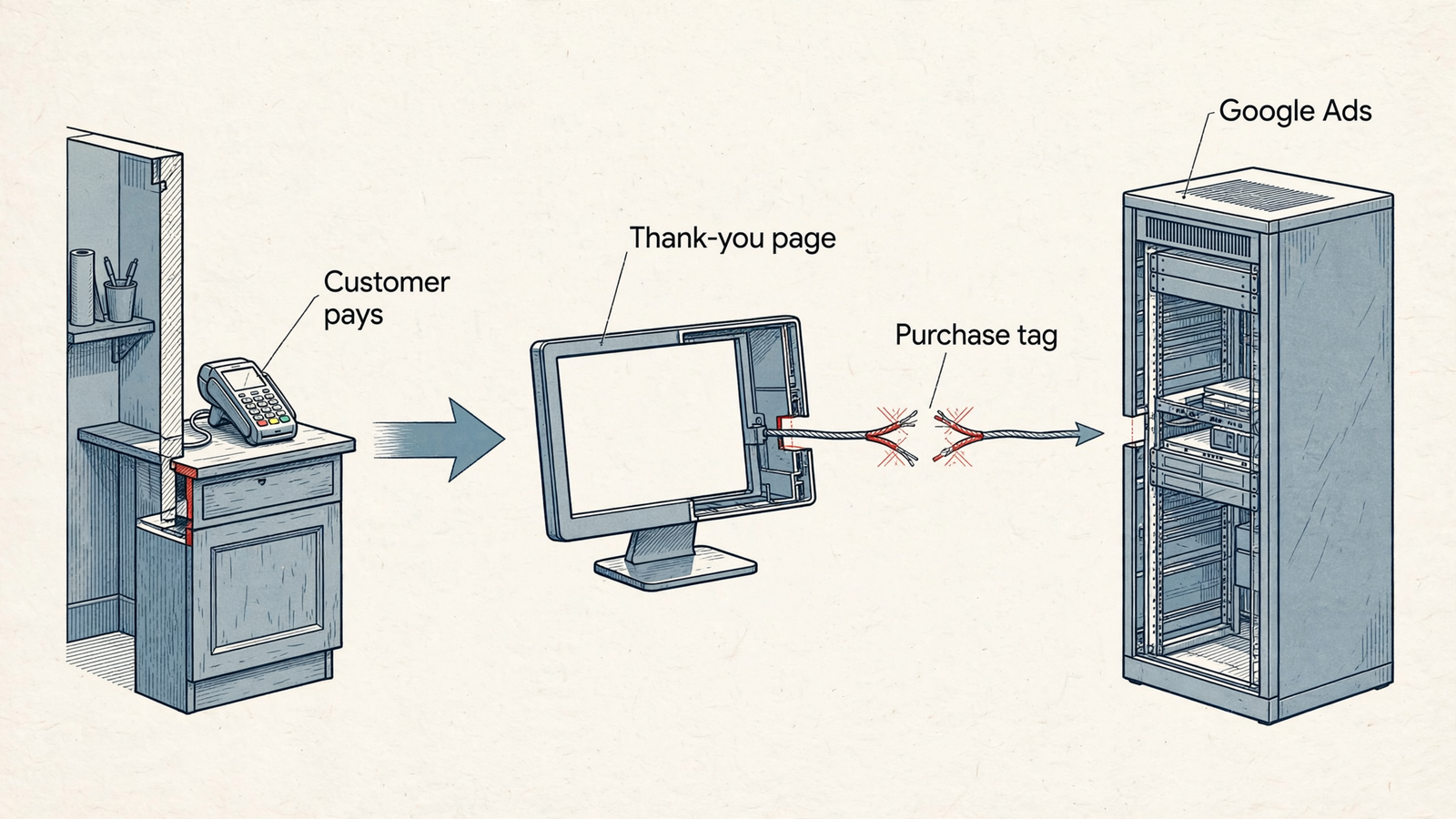
When the evidence points to checkout, ask for a developer handoff, not a bid recommendation. I’d put three things in it:
- The Shopify order ID, the date and time zone, and what’s missing on the Ads side.
- The Tag Assistant result: whether the event fired once and what it sent for value, currency, and transaction ID.
- The consent and blocker conditions during the test, and whether the Google and YouTube app is installed.
That handoff is the output I want. Nobody needs a new target ROAS to investigate an event that never left the checkout.
Myth 7: The audit should end with new bids
This is the myth I find hardest to kill, because it feels like doing your job. The client wants action. ChatGPT has fresh keywords and a lower target ROAS ready to go. Holding bids feels like billing for patience. But if I change bidding while purchases are undercounted or double counted, I’m making a decision based on receipts I don’t trust. When the tag is fixed, I’ll have to sort out what the tracking repair changed and what my bid changes did. I’ve given myself another problem to audit.
If I confirm a tracking break, I ask ChatGPT through groas to draft a data exclusion window that accounts for the break and the click-to-conversion lag. I also want a list of campaigns to leave alone and a plan to keep budget near historical spend while the reporting settles. That’s not optimization. It’s quarantine. No new bids while the audit is still establishing what a purchase means.

So what does ChatGPT get to change? Very little. It can rename an action so the next person knows what it does, set the verified action to primary, and confirm which campaigns bid toward it. Before it adds anything, have it review the Sources column in Google Ads alongside what you find in Shopify Customer Events and Google Tag Manager. I’m looking for a second live purchase path or mismatched transaction IDs, not another place to install a tag. Read the groas reason log after each approved change and keep autopilot off until the counts look stable through a full reporting lag. If you use Claude instead, the same order holds in the companion walkthrough for auditing Google Ads in Claude after a store migration.
Say you spend $20k a month. I’d take two quiet weeks checking the purchases over two months tuning campaigns to broken receipts. I still catch myself wanting to skip that part. The account looks fixable, the client wants movement, and I remember exactly how satisfying it feels to send a list of changes. I also remember spending weeks optimizing toward receipts that never happened. The migration didn’t break demand that week. It broke the record of demand.
So reject the grade, reject the status color, reject the totals match, and reject the cleanup sprint. Treat the migration date as a break in the data. Trace one real Shopify order to one primary purchase action with the right value, currency, and ID. Quarantine the broken window if you confirm one. Only then let ChatGPT touch the bids. That order is the audit.


