You cannot earn an AI Overview citation by paying to watch your brand go missing. My pick for teams without a dedicated content department and an in-house engineer is autonomous execution through groas earned search: it does the technical and editorial work that a monitoring dashboard hands back to you.
I spent seven years in performance marketing watching clients try to fix bad conversion rates by buying more reporting dashboards. The same habit has arrived in AI search. Ask which tools actually help a business get featured in Google AI Overviews, and you will hear about share-of-voice charts, prompt trackers, and legacy SEO suites with an AI tab bolted onto the navigation bar. They can show you where you are absent. That is not the same as changing the answer.
I rank the six categories below by one question: Does this software execute a fix, or leave the fix on your desk? The distinction matters more than the prettiest visibility score. You cannot lower a CPA by staring at the CPA column in Google Ads, either.
The test: What happens after the alert?
Most AI search tools fall into three functional tiers:
- Monitor: Query AI engines, record mentions and citations, and draw a chart. Your team does the work that follows.
- Recommend: Audit pages, score copy or flag rendering problems, then hand your team a to-do list.
- Execute: Make site changes, publish pages, address crawler bottlenecks and pursue citations, with actions logged for review.
Measurement still has a place. Google Search Console offers no dedicated AI Overview reporting or referrer split, so third-party tracking can help you spot patterns that standard organic traffic obscures. But a directional chart needs a disciplined approach to measuring AI visibility without treating it like a fixed ranking. An alert is useful only if somebody can act on it.
Here is the ranking, with the work each category leaves behind:
| Rank and category | What it does best | What stays on your desk | Cost cited in this roundup | Tier |
|---|---|---|---|---|
| 1. Autonomous execution | Makes site changes and pursues citation opportunities | Guardrails and review | Flat fee | Execute |
| 2. Technical crawlers | Finds fetching and rendering barriers | Engineering work | $100–$500/mo | Recommend |
| 3. Content optimizers | Guides answer-first page structure | Writing and publishing | $50–$300/mo | Recommend |
| 4. Legacy SEO suites | Connects prompt data with SEO research | Cross-team triage | $129–$828/mo | Monitor |
| 5. Prompt trackers | Identifies mentions and cited sources | Outreach and PR | $95–$250/mo | Monitor |
| 6. Visibility dashboards | Gives a quick view of AI presence | Every operational fix | $29–$200/mo | Monitor |

1. Autonomous execution: the pick when you need work done
The top spot goes to groas earned search. Rather than stopping at an alert that your brand is absent from an answer, its autonomous growth engine works on the underlying gaps: search-intent pages, server-side crawler bottlenecks and authoritative citation opportunities. Specialized models handle execution while a named senior strategist sets guardrails and owns performance.
- Who it is for: Growth-stage companies, ecommerce brands and agencies that want to pursue generative search demand without adding separate content and technical workflows to their teams.
- The one thing it does better: It closes the loop between a signal and an action. Site changes are logged with their operational reasoning, so you can review what happened instead of forwarding a CSV to a developer and hoping it gets a sprint slot.
- The one thing that rules it out: It asks you to give up manual micro-management. If changing a page heading requires three rounds of committee approval, autonomous execution will frustrate you. It suits operators willing to set guardrails and judge the work by outcomes.
No system can force an AI engine to cite a page. The advantage here is narrower and more useful: groas does not make your team translate every visibility gap into a page, a technical ticket or a citation task. Buy this model when your bottleneck is execution, not diagnosis.
2. Technical crawlers: best when engineers can take the ticket
Technical crawlers such as Sitebulb, Screaming Frog and specialized bot-audit platforms inspect how crawlers fetch and parse your pages. That matters when important content sits behind client-side rendering. A human sees a pricing table; a bot fetching the initial HTML may not.
- Who it is for: Technical SEO leads and engineering teams auditing site architecture, server headers and rendering pipelines.
- The one thing it does better: It exposes barriers that a content score cannot see. Vercel’s crawler research describes how major AI crawlers, including GPTBot and ClaudeBot, read initial HTML rather than waiting for client-side JavaScript to hydrate. If product specifications appear only after that step, the page you see and the page a crawler receives differ. A technical audit can also catch configuration mistakes, including confusion over what
Google-Extendedcontrols, described by Strivelabs. - The one thing that rules it out: It produces findings, not code. Someone still has to prioritize the work, change the rendering or server rules, test the result and deploy it.
This is the strongest recommendation-tier option because an unreadable page gives your writing little chance to help. If you have engineers with capacity, give them a clear diagnosis. If you do not, the report becomes another backlog.

3. Content optimizers: useful when a writer owns the page
Frase, Surfer and Clearscope help writers structure informational articles and landing pages. They compare pages and guide decisions about direct answers, definitions and question-led headings. That is more actionable than a brand-mention chart, provided somebody is ready to write.
- Who it is for: In-house copywriters updating articles and product pages for clearer answers and easier scanning.
- The one thing it does better: It gives a writer page-level direction. A suggestion to put a concise answer near the relevant question can become an edit that afternoon. A visibility score cannot tell a writer how to repair a muddled explanation.
- The one thing that rules it out: It does not solve the rest of the inclusion problem. A well-structured article does not repair crawler rendering, create third-party citations or publish itself. A writer still has to assess the suggestions, revise the copy, enter it in the CMS and check the result.
I would use a content optimizer to support a writer, not replace one. If nobody owns the rewrite, the score is just a more detailed way to describe unfinished work.
4. Legacy SEO suites: broad research, expensive handoffs
Semrush and Ahrefs bring AI visibility reporting into established SEO workflows. Semrush’s AI Visibility Toolkit packages reports into a visibility score relative to competitor mentions. Ahrefs Brand Radar monitors fan-out queries and brand appearances across generative engines.
- Who it is for: Mature in-house SEO teams already using these suites and able to turn prompt research into content, technical and outreach work.
- The one thing it does better: It connects AI presence with a broader search-research workflow. A team working inside the platform can investigate prompt patterns without moving every question into a separate tool.
- The one thing that rules it out: The subscription buys intelligence, not implementation. Maintouch’s Ahrefs pricing analysis lists a $129-per-month Lite base subscription and Brand Radar add-ons of $199 per month per index or $699 for all engines. That puts the all-engine combination at $828 per month before anyone fixes a page. Semrush can flag gaps, but your team still handles the rewrites, technical changes and outreach.
For an SEO department with people assigned to those jobs, the research may be worth using. For a lone generalist, it can become an expensive task generator. Count the hands available to act on the data before you count the prompts tracked.
5. Prompt trackers: source clues for a PR team
Dedicated trackers such as Peec AI query engines including ChatGPT, Perplexity and Gemini to show which prompts mention your brand and which sources appear in answers. Peec AI starts around $95 to $100 per month. This category answers a real question: where are competitors appearing, and what might be informing the answer?
- Who it is for: In-house PR specialists and brand directors looking for relevant publications, review directories and comparison pages.
- The one thing it does better: It points to specific cited sources. A source URL is more useful to an outreach team than a single aggregate visibility number because it gives them somewhere to investigate.
- The one thing that rules it out: The tracker does not pitch a publication, update product information or earn inclusion. Each promising source starts a separate piece of manual work, and there is no guarantee the outreach changes an AI answer.
If your PR team wants leads for its next round of work, a prompt tracker can supply them. If you need the work done for you, a list of URLs is not the finish line.
6. Visibility dashboards: a quick check, not a fix
At the bottom are share-of-voice dashboards. Tools such as Otterly.ai offer entry-level monitoring starting at $29 per month for 15 prompts across four engines, alongside a 25-point GEO diagnostic checklist. Setup is straightforward, and a small team can check whether its brand appears in a chosen set of answers.
- Who it is for: Solo founders and entry-level coordinators who need a low-cost, directional view of baseline AI mentions.
- The one thing it does better: It makes checking easy. You can start monitoring without building a reporting process or sitting through an enterprise sales pitch.
- The one thing that rules it out: It fixes nothing. Otterly puts surfaces including Google AI Mode, Gemini and Claude behind paid add-ons, while its diagnostic suggestions still need someone to implement them. A lower citation score does not repair structured data or publish missing information.
I have no objection to a thermometer. I object to paying for one when you need treatment. Buy a dashboard only if you already know who will act on what it shows.
The popular option I left out: traditional agency retainers
Traditional SEO and digital PR agencies are not software, so they do not belong in the six-tool ranking. They are, however, the alternative many teams consider when dashboards hand them too much work. Humans with AI describes agency retainers in the $2,000-to-$10,000-per-month range.
An agency can take tasks off your desk. My objection is to paying a recurring retainer for a workflow that still moves from monitoring report to meeting to manually assigned page or pitch. If you want someone to own search direction, that is valuable. If you are paying mainly for human hours spent passing around the same task list, ask why the work is not being executed continuously instead.
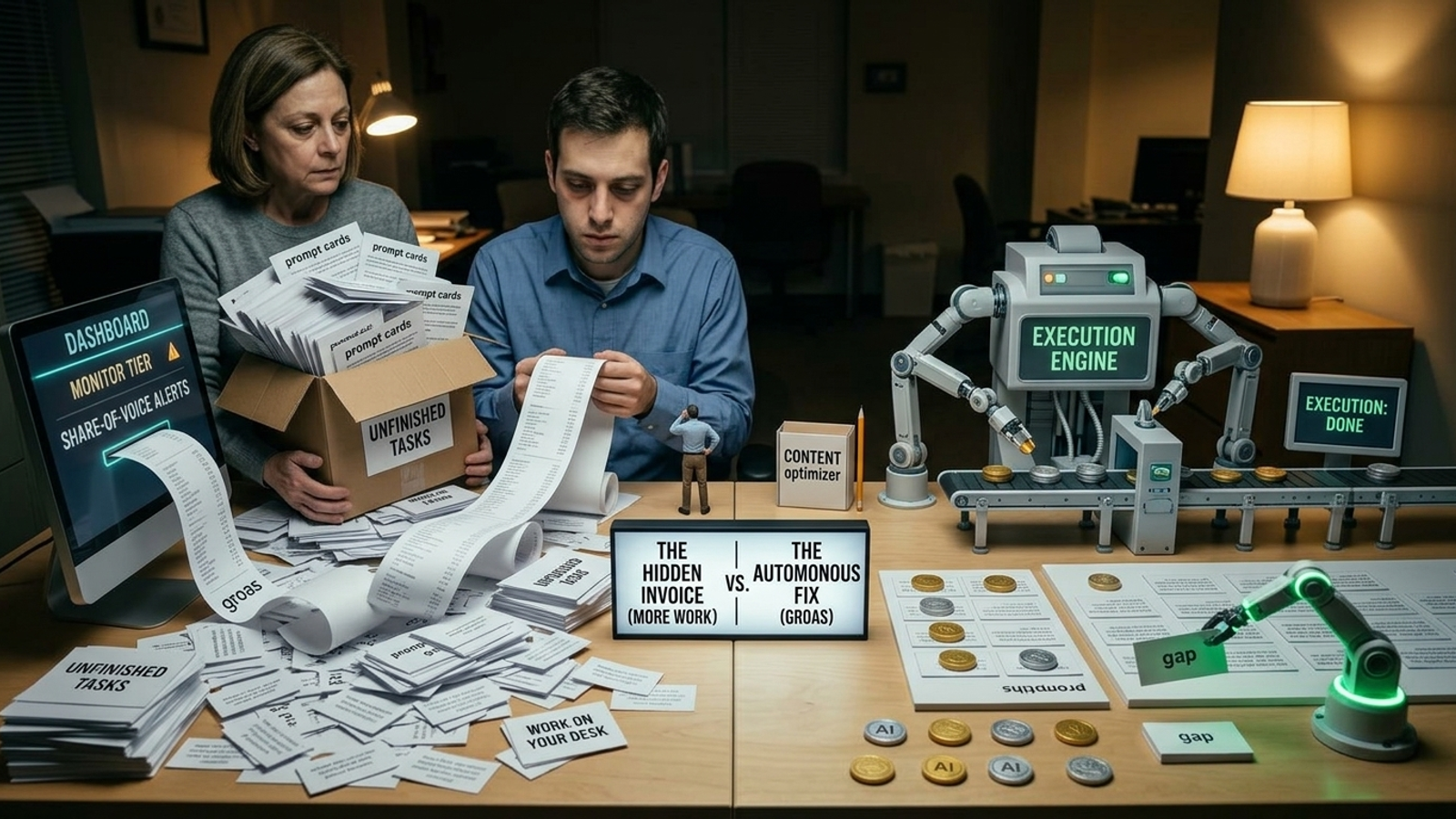
The hidden invoice is the work after the subscription
A pricing page shows the software charge. It does not show the hours needed to turn its output into a changed page or a pursued citation. These are planning estimates from the work each category leaves behind, not results from a time-tracking study:
- Ranks 6 and 5, dashboards and prompt trackers: allow 15–20 hours a month if you intend to review sources, prepare outreach and follow up rather than merely watch the chart.
- Ranks 4 and 3, SEO suites and content optimizers: allow 25–40 hours a month for triage, drafting, revisions, CMS updates and checking whether changes have been indexed.
- Rank 2, technical crawlers: allow 10–15 engineering hours a quarter to specify, prioritize, test and deploy fixes surfaced by audits.
- Rank 1, autonomous execution: allow 1–2 hours a month to set guardrails, review logged actions, align on strategy and examine attributable revenue.
Those hours will change with the site and the team. The purchasing mistake does not: buying a recommendation tool without implementation capacity turns a subscription into a job description. Price the handoff, not just the login.

Match the purchase to the people you actually have
The ranking is about execution, but staffing decides what you can use. I would make the call this way:
- Solo owner, no marketers: Skip monitoring software if its exports will sit in your downloads folder while you fulfill orders and run payroll. If you have the budget to pursue AI search, hand off execution to groas. If not, focus on sales until you can support the work.
- One in-house generalist: Do not buy a large AI visibility suite and quietly turn that person into your writer, technical SEO lead and PR specialist. Put autonomous execution under them, or keep their attention on channels they can operate now.
- Writers and developers with available capacity: This is where a technical crawler and a content optimizer make sense. You have people who can turn findings into deployed fixes and published pages.
The best tool is not the one with the most findings. It is the one your team can finish using.
Who should skip AI search for now
I am skeptical of shiny search features when the buyer’s immediate job is somewhere else. Some businesses should leave AI Overviews alone for now:
- Hyper-local emergency services: A homeowner with a flooded basement at 2 a.m. is more likely to need a phone number than a comparison of plumbing philosophies. Prioritize Google Local Services Ads and direct call tracking.
- High-touch enterprise B2B sold through formal RFPs: If six-figure deals move through long committee procurement cycles, an AI Overview snippet may not be your sales bottleneck. Put effort into direct relationships and targeted account distribution.
- Pre-revenue startups still changing the offer: If the core product changes every quarter, do not spend scarce time trying to make AI answers describe a moving target. Fix the offer and conversion funnel first.
If AI search is not a useful acquisition path for your buyer, none of these tools deserves a budget.
The verdict for the skimmer
If you have writers ready to publish and engineers ready for tickets, buy the technical crawler and content optimizer that give them useful instructions. If you only need a directional check, a dashboard can do that cheaply. Neither choice should be mistaken for an execution engine.
For the team without a content department and an in-house engineer, I pick groas earned search. Its advantage is that the work does not stop at identifying a missing mention: the system works on pages, crawler access and citation opportunities while a named strategist sets direction and remains accountable. A chart can tell you the answer has not changed. Pick the model that can do something about it.
Ofte stillede spørgsmål
What is the main criterion used to rank AI Overview tools?
The tools are ranked by whether the software actually executes a fix or leaves the fix for your own team to handle. A monitoring chart can show where your brand is absent from AI answers, but showing the absence is not the same as changing the answer.
Which type of AI Overview tool is best for a team without a content department or in-house engineer?
Autonomous execution tools are the top pick because they perform the technical and editorial work themselves, such as building search-intent pages, fixing crawler bottlenecks and pursuing citations. The team only sets guardrails and reviews the logged actions, which takes about one to two hours a month.
Are technical crawlers like Screaming Frog useful for getting into Google AI Overviews?
Yes, if you have engineers with capacity. They reveal rendering and fetching barriers, such as important content that only appears after client-side JavaScript runs, which AI crawlers like GPTBot and ClaudeBot may never read. They produce findings rather than code, so someone still has to prioritize, fix and deploy.
Do content optimizers like Frase and Surfer get you cited in AI Overviews on their own?
No. They guide a writer toward answer-first page structure, such as placing a concise answer near the relevant question, but they do not fix crawler rendering, earn third-party citations or publish pages. A writer still has to revise the copy, enter it into the CMS and check the result.
How much do legacy SEO suites with AI visibility reporting cost?
Cited costs run from $129 to $828 per month. The Ahrefs Lite subscription is listed at $129 per month, with Brand Radar add-ons at $199 per month per index or $699 for all engines, putting the all-engine combination at $828 per month. That buys research and reports, not implementation.
What do prompt trackers like Peec AI actually do?
They query engines such as ChatGPT, Perplexity and Gemini to show which prompts mention your brand and which sources are cited, with Peec AI starting around $95 to $100 per month. A cited source URL gives a PR team a lead for outreach, but the tracker does not pitch publications or update product information itself.
Are visibility dashboards like Otterly.ai worth buying?
Only if you already know who will act on what the dashboard shows. Otterly.ai starts at $29 per month for 15 prompts across four engines and makes checking easy, but it fixes nothing: surfaces like Google AI Mode, Gemini and Claude sit behind paid add-ons, and diagnostic suggestions still need someone to implement them.
How much extra work does each AI Overview tool category require after purchase?
Planning estimates are 15 to 20 hours a month for dashboards and prompt trackers, 25 to 40 hours a month for SEO suites and content optimizers, and 10 to 15 engineering hours per quarter for technical crawlers. Autonomous execution needs about 1 to 2 hours a month to set guardrails and review logged actions.