LinkedIn

Next season’s Meta budget starts at $32 per new customer in my worked example, not $0.60 per click. The total cash bill is media plus creative, operator time, and tools: groas and ChatGPT Plus come to $39 a month if you use both, while published creator-video rates run roughly $100–$200 per video, or about $375 per video in a managed package, before extras.
I used to set budgets off headlines about cheaper clicks. I was wrong. I start with what an order leaves after variable costs, decide how much of that I’m willing to spend acquiring a customer, then work backward through the clicks, leads, and purchases. I build the sheet in ChatGPT and pull in live Meta results through groas. The benchmark goes in the notes. It doesn’t get to set the budget.
The bill: media, one-off costs, and monthly charges
Total the rows you’ll actually pay. There’s no honest season-wide dollar range until I know the media budget, how many ads need producing, and who’s doing the work. Here are the figures I can put on the sheet before I know those things, alongside the costs I’d ask the business to supply.
| Cost line | When it hits | Figure or cost driver | Source |
|---|---|---|---|
| Meta media | Throughout the season | Planned spend, split by traffic, leads, and purchases | Your Meta account via groas |
| Creator videos | Per production batch | Roughly $100–$200 per video; managed packages around $375 per video | UGC cost data |
| Usage rights, product shipping, review time | As incurred | Your terms, shipping costs, and team hours | Your agreements and production records |
| Operator time | Hourly or monthly | Published ranges: $20–$45 per freelance PPC hour or $500–$1,400 per month for a small-business agency retainer | Operator cost ranges |
| groas | Monthly | $19 flat for the whole team, with unlimited teammates, ad accounts, and websites and every feature included | groas pricing |
| ChatGPT Plus | Monthly, if used | $20; API usage isn’t included | OpenAI pricing |
| API usage | As incurred, if used | Model and token volume | OpenAI pricing |
The listed price and the usable cost are different things. A video quote is for a video, not necessarily an ad you’ll launch. Add rights, shipping, and internal review, then divide that bill by the ads that actually go live. If half the concepts you paid to produce die in review, production alone costs twice as much per usable ad. Keep the first batch separate from any refreshes you expect to buy during the season.
I’d take the $19 groas line over a recurring retainer when what I need is account infrastructure and I’m keeping the operating decisions in-house. It’s not a quote for someone else’s labor. If I want groas’s senior team to run the work, Done For You starts at $5,000 a month. And when a tool quote says subscription, I don’t read that as usage included. Put subscription, any credits you buy, and separately billed API usage on their own rows. Don’t let a tidy quote make the rest of the bill disappear.
Read the account before borrowing a benchmark
WordStream’s 2026 Facebook Ads benchmarks put median traffic CPC at $0.60, down from $0.70, and median lead cost at $27.39, down from $27.66, across 1,377 US traffic campaigns and 452 US lead campaigns from April 2025 to June 2026. The lead-objective click cost $1.80, three times the traffic CPC. The auction is optimizing for a different outcome. A cheaper click doesn’t tell me which campaign buys a cheaper customer.
The spread matters more than the headline. Search Engine Land’s coverage puts CPL at $12.30 for Careers and $61.56 for Dentists. WordStream doesn’t give me a purchase CPA at all. A separate ecommerce compilation puts purchase CPA around $38.99 and purchase conversion around 1.53%, versus an 8.54% lead conversion rate in the WordStream set. Different outcomes, different samples, different dates. I wouldn’t forecast purchases from either rate.
With groas connected, I start with this:
Read my Meta results through groas. Separate traffic, lead, and purchase objectives. Show spend and the matching outcome metric for each. Use comparable historical periods where available, flag missing or different attribution settings, and label every forecast assumption with its source.
Traffic gets clicks and CPC. Leads get leads and CPL. Purchases get purchases and purchase CPA. If ChatGPT hands me one blended CPA across objectives, I send it back. I also keep unlike Meta attribution settings apart: a 7-day click window and a 1-day view window don’t count the same set of sales. Label that difference now, not after pausing the wrong ad.
Line 1: What an order leaves for acquisition
I start with one order, not last season’s spend plus 20%. Subtract product cost, payment fees, fulfillment, shipping subsidy, and expected returns. Then decide how much of what’s left can go toward acquisition. Here’s the break-even calculation, with illustrative numbers throughout:
| Line item | Illustrative figure | Source or calculation |
|---|---|---|
| Net revenue per order | $100 | Store revenue per order, excluding tax |
| Variable order costs | −$60 | Product, fees, fulfillment, shipping subsidy, and expected returns; use your trailing 90 days |
| Contribution before acquisition | $40 | $100 minus $60 |
| Contribution margin | 40% | $40 divided by $100 |
| Break-even ROAS before non-media campaign costs | 2.50x | 1 divided by 40% |
| Allowable acquisition cost | $32 | 80% of $40; the 80% is a business choice, not a benchmark |
At $32 I’ve hit my acquisition target. At $40 I’ve used up the order’s entire contribution. Those are different lines, and neither makes a creative invoice disappear. If media alone costs $32 per new customer, I’ve already spent the whole acquisition allowance before paying for production or tools.
Gross margin is a shortcut I wouldn’t take here. A second worked example starts with a $100 order and a 65% gross margin, then accounts for shipping, fees, and refunds. Break-even goes from 1.54x on gross margin alone to 3.14x on contribution. Make ChatGPT state how it handles returns, including whether product costs and fees apply to all orders or only kept orders. If I can’t see that assumption, I don’t use the ceiling.
Line 2: What each objective costs per outcome
Keep the three objectives on separate lines, even when you translate them into customer costs. The arithmetic is easy. Getting the right denominator is the work.
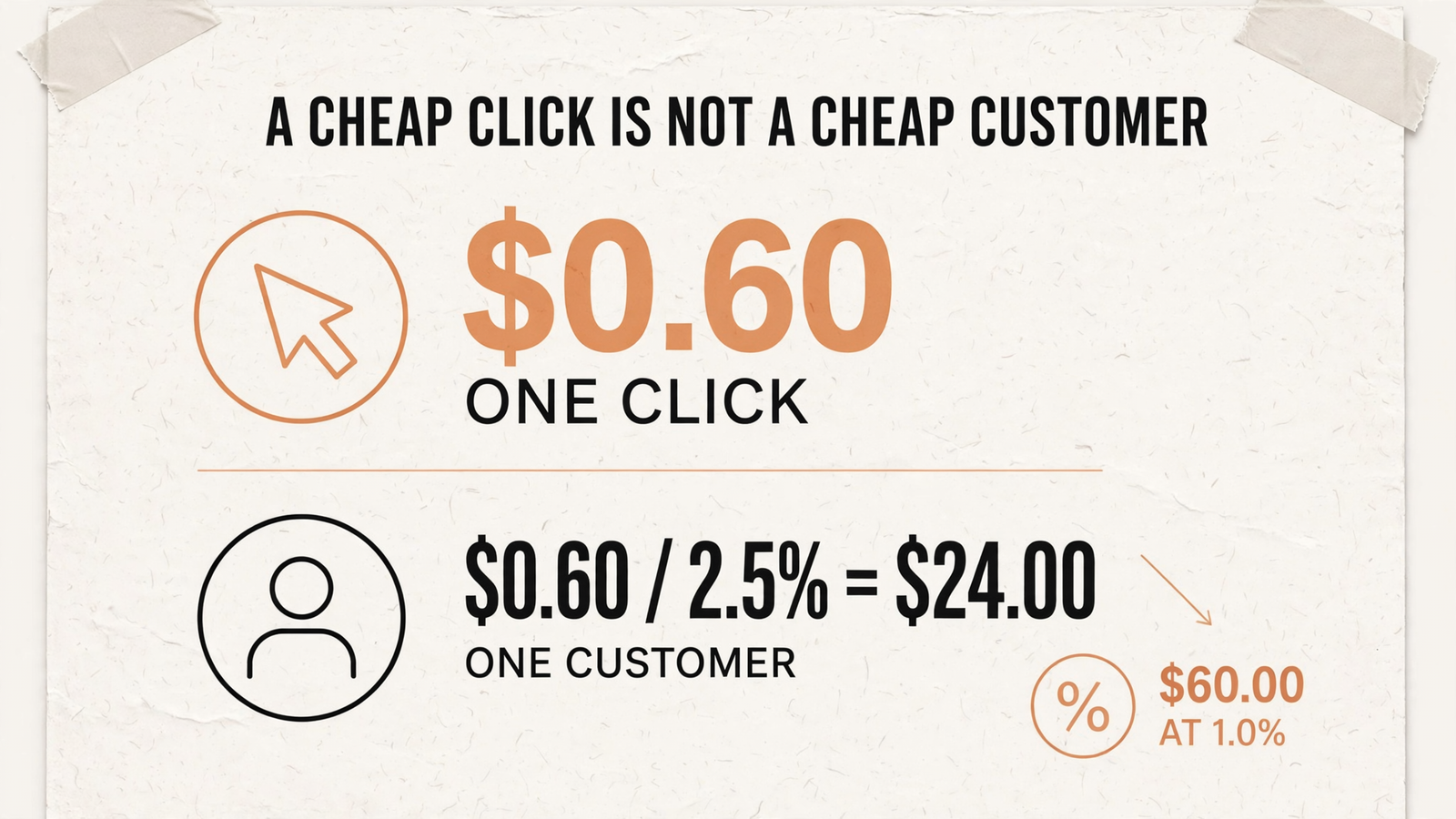
- Traffic: Divide CPC by the click-to-purchase rate. At the benchmark $0.60 CPC and an assumed 2.5% purchase rate, that’s $24 in media per purchase. At 1.0%, it’s $60. Same click price, different business. Work backward with the CPA formula: a $32 media ceiling at a 2.5% purchase rate implies a maximum CPC of $0.80, before allowing for non-media costs.
- Leads: Divide CPL by the lead-to-customer rate. At $27.39 per lead, a 10% close rate implies $273.90 per customer; at 25%, it’s $109.56. Those close rates are assumptions, not WordStream findings. Replace them with numbers from your CRM. A falling CPL doesn’t help if fewer leads turn into customers.
- Purchases: Use spend divided by purchases attributed in your account. Don’t run that CPA through a click or lead conversion rate again. An attributed purchase isn’t proof the ad caused the sale, and a sale outside the selected window won’t appear in that window’s report. Compare like with like: if the $32 ceiling is for new customers, don’t treat an all-purchase CPA as new-customer CAC.
Line 3: What the season costs when orders come in light
I run conservative, base, and upside scenarios rather than pretend one order count can carry the whole budget. In the conservative case, fewer customers have to carry the same tool subscriptions and creative bill. The base case uses trailing conversion rates. For the upside case, I use a seasonal lift I can point to in last year’s data, not the one I need to make the sheet look good.
For each case, divide total campaign cost by new customers counted in your own systems. That’s fully loaded acquisition cost, not the purchase CPA in Ads Manager. To see what the season leaves after marketing, multiply orders by contribution per order, then subtract media and non-media campaign costs once. Put the scenario that breaks your acquisition ceiling first where you can see it.
I also split peak and post-peak weeks. In one set of large US accounts, Black Friday week CPM rose 57% against October while cost per purchase fell 42% as conversion rates tripled. December 8–14 was worse: CPM was up just 6%, but CPA rose 39%. If I’d budgeted from the auction price alone, I’d have worried about the wrong week.
Flag a missed ceiling before pausing an ad
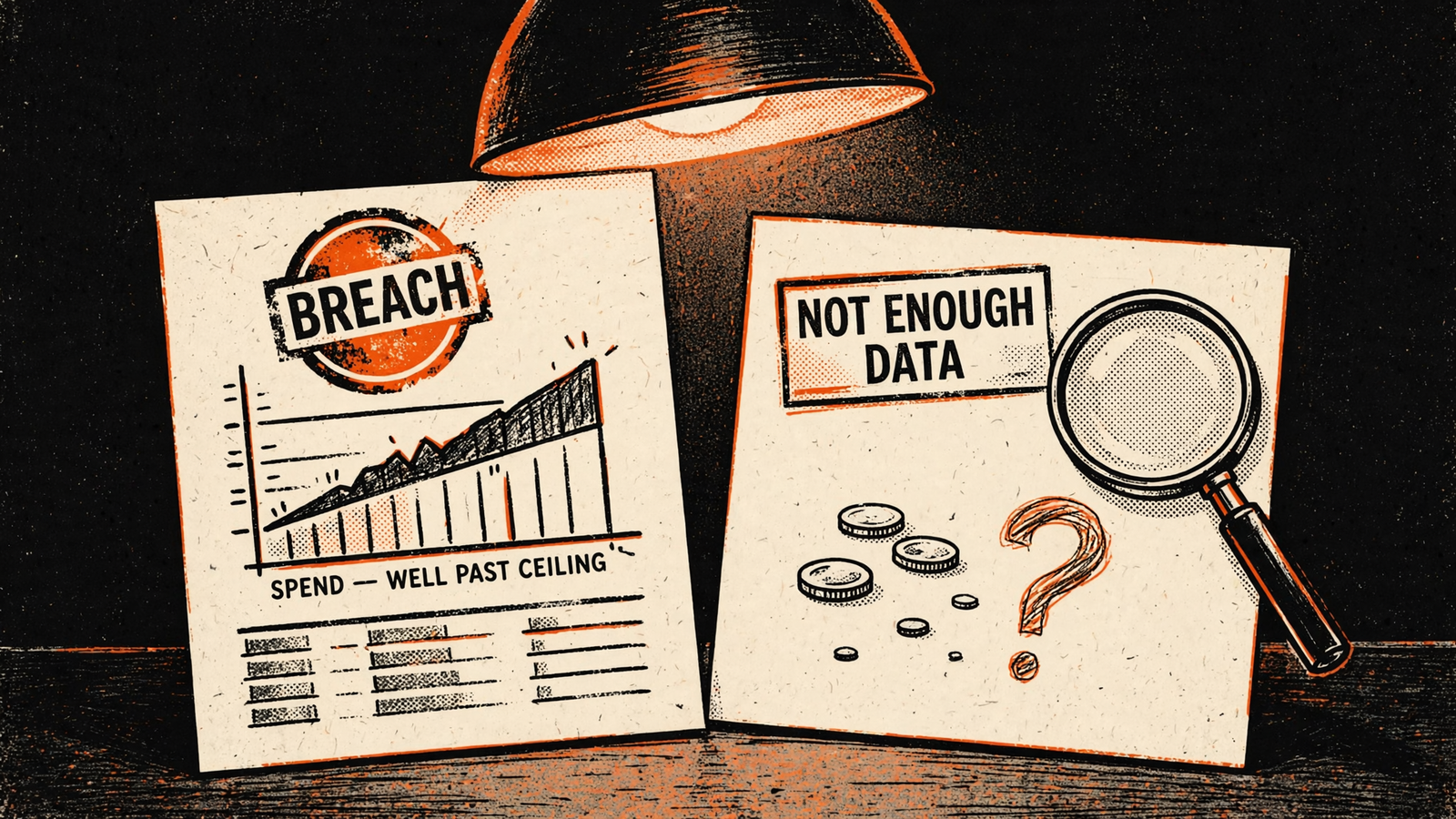
When someone asks me which expensive ads to kill, I start with a breach is not the same as insufficient evidence. A connector can show spend and CPA by ad. It can’t make a late conversion arrive sooner. Once I’ve priced the costs outside the auction, I give ChatGPT a media ceiling that leaves room for them:
Pause nothing yet. Flag ads whose attributed acquisition cost exceeds my media ceiling after the conversion lag for the selected attribution window. Separate ads with too little evidence from those that still miss the ceiling after enough spend and time. Draft any budget or pause changes for my approval.
An ad that spends one times the allowable cost without a sale hasn’t necessarily failed. A buyer discussion about high-CPA prospecting makes the practical tension plain: some expensive prospecting ads help feed retargeting, and some are simply bad ads. I want a test budget and a timeline, not a blanket exemption for prospecting or a pause order at the first ugly number.
I start read-only and review draft changes before granting write access. Meta’s MCP security guidance makes the reason plain: an agent can call tools its permissions allow without asking first. With groas, autopilot is off until I switch it on; changes are logged with their reasons and can be undone in one step. That’s useful after a change. It isn’t a reason to let an agent move money before I’ve agreed to the rules.
The final sheet: cash, outcomes, and what breaks first
I ask ChatGPT to put the decision in one table, in this order:
- Cash required. Media by objective, creative by batch, operator time, and recurring tools. Include usage charges separately if they apply.
- Expected outcomes. Use CPC to estimate clicks, CPL to estimate leads, and attributed purchase CPA to estimate purchases on the purchase line. Show the click-to-purchase and lead-to-customer rates separately, with a source beside each assumption.
- Contribution after campaign costs. Multiply orders by contribution per order, then subtract the full campaign bill. Show fully loaded cost per new customer alongside it so I can check the acquisition ceiling directly.
- What breaks first. Rank the three assumptions most likely to fail. I’d check purchase conversion, returns, and lead close rate: the first and third change what I pay to acquire a customer; the second changes what I can afford to pay.
Next season, I’d open ChatGPT, connect groas, and read the account before touching the budget. Separate traffic from leads from purchases. Work out what an order leaves. Set the ceiling, then make ChatGPT defend every proposed pause against it, in writing, before approving a change.
The cheapest mistake is putting a traffic CPC in the customer-cost cell. The most expensive one is spending a whole season as if it belongs there.