The AEO Retainer Swipe File: Tiers, Scope Clauses and Client Scripts
October 6, 2026
•
11
min read



Your homepage looks fine in a browser. Your CDN may still be handing an AI search crawler a 403, a challenge page or an empty HTML shell. Before you buy an AI visibility dashboard, spend 45 minutes finding out which one it is.
You will finish with a three-page inventory: what your server returns to AI user-agent strings, whether the answer text and schema exist before JavaScript runs, and whether your logs show credible crawler visits or merely requests claiming to be bots. A fetch is not a citation. This audit checks whether your pages can be fetched and read; your logs help you distinguish routine crawling from requests for particular answers.
Keep this to your homepage, one commercial landing page and one high-traffic informational or pricing page. You need:
curl installed.https://yourdomain.com/robots.txt file.Use the same three URLs throughout. Otherwise, a passing homepage test can conceal a broken pricing page.
An automated request does not arrive with your browser session or cached credentials. Start by checking how your edge responds when a request identifies itself as an AI crawler. Run this for the first page, then repeat it for the other two:
URL="https://yourdomain.com/your-target-page"
for BOT in OAI-SearchBot ChatGPT-User PerplexityBot Claude-SearchBot Claude-User; do
  echo "=== $BOT ==="
  curl -sSL -A "Mozilla/5.0 (compatible; $BOT/1.0)" \
    -D "$BOT-headers.txt" -o "$BOT-body.html" \
    -w 'Final status: %{http_code}; downloaded bytes: %{size_download}\n' \
    "$URL"
done
This saves the response headers and body separately. The five tokens cover OpenAI's search indexer and user-requested fetcher, Perplexity's search crawler, and Anthropic's search and user-requested agents. They do different jobs, so record their results separately.
Expected result: A final 200 with an HTML body containing your page, not a login screen, error page or challenge. Open one saved body in a text editor. A 403 or 503 is an obvious failure; a 200 with cf-mitigated: challenge in the headers or challenge text in the body is not a pass.
Common mistake: Using curl -I and calling a 200 proof that the page is readable. -I requests headers, not the page body. Another mistake is treating these requests as authenticated bot visits: anyone can put OAI-SearchBot in a user-agent header. This test exposes how your site handles the string from your connection. Step 6 checks what your logs can tell you about actual visitors.
If one agent gets a challenge, keep its header and body files. You will need them when you inspect the firewall rule.
A browser can fill an almost empty document with content after JavaScript runs. A plain HTTP fetch receives the document first. Analysis of AI crawler requests is a good reason not to assume AI retrieval will execute your React bundle, hydrate a Vue component or wait for a client-side API call. Test the initial response instead.

Choose a distinctive sentence or pricing phrase visible on the page. Search the body you saved in Step 1:
grep -i -n "your key value proposition" OAI-SearchBot-body.html
Run the same search against the other saved bodies. If you want a fresh comparison without the bot header, fetch the page directly:
curl -sSL "https://yourdomain.com/your-target-page" > raw-dump.html
grep -i -n "your key value proposition" raw-dump.html
Expected result: The phrase appears in the HTML file, along with the heading and useful body copy around it. One matching word in a navigation link is not enough. Check the actual answer a visitor came to read.
Common mistake: Seeing a blank grep result and immediately declaring the whole page empty. Check your spelling and the saved file first. Then open the file and look for the answer. If the browser shows it but the response contains little beyond <div id="root"></div> and script tags, you have found a rendering problem, not a copywriting problem.
The fix is to put the important content in the initial HTML using server-side rendering (SSR) or static site generation (SSG). Better prompts and prettier H2s cannot make text appear in a response that never contained it. Do not rewrite the guide until the guide reaches the fetcher.
Blocking model training and blocking search retrieval are different decisions. A blanket rule can conflate them. Open https://yourdomain.com/robots.txt and find every group mentioning GPTBot, ClaudeBot, OAI-SearchBot, PerplexityBot, Claude-SearchBot, ChatGPT-User or Claude-User. Then check any User-agent: * group.
If your policy is to disallow the named training crawlers while allowing the named search and user-requested agents, use these directives as the pattern to review with whoever owns the file:
User-agent: GPTBot
Disallow: /

User-agent: ClaudeBot
Disallow: /

User-agent: OAI-SearchBot
Allow: /

User-agent: Claude-SearchBot
Allow: /

User-agent: PerplexityBot
Allow: /

User-agent: ChatGPT-User
Allow: /

User-agent: Claude-User
Allow: /
Expected result: The live file expresses your actual choice for each named agent. OpenAI's crawler documentation distinguishes its training crawler from its search indexer; one policy need not serve both. Review existing restrictions too. An Allow: / pattern is not permission to expose pages your team intended to keep private.
Common mistake: Editing a local copy and forgetting to inspect the live file, or treating robots.txt as a firewall. It tells compliant crawlers what they may request. It cannot make a WAF deliver a blocked page, and it does not stop an uncooperative scraper. That is why the next check happens at the edge.
Open your CDN or WAF dashboard and filter recent requests by one of your three page paths and the user-agent strings from Step 1. In Cloudflare, start at Security > WAF and inspect the rules and bot-protection settings that apply to those requests, including Bot Fight Mode or Super Bot Fight Mode if enabled.
Compare the dashboard event with the saved headers and body. If you see a managed challenge, a tiny challenge document or a denied request, identify the rule responsible before changing it. Cloudflare's AI bot configuration and your own custom rules may both matter here.
Expected result: The search retrieval traffic you intend to permit reaches the page without a challenge. The response body should contain the HTML you inspected in Step 2. If you need an exception, scope it to verified bots or the relevant published crawler IP ranges, then retest the affected URL. Keep your protections for other automation.
Common mistake: Turning off bot protection across the whole site because a spoofed curl request failed. Your test string does not establish that the request came from OpenAI, Perplexity or Anthropic. A broad allow rule can solve your test while admitting unrelated scrapers. Fix the specific policy, not every rule between the internet and your origin.
Google Tag Manager can inject structured data after a page loads. That does not put it in the HTML returned to a fetcher that never runs the tag container. Check the saved response for JSON-LD:
grep -i -n -C 3 "application/ld+json" OAI-SearchBot-body.html
Then inspect the file for the page's main <h1>, useful <h2> headings and answer text. If you prefer to fetch again, use the same raw-response approach rather than inspecting only the browser's live DOM.
Expected result: Schema you intended to publish appears as a <script type="application/ld+json"> block in the returned HTML, and the headings and content form a readable page before scripts run. Check whether the Product, Organization or FAQPage data relevant to this URL is actually present; do not assume every page needs every type.
Common mistake: Treating missing JSON-LD as proof that citations are impossible. It is a missing source-of-context check, not a citation verdict. Likewise, an answer wrapped in generic <div> elements may still be readable, but clear headings and an <article> structure give extraction a better path through the page. If the schema exists only after GTM runs, move its generation into the initial HTML.
Now inspect request logs for the three URLs. Filter by path and user-agent, and record the status, transferred bytes and remote IP for each hit. Do not start with a chart of total ‘AI bot traffic.’ A user-agent header is a label supplied by the requester, not an ID card.
For a claimed crawler hit, run a reverse lookup on its logged IP. Then run a forward lookup on the hostname returned:
host <remote_ip>
host <hostname_from_reverse_lookup>
Expected result: For a crawler you are trying to verify by DNS, the reverse hostname belongs to its stated operator and the forward lookup resolves back to the original IP. An unrelated VPS hostname or an unmatched lookup does not support the claimed identity. Compare that result with the status and response size: a credible bot receiving a challenge still did not get your answer.
Common mistake: Counting every request to robots.txt as a page read, or every GPTBot string as a search visit. In our infrastructure audit, more than 80% of incoming traffic that looked like OpenAI bot traffic was scrapers borrowing its name. The header alone would have sent us in the wrong direction.
We also counted 13,416 robots.txt hits in a month. Those were permission checks, not evidence that a specific page supplied an answer. By contrast, our page-level breakdown found four pages accounted for 91.5% of AI-answer fetches. Look for credible requests to the pages with answers, not just a rising bot-hit total. Filter for user-requested agents such as ChatGPT-User hitting those deeper URLs, then check whether the requests received full 200 responses. That establishes delivery to the requester; it still does not, by itself, prove a citation appeared.
Keep the audit small. Put each failed URL beside its failure and start with the fix that removes the blockage:
robots.txt file. Fetch it again to confirm the change was published.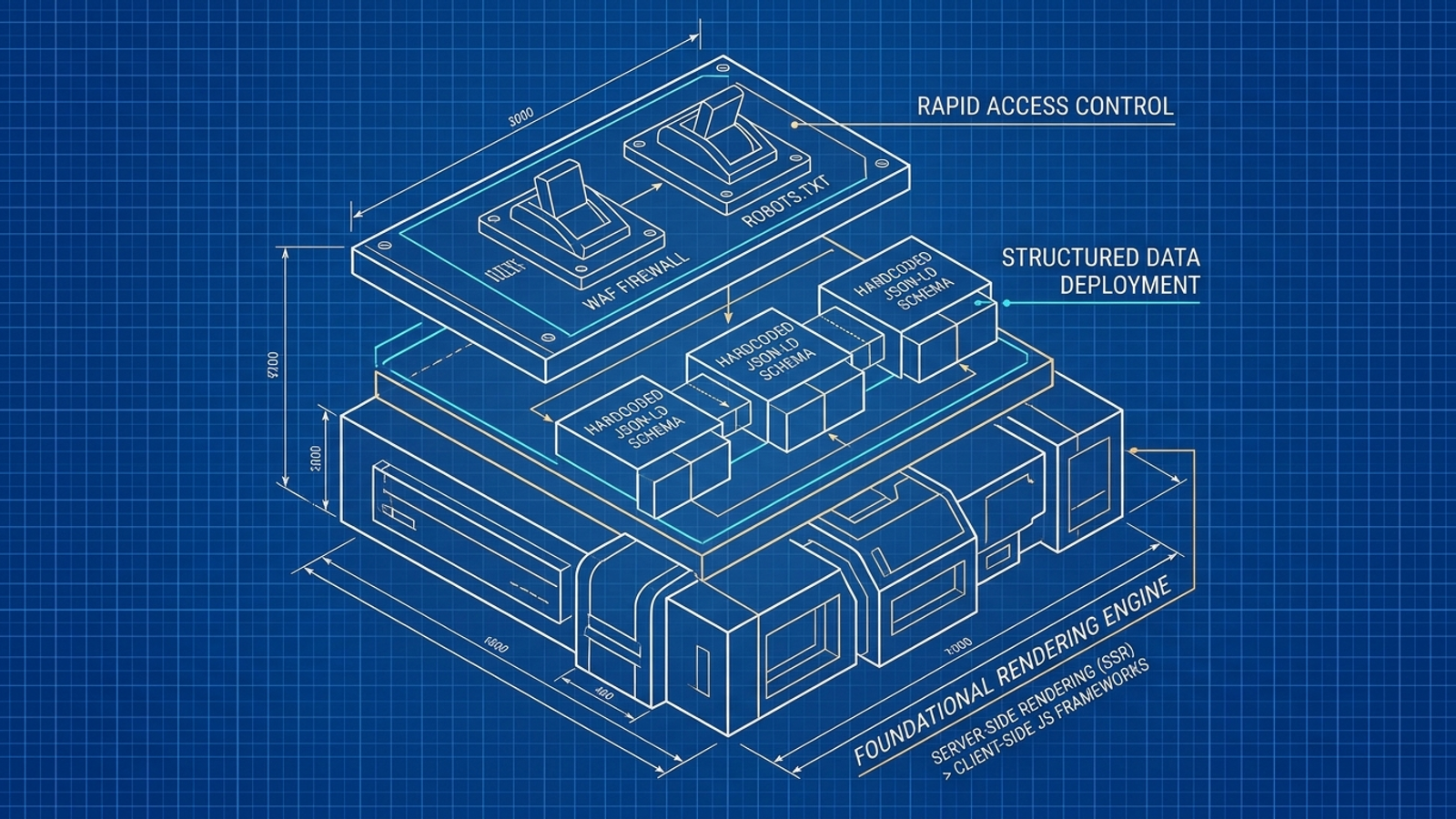
Do not turn a 45-minute diagnosis into an unplanned site rebuild. If one pricing page fails and the homepage passes, fix the pricing page first.
Run the same five-agent fetch on the same three URLs. Confirm the final status, open the saved body, find the answer phrase and check the intended schema. In the CDN dashboard, confirm that the rule you changed no longer challenges the traffic you meant to permit. Later, use verified log entries to check whether actual requests to those pages received full responses. That is a working delivery path, not a promise of citations.
Once it works, change the first high-intent page that failed, not your reporting dashboard: put its answer text in the initial HTML or remove the specific access rule blocking it. Then run the check again. If you need to extend the work beyond three URLs, our walkthrough on technical SEO issues that hurt AI visibility covers the broader repair job.
At groas, we built an autonomous growth engine for paid search and organic AI visibility, with specialized AI models handling continuous execution and a named strategist owning direction, guardrails and commercial targets. That is the operating model for ongoing work. Today, use the terminal. If the machine cannot read your answer in the response you serve, another monthly report will not put it there.
How do I test whether my site blocks AI search crawlers before buying an AI visibility tool?
Spend about 45 minutes running a curl audit: fetch your homepage, one commercial landing page and one high-traffic page with curl using the user-agent strings of OAI-SearchBot, ChatGPT-User, PerplexityBot, Claude-SearchBot and Claude-User, and record the status codes and saved response bodies for each.
Is a 200 status code from curl enough to know an AI bot can read my page?
No. A 200 with cf-mitigated: challenge in the headers or challenge text in the body is not a pass, and using curl -I only fetches headers, not the page body. Open the saved body and confirm it contains your actual page, not a login screen, error page or challenge.
Do AI crawlers run JavaScript, or does my page content need to be in the raw HTML?
The article says not to assume AI retrieval will execute your JavaScript, hydrate components or wait for client-side API calls, so you should test the initial response. If your answer only appears after JavaScript runs, put the important content in the initial HTML using server-side rendering or static site generation.
Should I block GPTBot and ClaudeBot in robots.txt if I want to appear in AI search results?
You can block the named training crawlers like GPTBot and ClaudeBot while separately allowing the search and user-requested agents such as OAI-SearchBot, PerplexityBot, ChatGPT-User, Claude-SearchBot and Claude-User, because training and search retrieval are different decisions. Review the live robots.txt file, not a local copy, and confirm it expresses your actual choice for each named agent.
My CDN is challenging AI bots even though robots.txt allows them. What should I do?
Open your CDN or WAF dashboard, find the specific rule or bot-protection setting responsible for the challenge, and scope any exception to verified bots or the crawler's published IP ranges, then retest. Avoid turning off bot protection site-wide, because a curl test with a bot user-agent string does not prove the request came from OpenAI, Perplexity or Anthropic.
Why is my FAQPage or Product schema not showing up to AI crawlers if Google Tag Manager is set up?
Schema injected by Google Tag Manager after the page loads does not appear in the HTML returned to a fetcher that never runs the tag container. Search the saved response for application/ld+json, and if the JSON-LD only exists after GTM runs, move its generation into the initial HTML.
How can I tell whether logged AI bot traffic is real or just spoofed user-agent strings?
Run a reverse DNS lookup on the logged remote IP, then a forward lookup on the returned hostname; a credible crawler resolves to its stated operator and back to the original IP. The article's own 30-day audit found more than 80 percent of traffic that looked like OpenAI bot traffic was scrapers borrowing the name, so also compare status codes and response sizes rather than trusting the header.
Do lots of robots.txt hits mean AI bots are reading my content?
No. The article counted 13,416 robots.txt hits in a month, and those were permission checks, not evidence a page supplied an answer. Look instead for verified requests from agents like ChatG-User to the pages containing your answers that received full 200 responses.