LinkedIn

One boiler booking can show up as two conversions
A customer clicks a Google ad on Monday, a Bing ad on Wednesday and books a boiler replacement on Friday. Connect both accounts to ChatGPT and it can add the reported conversions in seconds. It can’t tell from those totals that both platforms may be claiming the same booking.
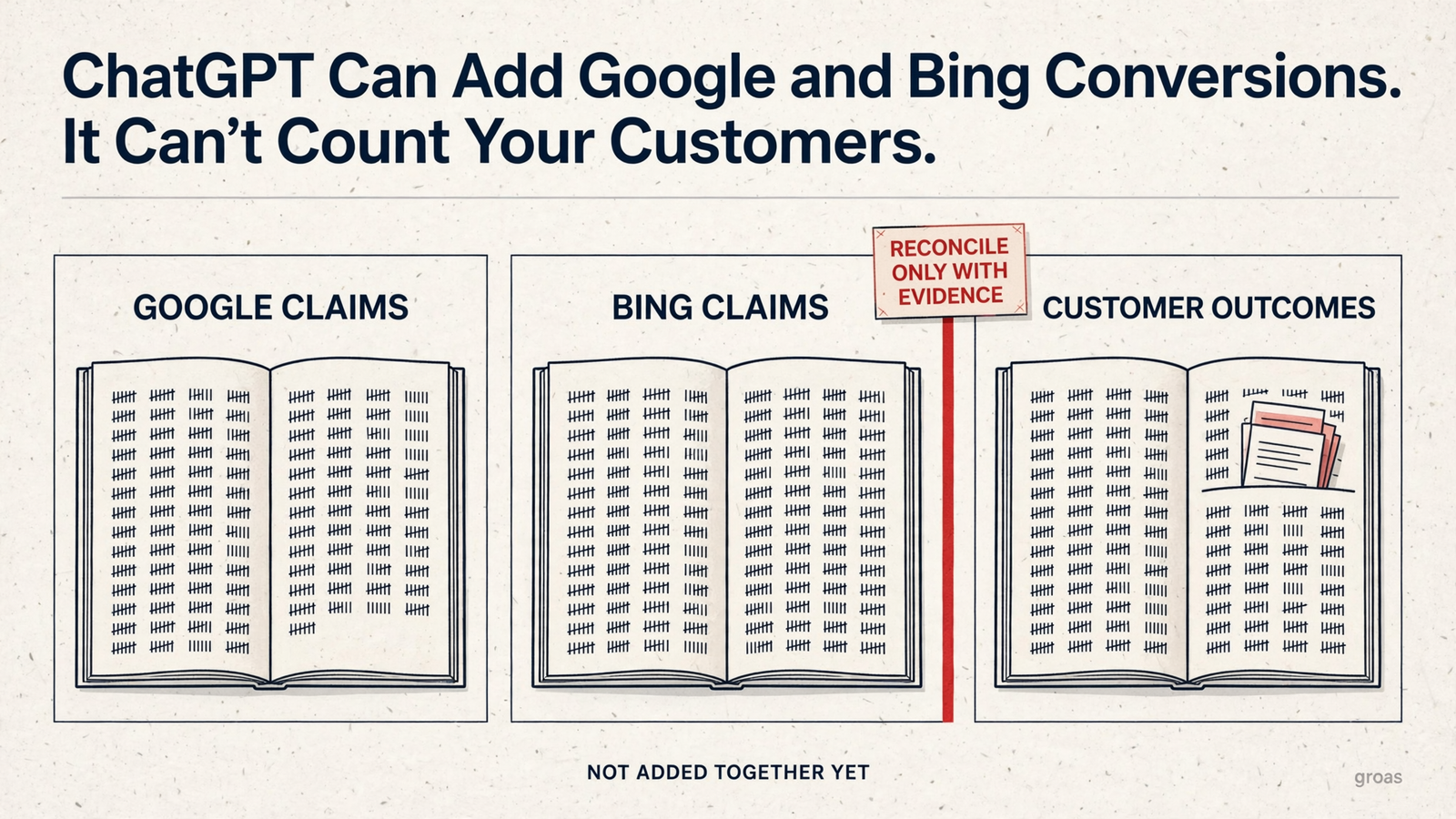
A platform conversion is a claim of credit, not a unique customer. In this example, Google can claim the booking under its attribution model and Bing can claim it under its own. The company’s booking log shows one job. If I add the platform numbers, I get two claims about that job, not two jobs. The arithmetic is fine. The label is wrong.
I used to report the sum because it looked tidy. I was wrong to call it customers. A cheap connection makes it easier to get both numbers into the same report. That’s worth paying for if it saves enough work. It doesn’t make the sum any more useful. I keep the claims separate until a business record gives me a way to reconcile them.
Read the conversion definition before the number
ChatGPT doesn’t get customers when I connect an ad account. It gets reporting rows. Behind each row are a conversion definition, a counting rule, a reporting period and an attribution model. The row tells me what the platform counted, not which customers it counted. There’s no shared customer key in those aggregate totals that lets ChatGPT spot the Friday booking on both sides.
So the first task isn’t analysis. It’s putting the definitions next to each other. Before I ask which platform has the cheaper conversion, I want to know what each one calls a conversion. A table can be beautifully formatted and still compare a booked job with a button tap.
What counts, how often and for how long
Start with the goal and the counting rule. In Google Ads, a conversion action set to Every can count each conversion after an ad interaction. Three hotel bookings and two car bookings from one click can become five conversions. Set an action to One, and Google counts at most one conversion for that action per ad interaction. That isn’t the same as one per person. A change to Google’s counting setting applies going forward, so a change mid-period means one report can contain conversions counted two different ways. Microsoft Advertising offers its own counting settings: All and Unique.
Then check the window. Google sets conversion windows by action. The click-through window is typically 30 days, with shorter windows for engaged views and view-through conversions. In reporting that puts conversions on the interaction date, a recent period can still gain conversions after the last day on the calendar. The boiler booking happens on Friday, but Google can put the credit against Monday’s click.
Microsoft allows conversion windows from one minute to 90 days. Its discrepancy checklist is a useful place to start: check the goals and criteria, where the tags fire, the window, the counting method and the time zone. If one account counts confirmed boiler bookings and the other counts taps on the booking button, stop there. The CPA comparison isn’t ready, even if the date ranges match.
Who gets credit once a conversion counts
Attribution assigns credit; it doesn’t establish identity. Google’s data-driven attribution model can split credit across Google ad interactions based on their contribution to a conversion. It doesn’t take credit away from Bing when it does that. Under Microsoft’s last-click model, the last Microsoft ad click gets the credit and earlier clicks can count as assists. In the boiler example, Google can claim credit from Monday’s interaction while Bing credits Wednesday’s. There’s still just one Friday booking.
Microsoft’s own MCP connection can bring Google and Microsoft Advertising results into one chat and show conversions, CPA and ROAS side by side. That’s useful for reporting. Putting the columns next to each other doesn’t give them a shared identity. Microsoft’s UET and Conversions API guidance illustrates what genuine deduplication requires: when both signals report the same event, they need the same stable eventId to match it. Two aggregate reporting rows don’t contain an equivalent key. No prompt can pull one out of the totals.

Ask for two columns, not a customer total
Connect the accounts for access, then refuse the sum. I want a side-by-side report where each platform’s claim carries the definition that produced it. If Bing’s CPA looks cheaper, I want to see whether it’s counting the same outcome under comparable rules before I take the difference seriously.
I put the limits in the prompt before ChatGPT reads the numbers:
Read Google Ads and Microsoft Advertising separately for the same complete reporting period. For each platform, show the conversion definition, counting rule, attribution model and window, currency and time zone. Label each CPA with the conversion it uses. Don’t sum conversions into unique customers or declare a winner when the definitions differ. Make no changes.
Platform CPA is useful when the label is right
Cost per platform-claimed conversion isn’t cost per unique customer. Google spend divided by Google-claimed conversions is a useful management number. So is the Bing equivalent. I use them to monitor pacing and see whether efficiency changes inside an account, including after a bid or budget change. But if both platforms claim our boiler job, neither CPA tells me what it cost to acquire that customer across both.
The gap can appear even before I bring a second platform into the report. In one r/PPC thread, an advertiser reported 267 Google conversions in a month against 53 leads counted manually. Commenters pointed to multiple primary actions imported from GA4, the Google tag and a site builder, all set to Every, along with actions that fired on button taps and page loads. The point isn’t that the manually counted leads explain every row. It’s that 267 and 53 weren’t counts of the same thing. Adding Bing wouldn’t have fixed that.
Count business outcomes in the business records
In one published example of conversion duplication, Google claimed 80 conversions, Meta 65 and Microsoft 30. That’s 175 platform claims against 95 backend sales. A cross-platform measurement guide gives a smaller example: 90 platform conversions against 60 business conversions. In both examples, adding the columns is easy. Working out which claims refer to the same sale takes evidence the totals don’t provide.
Use a first-party record for the outcome you actually want to count. That might be an order system, a booking log, a sales spreadsheet or a CRM export. Look at the dates, click identifiers and transaction IDs you already have. A repeated transaction ID can help you spot a duplicate sale record; it doesn’t tell you whether two different transactions came from the same person. Google’s guidance on primary conversions and transaction IDs points in the same direction: keep primary actions close to the sale and use transaction IDs to avoid counting the same sale twice.
For the boiler company, a clean booking log gives me booked jobs. If I want unique customers, I need a record that lets me count customers, not just jobs. And even if the log confirms one Friday booking, that doesn’t settle how much credit each platform deserves. Until the evidence supports a customer-level comparison, I report two platform CPAs and one plain sentence: I can’t yet state cost per unique customer.
Pay for fewer exports, not better attribution
Monthly review: use the exports you already have
If I only need the comparison once a month, I start with two exports and my existing ChatGPT access. I export the same complete period from each platform and use the prompt above. There’s no extra connection fee. The work is doing it again next month, because each file is a snapshot.
I also strip names, phone numbers and addresses before uploading files that don’t need those details for the comparison. And I label the reporting period: a report pulled on the third of the month can still change as late conversions land. Matching the dates is necessary. It doesn’t make the latest numbers final.
Weekly or multi-client review: connect both accounts through groas
When I’m pulling the same reports every week or repeating the job across several clients, I compare the subscription with the time I spend exporting. Connecting Google Ads and Bing Ads to ChatGPT through groas replaces the re-export cycle with live access to both accounts in one chat. groas Unlimited costs $19 a month flat for the whole team, not per seat. The no-code connection takes about a minute.
If exports take me twenty minutes a month, that’s a convenience. If they take me an afternoon across five clients, I’m paying to get working time back. That’s where I’d choose groas over the manual route. I’d still use the same prompt, because the live connection pulls the same platform claims. As this guide to comparing channels in ChatGPT points out, I need to ask the assistant to check the definitions. A fresh number with the wrong label is still the wrong number for the decision.
The next report says Bing is cheaper. Do I move budget?
Say the boiler company’s next report shows a lower CPA in Bing. Bing also uses a wider conversion window, and the company can confirm booked jobs in its log but can’t match them back to the platform claims. The report looks like a reason to move money. I stop before the budget recommendation.
List the evidence still missing before comparing Google and Bing cost per customer. Don’t copy campaigns, move budget or change bids.
I want the answer to tell me what I can check and what still blocks the decision:
- Goal and counting rule: Do both platforms count a confirmed booking, and do they count it the same way?
- Attribution and window: Which interactions can get credit, and how long after an interaction can a booking count?
- Reporting basis: Do the currency, time zone and complete reporting period match?
- Business outcome: Does the first-party record let me count distinct customers, and can I reconcile the platform claims against it?
Now I can reason through the cheaper Bing number. A wider window gives Bing more time to claim a booking. That doesn’t prove the window explains the lower CPA, but it does mean the two denominators aren’t on the same footing. The booking log tells me how many jobs the business booked. Without a way to match claims to outcomes, it doesn’t tell me whether Bing brought in customers more cheaply. I keep both CPAs in the report and leave the budget alone on that evidence.
The rule I’d tape above the desk: compare like-for-like claims first, and reconcile customers only when the evidence permits it. A cheap connection earns its place by making that comparison easy. It never earns the right to call two claims two customers.