

 LinkedIn

Your store records one $180 sale. Meta, Bing and Google can each claim it, and connecting all three accounts to Claude doesn’t turn those three claims back into one customer.
That’s the distinction I start with when a client asks which channel deserves the next $2,000. With the accounts connected, Claude can pull the same dates, line up the conversion totals and tell you who reported the cheapest lead. Every number can come straight from an account. The recommendation can still be wrong. Connecting the accounts solves access, not attribution. To see why, start with the receipt.
One $180 receipt, up to three conversion claims
At breakfast, a buyer sees your Meta ad in their feed. They don’t click. At lunch, they search for the product on a work laptop, click a Bing ad and leave without buying. That evening, they search again, click a Google ad and place a $180 order. Your store has one sale, one customer and one receipt.
Now read the ad reports. If the breakfast impression qualifies under Meta’s one-day view window, Meta can claim a purchase without a click. If the lunch click qualifies under Microsoft Advertising’s click attribution rules, Microsoft can claim it too. Google can credit the evening click if it qualifies under the account’s settings. Each report answers a question about the interactions that platform can see: does this purchase qualify for credit under our rules?
Your store answers a different question: how many orders came in? The answer is one. Add the reports and you can get three. Nobody has to misreport anything for the arithmetic to go wrong. A platform conversion is a claim for credit, not another receipt. Keep that distinction attached to the number when it leaves the dashboard.
What Claude gets when you connect the accounts
Claude doesn’t know what’s in your ad accounts until you give it a way to look. MCP is the standard that lets it call tools with access to that data. What it can retrieve depends on the servers you connect and what those servers expose.
Google’s Ads MCP gives Claude a read-only way to query Google Ads through GAQL. Meta’s server reports Meta’s attributed results. Microsoft’s server retrieves Microsoft Advertising data. Each is useful inside its own account. None can tell Claude whether the buyer behind the $180 Google conversion is also the person whose lunch click Microsoft credited.
A unified connection like groas gives your assistant one sign-in across Google Ads, Microsoft and Bing Ads, Meta Ads and ChatGPT Ads, alongside site and competitor data. That’s an advantage over reaching into separate native connections: one place to ask, more context for the answer and one log of changes with their reasons attached. But one place to read the reports is not one way to count customers. I want the connector to bring back the numbers with their definitions intact, not reconcile them by assumption.
Microsoft’s update shows what better access buys
Microsoft’s November update expanded the questions its Advertising MCP can answer about creative performance, conversion tracking, targeting and performance trends. Its API documentation describes read-only tools for retrieving Microsoft Advertising data, from keywords and audiences to change history. As PPC Land noted, the pilot can answer more questions. That isn’t the same as adding write access or reconciling results across platforms.
Take the lunch click. Better access can help Claude check which conversion action Microsoft reports and how the account tracks it. It doesn’t tell Claude whether Meta also claimed the $180 order, much less whether the buyer would have ordered without seeing either ad. More detail inside an account doesn’t settle what happened across accounts. Use the new visibility to inspect the claim, not to give it more weight than it deserves.
First prompt: make Claude show the definitions before the totals
I start a cross-channel read with this prompt. Paste it into Claude with groas connected, or adapt it to the accounts your MCP stack can read:
Read Google, Microsoft and Meta performance for the same dates. Show the currency, time zone, conversion definitions and available attribution settings for each. Keep platform-reported conversions separate. Flag anything you cannot establish. Make no changes.
That does three jobs:
- Names what’s being counted. A conversion might be a purchase, a form fill or a qualified action. The column heading doesn’t tell you which.
- Keeps the reporting rules visible. If Meta reports a seven-day click window and Google reports 30 days, put each window beside its number. Matching date ranges doesn’t make the underlying rules match.
- Leaves gaps open. If Claude can’t establish a setting, I want it to say so. A blank isn’t a request to fill in whatever sounds plausible.
For the $180 order, a good answer can show why each platform gives itself credit. It can’t establish that the claims refer to the same order from the platform totals alone. If the response ends with a grand total for conversions, send it back.
Fix duplicate tracking before you explain overlapping credit
When someone tells me “the platforms don’t match,” I ask where the extra count shows up. There are two problems here, and they call for different responses:
- Overlap: Two or more platforms claim the same order under their own rules. The $180 receipt is still one sale. Keep the claims separate rather than treating the disagreement as a broken tag.
- Duplication: One platform counts the same action twice. A Google tag and a GA4 import can both be set up as primary conversions, a thank-you page reload can fire the purchase event again, or a Meta Pixel and the Conversions API can send the same event without a shared event ID. Fix that first. If you bid on the double count, you’re feeding it straight back into the bidding system.
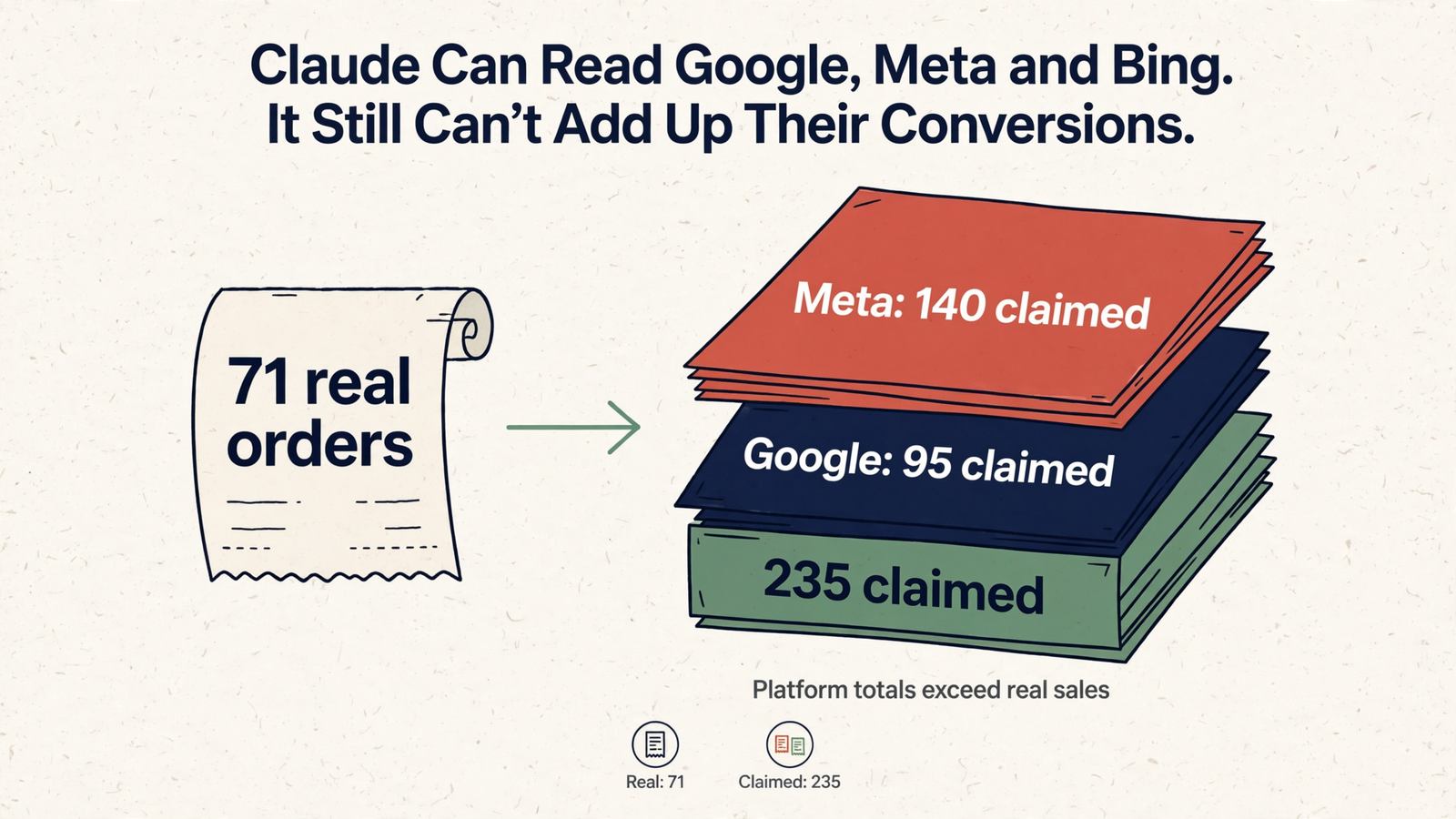
You don’t need a three-platform setup to see overlap. In a sample of 50 stores running Meta and Google Ads, the two platforms’ combined claims ran to a median 1.3 times the sales matched to orders. In 22% of those stores, the pair claimed more conversions than the store recorded sales from all channels. A practitioner on r/PPC gave the version I’d put in front of a client: Meta claimed 140 conversions, Google claimed 95, and the store recorded 71 orders. That’s 235 claims against 71 orders. Put the order count at the top and label the other figures claimed. It makes for a shorter meeting.
The reports can also move when the customers don’t. When Meta changed what counts as a click in March 2026, likes, shares and saves moved from click-through to engage-through attribution. Reporting changed; billing didn’t. A lower click-through total after the change isn’t, by itself, a reason to go hunting for a broken tag.
Then there’s the date on the report. Google can date the sale to the click, Meta to the impression, and your store to the purchase. In our example everything happens on the same day, so that distinction doesn’t matter. Put the evening purchase after midnight on the first of the month and it can matter immediately. Before you explain a monthly drop, check what date each report puts on the sale.
For the next $2,000, look past the cheapest reported lead
I’ve watched accounts where a $14 lead was a comparison shopper filling out a form and a $38 lead was the one that closed. The cheaper lead wins the dashboard comparison. It doesn’t necessarily win the budget. Before comparing costs, check whether the outcomes are worth the same thing.
Platform numbers still have a job. I use them to decide which creative to stop running, which ad set gets more budget or which search term earns a negative. When the decision crosses platforms, I want a common outcome outside the ad accounts: store orders for a shop, CRM stages or closed sales for a lead generation business. The practitioners in this r/FacebookAds discussion make the same distinction. One commenter saw Meta’s claims fall by roughly 30% after switching to seven-day click-only attribution. That tells you how much the reporting changed. It doesn’t tell you how many orders Meta caused.
The store can confirm that our $180 order exists. It can’t tell us what the buyer would have done without the breakfast impression or the lunch click. That’s where a holdout or a spend-cut test earns its place: change the spend and watch total orders in the store, not just conversions in the account you cut. Channels can work together, so read the result as evidence about that change, not as a permanent ranking of the channels.
Second prompt: make the budget proposal auditable
Once the definitions are on the table, I ask for a decision someone else can review. Run this after the first prompt, not instead of it:
Based only on the evidence above, list each claim with its source, platform, date range and attribution settings. List what you could not establish. Propose budget changes only where the evidence supports them. For each change, state the expected effect, the risk and which data supports it. Keep total proposed spend within the current monthly budget of $X. Make no changes. Require my approval before executing anything.
The order matters: evidence and unknowns first, proposed changes second, a budget ceiling and an approval gate before anything moves. When whoever signs off on spend asks where a number came from, the answer is already beside it. And if the evidence won’t support a move, that’s a useful answer. I’d rather have a short list of missing inputs than a polished argument for shifting $2,000 on the strength of three incompatible totals.
Access and permission to act are separate. With groas, autopilot stays off until you switch it on under rules you set. Every change it makes is logged with its reason and can be undone in one step. A free Marketing MCP can remove the connector fee, but it leaves you to assemble the connections, write the guardrails and do the review. Price those hours alongside the assistant subscription and the connection, not after you’ve committed.
What I’d pay for, and how I’d test the recommendation
I’d pay for fewer interfaces, more context and a cleaner audit trail. One connection gives me a place to ask across accounts without building a spreadsheet out of dashboard screenshots. Competitor ads and funnels, the language customers use on Reddit and the AI search answers that name someone else give the assistant more to work with than my ad spend alone. The change log gives me something to review when a recommendation turns into an action. None of that requires pretending I’ve bought a deduplicated customer database.
Now run the model on a different case. A B2B SaaS team spends $40,000 a month across Google and LinkedIn. Its sales cycle is 90 days, and its CRM tracks leads from MQL to closed-won. Claude reports LinkedIn leads at $210 and Google leads at $480, then proposes moving $8,000 a month to LinkedIn.
I don’t approve the move. First I ask what each account calls a lead. Is LinkedIn counting a form fill while Google counts a qualified action? I don’t assume the answer. Then I go to the CRM for close rates by source, comparing leads that have had time to close and making sure those rates apply to the leads I’m pricing.
If the $210 LinkedIn leads close at 4%, they cost about $5,250 per closed-won customer. If the $480 Google leads close at 22%, they cost about $2,180. On those numbers, the proposed move sends money toward the more expensive customer at the exact moment LinkedIn looks cheaper. I’d reject the move on that evidence, not turn the same math into an automatic recommendation to move $8,000 the other way.
The connection still did its job. It put both reports in front of Claude and gave me somewhere to start asking better questions. The CRM supplied the outcome the ad reports didn’t. Connect the accounts, keep the differences visible, and decide on customers, not on clicks.





