

 LinkedIn

Most comparison pages ask the reader to choose, then spend every row refusing to choose themselves. That is a sales page, not an answer an AI assistant can quote.
The opportunity is worth fixing. In one study of B2B SaaS and fintech buying questions, comparison pages drew 22.3% of AI citations, while Reddit drew 0.50%; 58 of 75 sampled comparison pages sat on vendors’ own blogs. A vendor byline is not the obstacle. A page that never gives a straight answer is.
This tutorial uses four Claude passes: facts, table, verdicts, sources. At the end, the page will have checked claims, one HTML comparison table, verdicts by use case, and dated source links. That makes it easier to quote. It does not guarantee a citation.
Before starting, gather:
- One live comparison URL, preferably a page that already gets impressions.
- The primary pricing, feature, and documentation pages for every product compared.
- Access to Claude and the website’s editor.
- About 90 minutes.
Skip the brand-new page. Rewrite one that already has demand but rarely gets named.
Step 0: Choose one page and one buying decision
Retrieval matters before wording does. In a study of 158,099 AI answers, retrieval explained 32% of citation variation among pages on the same site, versus 2.8% for measured page properties. A cleaner table cannot help an engine that never retrieves the page.
The job here is narrower: make an existing comparison answer a specific buying question clearly enough to use.
Action: Open Search Console at Performance > Pages. Set the date range to Last 3 months and look for a URL containing vs, compare, or alternative. Choose one with impressions, then check whether it appears in relevant ChatGPT or Perplexity answers. Search Console identifies demand; it does not establish whether an assistant cites the page.
Write one buyer scenario before opening Claude. Use this template:
Buyer scenario: [team size, region, billing term, main requirement]
Comparison URL: [live URL]
Products: [Product A vs Product B vs Product C]
Decision the page must answer: [one buying question]
Expected result: One URL and one buying decision, not a general review of everything each product does.
Common mistake: Picking three pages or five buyer types. I would rather finish one useful comparison than create a small collection of unfinished positioning exercises. Keep the scope to one decision.
Pass 1: Build the evidence sheet before rewriting
Step 1: Separate checked claims from unknowns
Action: Start a new Claude chat. Paste the pricing, feature, and documentation URLs for each product, followed by the current page text. Run the prompt below.
If Claude cannot access a source, paste the relevant source text. A URL in the chat is not evidence that Claude read it. Define the buyer scenario and require claim-level sources before asking for prose.
PASS 1 — EVIDENCE SHEET
Buyer scenario: [team size, region, billing term, main requirement]
Products: [Product A vs Product B vs Product C]
Date checked: [YYYY-MM-DD — actual review date]

Use ONLY the source URLs and source text supplied below.
If a page is inaccessible, flag it and request the relevant text.
Do not infer its contents from the URL or page title.

For each product, extract:
- Plan name, price and unit, billing term, and team-size limits
- These 5 purchase criteria: [list the five criteria]
- Product and plan scope for every claim
- Source URL and actual date checked for every claim

Mark anything unsupported as UNKNOWN. Do not guess.
Do not rewrite the comparison yet.

Output a Markdown table:
Claim | Value + unit | Product/plan scope | Source | Date checked | Status

Leave Status as REVIEW until I check each row.

SOURCE URLs AND TEXT:
[paste sources]

CURRENT PAGE TEXT:
[paste current page]
Review every row against its source. Use three status values:
publish: The source supports the claim for the stated product, plan, and terms.qualify: The evidence supports only a narrower statement. Write that limitation into the row.hold: The claim lacks matching evidence or remains unresolved.
For an undocumented feature, use Not listed in documentation we reviewed, not Not available. Those are different claims.
Hold pricing claims without matching terms and speed claims without a matching test method. A price needs its billing term and unit. A deployment claim needs evidence for the scenario being compared.
Expected result: An approved evidence sheet with sources, dates, and visible unknowns.
Common mistake: Letting polished copy outrun the evidence. No supported source, no factual sentence. Keep unresolved claims out of the next pass.
Pass 2: Build one table with comparable cells
Step 2: Give every product the same five criteria
Action: In the same Claude chat, paste the approved evidence sheet and run the second prompt. Request a real HTML <table>, not an image or a screenshot-ready grid.
Use one buyer intent per page, consistent criteria and units, and an accessible HTML table. Important content needs to exist as text; Google does not require special schema for AI features beyond the relevant indexing and snippet requirements.
PASS 2 — THE TABLE
Use ONLY evidence-sheet rows marked publish or qualify.

Build one accessible HTML <table>:
- Criteria as rows; products as columns
- The same 5 criteria for every product
- Consistent units for comparable values
- Explicit billing terms, plan scope, and seat limits
- Clear row and column headers
- No marketing adjectives

Do not force unlike pricing models into a per-seat figure.
Keep any limitation from a qualified claim in its cell.
For an unresolved feature, write:
Not listed in documentation we reviewed.

Preserve documented differences, including any criterion
where a competitor leads. Do not invent a winner or a tie.
Do not draft verdicts yet.

APPROVED EVIDENCE SHEET:
[paste reviewed sheet]
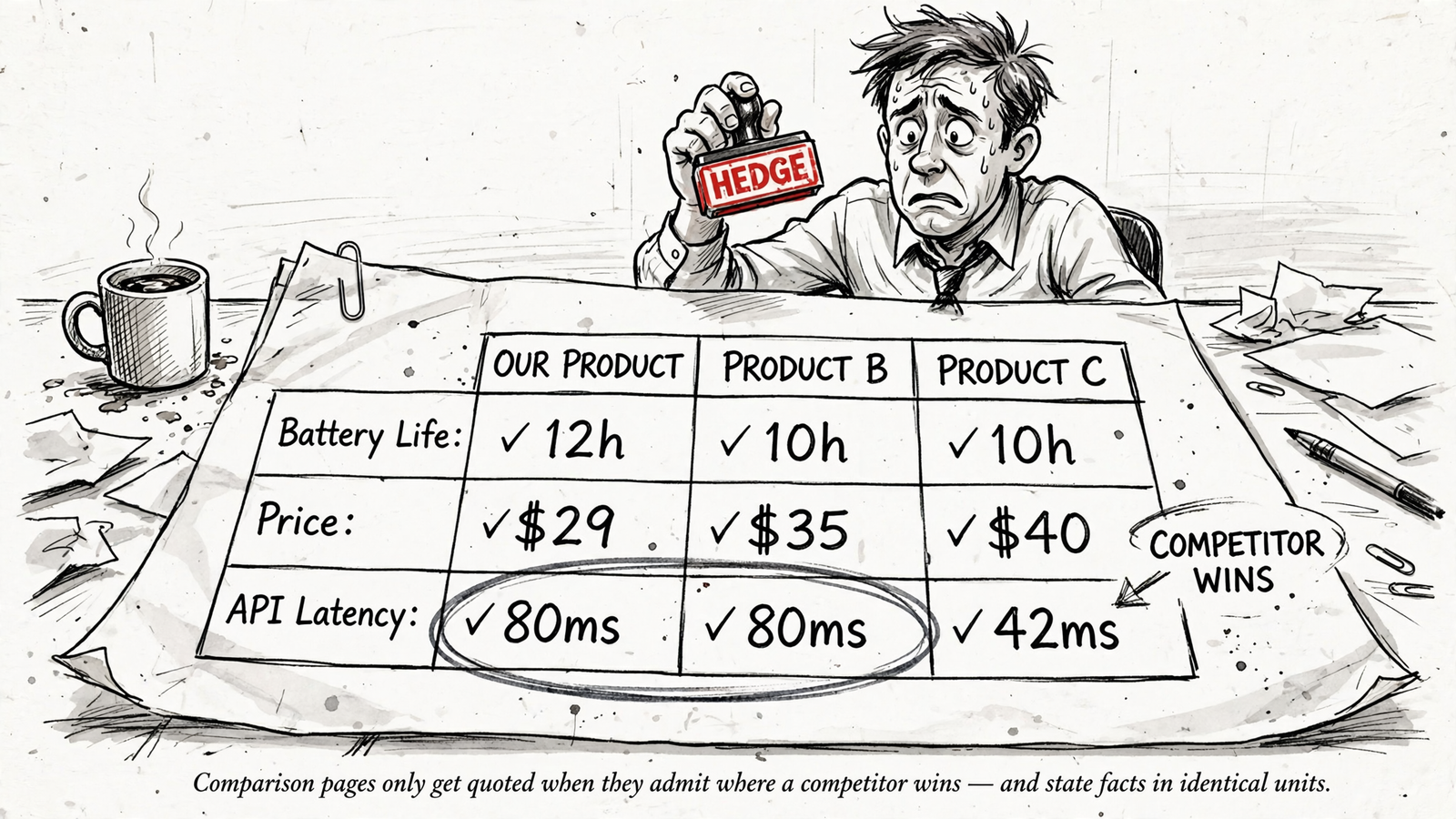
The mechanism is straightforward. A question such as which is cheapest for a 20-seat team on annual billing needs comparable prices and terms. Five cells saying great for growing teams provide no answer. They provide five versions of the same brochure.
Keep meaningful differences visible. If the evidence shows a competitor leads on a criterion, retain it rather than quietly changing the criterion. The overall recommendation still needs to answer the buyer scenario, not award points for unrelated features.
Expected result: One table whose rows can be read across without translating units or hunting for missing conditions.
Common mistake: Treating matching typography as matching evidence. $49/month and $49/seat/month are not comparable just because they fit in adjacent cells. Fix the comparison before polishing the table.
Pass 3: Write verdicts that make an actual choice
Step 3: Put three scoped recommendations under the table
Action: Paste the finished table into Claude. Ask for one sentence per use case: cheapest for a stated team size, fastest to value where evidence supports it, and the choice for a stated requirement.
Each verdict needs a named product and the conditions under which that recommendation holds. The useful part is not the adjective. It is the boundary.
PASS 3 — VERDICTS BY USE CASE
Use ONLY the approved Pass 2 table.
Write up to 3 verdicts, one sentence each:

1. Cheapest for: [team size, region, billing term]
   Include the product, price, unit, and relevant limit.
2. Fastest to value for: [use case]
   Include the product and documented proof or limitation.
3. Pick for: [requirement]
   Name the product and who should skip it.

If the table cannot support a verdict, flag the missing
evidence instead of manufacturing a recommendation.

Rules:
- State the scope and supporting value where available.
- Avoid empty adjectives such as flexible, powerful, or ideal.
- Retain necessary qualifications.
- End each supported verdict with [checked YYYY-MM-DD],
  using the actual source-review date.

APPROVED TABLE:
[paste table]
A verdict should read like an answer, not a closing slide. Cheapest for [team size] on [billing term]: [product] at [price and unit] gives the reader something concrete to use. Each tool has strengths depending on your needs sends the reader back to the beginning.
I would cut an unsupported fastest-to-value verdict rather than replace evidence with confidence. Three lines are the target, not permission to invent the third.
Expected result: Up to three short recommendations that stand on their own without losing the conditions that make them true.
Common mistake: Removing every qualification in pursuit of punchier copy. Cut hedging language, not the limits of the evidence. A precise condition makes a verdict more useful, not weaker.
Pass 4: Attach sources where the claims appear
Step 4: Add dated links, then inspect them manually
Action: Paste the approved table and verdicts into Claude. Run the final prompt to attach sources to numeric claims and other factual comparisons, then build a Sources checked box.
Use the exact destination page reviewed, not a product homepage that makes the reader start the research again. Clear headings and tables make content easier to reference. They do not rescue a source link that fails to support the cell beside it.
PASS 4 — SOURCES AND DATES
Use the approved table, verdicts, and evidence sheet below.

For every numeric claim and factual comparison, attach:
Source: [exact page title](exact URL), checked [YYYY-MM-DD].

Use the actual date the source was reviewed.
Keep links beside the claims they support.
Do not invent page titles, URLs, or review dates.

Then write a Sources checked [YYYY-MM-DD] section:
- List every source used, one linked page per bullet.

Keep unresolved feature cells as:
Not listed in documentation we reviewed.

Remove unsupported factual claims. Flag any remaining
mismatch between a claim and its source for manual review.

APPROVED TABLE, VERDICTS, AND EVIDENCE:
[paste material]
Open every link. Check the plan, value, unit, billing term, and date against the published wording. Then publish the page as text HTML with descriptive H2 headings and the actual table.
A source box helps readers and assistants trace the evidence behind an answer. It is not a certificate of accuracy. The check still belongs to the person publishing the page.
Expected result: A comparison with traceable claims, dated sources, and no unsupported numbers left behind.
Common mistake: Approving a source because the domain looks right. If the linked page does not support the claim, the claim does not ship.
Step 5: Track citations separately from mentions
Action: Choose 20–30 buyer prompts the page should answer. Save the exact wording and run the same set across ChatGPT, Perplexity, Gemini, and Google AI over two weeks. Repeat checks rather than treating one response as the result.
Use a sheet with these fields:
Prompt | Engine and mode | Date | Full answer | Cited URLs |
Brand mentioned? | Brand recommended? | Page cited? |
Claim accurate? | Page edit date
Track citation rate, brand mention rate, and recommendation rate separately. A brand mention is not a citation. A citation is not necessarily a recommendation. Combining all three produces a cheerful report that answers none of the questions.
For a one-off baseline, Frase’s AI visibility checker offers a snapshot. A snapshot cannot show whether a rewrite holds up across repeated answers.
I would keep the rewrite in Claude and use groas for ongoing monitoring. groas watches AI answers that mention the brand and collects the SEO data behind them around the clock. That keeps the workflow focused on both the page and what happens after publication, rather than ending with a single checker result.
For the Google-specific follow-up, use How to Make One Page Easier to Cite in Google’s AI Overviews.
Expected result: A dated record of which answers cite the page, mention the brand, or recommend it, with the exact responses available for inspection.
Common mistake: Running one friendly prompt and declaring victory. Keep the prompts fixed and record the misses as carefully as the wins.
Step 6: Verify the page, then tighten the first weak verdict
Action: Check the published page at two levels.
- Verify the page itself. View source and search for
<table>. Confirm that the comparison and verdicts exist as text HTML and that their source links open correctly. - Verify the answers. Run the same three buyer prompts in ChatGPT, Perplexity, and Gemini on three separate days. Record whether an answer cites the page, which claim it uses, and whether it preserves the conditions.
- Compare the record. Review the two-week prompt log against the baseline. Keep page-edit dates beside the results so the sequence stays clear.
Expected result: Technical confirmation that the comparison is readable as text, plus evidence of whether assistants actually use it. A near-verbatim verdict with the page cited is a useful signal, not a guaranteed outcome.
Common mistake: Assuming no citation after 14 days proves the wording failed. Retrieval still matters. First confirm that the page is indexed and eligible to appear; then inspect the verdicts rather than rebuilding the whole table on instinct.
Once the page starts getting cited accurately, tighten the weakest verdict first: shorter sentence, named winner, stated scope, supporting number where the evidence provides one. Keep the conditions intact.
Then choose the comparison with the next-highest impressions and repeat the four passes. Keep a running sheet: URL, buyer scenario, facts-checked date, and citation rate before and after.
The aim is not to make every page sound more certain. It is to make each buying decision easier to answer. Quotable pages give the reader a choice and the evidence behind it. Hedged pages give them another tab to close.


