

 LinkedIn

A high-bounce search term can be your best candidate for a negative keyword. It can also be a good buyer sent to a bad page. The mistake is letting a bounce threshold decide which one it is.
I used to tell clients to cut terms like that on sight. Open GA4, find a term with an 85% bounce rate and $400 in spend, add the negative. Clean account, right? Not if the ad promised one thing and the landing page opened with something else. Bounce is a page signal before it is a query signal. Exclude the term and you may keep the broken page while losing the demand. Here is how I separate the two before anything gets cut.
What does that bounce number actually tell you?
In GA4, bounce is not a timer in the old Universal Analytics sense. An engaged session lasts longer than 10 seconds, has a key event, or includes at least two page or screen views. Bounce rate is the percentage of sessions that meet none of those conditions. Someone who reads your pricing page for 11 seconds and leaves counts as engaged. Someone who finds your phone number and calls quickly may not. Neither outcome, by itself, tells you whether the search term was worth buying.
Link GA4 and Google Ads, turn on auto-tagging, and bring engagement data alongside cost and conversions where it is available. The % of Engaged Sessions column is the inverse of bounce rate; Events/Session and average engagement time add context. That gives you a more useful view of what happens after the click than a bounce figure isolated in an analytics report.
Do not mistake the connection for a decision. Engagement tells you what happened during a session. Conversions and conversion value tell you whether the visit produced an outcome you care about. The landing page and search term help explain why. You need all three before a negative becomes more than a guess.
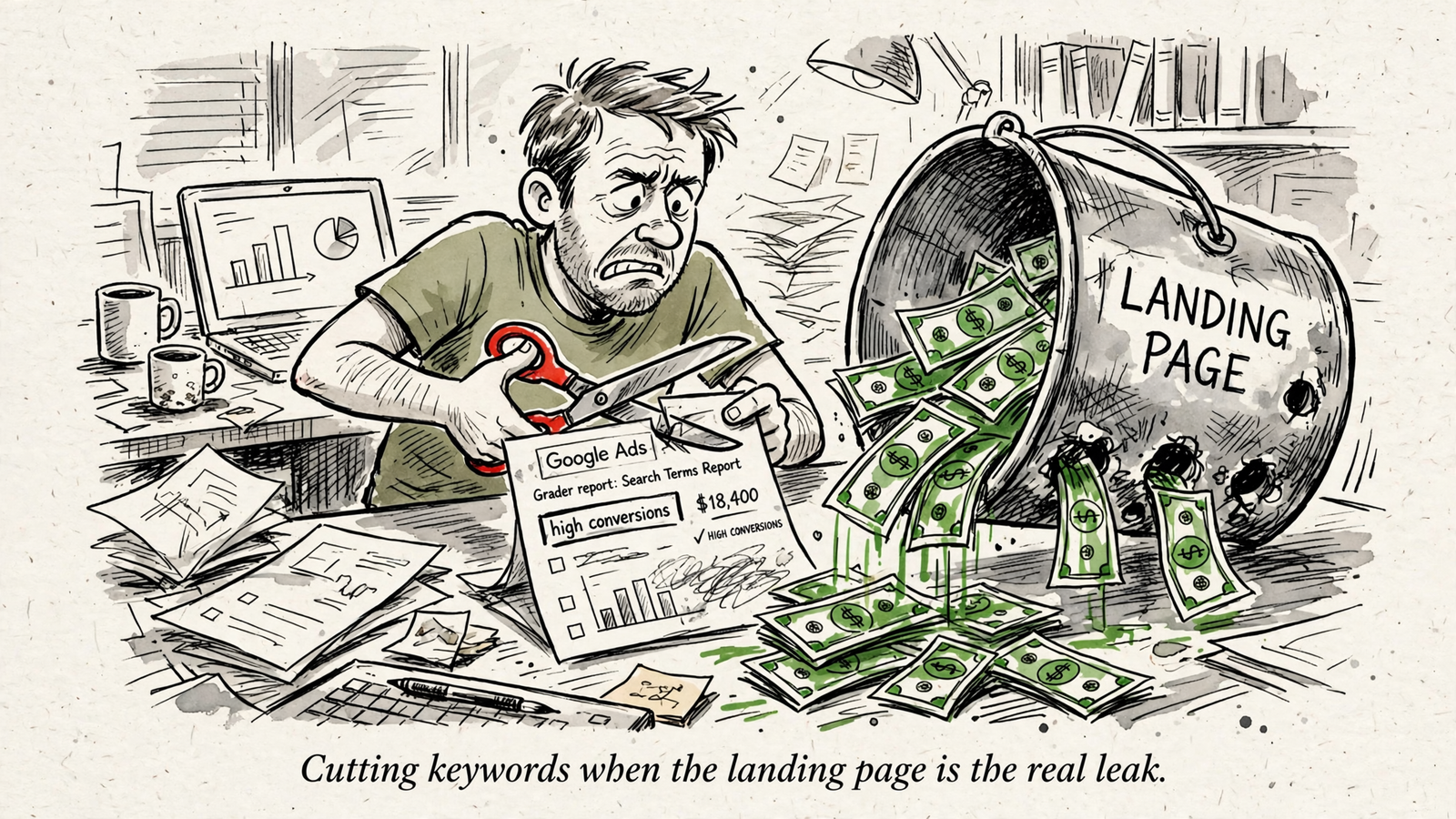
Is the search term wrong, or did the page let it down?
I sort high-bounce traffic into three buckets. Only query mismatch calls for a negative keyword. The others call for page work.
- Query mismatch: The searcher wants something you do not sell. A broad match for crm software catches free crm for job seekers. The visitor leaves because the offer was never relevant.
- Page mismatch: The searcher wants what you sell, but the page does not continue the ad’s promise. The ad says emergency plumber in Austin; the H1 says Welcome to Our Plumbing Family. The visitor has to work out whether they reached the right place.
- Speed noise: The page may fit the query, but the mobile experience gets in the way before the visitor can judge it.
That middle bucket is the one a bounce rule misses. I have seen accounts where the apparent keyword problem was an ad-to-page problem instead. Start with the headline: does it make the same offer the ad made? Message match is a useful first check when Landing Page Experience drops to Below Average. A visitor should not have to translate your ad into your website’s preferred wording.
Landing Page Experience is scored per keyword, not simply stamped onto a URL. The same page can be a better fit for one term than another. So a poor experience for a particular keyword is a reason to inspect that keyword’s fit with the page, not proof that the whole URL is bad.
Then check the device split. Landing-page bounce varies widely by industry, and mobile abandonment and load times can differ sharply from desktop. If the problem clusters on mobile, inspect the mobile page before blaming the query. The order matters: check intent, message and mobile experience before you exclude.
How do you test that before building a rule?
The question is narrow: in your account, does high bounce accompany poor conversion performance, or does it flag a page you have not fixed? Run the test prospectively. Do not let an attractive threshold write the conclusion for you.
My expectation is that bounce alone will be a poor reason to kill a term. The mechanism is straightforward. Conversion needs relevant intent and a page that carries the ad’s promise forward. Bounce can rise when either part fails; the number does not identify which part broke.
- Set up the comparison. Pull 60 days of search terms with at least 30 clicks. Bring in cost, conversions, conversion value and the available GA4 engagement data. Sort by spend first. An expensive problem deserves attention before a cheap one with an impressive-looking percentage.
- Flag suspects, not exclusions. Mark terms with engagement under 30%, equivalent to bounce over 70%, and zero conversions. Treat that line as a triage point, not a verdict. The sensible response when more than 70% leave after the click is to check the term, page and mobile experience before touching negatives.
- Inspect what the visitor saw. For each flagged term, record the landing page it reached. Does the term match what you sell? Does the H1 carry the ad’s promise? Does the mobile page load promptly? Label the likely issue query mismatch, page mismatch or speed noise. Keep the actual term and URL beside that label so you can revisit the call.
- Use the unflagged terms as a comparison. Look across the full 60-day set, not only the ugly rows. Compare engagement rate with conversion rate and value. Do low-engagement terms still convert? Do similar terms behave differently when they reach different pages? Those are better questions than whether 70% feels like a scary number.
- Change one cause before judging again. If the term fits your offer but the page does not, fix the page or route the traffic to a tighter one. If the term cannot fit the offer, it is a candidate for exclusion. Record the decision, then review what happens rather than claiming the first sheet proved it.
Keep the controls boring: use the same 60-day window when you compare terms, keep branded traffic separate from non-brand traffic, and do not treat a page change as proof that the keyword changed. You are trying to isolate a diagnosis, not win an argument with a spreadsheet.
If page mismatch dominates the costly rows, fix pages first. If the costly rows are plainly unrelated to your offer, tighten targeting and add appropriate negatives. Either result changes the work you do next. A bounce-only rule cannot make that distinction for you.
When does a high-bounce term actually earn a negative?
Not when it crosses one percentage. My triage minimums are 30+ clicks, 60 days, engagement under 30%, zero conversions and meaningful spend. The click floor slows down snap decisions; the conversion check protects terms that bounce a lot yet still produce business. I also want at least 1.5 times target CPA spent with nothing back before considering an automated spend trigger. These are guardrails for review, not permission to skip the intent check.
Some public Display and Video pauser scripts use a similar spend-and-conversion safeguard, filtering for 20+ clicks and significant spend with zero conversions over 30 days. That is a cleaner waste signal than bounce alone, but it still does not tell you why the traffic failed. Do not copy a placement rule into search and call it a diagnosis.
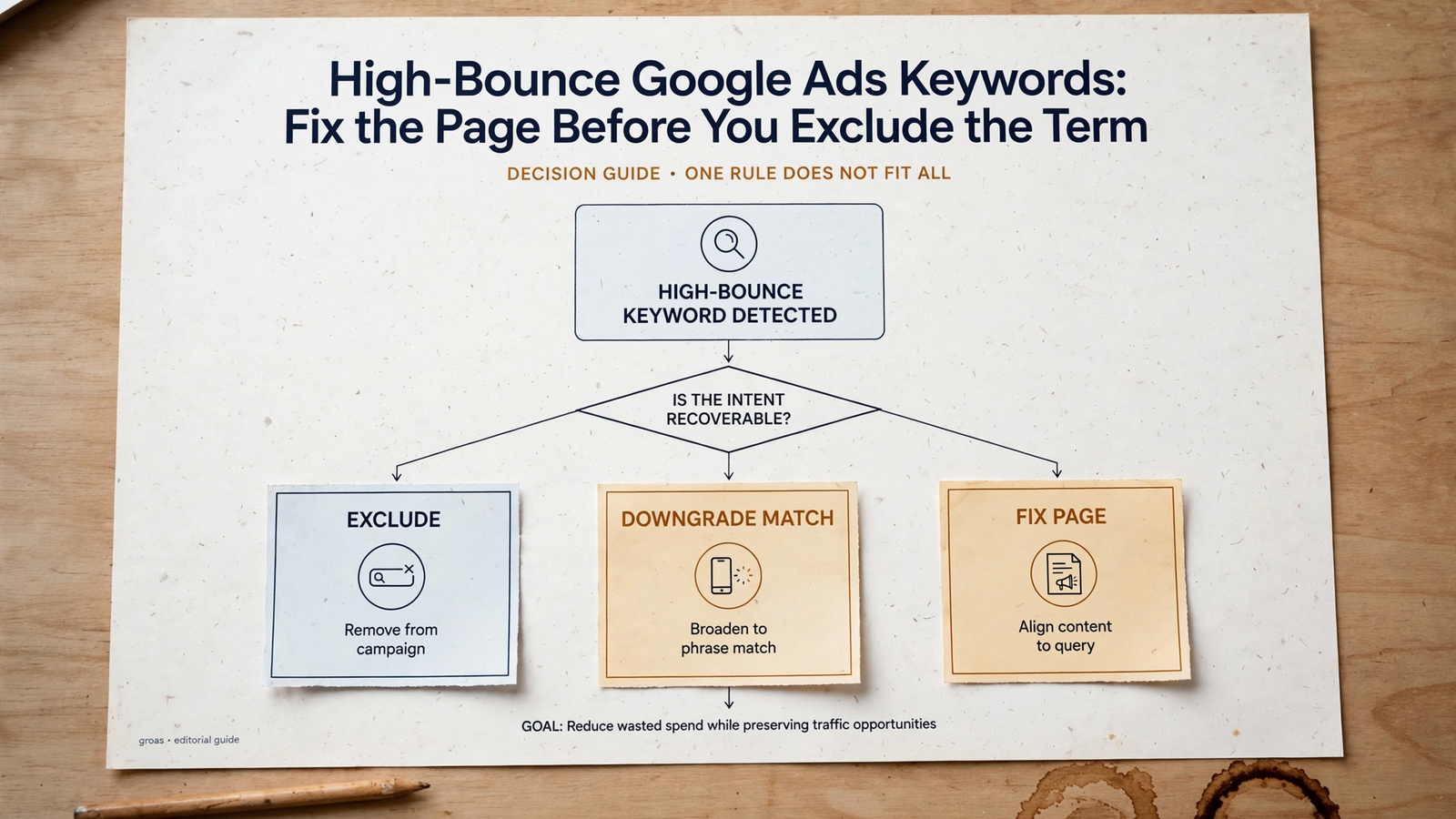
Once you have inspected the term, choose the smallest sensible action:
- The intent is wrong: Exclude the search term. If it is junk for every campaign, a shared negative list may fit. If the exclusion is only there to steer traffic between themes, keep it at campaign level. That distinction between shared and campaign-level negatives protects relevant traffic elsewhere.
- The intent is close but the match is sloppy: Tighten targeting or match type rather than killing demand you may want.
- The intent is right but the page is wrong: Send the traffic to a better-fitting page or fix the current page, then retest.
- The page is slow on mobile: Work on that experience before judging the keyword again.
A term should reach a shared list only when you are comfortable blocking it wherever that list applies. Free, for instance, is not automatically junk for every offer. Read the query in the context of what you sell. Bounce finds suspects; intent and outcomes decide what gets excluded.
Which parts should software handle?
Scripts are cheap and blunt. A Google Ads script cannot read GA4 bounce directly, so public scripts commonly use a proxy: clicks and spend with no conversions. That can surface obvious waste. It cannot tell whether the visitor wanted the wrong product or reached the wrong page.
Rules platforms sit one level up. They monitor Google Ads metrics on a schedule and can add negatives when cost without conversion crosses a threshold. Useful, if you already know what the threshold means in your account. Still not a substitute for reading the query and checking the page. I cover the broader choices in this buyer’s guide to AI Google Ads optimization tools. My objection here is specific: a faster exclusion is not a better exclusion when the diagnosis is missing.
This is where groas is a better fit than a bounce-only script or scheduled rule. It reviews search terms, engagement, conversion value and landing experience together, continuously, with actions logged and a named strategist setting direction and guardrails. That broader context matters because the case against automatic bounce-rate exclusions is not a case against automation. It is a case against automating the wrong decision.
A bounce rule sees a number and keeps cutting. A better workflow surfaces the costly term, checks whether the page continues the promise, and makes the page decision before the negative decision. Automate the triage, not the assumption that every bounce is bad traffic.
How do you keep old negatives from blocking new demand?
A negative that made sense in January deserves another look after you change an offer, launch a page or reorganize a campaign. I review exclusions on the first Monday of each month. The point is not to prove every old decision wrong. Look for terms whose reason for exclusion no longer holds.
- Reopen last month’s additions. For each one, ask whether its intent is still outside the offer and whether the scope of the negative is still right. An account-wide exclusion deserves more scrutiny than campaign-level steering.
- Audit shared lists for terms that belonged to one campaign’s routing problem. Move campaign-specific decisions out of account-wide lists rather than letting the list become a graveyard of relevant intent.
- Revisit terms you sent to a new or revised page instead of excluding. Let each collect 30 clicks on that URL before you judge engagement again. Same term, new page, new verdict.
- Log the decision in one line: date, term, clicks, spend, engagement, action and reason. Otherwise you will argue about the same keyword again next quarter, possibly with less evidence than you had the first time.
Keep branded terms out of the non-brand bounce rule altogether. Someone can search your name, find hours, pricing or a location, and leave satisfied. I keep branded traffic in its own campaign with its own engagement baseline so its bounce rate does not trigger the same review as a non-brand click. This is one place where a neat universal threshold creates extra work and worse decisions.
What should you do today?
Do not build an auto-exclude rule this afternoon. Pull the 60-day sheet, add the available engagement data and sort by spend. Take the first expensive, high-bounce term and read it beside its ad and landing page. Decide whether the query or the page is wrong before you touch a negative.
Then make one change that fits the evidence: align one H1 with its ad, address one slow mobile page, or exclude one cluster of terms that plainly does not match your offer. If you want the mechanics of assembling the filter, use this walkthrough to build a GA4-to-Google Ads negative keyword filter. Keep the intent and page checks in front of the exclusion step.
Run that loop monthly, or have groas handle the continuous review with logged actions and a strategist accountable for the direction. Either way, start with the same first term today. Do not let its bounce rate make a page decision for you.