

 LinkedIn

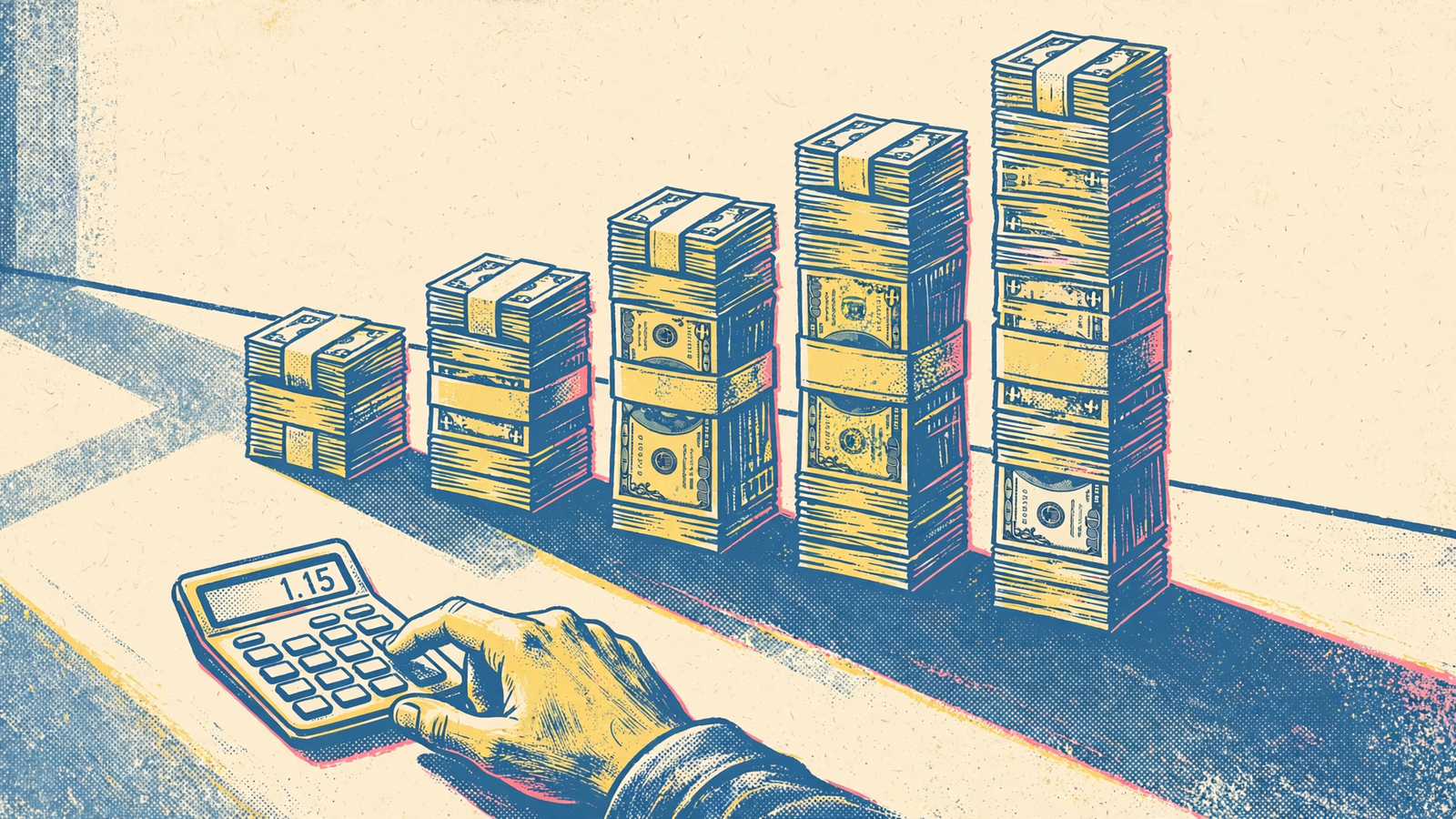
101.1% above baseline. That is where five successive 15% budget increases land, even though every individual change passes a “no more than 15%” approval rule. Start at 100, finish at 201.14. Each step looks small. The total is not.
That is the hole in instructions like “keep budget changes under 15%.” They limit the size of a step, not how far the account can travel. Before I authorize ChatGPT to change campaigns through groas, I want the compounded path, a cumulative ceiling and a review window. “Small” is not a budget control.
The starting percentage comes from Microsoft’s 2026 holiday checklist, which advises slow, incremental bid and budget changes of approximately ±15% during peak capture. The calculations below are arithmetic from that starting point, not campaign results. They say nothing about whether spending more would be profitable. They show what an incomplete approval can permit.
What the 15% guidance actually covers
Microsoft repeats its approximately ±15% guidance in the checklist’s peak-capture section and readiness table. The context matters: Microsoft Advertising, holiday traffic and gradual adjustments. It is not a universal safety limit for every platform, campaign or season.
The related guidance is narrower than the shorthand suggests:
| Reference | Figure discussed | What it does—and does not—establish |
|---|---|---|
| Microsoft holiday checklist | Approximately ±15% | Gradual bid and budget changes during peak capture, not an unlimited sequence of approvals |
| Coverage of Microsoft’s bidding upgrade | Approximately 15% increments | CPA or ROAS target adjustments, with review after a conversion cycle; not the same thing as budget changes |
| Practitioner guidance for Google App campaigns | 15–20% steps; a 7–14-day wait | A practitioner convention for that campaign context, not a platform-wide policy |
A percentage needs a scope before it becomes useful guidance. A target adjustment is not a budget adjustment. An App campaign convention is not a rule for every Google campaign. None of these figures supplies a cumulative ceiling for your account.
I used to tell clients 20% was the safe number. That missed the larger problem: even a sensible limit on one change says nothing about what repeated approved changes are allowed to do. Write the total limit separately.
The calculation: five increases, twice the configured budget
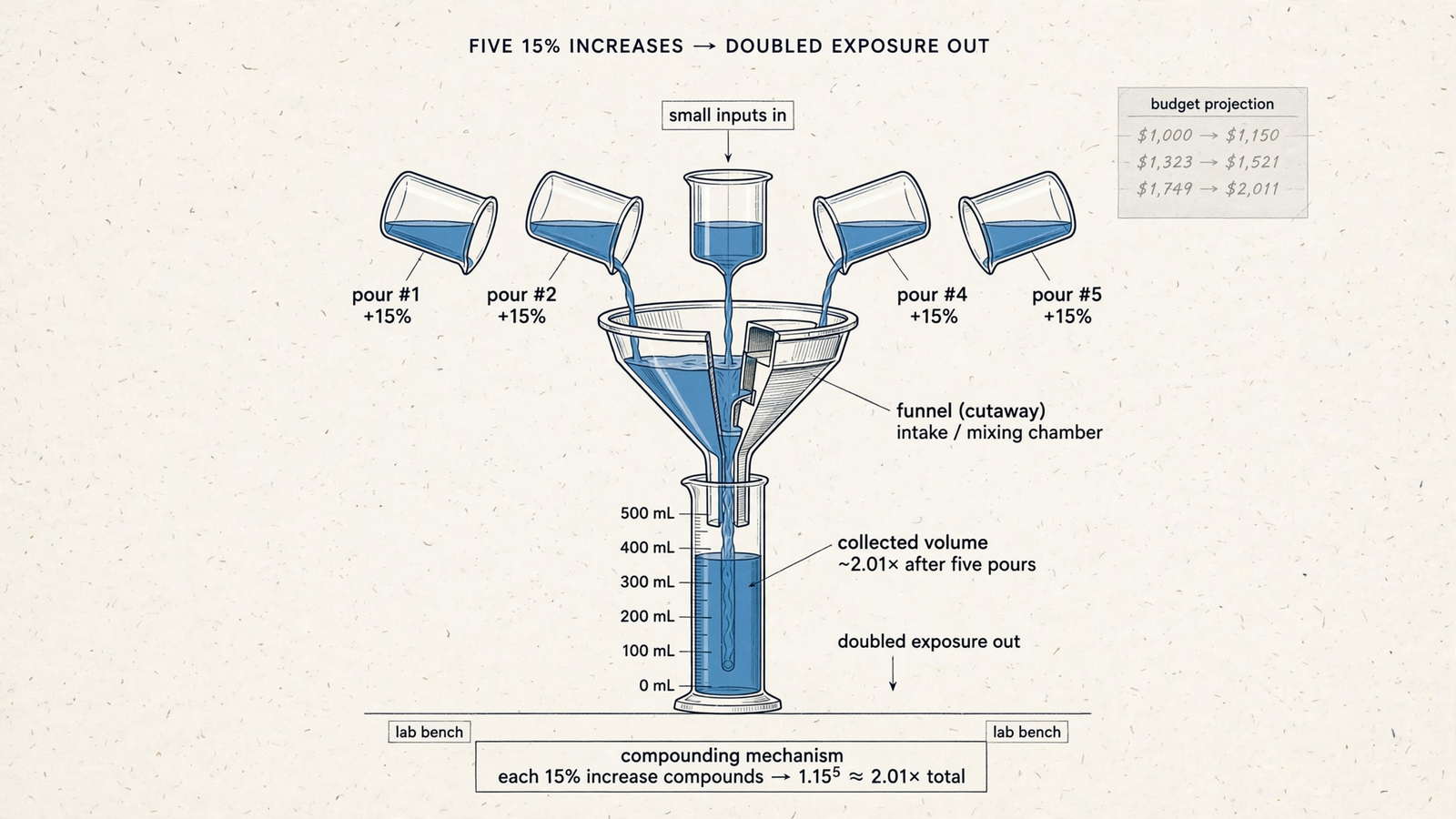
Start at a normalized budget of 100. Each increase multiplies the previous setting by 1.15. The table uses unrounded intermediate values and rounds only the displayed results.
The fifth increase leaves the configured budget at 201.14: 101.1% above baseline. Adding five lots of 15% would give 75%, but that calculation keeps using the original base. Successive increases do not.
| Step | Calculation | Configured budget | Cumulative increase from baseline |
|---|---|---|---|
| Baseline | 100 | 100.00 | 0% |
| 1 | 100 × 1.15 | 115.00 | 15.0% |
| 2 | 100 × 1.15² | 132.25 | 32.3% |
| 3 | 100 × 1.15³ | 152.09 | 52.1% |
| 4 | 100 × 1.15⁴ | 174.90 | 74.9% |
| 5 | 100 × 1.15⁵ | 201.14 | 101.1% |
These are calculated settings, not observations from an ad account. The table does not predict delivery, CPA, conversions or revenue. Its job is to make the accumulated permission visible before execution.
The same path needs a clock
Five changes across five review periods are not the same control as five changes in one afternoon. The multiplication is identical. The opportunity to stop is not.
Imagine the instruction is simply “never raise a budget more than 15% at a time.” With a review of delivery and CPA between increases, there are opportunities to reject the next step. Run the same sequence before lunch and those evidence checks disappear. Both paths pass the percentage test.
Neither sequence is a recommendation or a reported campaign result. They expose the missing condition: the approval must say when another change becomes eligible, not just how large it can be.
The Microsoft bidding coverage pairs target adjustments with a conversion-cycle review; the App campaign practitioner guidance includes a waiting period. Those intervals belong to their stated contexts. Do not turn either into a universal budget rule. Set the review window explicitly for the campaigns you are authorizing.
A matching percentage cut does not undo the increase
The moving base also matters when a change goes wrong. Increase 100 by 15%, then cut the resulting 115 by 15%, and the setting does not return to 100.
| Sequence | Calculation | Final setting |
|---|---|---|
| Increase, then decrease | 100 × 1.15 × 0.85 | 97.75 |
| Decrease, then increase | 100 × 0.85 × 1.15 | 97.75 |
In both calculations, the result is 2.25% below baseline. Equal percentages in opposite directions are not inverse operations because they apply to different bases. To restore the previous setting, restore the previous value.
That is the configuration problem. The spending problem is less forgiving. Supermetrics’ guide to AI agents distinguishes reversing a setting from recovering money already spent. An undo action can do the former. It cannot do the latter.
I make the same distinction in Let ChatGPT Change Your Ads. Undo Is Not a Spending Policy. A record of the old value makes reversal possible; it does not replace advance spending limits. Set the ceiling before execution, not after the account needs rescuing.
A budget setting is not a spending forecast
The 201.14 at the end of the compounding table is a setting, not a receipt. A configured budget gives the platform permission to enter auctions. Delivery, competition and reporting delay affect what actually spends.
That distinction cuts both ways. A doubled setting does not establish that spend will double, and it certainly does not establish that conversions will double at the same CPA. Likewise, the lower setting after an increase-and-decrease pair does not prove a matching saving.
Treat the table as configured-budget exposure, not a performance forecast. It answers “What settings would this sequence authorize?” It does not answer “What will the account spend?” or “Will the next increase pay for itself?” Those questions need account evidence that multiplication cannot supply.
For approval, I want both views kept separate:
- Before execution: the baseline, proposed settings and cumulative increase being authorized.
- Before the next increase: actual spend, delivery and CPA since the previous change, with reporting limitations stated.
Do not let a clean calculation stand in for a profitable campaign. Approve the setting deliberately, then reconcile it against delivery.
Ask ChatGPT for the exposure table before execution
An unconnected ChatGPT can explain compounding. It cannot read your live budgets. To turn this calculation into an account-specific approval, it needs a connection that can read the relevant campaigns and permission for whatever happens next.
AI agents can change or reallocate budgets and take other account actions through connectors, but the available actions and approval models vary. A connection alone is not an authorization policy. That is why I keep returning to live access, explicit permission and rules with logs.
Before any execution prompt, I give ChatGPT connected through groas this instruction:
Read current budgets for [campaign list]. Make no changes. Model five successive 15% increases for each selected campaign. Show the baseline, each resulting setting, the cumulative increase from baseline and the affected account. State your assumptions, timestamp every figure and flag missing data instead of filling it in.
This is a modeling request, not permission to perform the sequence. The distinction belongs in the prompt, not in an assumption that the assistant will infer restraint.
No exposure table, no approval. If the response offers a “small increase” without showing the path from the current setting, it has not answered the request.

Check the baseline before trusting the table
A polished table can still answer the wrong question. Before approving it, I check whether the baseline and scope match the decision I intend to make.
- Account and campaigns: Are these the named campaigns, in the intended account?
- Starting settings: Are the current budgets shown with timestamps, rather than assumed?
- Compounded path: Does each increase use the preceding setting, rather than repeatedly adding a percentage of the original budget?
- Cumulative comparison: Is every step compared with the same approved baseline?
- Missing information: Has ChatGPT stopped where the data runs out, rather than filling gaps with plausible values?
The baseline matters beyond the first table. A ceiling “above baseline” is useful only if subsequent reviews keep comparing against that approved starting point. Otherwise, a sequence of locally acceptable increases can disappear into a series of fresh starting values. The original exposure limit stops meaning what you approved.
Keep the approved baseline visible throughout the sequence. If the baseline changes, make that a new approval decision rather than an unnoticed reset.

Replace the percentage rule with a complete approval
A per-change limit tells ChatGPT how large one step can be. It says nothing about how many steps, how quickly, on which campaigns or when to stop. I replace it with a written specification before approving changes through groas.
There is an important distinction here: written instructions are not necessarily native product controls. Some limits belong in autopilot rules; others remain instructions ChatGPT must follow and you must review. Do not mistake a detailed prompt for proof that every condition is independently enforced.
I separate approval-required work from deliberately enabled automation, as described in Ask, Approve, Autopilot: How Much Control Should AI Have Over Your Ads?, then specify:
- Baseline and scope. Name the account and campaigns. Record starting daily budgets with timestamps. No baseline, no math.
- Review interval. State when another change becomes eligible and what must be reviewed first. No second increase inside that window.
- Maximum single change. Set the permitted step for this campaign context. Microsoft’s holiday percentage is not automatic permission to use it elsewhere.
- Cumulative ceiling. Cap the total increase against the approved baseline. For example, “no more than 30% above baseline without new written approval” is an illustrative operating rule, not a sourced platform recommendation.
- Minimum evidence. Require CPA and spend pacing since the last change, alongside actual delivery and the settings that allowed it.
- Protected campaigns. Identify brand, testing and fixed-budget lines that ChatGPT may read but must not change.
- Escalation conditions. Missing data, a delivery anomaly or a request to exceed the ceiling comes back for explicit approval. It does not become an exception the agent grants itself.
The cumulative ceiling is the line that stops the five-step path. The review interval creates the opportunity to assess evidence before another increase. They solve different problems. Keep both.
What the groas connection buys—and what it does not
Without a connection, ChatGPT can recommend an increase, but you still have to retrieve the live settings and make the change. The groas-backed workflow puts those tasks into a sequence: read, model, approve, execute.
Through the groas connection, ChatGPT can read live budgets and model the compounded path before a change. I then approve the exact action, with the ceiling and interval stated, rather than approving an open-ended intention to “scale.” Changes are logged with their reasons and can be undone in one step.
The connection costs $19 per month flat for unlimited teammates, ad accounts and websites. It requires connecting your ad accounts and website. That buys the connection and workflow, not control over auction delivery, reporting delay or what platforms spend against a setting. It guarantees no CPA or revenue outcome.
Nor does a connection make an incomplete instruction complete. The useful part is being able to inspect the live baseline, model the consequences and give precise permission without carrying the arithmetic in your head. Require that sequence before execution.
Approve the exact change, then reconcile the result
When the proposed change fits the cumulative ceiling and review conditions, authorize only that step on the named campaigns. Require verification of the resulting settings and the action log with timestamps. Then reconcile delivery and spend before another increase becomes eligible.
Keep ongoing autopilot off unless you separately authorize it. A permission to make one change is not permission to keep repeating it, even when every repetition stays inside the single-change percentage.
The numbers support a specific decision: require the compounded path, cap the total from baseline and approve the exact setting that exposes you. Five “small” increases are still a doubled budget.


