What you will have at the end
A crawler cannot cite the answer it cannot find. I would rather fix the page than pay someone to report, once a week, that ChatGPT cited a competitor instead.
This is a follow-along rebuild of one URL for ChatGPT Search, Perplexity, and Google AI Overviews. You will put the answer near the top, make each supporting fact intelligible on its own, clean up the heading structure, and check whether search crawlers can reach the page. None of that guarantees a citation. It gives retrieval systems a clearer passage to find and gives you a way to diagnose what happens next.
Before starting, have these ready:
- Edit access to the target page in your CMS or HTML.
- Access to your domain’s
robots.txt and CDN or firewall settings.
- A terminal where you can run
curl.
- One commercial question customers ask in real sales conversations, plus the facts needed to answer it.
Choose a page that already serves that question. Do not turn an unrelated page into a catch-all because you want one more AI citation.
Step 1: Put the answer before the pitch
Action: Open the page editor. Place an <h2> with your target question near the top of the page, then put a 40-to-60-word direct answer immediately underneath it. Aim to keep both within the top 30% of the page’s main content. Cut the company history, scene-setting, and ‘in today’s changing market’ paragraph from between the question and answer.
For example, if this were a cold-chain logistics page, the block could look like this. The prices, timings, and temperatures below are illustrative; replace them with your own verified terms before publishing.
<h2>How much does refrigerated LTL freight cost per pallet mile?</h2>
<p>Refrigerated LTL freight typically costs between $2.85 and $4.15 per pallet mile across domestic US lanes, depending on seasonal produce volume and diesel fuel surcharges. Standard pallet positions require 48 hours of advance scheduling, with temperature thresholds maintained between 34°F and 38°F from dock departure to receiver sign-off.</p>
Why move it up? A retrieval system may select a short passage rather than hand the model your entire page. Put the question beside a complete answer and that passage has a better chance of making sense on its own. Research discussed by Zyppy reports that 44.2% of citations in its analysis came from the top 30% of a webpage. Treat that as a useful editing prompt, not a magic placement rule. Our guide to getting cited in Google AI Overviews goes deeper on the retrieval side.
Expected result: In the published HTML, a reader or crawler reaches a self-contained answer without scrolling through several paragraphs of marketing copy.
Mistake at this step: Writing a preamble that only repeats the question. ‘Choosing the right freight carrier can be challenging’ answers nothing. If your paragraph cannot stand alone in a search result, rewrite it before moving on.
Step 2: Make each supporting fact survive on its own
Action: Under the answer, add a three-to-five-item list of the operational facts a buyer would use to evaluate it. Use your company or product name where a detached sentence would otherwise say ‘we’ or ‘our.’ Use figures only when you can verify them.
For the example page, the list might cover:
- The published price range and what changes it.
- The advance scheduling requirement.
- The temperature range promised for the service.
- Any relevant delivery constraint or integration the business can substantiate.
Write the finished bullets as statements, not as these planning prompts. For instance, ‘FreightBridge requires 48 hours of advance scheduling for standard pallet positions’ retains its subject if copied out of the page. ‘We require 48 hours’ depends on the reader seeing the surrounding context. Both are readable to a human; only one is unambiguous when isolated.
The Princeton, Georgia Tech, and IIT Delhi GEO study found visibility gains from adding concrete statistics and citations in its tests. That is not permission to sprinkle numbers into every sentence. A buyer needs figures that answer the question, not decorative precision. The discussion of content chunking and extractability is useful here for the same reason: a fact should still mean something when it travels without its neighboring paragraph.
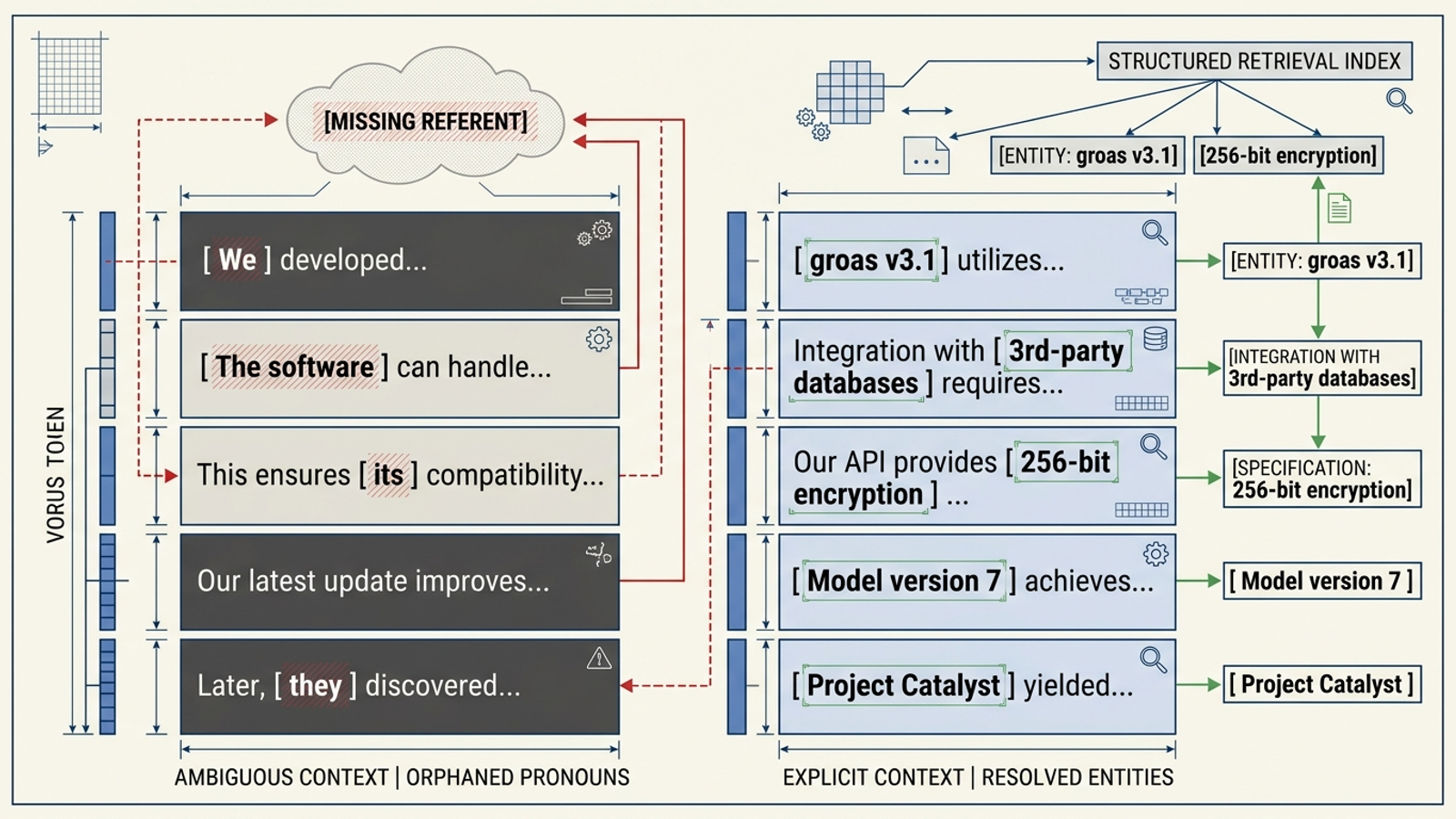
Expected result: Each bullet identifies what it describes and supplies a useful detail. Read one aloud without its heading. If you cannot tell whose service it describes, name the entity.
Mistake at this step: Replacing every pronoun in the article until the copy sounds like a contract drafted by a malfunctioning printer. You need clarity in detachable factual statements, not a brand name in every line.
Step 3: Give the answer a clean heading path
Action: Inspect the published page’s headings, not just the font sizes in your CMS. Use one <h1> for the page’s main entity and topic, <h2> headings for major sections, and <h3> headings for sections beneath them. Do not jump from <h1> to <h3> because a smaller type size looks better. Change the styling separately.
Then check the first visible mention of the business. It should say who the business is and what it does in ordinary page copy. If the name appears only in a logo, a footer, or JSON-LD, add a plain sentence near the relevant answer. For the logistics example, that sentence would identify FreightBridge as the cold-chain logistics broker before making claims about its service. Use the business’s real name, service description, and credentials on a live page; the example is not a ready-made company profile.
Crispy Content’s discussion of headings and structured data makes the useful distinction here: page structure can help preserve context, but markup should not be a substitute for clear visible text. Likewise, the Ahrefs analysis of schema and AI citations is a reason not to spend the whole afternoon polishing JSON-LD while the page itself remains vague. If you already maintain schema, keep it consistent with the visible copy. Do not add an unverified sameAs link just to make the entity look established.
Also inspect how the answer appears without interacting with the page. If a tab needs a click or the main facts arrive only after client-side JavaScript runs, do not assume every fetcher will see them. Put the core answer in accessible page content.
Expected result: The main question, answer, supporting facts, and business identity appear in a coherent order in the published page. A person reading from the top can tell which business the answer belongs to.
Mistake at this step: Treating headings as decoration and schema as a rescue operation. Neither fixes a page that never plainly states its answer or its subject.
Step 4: Check both crawler rules and the edge response
Action: Open your domain’s robots.txt and decide which crawlers you intend to allow. OpenAI distinguishes its training crawler, GPTBot, from OAI-SearchBot for search and ChatGPT-User for user-initiated visits in its crawler documentation discussed here. Perplexity’s crawler guidelines distinguish PerplexityBot from Perplexity-User. If your policy is to block the training crawler while allowing these search and user-initiated crawlers, the relevant rules can be written as follows:
User-agent: GPTBot
Disallow: /

User-agent: OAI-SearchBot
Allow: /

User-agent: ChatGPT-User
Allow: /

User-agent: PerplexityBot
Allow: /

User-agent: Perplexity-User
Allow: /
Check your existing rules before editing: a broader block elsewhere may still matter. Then inspect your CDN or WAF configuration for bot challenges or blocks affecting the crawlers you want to admit. The Cloudflare blocking discussion illustrates the failure mode: a permissive robots.txt does not override a firewall that refuses the request. If you make an exception, use your provider’s verified bot identification or published IP information rather than trusting a user-agent string alone. Perplexity publishes bot information at perplexity.com/perplexitybot.json.
From your terminal, make a first-pass request to the target URL:
curl -s -I -A "OAI-SearchBot" https://example.com/target-page/ | head -n 5
curl -s -I -A "PerplexityBot" https://example.com/target-page/ | head -n 5

Expected result: The requests reach the page without a 403, 429, or bot-challenge redirect. A 200 response is a useful first check, but a spoofed user agent does not prove that the real crawler has access. Review firewall events or server logs for actual requests when you can, and check the final page response if your site redirects.
Mistake at this step: Seeing Allow: / in robots.txt and declaring the job done. The edge can still block a fetch before it reaches your server. The reverse mistake is opening a broad firewall hole merely because your laptop’s curl request got challenged.
If your site supports IndexNow and you have configured its key, submit the changed URL after publishing. Replace the example host, key, and path with your own:
curl -X POST -H "Content-Type: application/json; charset=utf-8" \
  -d '{"host": "example.com", "key": "your-indexnow-key", "urlList": ["https://example.com/target-page/"]}' \
  https://api.indexnow.org/indexnow
This is a discovery notification to participating search engines, not an instruction to index the page or cite it. Check the response and your indexing tools rather than treating a successful submission as proof that the page is in an AI search result.
Step 5: Test the citation, then diagnose the miss
Action: Once the updated page is live and reachable, search your exact <h2> question in a fresh Perplexity session with Web search selected. Inspect the cited URLs, not just the wording of the answer. In a clean ChatGPT session with Search enabled, run the same query and inspect its web sources. Keep the prompt identical between checks. For a more controlled comparison with an untouched page, use the approach in our AI citation test.
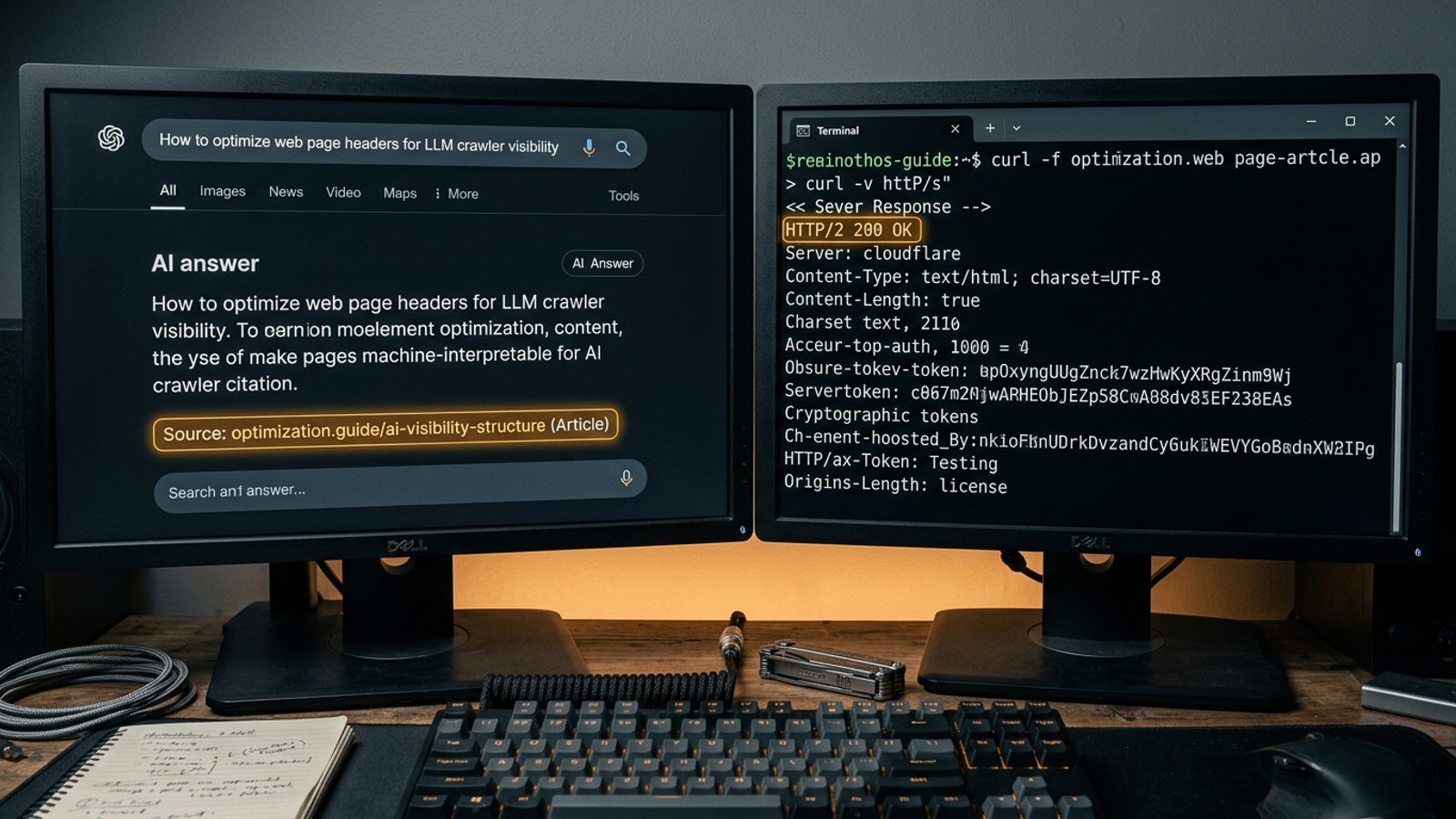
Expected result: You can see whether either engine searched, whether your URL appeared as a source, and whether the answer reflects the facts you published. A citation is the desired outcome, not a result you can demand from a markup edit.
Mistake at this step: Testing in a conversation where you have already told the assistant your company name, URL, and preferred answer. That checks the conversation, not the page. Start clean, and record the prompt, date, cited URLs, and answer so your next test is comparable.
If an engine searches but cites a competitor, check these three things in order:
- Answer position: Did a new banner, introduction, or block of navigation push the question and direct answer down the page? Move the answer back toward the top of the main content.
- Entity clarity: Could a quoted sentence be mistaken for a generic industry statement? Replace vague subjects with the actual business or product name where needed.
- Answer completeness: Does the competing cited passage answer a constraint your page skips, such as price, timing, or an integration? Add the missing fact only if you can substantiate it. Do not manufacture a sharper number to win a footnote.
Give the page time to be discovered and fetched, then repeat the same test. Do not turn an early miss into a claim that the entire approach failed. Equally, do not keep rewriting a page whose real problem is a crawler block.
Verify the page, then make the first useful change
Before you close the editor, check the published page one last time: the answer appears near the top; its supporting facts name the right entity; the heading order makes sense; the core copy is visible; and the target URL loads without a challenge in your initial checks. Then run the clean-session searches and record what the engines actually cite. A readable page and a citation are two different checks.
Skip this exercise for a page whose buyers do not ask the question in search. If the domain has a serious crawl problem, fix that before rewriting paragraphs. And skip vanity prompts that would look nice in a report but would not help someone choose a service, price, delivery window, or integration.
I would rebuild one high-value URL by hand before buying another citation-monitoring subscription. A report can tell you that a competitor got the footnote; it cannot make your answer clearer or open a blocked route to the page. The distinction matters even more across hundreds of service pages or a changing catalog. groas approaches that work as an autonomous growth engine, with specialized models handling search execution continuously and named human strategists setting direction and owning accountability. That is a better use of the work than paying for another dashboard that watches the gap.
Once the first page is live, change the answer before changing the tooling if your tests show that it still misses the buyer’s constraint. Start with the highest-value sales question, make the answer plain, and see what a clean search actually retrieves.