
Dentsu vs Tinuiti and Wpromote: Who Should Run Enterprise Search?
October 3, 2026
•
11
min read



Most Google Ads script lists are digital landfill from 2018: dead AWQL queries, bid adjusters that Smart Bidding ignores, and scrapers one interface change away from breaking. Here are six watchdogs I still consider worth running, followed by the scripts I defended for years before deleting them.
Paste a block under Tools > Bulk actions > Scripts, click Authorize, and run Preview before scheduling it. Replace the email address or Sheet URL placeholder first; scripts run under your Google user permissions, and a script using MailApp needs mail authorization before its scheduled run. Schedule daily checks for broken URLs, conversion drops, and policy flags; run the budget check hourly during the hours you care about. An alert you have never previewed is not a guardrail.
When to use it: You have a rigid monthly allocation and need to know when a campaign spends heavily early in the day. Google can spend up to twice your average daily budget on a high-traffic day. This checks today's spend against the campaign's daily budget and emails you if it crosses your threshold before 14:00. It alerts; it does not enforce a monthly cap. Check shared budgets separately: their amount is not an independent allowance for every campaign using them.
function main() {
  const CONFIG = {
    ALERT_EMAIL: 'ops-alerts@yourdomain.com',
    SPEND_RATIO: 0.65,
    HOUR_CUTOFF: 14
  };

  const account = AdsApp.currentAccount();
  const hour = Number(Utilities.formatDate(
    new Date(), account.getTimeZone(), 'HH'
  ));
  if (hour >= CONFIG.HOUR_CUTOFF) return;

  const query = `
    SELECT campaign.name, campaign_budget.amount_micros,
           metrics.cost_micros
    FROM campaign
    WHERE campaign.status = 'ENABLED'
      AND segments.date DURING TODAY
      AND metrics.cost_micros > 0
  `;
  const report = AdsApp.search(query);
  const alerts = [];

  while (report.hasNext()) {
    const row = report.next();
    const budget = Number(row.campaignBudget.amountMicros) / 1000000;
    const spent = Number(row.metrics.costMicros) / 1000000;
    if (budget > 0 && spent / budget >= CONFIG.SPEND_RATIO) {
      alerts.push(`${row.campaign.name}: ${spent.toFixed(2)} spent ` +
        `against ${budget.toFixed(2)} daily budget`);
    }
  }

  if (alerts.length) {
    MailApp.sendEmail(CONFIG.ALERT_EMAIL,
      `[Google Ads Alert] Early spend: ${account.getName()}`,
      alerts.join('\n'));
  }
}
The one adjustment that matters: Set SPEND_RATIO to suit your trading hours and tolerance for early spend. The default alerts at 65%; it does not diagnose why the spend happened.
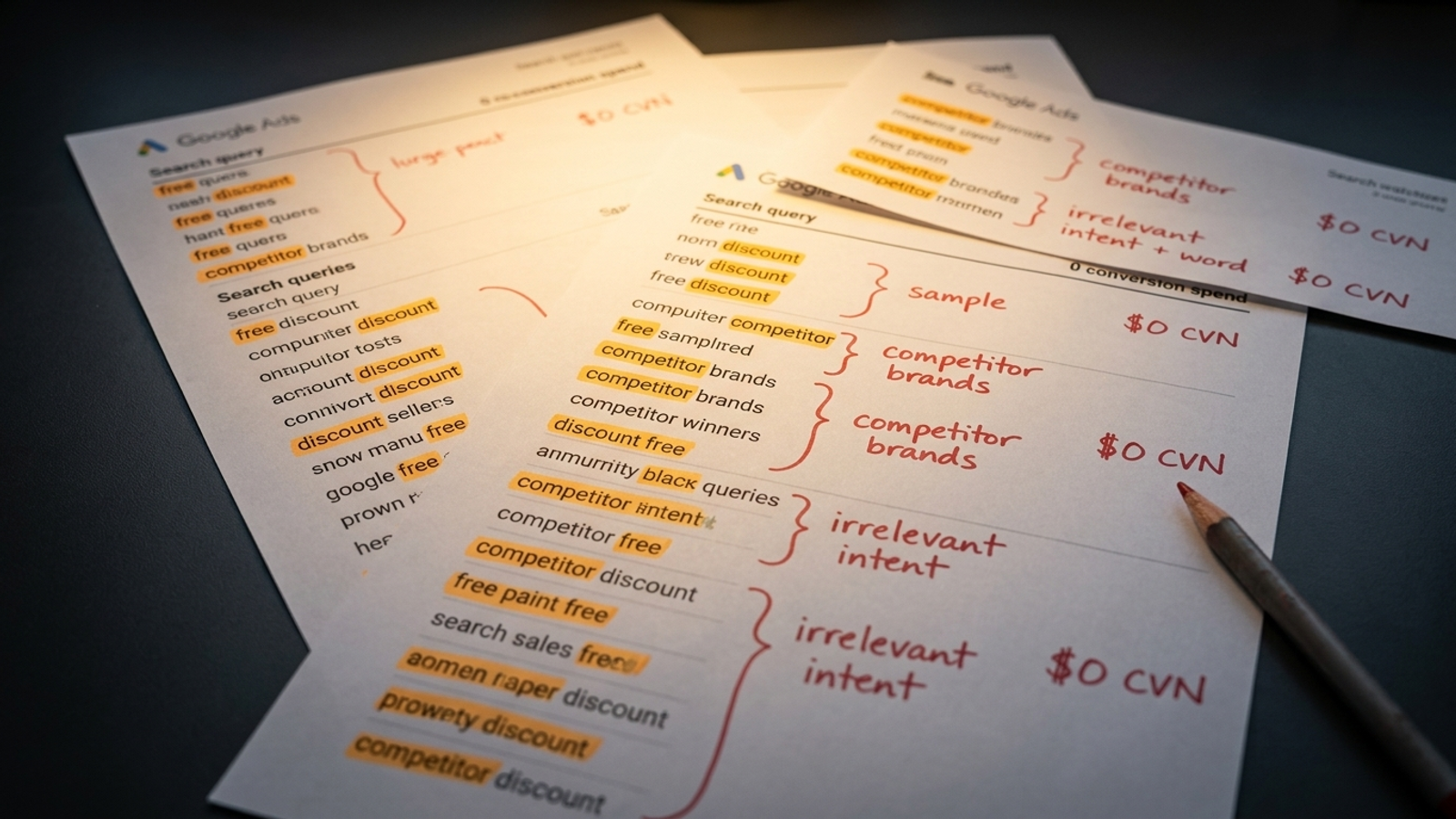
When to use it: Phrase and broad match campaigns produce scattered queries that share an expensive word or two. One query may not merit attention; the same irrelevant modifier across many queries might. This GAQL-based miner, in the vein of the approaches described by Nils Rooijmans and Pemavor, groups visible search terms into one- and two-word n-grams and writes zero-conversion candidates to a Sheet. Candidates are not automatic negatives.
function main() {
  const SPREADSHEET_URL = 'PASTE_YOUR_GOOGLE_SHEET_URL_HERE';
  const MIN_COST = 50;
  const sheet = SpreadsheetApp.openByUrl(SPREADSHEET_URL)
    .getActiveSheet();
  sheet.clear();
  sheet.appendRow(['N-Gram', 'Impressions', 'Clicks',
    'Cost', 'Conversions', 'Suggested Action']);

  const query = `
    SELECT search_term_view.search_term, metrics.impressions,
           metrics.clicks, metrics.cost_micros, metrics.conversions
    FROM search_term_view
    WHERE segments.date DURING LAST_30_DAYS
      AND metrics.cost_micros > 0
  `;
  const report = AdsApp.search(query);
  const ngrams = {};

  while (report.hasNext()) {
    const row = report.next();
    const words = row.searchTermView.searchTerm.toLowerCase()
      .trim().split(/\s+/);
    const tokens = new Set();
    words.forEach((word, i) => {
      tokens.add(word);
      if (i < words.length - 1) tokens.add(word + ' ' + words[i + 1]);
    });
    tokens.forEach(token => {
      if (!ngrams[token]) {
        ngrams[token] = { imp: 0, clicks: 0, cost: 0, conv: 0 };
      }
      ngrams[token].imp += Number(row.metrics.impressions);
      ngrams[token].clicks += Number(row.metrics.clicks);
      ngrams[token].cost += Number(row.metrics.costMicros) / 1000000;
      ngrams[token].conv += Number(row.metrics.conversions);
    });
  }

  const rows = Object.entries(ngrams)
    .filter(([token, data]) => data.cost >= MIN_COST && data.conv === 0)
    .map(([token, data]) => [token, data.imp, data.clicks,
      data.cost.toFixed(2), data.conv, 'Review for Negative'])
    .sort((a, b) => Number(b[3]) - Number(a[3]));
  if (rows.length) {
    sheet.getRange(2, 1, rows.length, 6).setValues(rows);
    Logger.log(`Wrote ${rows.length} candidates.`);
  }
}
The one adjustment that matters: Set MIN_COST to roughly twice your target CPA before reviewing candidates. At a $45 target CPA, that means about $90 in visible, zero-conversion spend. Read the underlying queries before excluding a word: an n-gram can appear in both useful and useless searches.
When to use it: Inventory changes or a site redesign might leave active ads pointing at dead URLs. Google's link-checker documentation covers the larger-scale approach and its complications; this shorter check limits itself to ads with recent impressions. It reports HTTP errors and fetch failures rather than treating every failed request as a genuine 404. A firewall response still needs a human check.
function main() {
  const CONFIG = {
    ALERT_EMAIL: 'ops-alerts@yourdomain.com',
    MAX_URLS_TO_CHECK: 200
  };
  const query = `
    SELECT ad_group_ad.ad.final_urls, campaign.name, ad_group.name
    FROM ad_group_ad
    WHERE campaign.status = 'ENABLED'
      AND ad_group.status = 'ENABLED'
      AND ad_group_ad.status = 'ENABLED'
      AND metrics.impressions > 0
      AND segments.date DURING LAST_7_DAYS
  `;
  const report = AdsApp.search(query);
  const checked = new Set();
  const alerts = [];

  while (report.hasNext() && checked.size < CONFIG.MAX_URLS_TO_CHECK) {
    const row = report.next();
    for (const url of row.adGroupAd.ad.finalUrls || []) {
      if (checked.size >= CONFIG.MAX_URLS_TO_CHECK) break;
      if (checked.has(url)) continue;
      checked.add(url);
      let result;
      try {
        result = String(UrlFetchApp.fetch(url, {
          muteHttpExceptions: true,
          followRedirects: true
        }).getResponseCode());
      } catch (error) {
        result = 'Fetch failed: ' + error.message;
      }
      if (result !== '200' && (result.startsWith('Fetch failed') ||
          Number(result) >= 400)) {
        alerts.push(`${result}: ${url} | ${row.campaign.name} | ` +
          row.adGroup.name);
      }
    }
  }

  if (alerts.length) {
    MailApp.sendEmail(CONFIG.ALERT_EMAIL,
      `[Google Ads Alert] URL checks: ${AdsApp.currentAccount().getName()}`,
      alerts.join('\n'));
  }
}
The one adjustment that matters: Set MAX_URLS_TO_CHECK for your account size. On a large catalogue, this checks only the first URLs returned up to the cap, not every destination; narrow the scope before treating a clean email inbox as proof that the whole catalogue works.
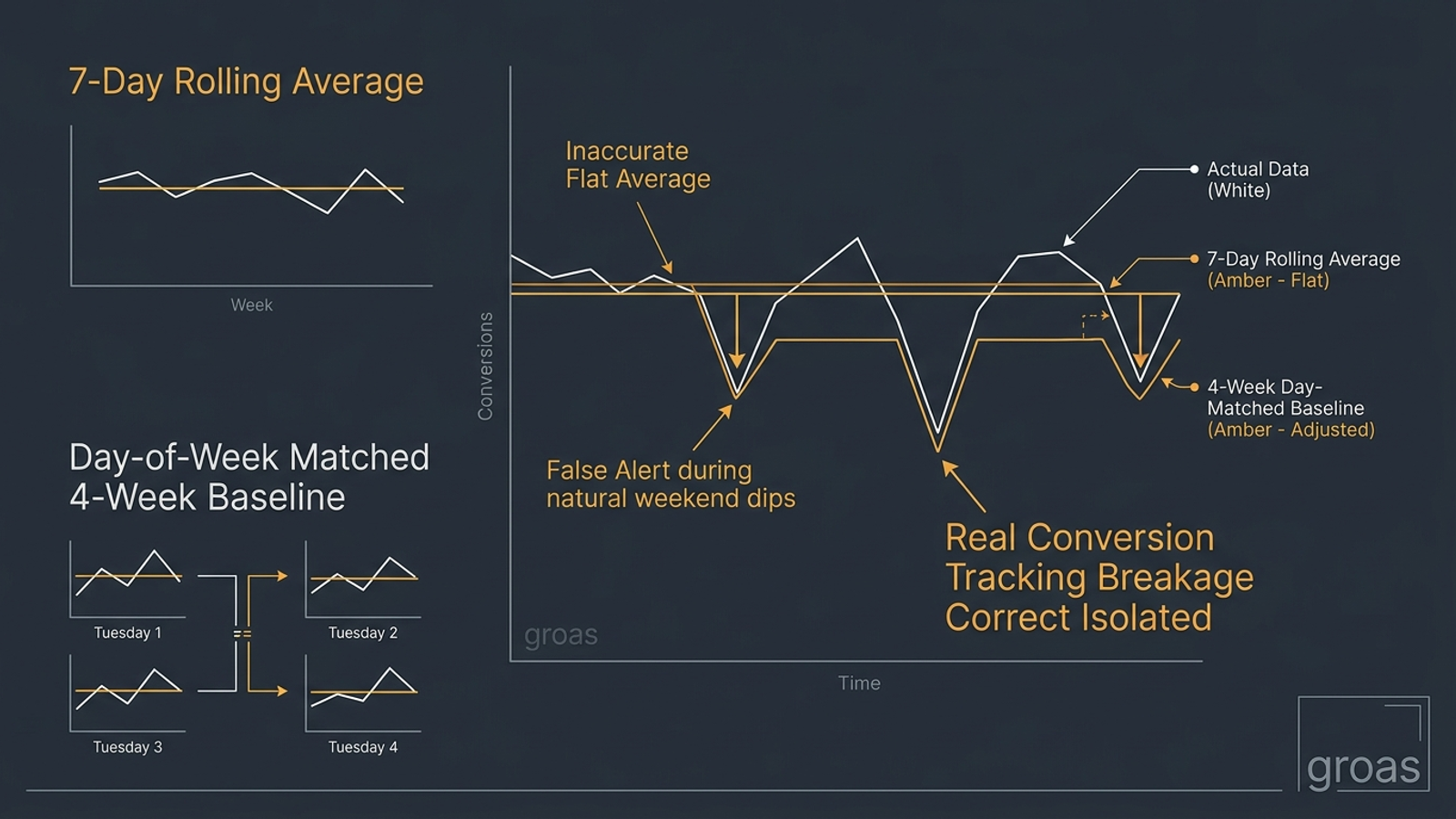
When to use it: A checkout, form, tag, or consent change might interrupt conversion reporting while spend continues. This compares yesterday with the same weekday in each of the previous four weeks. It is an investigation prompt, not a tracking diagnosis: a real demand drop can trigger it too.
function main() {
  const CONFIG = {
    ALERT_EMAIL: 'ops-alerts@yourdomain.com',
    DROP_THRESHOLD: 0.35,
    MIN_BASELINE_CONVERSIONS: 5
  };
  const account = AdsApp.currentAccount();
  const yesterday = AdsApp.search(`
    SELECT metrics.conversions FROM customer
    WHERE segments.date DURING YESTERDAY
  `);
  const recent = yesterday.hasNext() ?
    Number(yesterday.next().metrics.conversions) || 0 : 0;

  const dates = [];
  for (let i = 1; i <= 4; i++) {
    const date = new Date();
    date.setDate(date.getDate() - 1 - i * 7);
    dates.push(Utilities.formatDate(date, account.getTimeZone(),
      'yyyy-MM-dd'));
  }
  const history = AdsApp.search(`
    SELECT segments.date, metrics.conversions FROM customer
    WHERE segments.date IN ('${dates.join("','")}')
  `);
  let total = 0;
  while (history.hasNext()) {
    total += Number(history.next().metrics.conversions) || 0;
  }
  const baseline = total / 4;
  if (baseline < CONFIG.MIN_BASELINE_CONVERSIONS) return;

  const drop = (baseline - recent) / baseline;
  if (drop >= CONFIG.DROP_THRESHOLD) {
    MailApp.sendEmail(CONFIG.ALERT_EMAIL,
      `[Google Ads Alert] Conversion drop: ${account.getName()}`,
      `Yesterday: ${recent.toFixed(1)}\n` +
      `Four-week weekday average: ${baseline.toFixed(1)}\n` +
      `Drop: ${(drop * 100).toFixed(1)}%\n` +
      'Check conversion reporting, tags, forms and checkout.');
  }
}
The one adjustment that matters: Raise DROP_THRESHOLD toward 0.50 for low-volume accounts, where a few missing conversions can look dramatic. On steadier, higher-volume accounts, a lower threshold such as 0.20 can justify a closer look. Allow for your conversion-reporting lag when scheduling it.
When to use it: Policy reviews can limit or disapprove ads without waiting for your next account review. Following the approach discussed by Acuto, this checks approval status on enabled ads and emails the ad IDs that need inspection. It does not identify the policy topic or distinguish a new flag from an existing one; use the Ads interface for that.
function main() {
  const CONFIG = {
    ALERT_EMAIL: 'ops-alerts@yourdomain.com',
    IGNORE_APPROVED_LIMITED: true
  };
  const query = `
    SELECT ad_group_ad.ad.id, campaign.name, ad_group.name,
           ad_group_ad.policy_summary.approval_status
    FROM ad_group_ad
    WHERE campaign.status = 'ENABLED'
      AND ad_group.status = 'ENABLED'
      AND ad_group_ad.status = 'ENABLED'
      AND ad_group_ad.policy_summary.approval_status != 'APPROVED'
  `;
  const report = AdsApp.search(query);
  const flagged = [];

  while (report.hasNext()) {
    const row = report.next();
    const status = row.adGroupAd.policySummary.approvalStatus;
    if (CONFIG.IGNORE_APPROVED_LIMITED &&
        status === 'APPROVED_LIMITED') continue;
    flagged.push(`${row.campaign.name} | ${row.adGroup.name} | ` +
      `Ad ${row.adGroupAd.ad.id}: ${status}`);
  }
  if (flagged.length) {
    MailApp.sendEmail(CONFIG.ALERT_EMAIL,
      `[Google Ads Alert] Policy flags: ${AdsApp.currentAccount().getName()}`,
      flagged.join('\n'));
  }
}
The one adjustment that matters: Leave IGNORE_APPROVED_LIMITED on if those statuses are routine in your account. Turn it off when limited approval itself warrants investigation. Either way, expect repeat emails until the underlying status changes; this is a status check, not a new-event detector.
When to use it: CPCs rise and you want a dated record of keyword diagnostics to compare with changes to ads and landing pages. This logs Quality Score and its component ratings to a Sheet. Treat it as a diagnostic trail, not a CPC calculator: a score change alone cannot tell you what caused an auction-price change.
function main() {
  const SPREADSHEET_URL = 'PASTE_YOUR_GOOGLE_SHEET_URL_HERE';
  const sheet = SpreadsheetApp.openByUrl(SPREADSHEET_URL)
    .getActiveSheet();
  const today = Utilities.formatDate(new Date(),
    AdsApp.currentAccount().getTimeZone(), 'yyyy-MM-dd');
  if (sheet.getLastRow() === 0) {
    sheet.appendRow(['Date', 'Campaign', 'Ad group', 'Keyword',
      'Quality Score', 'Expected CTR', 'Ad Relevance',
      'Landing Page Experience']);
  }
  const query = `
    SELECT ad_group_criterion.keyword.text,
           ad_group_criterion.quality_info.quality_score,
           ad_group_criterion.quality_info.search_predicted_ctr,
           ad_group_criterion.quality_info.creative_quality_score,
           ad_group_criterion.quality_info.post_high_quality_score,
           campaign.name, ad_group.name
    FROM keyword_view
    WHERE campaign.status = 'ENABLED'
      AND ad_group.status = 'ENABLED'
      AND ad_group_criterion.status = 'ENABLED'
      AND ad_group_criterion.quality_info.quality_score > 0
  `;
  const report = AdsApp.search(query);
  const rows = [];
  while (report.hasNext()) {
    const row = report.next();
    const quality = row.adGroupCriterion.qualityInfo;
    rows.push([today, row.campaign.name, row.adGroup.name,
      row.adGroupCriterion.keyword.text, quality.qualityScore,
      quality.searchPredictedCtr, quality.creativeQualityScore,
      quality.postHighQualityScore]);
  }
  if (rows.length) {
    sheet.getRange(sheet.getLastRow() + 1, 1, rows.length, 8)
      .setValues(rows);
    Logger.log(`Logged ${rows.length} keyword snapshots.`);
  }
}
The one adjustment that matters: Run it weekly rather than hourly. Compare the dated ratings with landing-page and ad changes before deciding what to fix. If you run it twice on the same day, it appends twice; it does not deduplicate snapshots.
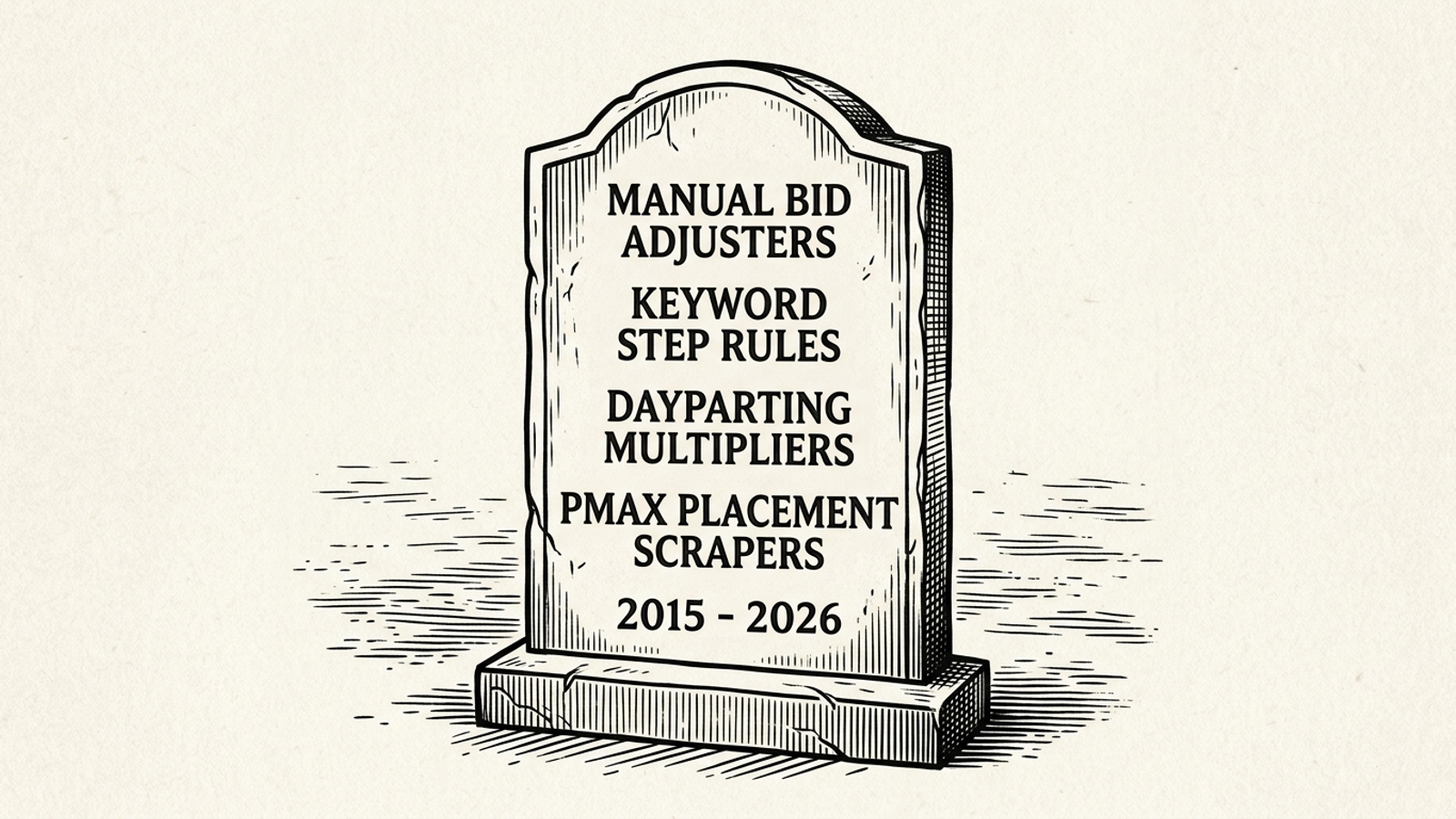
Manual bid-by-hour scripts under Smart Bidding. I used to build 24-slot heatmaps and push bids up during the good-looking hours. Under Target CPA or Target ROAS, that is mostly computational theatre: Google's Smart Bidding documentation describes auction-time use of signals including time of day. Adjustment: remove the hourly bid-changing script; keep a schedule only when you actually need to control when ads run. For the bidding decision itself, see our Google Ads bidding strategies breakdown.
Keyword-level bid rules under tCPA or tROAS. My Monday ritual was to inspect a keyword's recent CPA and move its bid by 5%. Under auction-time bidding, that weekly nudge is a poor substitute for the signals considered at each auction; Google's bidding guidance explains the model. Adjustment: delete rules that try to steer individual keyword bids under those strategies. Review the conversion data feeding the strategy instead.
Legacy Performance Max placement workarounds. Early PMax limitations encouraged placement scrapers and brittle interface workarounds. Smarter Ecommerce's placement-exclusion discussion describes native controls that make many of those scripts unnecessary. Adjustment: use the applicable native safeguards before maintaining a scraper; our Performance Max budget protection breakdown covers that route. Native controls do not make every placement concern disappear, but a fragile script is not a substitute for them.
The nasty failure mode is silent degradation. A fatal script error gets noticed; an empty or incomplete result can leave everyone believing a guardrail is still watching. Practitioners discussing scripts have good reason to be wary of elaborate workarounds. Preview the output, not just the absence of an error. These six blocks are small checks, and each has a boundary: the URL checker has a cap, the policy watcher repeats old flags, and the n-gram sheet needs judgment.
If you spend $20,000 or more per month, maintaining scripts and triaging their emails can become its own job. Scripts report problems after they begin; they are not an operating model for campaign, content, bidding, and budget decisions. That is where an autonomous system like groas belongs: specialized models execute the ongoing work within commercial guardrails, with a dedicated human strategist accountable for direction and attributable revenue. I would rather pay for that work than for someone to call a pile of scheduled alerts a strategy.
The artefact I would paste first is Script 4, the conversion-drop alert. An early-spend warning tells you money is moving fast. A broken-page alert tells you where clicks are landing. But if conversion reporting goes quiet, you can keep spending while losing the signal you use to judge what worked. Start with the alarm for that, then delete the bid adjusters pretending it is still 2015.
Paste the script under Tools > Bulk actions > Scripts, click Authorize, and run Preview before scheduling it. Replace the email address or Sheet URL placeholder first, since scripts run under your Google user permissions, and a script using MailApp needs mail authorization before its scheduled run.
It checks today's spend against each campaign's daily budget and emails you if spend crosses your threshold, set by SPEND_RATIO with a default of 65%, before 14:00. It only alerts; it does not enforce a monthly cap. Google can spend up to twice your average daily budget on a high-traffic day, and shared budgets must be checked separately.
Set MIN_COST to roughly twice your target CPA before reviewing candidates. At a $45 target CPA, that means about $90 in visible, zero-conversion spend. Candidates are not automatic negatives, and an n-gram can appear in both useful and useless searches, so read the underlying queries before excluding a word.
No. It limits itself to ads with recent impressions and only checks the first URLs returned up to the MAX_URLS_TO_CHECK cap, so a clean email inbox does not prove the whole catalogue works. It reports HTTP errors and fetch failures rather than treating every failed request as a genuine 404, and a firewall response still needs a human check.
It compares yesterday's conversions with the average of the same weekday in the previous four weeks and emails you when the drop reaches DROP_THRESHOLD, set by default at 0.35. Raise it toward 0.50 for low-volume accounts and lower it to around 0.20 for steadier ones. It is an investigation prompt, not a tracking diagnosis, and a real demand drop can trigger it too.
No. It checks approval status on enabled ads and emails the ad IDs that need inspection, but it does not identify the policy topic or distinguish a new flag from an existing one. Expect repeat emails until the underlying status changes, and use the Ads interface for details.
Run it weekly rather than hourly, and compare the dated ratings with landing-page and ad changes before deciding what to fix. Treat it as a diagnostic trail, not a CPC calculator, since a score change alone cannot tell you what caused an auction-price change. Running it twice on the same day appends twice without deduplicating.
Under Target CPA or Target ROAS, bidding decisions happen at auction time using signals including time of day, so manual hourly bid changes and weekly keyword bid nudges are poor substitutes. Delete rules that steer individual keyword bids under those strategies, and review the conversion data feeding the strategy instead. Keep a schedule only when you actually need to control when ads run, and use Performance Max's native placement controls rather than maintaining a scraper.