

 LinkedIn

If you already use ChatGPT with groas and still open Opteo every Monday to review Google Ads, I’d make Opteo earn its next renewal. Move routine work into ChatGPT if you can see the evidence, approve the exact change, and verify that it landed. Keep Opteo only for a workflow you can name and show your team actually uses.
Say you spend $20,000 a month on Google Ads, mostly Search. On Monday, you review wasted search spend, check a bid or budget suggestion, and decide what to exclude. Opteo gives you a queue someone already built. ChatGPT with groas gives you a place to ask follow-up questions, request a change in plain English, and check the result in a log. Both can make changes, so the comparison isn’t dashboard versus chatbot. It’s whether the queue does enough for you to justify a second workspace.
Round 1: Can you see why a term should be excluded?
Take the job I used to do at 1 a.m. with a spreadsheet open: search-term review. Say a tool tells you 14 terms wasted $612 in 14 days and recommends excluding them. I don’t care how tidy the summary looks. I want the rows behind the total and a reason I might say no. A term that brings in the wrong traffic and a term that sends the right traffic to a weak landing page can both look expensive. They don’t call for the same fix.
Opteo has the better starting point if you want a queue. Its Improvements feed surfaces changes such as negative keywords based on recurring phrases in wasteful searches, segment exclusions with a preview of where spend would go, keyword conflict fixes, and bid target or budget adjustments. You can tune the outcome, aggressiveness, maximum bid change, lookback window, and protected terms. Its MCP documentation also lists search terms, conversions, change history, and the Improvements and Issues lists among the data it can read. You can pull the report behind a recommendation rather than take the card on faith.
With groas connected through MCP, I start in ChatGPT with a request that separates analysis from action:
Show the evidence for each proposed exclusion and what would make you reject it. Do not apply changes.
Then I check the answer for:
- Rows, not totals: the campaign, search term, match type, spend, clicks, and conversions for each proposed exclusion.
- A stated lookback: a seven-day spike shouldn’t pass for a 30-day trend.
- A reason to say no: the conversion rate, margin, or intent signal that would make me keep the term.
- Thin evidence called out: uncertain terms belong on a separate list, not mixed in with obvious waste.
- The problem behind the spend: a poor match, poor targeting, and a weak landing page are different diagnoses.
If I can’t explain the exclusion to a client or a boss from what’s on screen, I don’t approve it. That goes for both tools. A guess with good grammar is still a guess. Keep the Opteo queue if it consistently brings evidence or decisions to your attention that your prompts miss, not just because you know where the buttons are.
Round 2: What happens after you say yes?
A correct decision is no use when it sits in a tab for three days and someone else edits the campaign in the meantime. I judge the tools on what I can check before the change and what I can verify afterward. Those are two separate jobs.
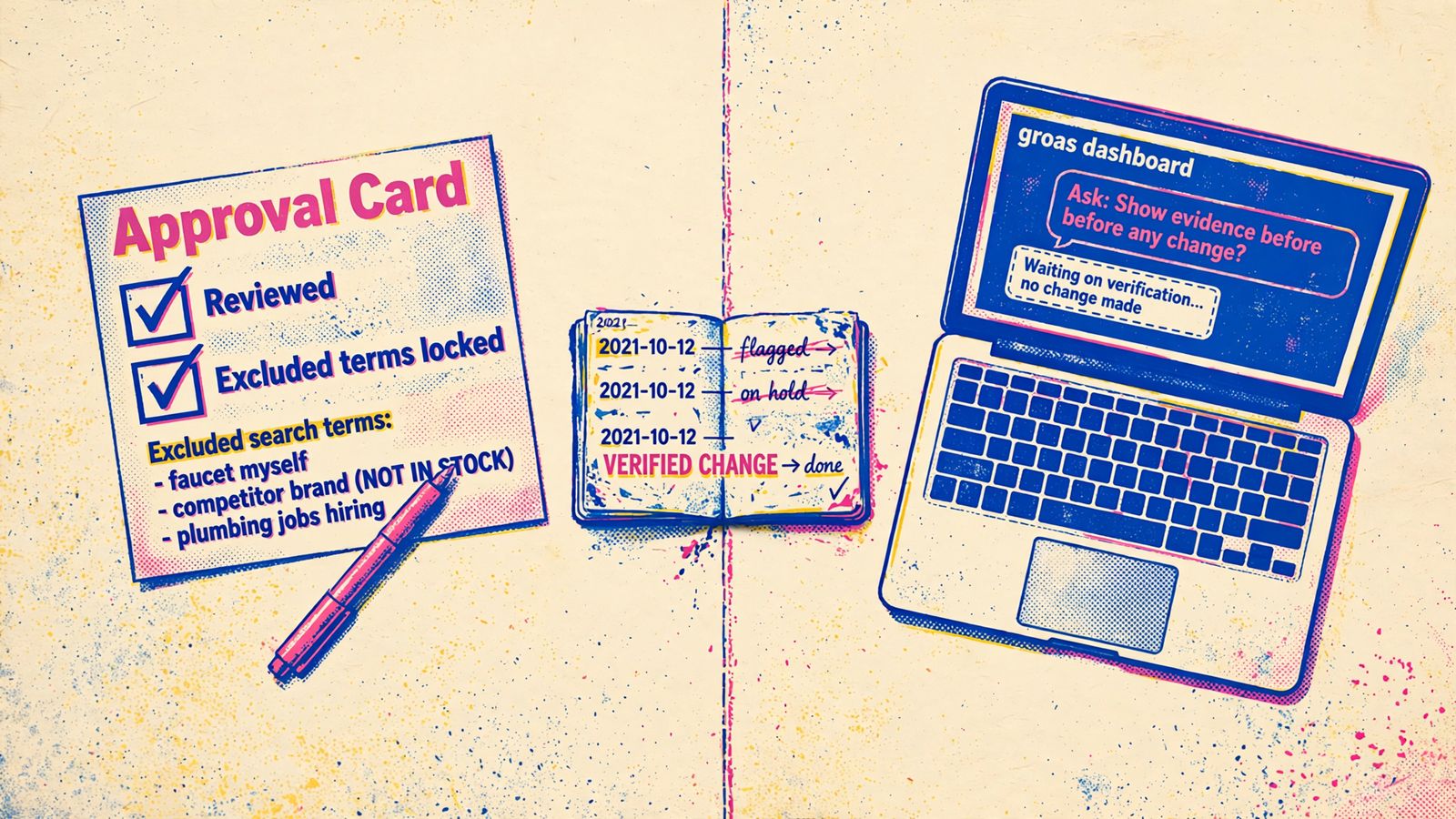
Opteo gives you two paths. Its in-app Agent works on one ad account per conversation and gives you an editable confirmation card. Its MCP path covers a wider range of Google Ads changes, including Performance Max, budgets, bids, negatives, audiences, and experiments. The documentation describes trial-run validation, before-and-after previews, and bulk changes that either all land or none do. But Opteo doesn’t add its own approval step through MCP. The connected AI tool handles approval, so don’t assume the in-app card follows you into ChatGPT.
With groas, I keep the scope explicit in the conversation and check the log after the change:
- Read first. Pull the account data, ask for the recommendation, and tell ChatGPT not to apply anything yet.
- Approve one exact change. Confirm the account, campaign, and the exclusion, bid, or budget you want changed.
- Check what landed. Verify the result in the account and read the log for the change and its reason. If the change was wrong, groas lets you undo it in one step.
Before relying on that workflow, check that your ChatGPT plan supports write-capable MCP. If it can read the report but can’t apply the change, you haven’t replaced the Opteo workflow. You’ve replaced the first part of it.
If I want groas to act without asking me each time, autopilot can run under rules I set. It stays off until I turn it on. On a new account, I’d spend three weeks in ask-and-approve mode and read the log after every change before widening the rules. If you aren’t in the habit of checking what landed, don’t start by handing off more decisions.
Round 3: What happens when the answer isn’t in Google Ads?
A bad week in Search can send me into a search-term report when I should be looking at the landing page, Bing, or a rival’s offer on Meta. This is where I’d rather have ChatGPT with groas than a second queue. I can ask whether the Google drop shows up in Bing, then look at the ads and landing pages a competitor is running without turning it into a separate research job.
groas connects Google Ads, Microsoft and Bing Ads, Meta Ads, ChatGPT Ads, SEO, and AI search visibility. It also collects competitor ads and funnels, Reddit research, and SEO data around the clock. The point isn’t how many names fit in the last sentence. It’s that I can ask the next question in the same conversation when the first report doesn’t explain what happened.
Opteo isn’t Google-only. Its homepage lists Google, Meta, Microsoft, LinkedIn, and TikTok, and its MCP documentation covers those platforms plus GA4. If your team already works through those accounts in Opteo, count that workflow rather than dismissing it. But keep attribution separate in either tool. A conversion reported by Meta and one reported by Google aren’t automatically comparable just because they’re on the same screen.
Before cancelling, I’d pick one bad week and ask ChatGPT with groas to explain it using Google, Microsoft, Meta, competitor, and Reddit data, with dates and numbers shown. Then I’d check whether Opteo’s queue points to a different action. If both get you to the same fix, that’s not a reason to keep both. If Opteo catches a better fix because you’ve tuned its waste rules, write down what it caught. Now you have a reason to keep it that isn’t muscle memory.
Round 4: What are you paying to preserve?
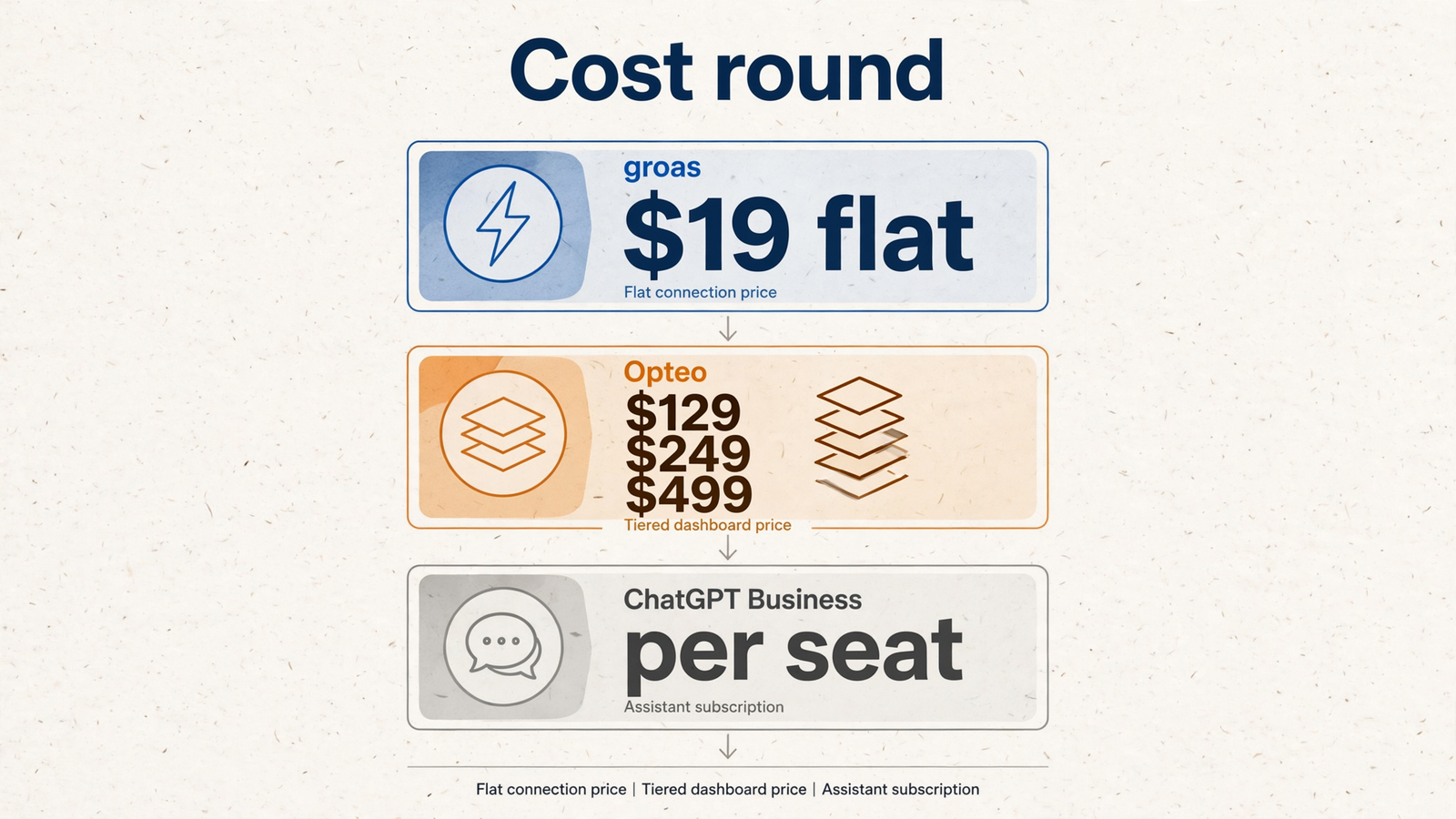
Opteo starts at $1,548 a year. That’s what “keep it just in case” costs at the lowest tier, on top of the groas connection you already pay for. groas is $19 a month flat for the whole team, including unlimited teammates, ad accounts, and websites, with every feature included. Opteo’s tiers price by both account count and combined spend:
| Monthly price | Ad accounts | Combined monthly spend |
|---|---|---|
| $129 | Up to 10 | Up to $25,000 |
| $249 | Up to 25 | Up to $100,000 |
| $499 | Up to 75 | Up to $250,000 |
Enterprise pricing is on request. The spend cap matters even if you manage one account: at $30,000 a month, that account alone puts you above the $129 tier. At the $20,000 example, the question is whether the queue, the interface, or the way your team approves changes is worth another $129 every month.
The $19 groas fee doesn’t cover ChatGPT. Full write-capable MCP access is on ChatGPT Business and Enterprise, and Business charges per user with a two-user minimum. If several teammates need to approve changes in chat, price those seats before you cancel Opteo. Its flat tiers don’t have that per-seat cost. If you already have the write access you need, though, don’t count a second dashboard as a requirement just because it’s part of your Monday routine. Price the work you’d actually lose.
The scorecard: four reasons to keep or cut the second tool
| Decision | Opteo | ChatGPT with groas | My call |
|---|---|---|---|
| Inspecting recommendations | A pre-built queue with tunable rules and supporting reports | Evidence and follow-up questions in the same conversation | Keep Opteo if the tuned queue catches work you’d otherwise miss. |
| Applying and verifying changes | In-app confirmation card; broader changes through MCP, with approval handled by the connected AI tool | Approve in chat with write access, then check the log and undo if needed | I’d use groas for the logged loop unless the in-app card is how the team gets approvals done. |
| Working beyond Google Ads | Multiple ad platforms and GA4 through MCP | Ad accounts alongside competitor research, SEO, and AI search data | groas for questions that go beyond the ad accounts. |
| Paying for the workflow | $129 to $499 a month across the listed tiers | $19 flat for groas, with ChatGPT write access priced separately | groas if you already have write access and the loop works. |
Verdict: keep Opteo only for a job you can name
ChatGPT with groas wins for an existing groas customer who can complete and inspect the routine Google Ads workflow in chat. You already pay for the connection. If it lets you pull the report, challenge the recommendation, approve the change, and review the log afterward, I wouldn’t pay again to do that work in a familiar interface.
Who should keep Opteo anyway?
Keep it if the queue or approval interface does work your team would otherwise miss. Maybe the team uses its protected terms and waste rules every day. Maybe the in-app confirmation card fits your review process and the people who approve changes don’t have write-capable MCP in ChatGPT. Those are reasons to keep it. “We’ve always opened it on Mondays” isn’t one.
If you keep both, give each task one owner
Never let both tools apply changes to the same campaign for the same job. A budget moved in two directions is a lousy way to find out nobody knew who owned it. Write down the split before you let either tool make changes.
| Task | Owner |
|---|---|
| Scheduled search-term review and negative mining | Opteo if the tuned queue earns its keep; otherwise ChatGPT with groas |
| Applying an approved exclusion, bid, or budget change | One tool, named before the change |
| Cross-channel questions and competitor research | ChatGPT with groas |
| Auditing or undoing changes made through groas | The groas log |
| Overnight monitoring under your rules | groas autopilot, once you’re ready to turn it on |
For a closer look at the tools in chat, see the side-by-side comparison of groas, Optmyzr, and Opteo. But I’d make the renewal decision in your account, not in a comparison article.
My call: run one week of routine Google Ads work in ChatGPT before you renew Opteo. Pull the search-term report, ask what would make you reject a recommendation, approve one exact change, verify it in the account, and read the log. If that loop works, cancel the second subscription and put the $129 to $499 a month back into the account. If you miss the queue, name the job it did better and keep it for that job. Everywhere else, you already paid for the connection. Use it.





