

 LinkedIn

Say you’re spending $20k a month next season: Google Ads carries search, Meta Ads carries the creative test, and your website carries the offer and records the conversions that tell you whether any of it made money. Should Claude run that launch through one marketing MCP or separate specialist connectors? Smart operators disagree because one connection cuts handoffs, while specialists can check details a broader tool might miss. I’d choose based on the decisions Claude needs to make across those three places, not how many connectors it can install. Otherwise, you risk buying three disconnected reports and giving yourself a new job reconciling them.
The case for one connection: take yourself out of the handoffs
Before I connect an account or install another server, I don’t ask Claude what it can do. I ask it to show me where my current setup makes me do the work:
Map the data and approved actions needed to coordinate this launch across Google Ads, Meta and our website. Identify every manual handoff.
The list is usually humbling. A survey answer changes the Meta creative. The landing page gets new copy, but the Google ad still promises the old offer. The budget stays put because nobody remembers who approved the last shift. The conversion fires in one place and not another. No single handoff looks like a week’s work. Put them together and a campaign that needs an hour’s adjustment can sit wrong for a week.
The strongest case for one connection is that the decision rarely stops at the platform boundary. With groas connected to Claude over MCP, Claude can read data across Google Ads, Bing Ads, Meta Ads, ChatGPT Ads, SEO and AI search through one connection and make supported changes in the same conversation. If the landing page changes, the job isn’t just to report that it changed. It’s to notice which ads still promise the old offer and bring those changes into the same decision.
The other advantage is a shared record. The rules you set, the budgets you approve and the reasons for changes don’t have to live in separate tools. If Claude proposes moving money, you can ask it to show the numbers and assumptions behind the proposal. If a change goes through, groas logs it with its reason and lets you undo it. Autopilot stays off until you switch it on, and then it runs within the rules you set. The point isn’t one fewer dashboard. It’s one fewer place to reconstruct what happened after the fact.
The case for specialists: validate the part that can go quietly wrong
The specialist argument isn’t that more connectors make a better stack. It’s that a precise check beats a plausible answer when a wrong field, date filter or conversion definition can slip into a report without looking wrong.
Take Google’s Google Ads API Developer Assistant v4.0.0. The plugin checks Google Ads Query Language (GAQL) syntax, field compatibility and date segmentation before a query runs. It inspects schemas for the active API version, generates code and helps troubleshoot offline conversion uploads and manager hierarchies. The appeal is straightforward: validate the query against the rules instead of giving the model three or four goes at guessing the syntax.
There’s also a good case for narrower access. If the job is to audit one Google Ads account, a scoped project and a read-only first week are sensible limits. A specialist setup lets you put those limits around one platform at a time. And when a query uses a field the active API version doesn’t recognize, or opens a client account without the manager ID it needs, you want a workflow that can pinpoint the fault. You don’t need a strategy discussion. You need to know why the call failed.
Separate access only helps if you can explain the permissions
That’s the strongest case for specialists. It’s not a case for adding a server every time the directory shows you something interesting. Five connectors can mean five sets of credentials, five authorization flows and five places to check what Claude is allowed to do. Count permissions, not connectors.
OWASP’s MCP Security Cheat Sheet makes the practical distinction: give each server the minimum permissions it needs, use separate credentials, don’t share tokens, show the full parameters and require human confirmation for destructive or financial actions, and keep a central log. That applies whether you have one connection or five. If you can’t list what each connection can read, what it can change and what it must never touch, you haven’t made access narrower. You’ve made it harder to see.
Put both setups through the same three requests
One connection doesn’t make Google’s auction, Meta’s delivery system and your website the same job. A specialist’s depth doesn’t make those jobs add up to a launch, either. I’d give both setups the same three requests and look for what Claude can verify, what it can execute and where it has to stop.
1. Propose a budget across Google, Meta and the website
Propose how to split next season’s budget between Google Ads, Meta Ads and our website. Show me the conversion definition and attribution window behind every number.
This is where one connection is hardest to beat. Claude can consider Google campaign performance, Meta creative performance and website conversion data together. With separate tools, it can still get there, but it has to reconcile exports, naming conventions and attribution windows first. The value isn’t that all the numbers fit in one conversation. It’s that Claude can use them to answer a question none of the individual reports settles: which spend is producing the qualified outcome you care about?
Shared data is not the same as comparable data. Early in my career, I compared platform-reported ROAS as if the platforms measured the same thing. They didn’t. Claude can make the same mistake faster and sound more certain doing it. Before money moves, I want three things in writing:
- The conversion definition used for each channel.
- The attribution window behind each number.
- The exact amounts I’m being asked to approve.
If those definitions don’t line up, I want that in the proposal, not hidden in a tidy table. A budget split based on mismatched windows is an argument dressed as arithmetic.
2. Find out why conversions doubled but pipeline didn’t
Our weekly report says conversions doubled, but the CRM shows no change in qualified pipeline. Find out which tool can validate the query and what evidence would establish which number we should use.
This is the specialist’s best moment. If the report depends on a GAQL field that changed in the active API version or a date filter that segments the results incorrectly, validation is more useful than another conversation about what the numbers might mean. Start by checking the query rather than asking Claude to explain a jump you haven’t established is real.
Then check the business number. A valid query can still answer the wrong question. A website edit might have changed what counts as a conversion. The attribution window might have shifted. Offline conversions might have arrived late and inflated this week’s report. To sort that out, Claude needs evidence from the relevant systems, not just rows returned by the ad platform. I’d ask for the record IDs, the links to the underlying records, the window used and the conversion definition in force. Keep the specialist for query validation. Don’t ask it to settle the pipeline question on its own.
3. Launch the campaign and make the landing page match
Launch next season’s campaign and update the landing page to match. Tell me which actions you can’t perform, and stop rather than substituting another workflow.
This is where connected stops being a useful description on its own. Google’s official Ads MCP is largely read-only; it can’t create, modify or pause campaigns, budgets or bids. Meta’s hosted server can create or edit campaigns, with new campaigns starting paused. Neither tells you whether Claude can make the specific website change you need. Get the list of supported actions in writing before you ask for a launch.
I’d apply the same test to groas as to any vendor, including one I like:
- Start with a read-only week. Check what Claude can see in your accounts and on your site.
- Approve one low-risk change. Check what actually changed, why it was logged and whether you can undo it.
- Move to the launch only after checking the actions it requires. If Claude can’t update the landing page, it should name that gap and stop.
I care as much about that last instruction as I do about the list of tools. If Claude quietly creates a new page instead of editing the existing one, swaps the offer or publishes without approval, that’s a control problem. Installing another connector won’t fix it.
My verdict: use groas for the recurring work
If your recurring decisions cross Google, Meta and your website, choose one primary marketing connection. For a marketer running all three toward one launch, one revenue target and one definition of a qualified outcome, I’d choose groas. The deciding factor is how often a single decision has to carry across platforms. If changing the offer means updating the page and the ads that send people to it, I want one set of rules and one record of what changed and why. I don’t want someone to remember to carry the decision from one tool to the next.

I’d keep a specialist only if I could name the job it does better. If your team writes GAQL for a living, keep Google’s Developer Assistant for validation and code generation. If a platform server supports one specific change groas doesn’t, test that action and scope the server to it. What I wouldn’t do is stack five general connectors because it looks thorough. Each extra server adds credentials to maintain and another vocabulary for what might be the same conversion. For the full comparison, read One Marketing MCP or Five Specialists? before you sign in to anything.
Before launch, write down what Claude is allowed to do
Give Claude rules before you give it permission to make changes. I’d write down four things in plain English:
- Account scope. Name the accounts, campaigns and website Claude may touch. Everything else stays out of scope until you say otherwise.
- Budget limits. Set the maximum for a single change and the total limit for a day, week or month. A limit is a ceiling, not approval. Use numbers, not adjectives.
- Approval requirements. Spell out which actions require sign-off, including financial changes, new campaigns, published page edits and anything that touches conversion definitions. Review the exact parameters before approving the action.
- Stop conditions. Tell Claude to halt when a conversion definition changes, a platform error can’t be validated, an action isn’t supported or a number disagrees with the CRM.
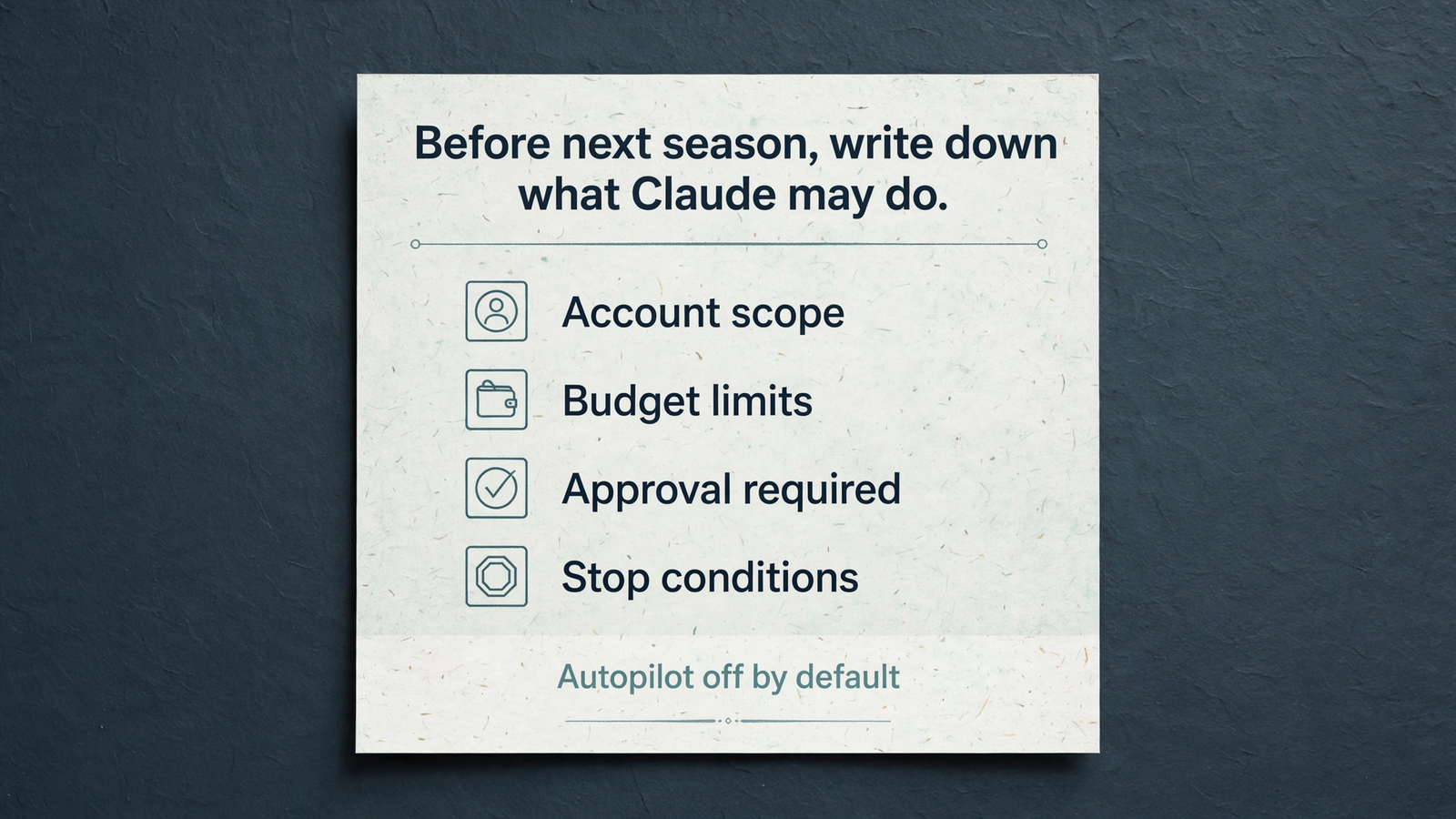
Leave autopilot off unless you deliberately want it on. If you switch it on, it runs within the rules you set, and changes are logged and undoable. Cursor Rules for Marketing has a rules file you can adapt for Claude if you want a starting point.
That’s the deal I’d want at $20k a month: groas for the decisions that need to carry across Google, Meta and the website, a specialist only where it earns its place, and the limits in writing. The architecture question was never how many connectors Claude could install. It’s which decisions I’m willing to let it execute, and whether I wrote down the limits before I gave it the keys.





