The search terms report tells you which junk clicks you already paid for. I paste these four negative keyword lists before launch, then use the report to find what the lists missed.
Before you paste: choose the scope and match type
When to use it: On a new Search or Performance Max build, before the first click. These are starting blocks for predictable waste, not a substitute for checking the queries your account actually attracts. If an account already has 90 days of clean search-term history and steady CPA, I would not drop a blanket list into it and walk away.
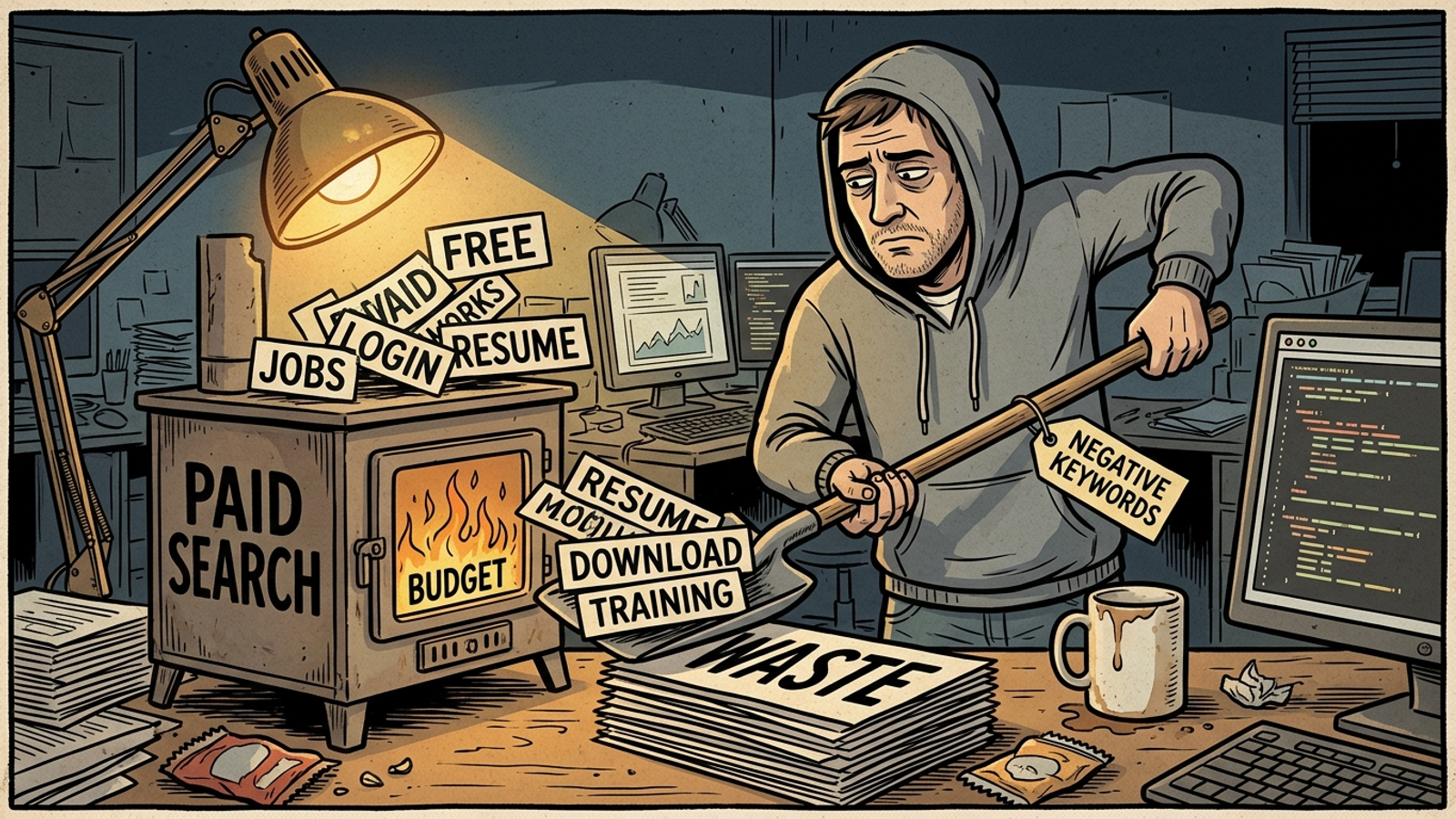
- Phrase match is my starting point. Put quotation marks around each term. It blocks queries containing that phrase in that order without treating every shared word as grounds for exclusion. See how negative broad, phrase, and exact differ before changing a block’s match type.
- Exact match is for one expensive loser. Put square brackets around the query you want gone when nearby queries might still bring buyers.
- Broad match is for words that never describe a buyer. I use it sparingly. If a word might belong in a price-shopping query, I leave it out of the broad bucket.
- Scope matters as much as match type. An account-level negative reaches campaigns that may have different jobs to do. Campaign-level blocks leave room for a hiring, education, or support campaign to serve the intent an acquisition campaign should avoid.
The one adjustment that matters: Check the offer before copying the block. A free trial, a course, or a recruiting campaign changes what counts as junk. I start with phrase match, keep the exceptions open, and mine actual search terms during the first 30 days. Pre-launch lists save the first round of tuition; they do not graduate on your behalf.
List 1: Freebie and DIY searches
When to use it: On a Search or Performance Max campaign selling a product or service, when downloads, homemade alternatives, and nonpaying research are not the offer. I paste these as phrase-match negatives. I do not treat every term here as universal: if you sell with a free trial, free shipping, a free consultation, templates, or samples, take the relevant terms out before launch.
"free"
"cheap"
"free download"
"free trial hack"
"DIY"
"do it yourself"
"homemade"
"how to make"
"template"
"printable"
"torrent"
"cracked"
"sample"
"example pdf"
"clipart"
"stock free"

The one adjustment that matters: Do not broad-block free if you sell with free. I used to tell clients to nuke it everywhere. I was wrong. If a free trial is part of the offer, "free trial" does not belong on the exclusion list; neither does "free" without a closer look. Block a specific losing query as exact, say [free accounting software] if that query truly is a loser for your account, and leave nearby buyer queries alone. Apply the same suspicion to "cheap". A price-conscious buyer is still a buyer.
Negative keywords also need maintenance. Do not assume one form catches every variation: check singulars and plurals when you review the terms that got through. I have seen a plural slip past a block I thought was settled. That is a much better reason to add a variant than copying a giant list of variants before you know whether they matter.
List 2: Support and login searches
When to use it: On acquisition campaigns, not on campaigns meant to help existing customers. Someone searching for a login page, password reset, refund, or support number is usually trying to get somewhere they already know. When that person clicks an acquisition ad, the click lands in a report meant to measure new business. I keep the acquisition campaign clean and give support intent somewhere else to go.
"login"
"log in"
"sign in"
"account login"
"support"
"help desk"
"contact us"
"phone number"
"cancel"
"cancellation"
"refund"
"return policy"
"forgot password"
"reset password"
"bill pay"
The one adjustment that matters: Leave a brand-support campaign unblocked. Do not paste "support" and "login" across every brand campaign and then wonder why customers cannot reach the pages they need through your ads. I use a separate, tightly targeted brand-support campaign with sitelinks to the actual login and help pages; acquisition campaigns get the negatives. The separation is the point. A password reset should not have to compete with a new-customer campaign’s budget or muddy its CPA.
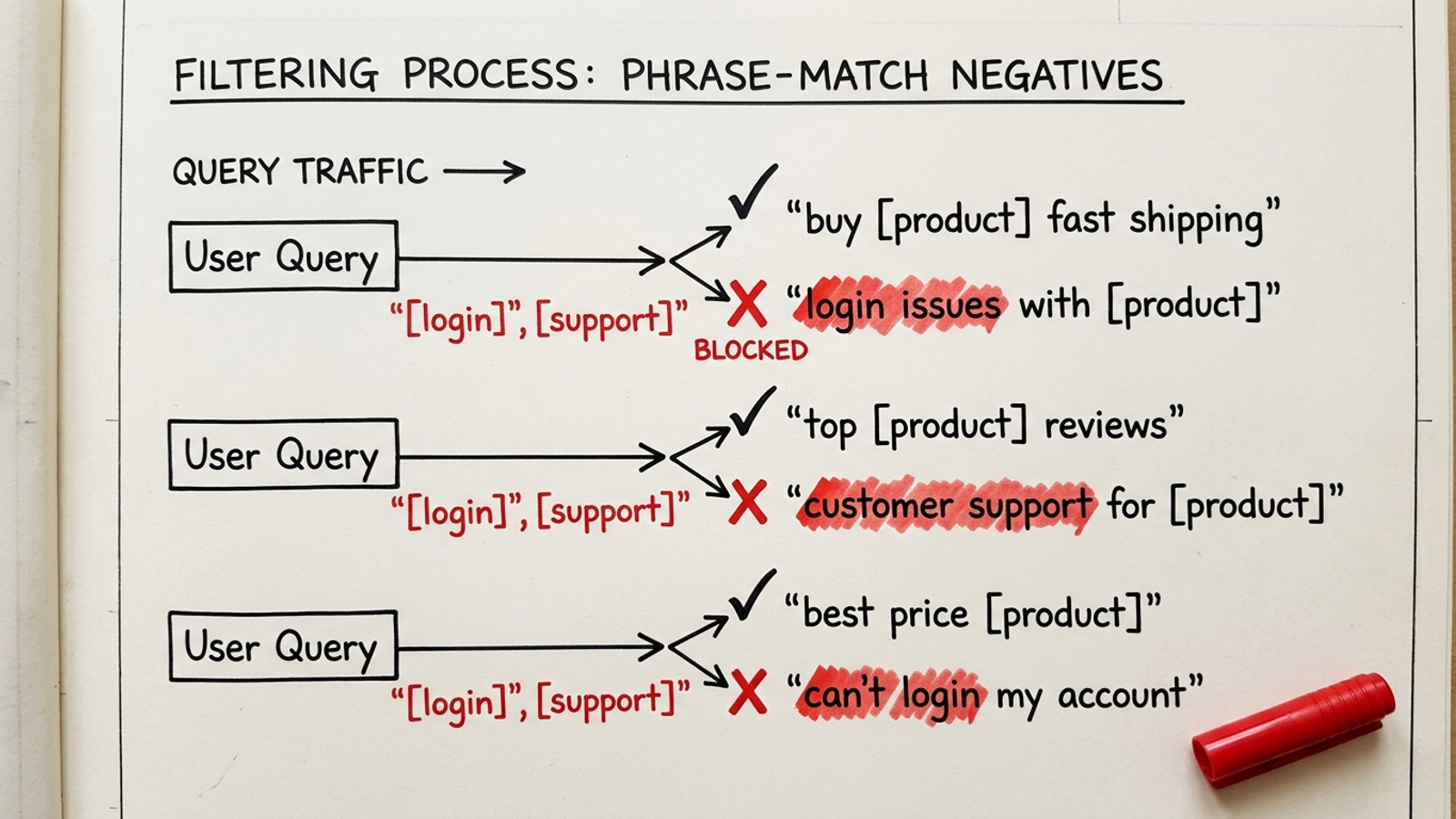
Use the same campaign-level distinction for Performance Max rather than waiting to spot support traffic after it spends. The list is a filter for acquisition, not a judgment that support clicks never deserve an ad. Put the block where the intent is wrong, and keep it off the campaign built for that intent.
List 3: Informational searches in buyer campaigns
When to use it: On bottom-funnel Search campaigns where you pay for buyers, not browsers. Broad match can bring in research queries quickly; "what is" and "meaning of" may be perfectly good searches for an education campaign and poor fits for the campaign trying to book a job or sell a product today. Paste the list at campaign level so the distinction remains yours to make.
"what is"
"what are"
"definition"
"meaning of"
"how to"
"how does"
"tutorial"
"guide pdf"
"examples"
"ideas"
"history of"
"statistics"
"wikipedia"
"reddit"
"youtube tutorial"
"course"
The one adjustment that matters: Skip this list if information is what you sell. Courses, templates, and ad-supported content can turn a "how to" search into the exact visit they want. Even if the business sells something else, keep an education campaign open if it deliberately wants that traffic. The rule is not “informational equals worthless.” It is “do not buy informational clicks with a campaign whose job is to find buyers.” Check CPA once the campaign has data, then keep or remove the blocks according to what those terms actually do.
For a longer set of legal, medical, ecommerce, and SaaS terms grouped by intent, I keep the 200+ negative keyword reference handy. A longer list is not an instruction to paste every row. It is a place to find the next relevant block without pretending every account sells the same thing.
The cheap block that changed my rule
When to use it: Before turning a plausible buyer word into a broad negative. I learned this one on a home services account in my second year. I broad-blocked cheap, then watched conversions fall 22% in ten days while CPA looked flat. In that market, cheap water heater install near me was not a freeloader announcing himself. It was a homeowner with a dead unit price-shopping three tabs. The block removed that whole cluster before Smart Bidding could see it.
- If the term could describe a buyer comparing prices, inspect the full query before excluding it.
- If one full query spends and does not belong, block that query as exact, not the shared word as broad.
- If an existing campaign has steady CPA and clean history, inspect its terms before importing a starter list wholesale.
The one adjustment that matters: I no longer paste by fear. The failure was not that negative keywords are dangerous; it was that I labeled intent from one word. Large blanket blocks can cut reach and slow learning, and I wrote the longer version of this mistake in why bigger negative lists destroy performance. Keep the phrase alive when it might describe a buyer. Cut the exact loser when you have one.
Pre-launch paste order
When to use it: After reviewing the three lists above and before turning on a new account’s acquisition campaigns. I work from the broadest scope to the narrowest so I do not build a hiring, support, or education exception and then block it from above. This is a paste order, not permission to add all four lists everywhere.
- Check for exceptions first. Mark any hiring, brand-support, education, free-offer, or content campaign that needs traffic a starter list would exclude.
- Put the jobs list below at account level only if ads never serve hiring intent. Otherwise, apply it at campaign level everywhere except the hiring campaign. Account-level exclusions are not something you can undo inside one campaign.
- Put the freebie and informational lists on the acquisition campaigns they fit. Remove terms that overlap with the offer before you paste. Leave the education or content campaign open when its purpose calls for those searches.
- Put support and login negatives on acquisition campaigns. Keep the separate brand-support campaign open for customers trying to log in or get help.
- Check Performance Max before launch, too. Apply the relevant exclusions to the acquisition campaign rather than assuming its traffic will sort itself out. SaaS teams that need more terms can work through the 150-keyword SaaS pre-launch checklist with the same exception check.
- Leave ad-group sculpting for observed queries. An exact block for one expensive search is easier to justify once that search has actually spent money.
The one adjustment that matters: Save reusable Search exclusions as named lists in Tools > Shared library > Negative keyword lists rather than scattering loose copies through every campaign. I use names that say what the list blocks, such as UNIVERSAL - Jobs and ACQ - Freeloaders. When a client starts hiring or changes an offer, a named list is easier to inspect and edit than the same terms pasted 14 times. Check each campaign’s exceptions before applying it.
The Friday cost-first check
When to use it: Once the campaigns have search-term data. A starter list stops predictable waste; it cannot tell you which unexpected query became expensive in this account. The report is still useful. It just should not be your first and only defense.
- Sort the last 30 days of search terms by cost, not clicks.
- Read the full expensive queries before deciding what they mean. A shared word can hide a buyer, as
cheap did for me.
- Add an exact negative with
[brackets] for a costly query that does not belong. Do not widen it to broad just because the query annoyed you.
- Check what changed after each round. If volume or conversions drop in a way the remaining query mix does not explain, revisit the blocks before adding more.
The one adjustment that matters: Do not let the list grow merely because a query looks odd. Guides that tell you to sort by impressions and add free and printable by hand can point you toward volume, but cost-first helps surface the expensive query hiding below the busiest rows. Some queries will not appear in the report, which is another reason I block obvious mismatches before launch. For what does appear, I want the full query and its cost before I touch the match type.
List 4: Job and career searches — the one I would keep
When to use it: On lead-gen, SaaS, and home services acquisition builds, and anywhere else job seekers might combine your brand or service with a hiring term. If the business never advertises jobs, this is my account-level candidate. If it does, paste it at campaign level on the non-hiring campaigns instead. A job seeker can click an ad for the right company and still be the wrong visitor for the campaign paying for that click.
"jobs"
"job"
"careers"
"career"
"hiring"
"salary"
"salaries"
"pay rate"
"internship"
"apprenticeship"
"resume"
"cover letter"
"work from home jobs"
"part time"
"full time hiring"
The one adjustment that matters: Do not put this at account level if you hire through ads. An account-level block can shut out the recruiting searches you meant to buy. I once blocked a home services client’s own recruiting searches and got a confused call from their office manager. Check where hiring lives, then choose the scope. If there is a hiring campaign, keep it clear of these negatives and apply the list to acquisition campaigns instead.
If I could keep only one of the four lists, I would keep this one. Brand terms plus service terms are natural searches for job seekers; the same combination can look relevant to an acquisition ad even though the person wants a position, not the service. That is why I paste the jobs block before the first click instead of paying to confirm what a resume search means. Start the account learning from prospective customers, not applicants.