

 LinkedIn

Most Google Ads tool reviews cannot tell you what I want to know: how many hours will this thing give back in your account? Features and pricing tiers will not answer that. Your spend, campaign structure and tolerance for approving changes at 9pm will.
I left that gap in Opteo Alternatives Ranked by the Work They Leave on Your Desk. The ranking is useful; your account is not mine. This is the second look: use the free trials to measure the work yourself before you commit. For two weeks, log every suggestion, every action and every minute you spend. Then let your numbers pick the tool.
Test question: what work remains after the tool acts?
The question is simple: how many human minutes per week does this account still need, and did that work move a business outcome? Feature lists do not bill hours. Your calendar does.
I used to tell clients a tool was working because the account looked busy. Flags cleared, alerts handled, Quality Score up a point. I was wrong. Busy is not the same as done. Pair minutes left per $1k of spend with movement in CPA, ROAS or qualified pipeline. If minutes fall and CPA holds or improves, the tool has a case. If minutes stay flat while the dashboard fills with suggestions, you bought a second inbox.
My expectation before the test: recommendation tools will generate the most suggestions and leave the most decisions with you. Rules tools will cost more time to set up than to maintain. Autonomous options will look quiet, provided that quiet comes with a readable action log and a human you can reach. The mechanism is not mysterious: suggestions require decisions, and decisions take time. Count that time.
Setup: choose three approaches, not five dashboards
Pick two or three candidates: a recommendation tool, a rules tool and an autonomous option. Trialling Optmyzr, Opteo and Adalysis together gives you three ways to hand work back to a human. Add groas or another autonomous option and you can measure what changes when execution no longer waits for an approval click.
Optmyzr starts from $209 a month, tiered by spend, with a 14-day free trial that needs no credit card; Opteo starts from $129 a month and offers one month free. Adalysis has a 30-day trial that can extend to 45 to 60 days. You have trial runway. You do not have enough attention to set up five tools well.
Choose one account or set of campaigns and keep it fixed. Establish a baseline before you start, hold spend in the same band and avoid major launches mid-test. For accounts spending over $10k a month, I use the prior 14 days as the baseline; under that, I use 28. Record spend, conversion volume and the CPA or ROAS you will compare later.
Do not run two tools on the same campaigns at the same time. They can flag the same waste or apply overlapping changes, leaving you unable to tell which one did what. Run trials sequentially. If you must run them side by side, split them across matched campaigns with similar volume and record the differences.
Write the guardrails before Day 1
Put three decisions in the log before a trial touches the account:
- Budget cap: what each campaign may spend, and who may change it.
- Change limit: which edits need a note or approval.
- Approver: one named person for consequential changes.
Say you spend $20k a month. You might set a roughly $650 daily cap that stays fixed during the test, require a note for any single bid change over 20%, and name one approver for keyword pauses or budget increases. Then check the Recommendations gear icon and confirm Google’s auto-apply is off. Small-budget guidance warns that an unwanted auto-applied change can burn through a week’s budget in a day. An unlogged change ruins the comparison even if it does not ruin the budget.
Record each campaign’s learning status, too. Google describes a 7-to-14-day Smart Bidding learning period and warns that changes to budgets, targets or conversion goals can disrupt it. If a campaign is learning on Day 1, note it. If a target changes on Day 4, note that as well; otherwise you may blame the tool for a dip you cannot isolate. Keep this learning-phase guide handy if you need the mechanics. No silent changes, whether they come from you, the trial tool or Google.
Daily procedure: run a time log and an action log
The time log tells you what the trial cost. The action log tells you what happened. One without the other misleads you. Forty applied changes might require six hours of review; four changes might require ten minutes. What the deck calls synergy, I call you and the software both touching the same keyword.
At the end of each day, enter:
- Time spent: minutes reviewing suggestions, deciding, applying or uploading changes, and checking later whether they held. Give Day 1 setup its own row.
- Work proposed: each suggestion raised, including ones you rejected or ignored.
- Work done: each change applied, who or what applied it, and whether it stayed within your guardrails.
- Out-of-hours events: what happened overnight or at the weekend, who caught it and when.
Keep setup separate. Connecting an account and learning an interface are not week-four reality. But do not erase that cost, either: it belongs in the buying decision, just not in your steady-state weekly figure.
For recommendation and rules tools, calculate an execution ratio: changes applied divided by suggestions raised. Optmyzr’s Rule Engine can show bids, budgets and keyword pauses in View Suggestions mode before they run, while Opteo presents one-at-a-time approval cards. Count the suggestions and the approvals, not just the clicks. For autonomous tools, inspect each executed change and its reasoning instead; a low suggestion count is not proof that nothing needs checking.
If you find a budget spike in change history before the tool flags it, write that down. Sooner or later, that entry matters more than the dashboard’s prettiest chart.
End-of-trial measures: four numbers, one decision
Use week-two time for the steady-state comparison. Week one includes setup and learning the interface. Keep the setup total beside the week-two result so a costly implementation does not vanish from the scorecard.
- Human minutes per week per $1k of spend. Divide week-two logged minutes by week-two spend in thousands. If you logged 180 minutes on $15k of spend, that is 12 minutes per $1k. Calculate it the same way for every candidate.
- Execution ratio and owner. Divide applied changes by suggestions, then note how many changes you made versus how many the tool made. If a tool raises 60 suggestions and you apply 12, that is a 20% ratio and 48 suggestions you still had to assess. For autonomous options, check whether each action has a readable explanation and stayed inside the agreed limits. Quiet without a log is a risk, not a saving.
- Outcome movement. Compare CPA, ROAS or qualified pipeline with the baseline, using the same conversion action, attribution and days of the week. Clicks can rise when match types expand; CTR can move when an ad test rotates. Neither pays payroll. On lead gen, use qualified pipeline or cost per qualified lead if you can tie it back. On ecommerce, compare ROAS at constant margins. If you have fewer than 30 conversions across the two weeks, record that and do not declare an efficiency winner from the swing.
- Real cost. Add the subscription to your logged labour cost at your loaded hourly rate. At $75 an hour, four hours of review a week is roughly $1,200 a month in labour before the subscription. Use week-two minutes for the recurring estimate and show setup separately. A lower subscription can be the more expensive choice when it leaves the operator doing the work.
Minutes reveal the workload; outcomes tell you whether reducing it helped. Neither number should stand alone.
Tool checks: watch where each one hands work back
Optmyzr: separate rule-building from rule-running
The Rule Engine saves time only after someone writes the logic. Start rules in preview, then log minutes spent checking previews, editing rules and clearing alerts. View Suggestions mode shows proposed bid, budget and keyword-pause changes before they run. That is useful for safety. It also belongs on the time sheet.
If week one takes three hours of building and week two takes one hour of review, you can see the potential payoff. If week two still takes three hours, you bought a workbench, not less work. Decide whether someone wants to own that workbench.

Adalysis: keep ad tests and audit flags in separate queues
Adalysis describes automated A/B testing, significance alerts and an autopilot queue to replace losing ads. Log the time from each alert to the change you make. Then track its other queue separately: daily checks, n-gram search-term analysis, Quality Score history and budget-pacing alerts.
An ad-test alert and a bid or budget decision are different jobs. I like Adalysis when ad testing is the bottleneck. For this test, count both queues so faster ad tests do not conceal review time elsewhere.
Opteo: time the decision, not the click
Opteo’s one-at-a-time cards make simple approvals feel quick. Mark each card applied as shown or investigated first. If you check search terms, a landing page or conversion history before approving it, put those minutes in the log. A one-click action can still take 15 minutes to decide. Compare cards cleared without extra work with cards that sent you back into the account.
WordStream: record the work after the scan
The free Performance Grader scores wasted spend, Quality Score, impression share and account activity, with a Performance Tracker check every 30 days. Use the scan on Day 1 to frame what needs attention. It does not execute the recommendations.
For each recommendation you pursue, record the investigation and application time. Note where guidance does not fit your account: perhaps a match-type suggestion conflicts with a low-volume term, or a budget suggestion misses a shared-budget constraint. A useful diagnosis is not the same as work completed.
Autonomous options: make the quiet prove itself
For groas or another autonomous option, check three things: a readable action log, guardrails you can verify, and a named strategist you can reach. Ask what changed and why, not how many notifications arrived. This is the distinction behind the five-level autonomy ranking: execution within agreed limits rather than another queue for you to clear.
If the log is thin or nobody answers, the saved minutes are borrowed against a surprise. If actions are legible, limits hold and your time log shrinks, you have measured the reason to choose autonomy over another recommendation inbox.
Before the verdict, check what could have moved the result
Three confounders can beat a good tool in a short trial:
- Learning-period effects. A bid-strategy or structure change can make CPA harder to interpret while Smart Bidding adjusts. Record the change before attributing the movement.
- Seasonality or one-off spend changes. A promotion, budget bump or competitor pause can move ROAS independently of the tool. Keep calendar and spend notes beside the result.
- Novelty hours. Account connections, rule-building and finding the right buttons belong in setup time, not the week-two steady-state total.
If you change a bid strategy on Day 3, do not treat the next CPA reading as a clean verdict; Smart Bidding may need that 7-to-14-day learning window. If conversion volume is thin, a two-week CPA swing of 20% may amount to three conversions either way. Run another quiet week, keep logging and decline to guess. Time saved can be clear before an efficiency change is.
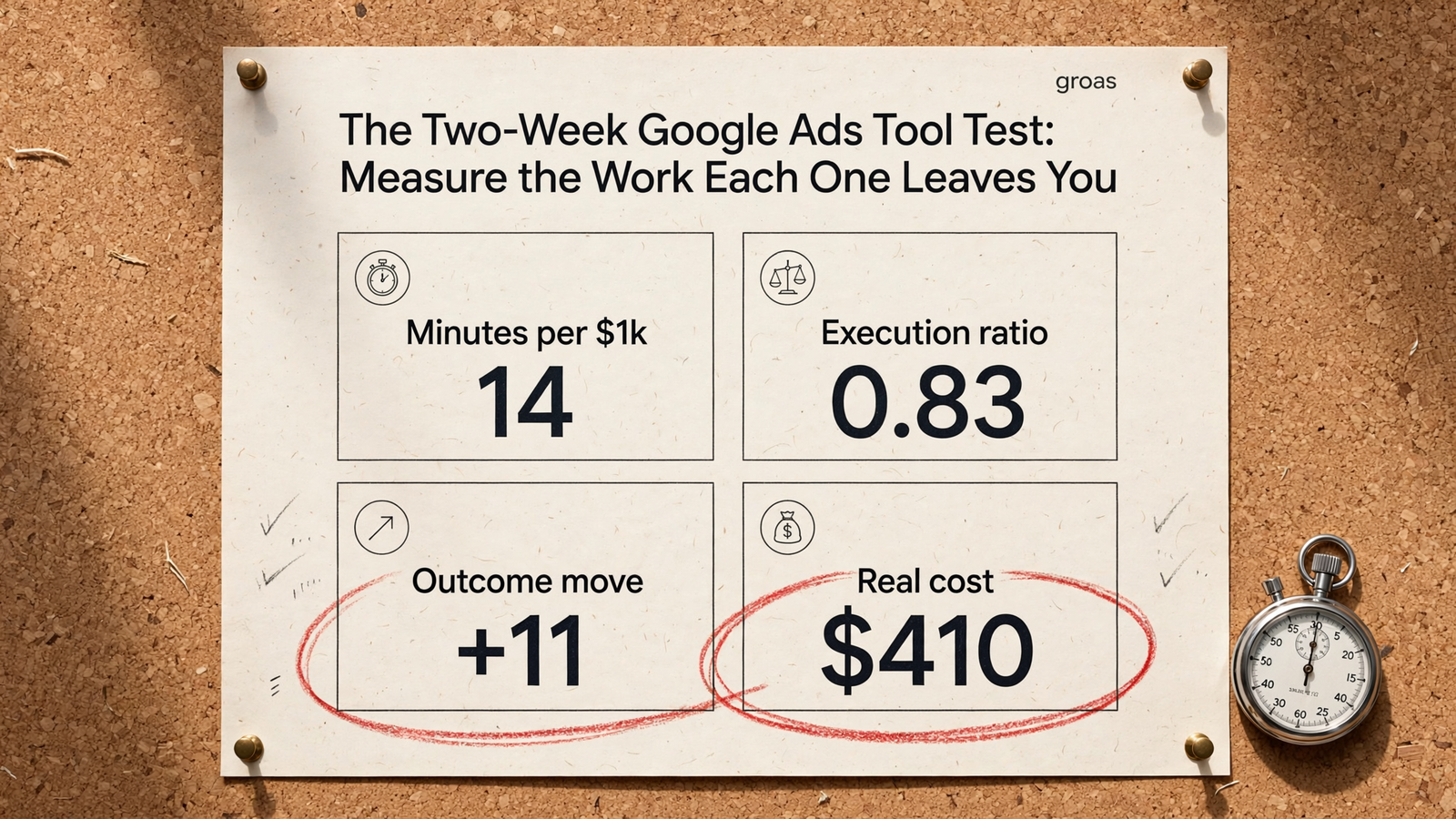
Final scorecard: what would change your choice?
Put each candidate on one page:
- Minutes per week per $1k: week-two minutes divided by week-two spend in thousands.
- Execution: suggestions versus applied changes, who made the changes, and whether the log explains them.
- Outcome: CPA, ROAS or qualified pipeline versus baseline, with conversion volume and confounders stated.
- Real cost: subscription plus recurring labour, with setup time shown separately.
A small account with spare operator time may find a cheap recommendation queue workable. That is a budget decision, not evidence that it removed the most work. If rules win on minutes, assign someone to maintain them or the saving will fade. If the autonomous option gives you the fewest minutes, a clear action log, respected guardrails and steady CPA, you have found the hours-back result you were testing for. This first-time setup runbook for Google Ads that manage themselves can help you make that quiet last.
If the outcome is inconclusive, keep the trial open rather than awarding a trophy to noise. If the outcome holds, stop shopping by ranking. Run the stopwatch, trust the sheet, buy the quietest desk.


