

 LinkedIn
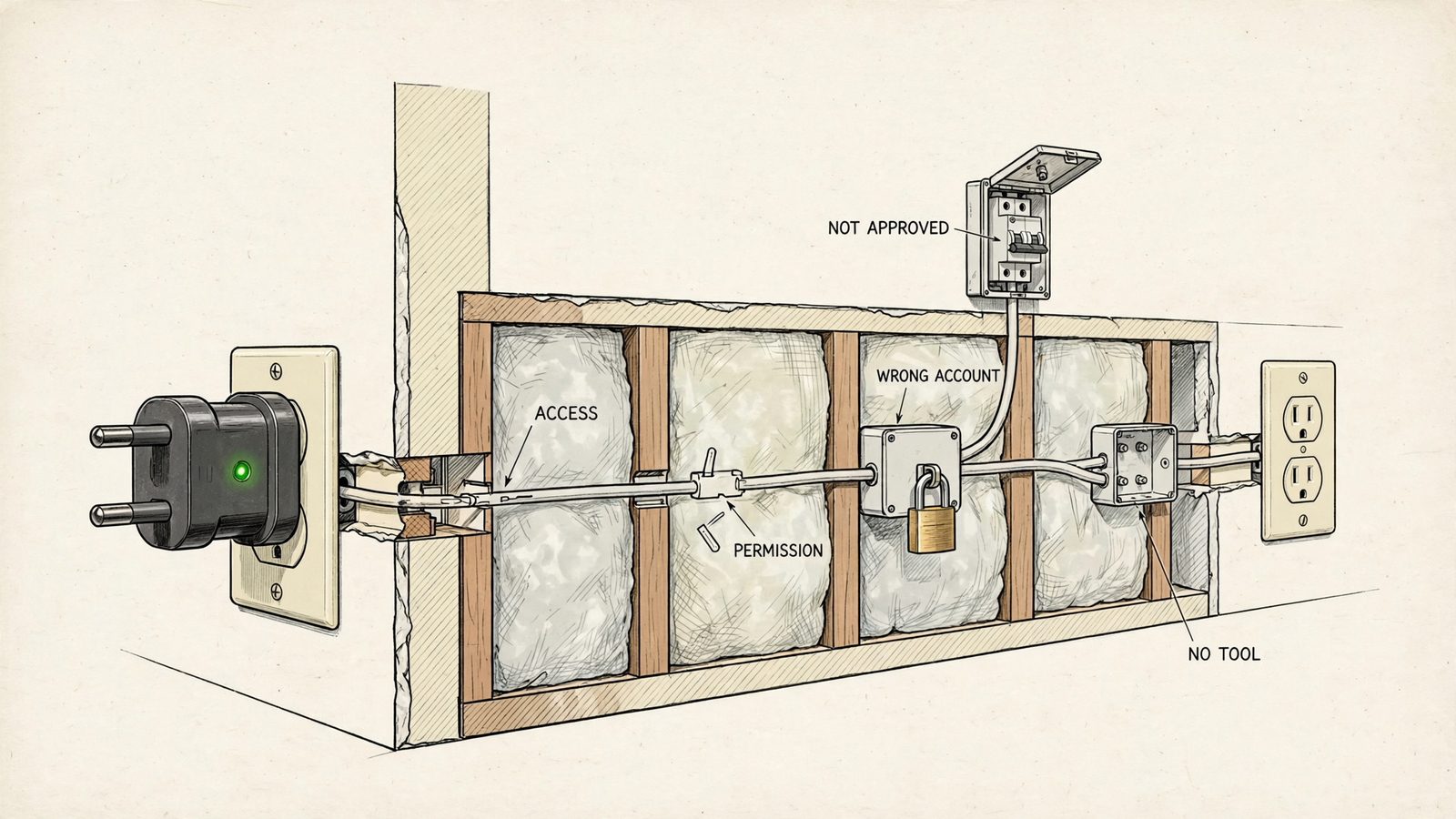
Claude can show Connected and still give me spend for the wrong Google Ads account. It can also read the right account and have no tool that can change a budget. After years of sorting out Google Ads accounts somebody else had already broken, I recognize the temptation to start over. I’d rather find the part that failed. A connector badge tells me the plug fits. It doesn’t settle API access, authorization, account selection, tool capability, or whether I’ve approved the change. Those are five different checks, and none gets easier because I reinstall the connector.
1. “I still need to find my Google Ads developer token”
I understand why people start here. An older tutorial tells you to open Tools and Settings, find a 22-character token, and paste it somewhere. That’s a satisfyingly specific instruction. It also sends you looking for a string before you’ve established whether that’s what your setup needs.
I start with Google’s setup instructions for the official Ads MCP server, not with the token hunt. If the setup checks access through the Cloud project that owns the OAuth client or service account, check the project and its API access level. Signing in and opening a live Google Ads account are separate steps. A project that isn’t approved for production can fail to return live data even when the sign-in itself goes through.
This matters because the token hunt feels like progress. There’s a menu to open, a field to find, and something to copy. But if the response says the project isn’t approved for production, none of that answers the question the API is asking. Find out which Cloud project the connection uses and what that project can access before you go back to Tools and Settings.
2. “Claude lists the server, so Google Ads access works”
This one wastes Saturdays because the badge makes the setup look finished. Claude can list groas or the Google Ads server under Connectors while the chat I’m actually using has it switched off. Open a new chat, ask for spend, and a plausible answer can make it look as if Claude used the connector. I want evidence that it did.
There are two different checks here. A connector can be installed without being enabled or reachable in this chat. I check + → Connectors in the conversation where I want the work done. If the connector is on but the server is running on my machine at localhost or sitting behind a firewall, the toggle won’t make it reachable from Anthropic’s cloud. That’s a server reachability problem, not a chat setting. If I can’t add the connector at all, I check Claude’s custom connector limits and team permissions before touching Google Ads.
Once the connector is on in the right chat, I ask for a read that doesn’t depend on Claude interpreting a campaign:
List the Google Ads accounts available through this connection. Make no changes. If the tool returns an access error, quote it without guessing.
I’m looking for the result of a tool call, not a well-written answer about the account. If no tools appear, I’ll refresh the tool list before I disconnect and reconnect anything. If the tool returns an access error, I keep the error and move on to permissions. If it returns an account list, I know the connection can read that list. I still don’t know whether it can read the account I meant.
I used to tell clients to reinstall when the connector didn’t answer. I was wrong. That’s rewiring the house because one lamp is unplugged. Get a tool result in the chat you plan to use, then check what it actually returned.
3. “Signing in means Claude can see every account I manage”
Signing in answers who are you? It doesn’t answer can that identity open this customer account through this manager? In a manager setup, the Google identity, the manager account used to make the request, and the customer account being queried all matter. A successful sign-in doesn’t tell me those three line up.
Take USER_PERMISSION_DENIED. The credentials can be valid and the request can still lack access to the target customer. If the login reaches the customer through a manager account, I check whether login-customer-id identifies that manager, without hyphens. That’s not the same as the operating customer ID, which identifies the account I want to query. I don’t swap one for the other just because both look like Google Ads account numbers.
I ask Claude to show what it can verify before it interprets anything:
Identify the Google login used by this connection if you can verify it. Show the account name and customer ID you’re about to query. Wait for me to confirm the ID before reporting campaign results.
Then I compare the customer ID digit for digit with the one in Google Ads. If Claude can’t verify the login, I check the connection rather than asking it to infer the identity. And I don’t paste a refresh token, access token, or service account key into the chat to force the issue. That doesn’t give the existing connection legitimate access. It puts a secret in a transcript.
Verify the identity, the manager route, and the target customer. If the correct customer is accessible but Claude picked another one, that’s the next myth, not a reason to widen permissions.
4. “If it can read one account, it must be reading the account I meant”
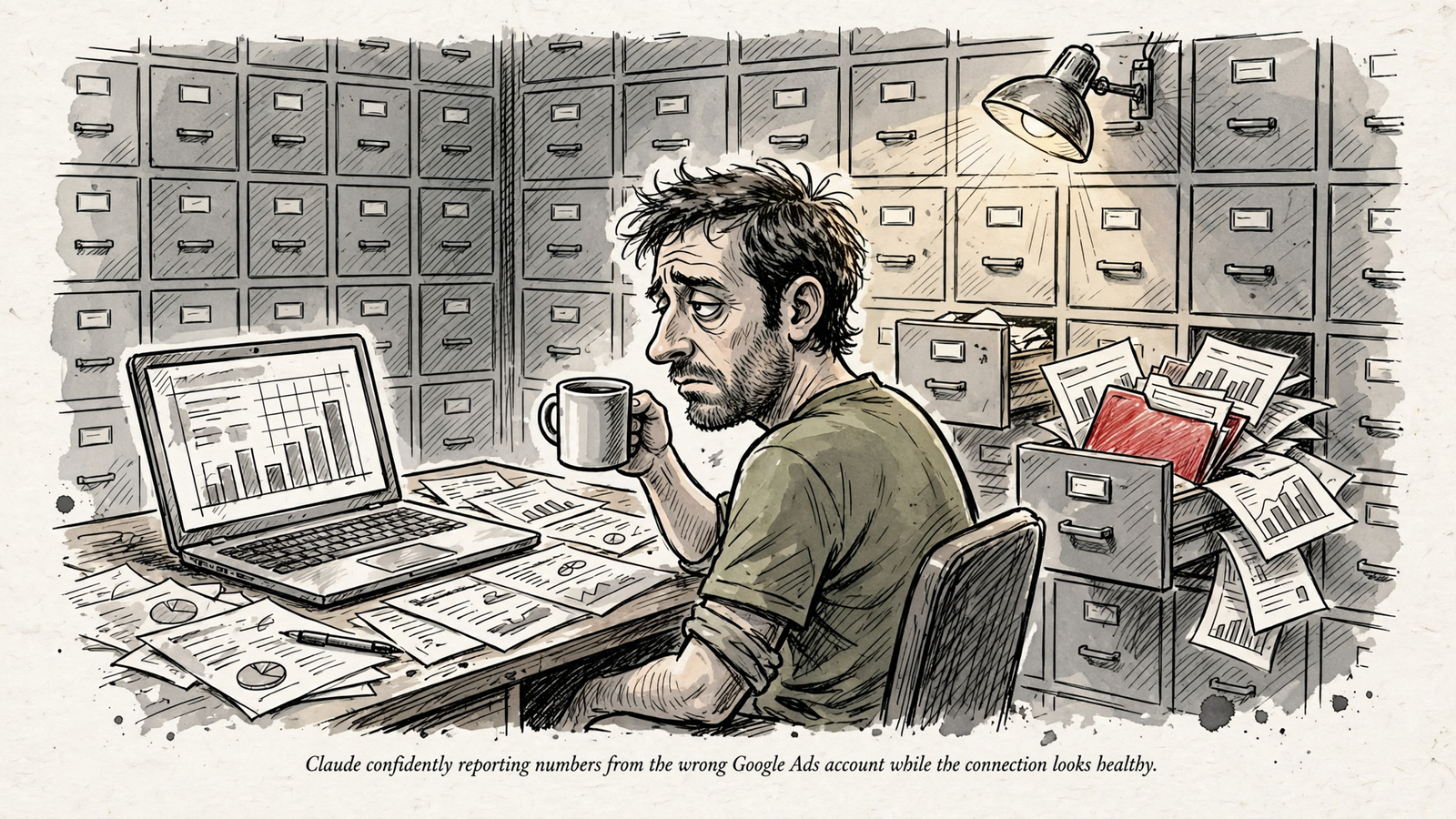
Say I manage fourteen accounts under one manager. I ask for last week’s spend without naming the customer. Claude picks an account it can read and carries that choice into the follow-up. The spend looks plausible. The campaign names sound familiar. The currency is even right. Then I look at the ID and discover I’ve been reading about the sister brand.
The API needs an operating customer for the request. If I leave the choice implicit, Claude can supply an ID without supplying the one I had in mind. The call succeeds because that ID is valid and accessible. That’s what makes this failure harder to spot than a permission error: the data can be real and still belong to the wrong account.
Before I ask what drove CPA up, I ask for the boring details:
Show the account name, customer ID, currency, time zone, and exact reporting dates. Then return one metric I can verify in Google Ads. Make no changes.
I check the ID first, then compare the same metric for the same dates in Google Ads. If the numbers are close but don’t match, I check the dates and time zone before I blame the connection. And if the ID is wrong, a matching number doesn’t rescue it. Confirm the customer and match one number before asking Claude to explain what happened.
5. “A server that can write can change budgets and keywords”
The word write does a lot of lifting. In a tool list it sounds like Claude can pause the loser, move the budget, and add the negatives. But the official Google Ads MCP server’s v0.0.6 tool list has three read tools and four tools for changes: asset creation, video upload, label management, and label association. Those changes go through proposal and confirmation. An independent test of that version found no tools for changing bids, budgets, keywords, or campaign status.
That’s how a perfectly good read can lead to a useless budget conversation. Claude can see the spend, agree with the proposed change, and still have nothing to call. If it says “done” without using a budget tool, I don’t count that as execution. And approving a proposed change won’t conjure a tool that isn’t there. What the deck calls write access, I call permission to rename the filing cabinets.
Check for the exact operation, not the word write. I ask Claude to name the tool it would use and stop before it runs anything. If the available writes are for assets and labels, I stop there. For an actual bid, budget, or keyword change, I use groas with one scoped change and approval before it runs. I want to know which tool will do what, in which account, before I say yes.
6. “A more forceful prompt will fix an access error”
This is the one I find hardest to kill because it feels productive. I can add caps. I can add PLEASE. I can tell Claude not to apologize and just do it. I’m still asking the same identity to make the same request through the same tools. Better wording can clear up which account I mean; it can’t change what the API allows. Push past a permission error and I’m more likely to get a confident guess than a verified answer.
So I ask for the last thing that actually happened:
Stop before retrying. Name the account and tool you tried to use. Quote the exact error if the tool returned one. If no call ran, say whether the account was unclear, the tool was missing, or the action was waiting for approval.
Fix the layer that failed, not the prompt that exposed it. Here’s how I read the result:
- API access:
CLOUD_PROJECT_NOT_APPROVED_FOR_PRODUCTIONpoints to the Cloud project’s production access. Check the project and its Google Ads API access level, not the wording of the request. - Authorization:
USER_PERMISSION_DENIEDsends me back to the login, the manager route, and access to that customer. - Account selection: No confirmed customer ID, or an ID that belongs to another account, means I settle the target before asking for results.
- Tool capability: If Claude can show me assets and labels but can’t name a budget tool, I’ve hit a capability limit. Broader permissions won’t add the operation.
- Execution approval: If the tool supports the change and is waiting for approval, I review the exact change and customer ID. A pending action hasn’t failed, and it hasn’t happened.
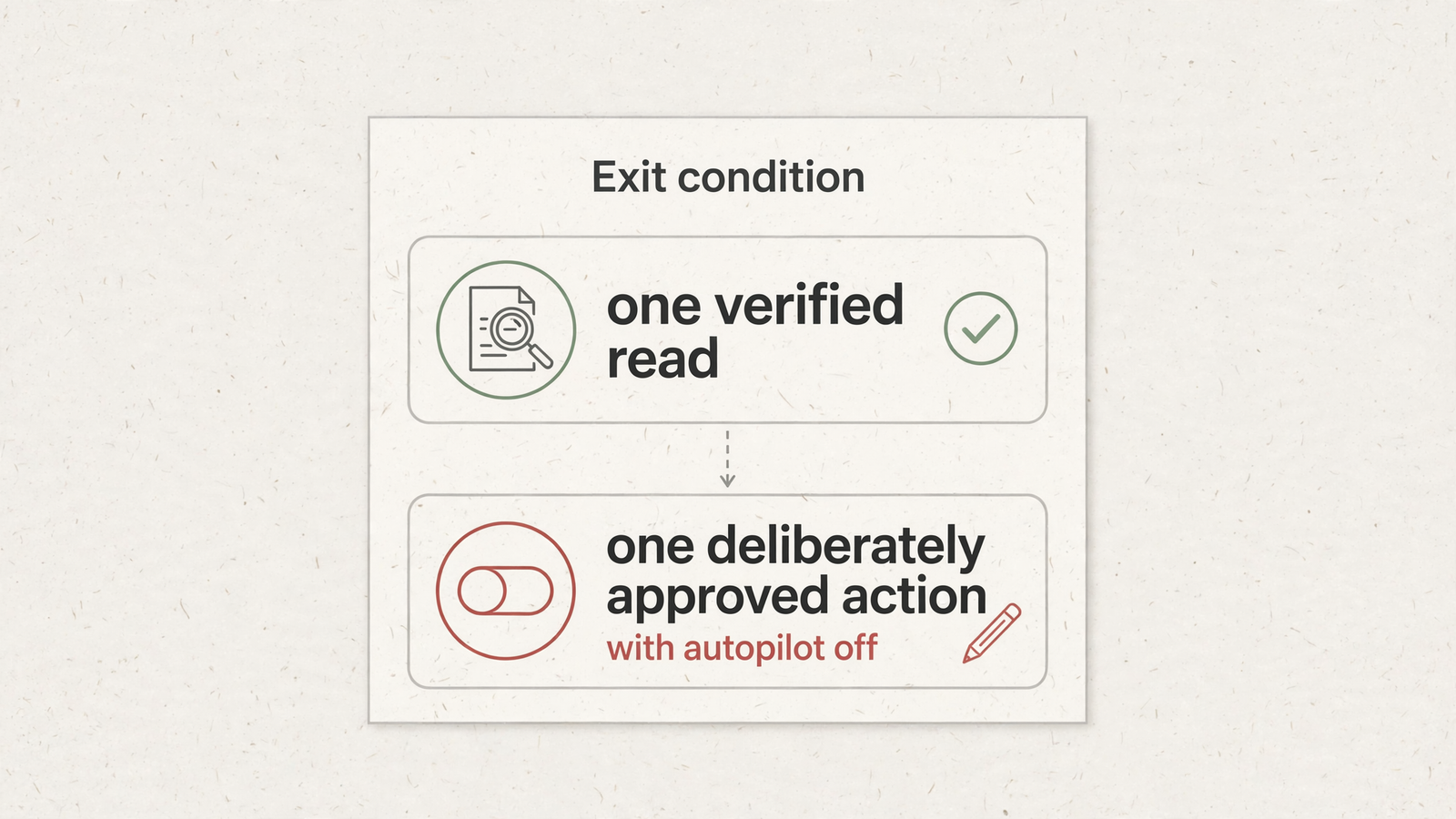
My exit test: one verified read, then one approved action
I run these in order, including when I use groas to avoid maintaining the connection myself. A managed connection takes plumbing off my plate. It doesn’t remove Google’s access controls, and it doesn’t tell Claude which of fourteen accounts I meant.
- Verify one read. Claude names the account and customer ID and returns one number I can match in Google Ads for the same dates. If it doesn’t match, I stop here.
- Approve one small change. I name the change in advance, check the customer and operation, and approve it before it runs. Then I check the log for what changed and why, and make sure I can undo it in one step.
I leave autopilot off and approve changes one at a time until I can pass those tests on demand. If I can’t point to the log entry and the undo for that first action, I’m not ready to hand over more work. I have hope with a Connected badge on it.
My rule is simple: if Claude can’t name the customer ID and match one number inside Google Ads, I don’t let it touch anything. I find the failing layer, retest the read, then allow one change. I don’t rewrite the prompt a fourth time. That habit has saved me more Saturdays than any connector ever did.





