

 LinkedIn
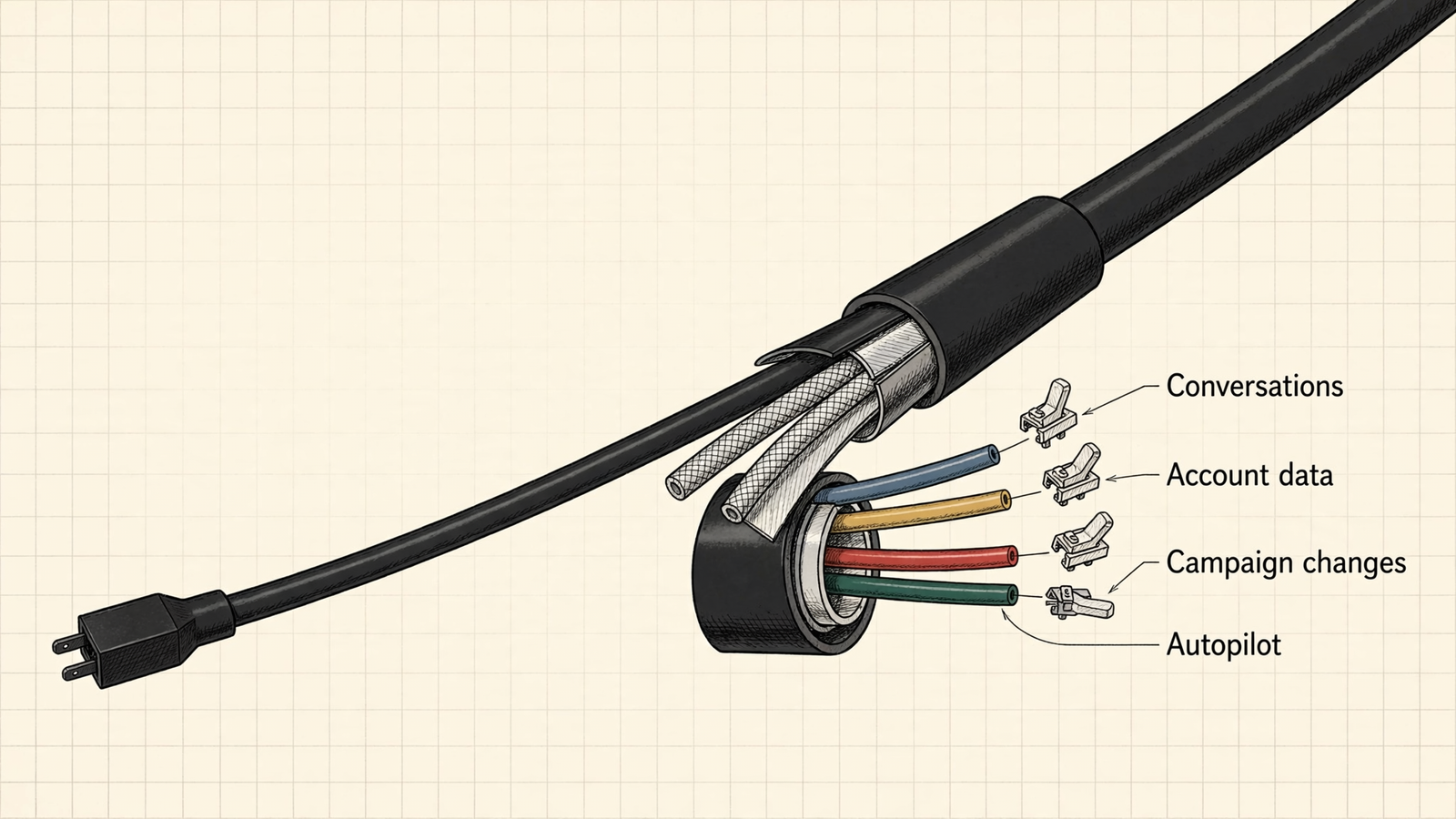
“groas never sees your conversations” does not mean your marketing data never reaches ChatGPT. It describes one boundary, not the whole connection. Connecting takes about a minute and no code (setup steps); approving it requires four separate decisions: conversation access, account-data retrieval, campaign changes and unattended automation. Treat those as one permission called access, and the review becomes an argument nobody can finish. I separate them before anyone signs off. These are the six myths I would retire first.
Myth 1: “If groas cannot see my chats, no marketing data reaches ChatGPT”
Half of this is documented, which is why the whole claim sounds convincing. groas states that it never sees your conversations, memory or files. Recited in a security meeting, that can sound like a promise that marketing data stays out of the model. But it describes what groas cannot read, not what your assistant retrieves to answer you.
Ask ChatGPT which campaign wasted budget last week and the distinction becomes obvious. The answer needs campaign data. groas retrieves the relevant numbers from the accounts you connected and returns them to the assistant. The assistant’s provider processes those numbers to compose the answer. That is the product, not an exception to its privacy boundary.
Both statements can be true: groas never sees your conversations, and account data retrieved for your request reaches your chosen AI provider. Neither statement cancels the other.
What the provider does with that data is a separate question, and the plan matters. OpenAI states that information accessed from apps is not used to train its models on ChatGPT Business, Enterprise and Edu (admin controls). For individual services, its policies allow content to be used for training unless you opt out; check the settings that apply to your account rather than borrowing assurances from a different plan (data controls).
I would put the two boundaries on separate lines in the approval request. “groas cannot read our chats” is not an answer to “which campaign fields will our AI provider process?”
Verification prompt: “Read only the campaign-level fields needed for this analysis. State which account data you used.”
Use that response to inspect the task’s scope. Do not mistake the prompt itself for a permission restriction.
Myth 2: “Connecting an ad account means uploading my entire company to the assistant”
The fear is easy to picture: the sign-in window closes and a warehouse transfer begins. Every campaign, every search-term log since 2019, every budget change, poured into the chat window. A simple connection starts to sound like a very efficient mistake.
The mechanism is different. The connection establishes a standing link. The assistant then retrieves account data when a task needs it. Ask what Friday’s CPA was and the relevant campaign numbers arrive in the tool result. That request does not require the entire search-term history from 2021.
A connection is not a mirror of the account: the data reaching the model comes from what the task retrieves. That is a useful distinction. It is not a reason to stop reviewing the grant behind the connection.
Two limits belong beside that explanation:
- The authorization can be broader than the immediate task. Connectors often request access to a whole service rather than one narrowly defined job. That is central to Privacy International’s criticism of MCP connectors.
- A narrow request is not a field-level control. groas has no switch labeled “campaign names only.” I would not promise one in the meeting, however much it would improve the slide.
The practical response is to narrow the job and inspect what comes back. The MCP specification’s security best practices emphasize limiting access to what a task needs, and OWASP includes narrow OAuth scopes among its mitigations in the MCP Security Cheat Sheet. A carefully worded prompt supports that discipline; it does not narrow the OAuth grant.
For a first review, “summarize last week’s campaign performance” is easier to evaluate than “analyze everything and find opportunities.” The second request practically invites a broader retrieval while giving the reviewer less to approve.
Verification prompt: “Summarize last week’s Search campaigns: spend, conversions and CPA by campaign. No search terms, no audience lists, no customer-level rows.”
Start with the smallest useful answer, then decide whether more data is necessary.
Myth 3: “Reading account data and changing campaigns are the same approval”
One sign-in, one connector, so one permission. That assumption derails the review in both directions. The cautious reviewer notices that the connection can pause a campaign and rejects even analysis. The eager marketer sees a reporting request and assumes changes will never become an issue.
Mechanically, the connection supports both reading and acting by design. An assistant that can diagnose but cannot fix is a reporting dashboard with extra steps. The business approval still needs to distinguish those jobs.
The ChatGPT integration is built so the assistant asks you to confirm each change before it goes through. groas logs every change with its reason, and each change can be undone in one step. Those are concrete controls to discuss. “I told the assistant to be careful” is not in the same category.
A prompt is an operating instruction, not a permission boundary. Typing “do not make changes” tells the assistant how to behave; it does not remove its underlying ability to act. OWASP’s MCP guidance warns against auto-approving tool calls without showing their full parameters. If the control depends entirely on the model choosing restraint, it is a preference wearing a security badge.
I would record the split explicitly:
- Approve analysis: specify the accounts and data needed for the question.
- Request proposals: ask for changes as recommendations, not completed work.
- Review execution: inspect the exact change and target account before saying yes.
Then judge each proposal the way you would judge a freelancer’s plan: on its merits, with a real option to reject it. “The assistant suggested it” is not a bidding strategy.
The distinction between asking, approving and autopilot is worth settling before the meeting. The fuller framework is in setting your level of AI control.
Verification prompt: “List the exact change, the account it lands in, and the reason. Wait for my yes.”
Approve the proposed action, not merely the assistant’s confidence in it.
Myth 4: “Connecting ChatGPT automatically switches on round-the-clock management”
The word autonomous does the damage here. People hear that groas runs marketing 24/7 and picture a robot trading their ad budget the second the OAuth handshake completes.
What groas documents is more specific: autopilot is off until you switch it on. When enabled, it operates within the goals, budgets, channels and rules you set. Connecting creates the data-and-actions link. It does not switch on autopilot. That is a separate decision you make later, or never.

Before sign-off, I would name the three modes in the proposal rather than leave the reviewer to imagine which one is live:
- Conversational analysis: the assistant reads and explains in response to a request.
- Approved execution: a proposed change waits for a human yes.
- Background operation: autopilot acts within the rules you set.
These are different operating decisions, even when the same product supports all three. A proposal for analysis should say analysis. A proposal for background management should name the rules governing it. “AI marketing access” manages to sound alarming while specifying almost nothing.
The Ask, Approve, Autopilot framework lays out that ladder. Record the mode being approved, not every mode the product could eventually run.
Myth 5: “An action log answers every privacy question”
An action log feels reassuring because it makes invisible work visible. groas records each change, attaches the reason and provides one-step undo. If a campaign changes, there is something concrete to inspect rather than a vague assurance that optimization happened.
That answers an important question: what changed in the account, and why? It does not answer how long the AI provider keeps the underlying inputs, whether it retains anything for abuse detection, or what a legal order can require. Those questions live in a different building.
A marketing audit trail is not a data-processing agreement. I would keep both in the review, without asking either to do the other’s job.
The provider documents belong in a separate privacy file:
- Training: OpenAI’s data-use policy distinguishes individual services, where content may be used for training unless you opt out, from business services, where inputs and outputs are not used for training by default.
- Retention: its enterprise privacy page addresses deletion and retention, including abuse-detection retention for API inputs and outputs. Match those terms to the service actually being used rather than copying an API assurance into a ChatGPT approval.
- App data sharing: OpenAI’s apps privacy guidance explains that relevant conversation content can be shared with apps under their own terms and privacy policies. That general guidance is not evidence that every app receives an entire chat, nor a substitute for groas’s stated boundary.
“No training” and “no retention” are not interchangeable promises. Neither is a guarantee against legal demands. OpenAI’s response to the NYT data demands describes litigation affecting retention obligations. The useful buying question is which terms and exceptions apply to the service and plan in front of you.
None of this makes the action log less useful. It stops the log from being presented as an answer it cannot supply. Keep the record of account changes beside the privacy file, not in place of it.
Myth 6: “A successful connection proves the setup is approved for sensitive data”
This is the myth I find hardest to kill because it comes with such persuasive evidence. The sign-in window closes without an error. The tool list appears. The first report returns numbers that match Google’s dashboard. Everything works. Surely somebody has approved it.
What worked was the technical handshake: the platforms accepted the grant. Organizational authorization lives elsewhere, in processing agreements, regulatory requirements, client contracts and internal policy. OAuth completion settles none of those questions.
The agency discussion about handling client data captures the gap: whether an agreement covers CRM-level data, where GDPR obligations sit, and whether an agency’s policy allows client data in an external LLM at all. A successful tool call cannot interpret the contract for you.
A connection that works is not the same as a use that is authorized. I would earn authorization in the same order I would extend trust to a new operator: smallest useful task first, broader access only after an explicit decision. The connector trust discussion describes the same ladder: public data, read-only work, writes, then automation.
Start with account totals or a campaign summary that excludes personal data. Do not assume a label such as “campaign-level” settles sensitivity on its own. Widen the task only when the person responsible for that risk has approved it in writing.
Verification prompt: “Return account-level totals only. Exclude customer names, emails, and any row containing personal data.”
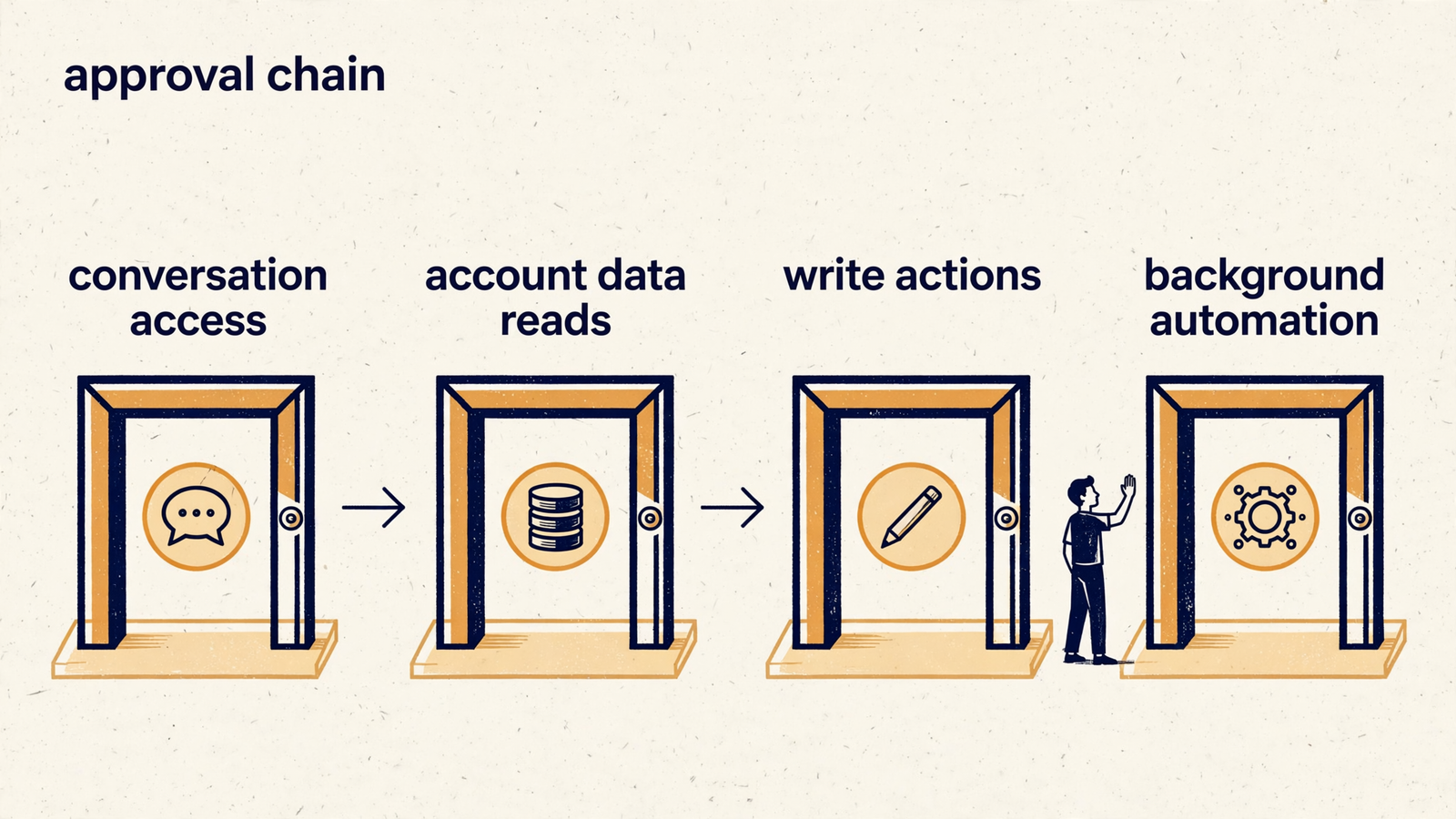
I would turn the review into one page, with four decisions stated plainly:
- Conversation access: record groas’s stated boundary: it never sees your conversations, memory or files. Do not extend that claim to data flowing toward your AI provider.
- Account-data retrieval: specify what the assistant needs to read, as narrowly as the job allows. Name unresolved provider-policy questions, including training and retention on the plan being used.
- Write actions: distinguish permission to analyze from approval to execute. State what must be reviewed before a change goes through.
- Background automation: record whether autopilot is enabled and, if it is, whose goals, budgets and rules govern it.
That page is not a security certification. It is a record of what the company has decided and what remains open. The founder, IT reviewer and finance lead should not have to infer different answers from the same word, access.
For the broader setup questions, the companion piece on what MCP actually lets ChatGPT do covers the other side of this debate. Here, the decision is narrower: which data, which actions, which operating mode, under which approval?
The folk answers to “is this safe?” are absolutely not and trust us. Neither is an approval process. Separate the four decisions, state what groas documents, and name what the buyer still needs to verify. The connection takes a minute. The argument takes a page.


