

 LinkedIn
I used to spend Sunday rebuilding a Bing Ads workbook and still walk into Monday unable to defend giving Bing another dollar. If a live connection can’t improve that call, it’s just a faster way to make a report nobody acts on. This list is for anyone who runs Bing Ads for clients and has to defend the spend. I ask these questions in ChatGPT through groas, with one rule: evidence first, recommendation second. If I can’t see the dates, the spend, and what counted as a conversion, I don’t have a budget decision. I have a draft.
1. Make Bing earn its share of the budget
This is the question most budget meetings pretend to answer. Google might optimize for a form submission while Bing counts a purchase imported from the CRM. Both dashboards will show a cost per acquisition (CPA) to two decimal places. The decimal places aren’t the problem. One number tells me what I paid for a form; the other tells me what I paid for a purchase. Neither tells me which platform deserves the next dollar until I know what I’m comparing.
I start with two equal periods and one primary conversion. I keep the platforms’ attribution separate because even when the conversion definitions match, the platforms can still claim credit differently. A tidier table doesn’t fix that.
Compare Google and Bing for the last 28 days against the prior 28 days. Use my primary conversion only and keep platform attribution separate. For each platform and period, show spend, conversions, conversion value where available, and CPA. Define the conversion each platform counted, flag any differences in imports or attribution, and tell me whether the sample supports a change. Show the evidence before you recommend a budget split.
A lower CPA isn’t a reason to move money if the numbers aren’t comparable. If one platform looks cheaper on a thinner sample, or if conversions are still coming in, I hold the split. The next step is to fix what can’t be compared or wait for the numbers to settle, not to make the cheaper column bigger.
2. Investigate zero-conversion search terms before adding negatives
I used to treat every Bing search term with spend and zero conversions as a negative waiting to happen. That was fast. It also confused two different problems. A term can spend $60 across 14 clicks and still be a plausible buyer on a long sales cycle. Another can spend the same $60 on searches that were never going to buy. The first needs more evidence. The second needs less of my money.
List the highest-spend search terms with zero conversions over the last 30 days. Show spend, clicks, campaign, ad group, match type, and the conversion window you’re using. Flag terms with too few clicks to judge or where a conversion could still arrive. Put each term in one bucket: keep watching, tighten match type, or propose a negative. Don’t apply anything.
Zero conversions is a reason to look, not a reason to exclude. I start with the highest-spend term and read the actual query before I look at the suggested action. If it’s clearly irrelevant, I can approve a negative. If the intent has drifted, I look at match type. If the query makes sense and the sample is still thin, I leave it alone. There’s a worked example of when to leave zero-conversion Bing keywords alone if that last call feels like doing nothing. It isn’t. A premature negative stops the spending and the learning.
3. Check tracking before you cut bids
A conversion chart can fall off a cliff because fewer people bought or because fewer purchases got counted. Cutting bids doesn’t fix the second problem. Check the pipe before you judge the water.
Start with the dates of the drop and the goals that stopped recording. Then read the Microsoft UET tag and goal statuses for what they actually say:
- Tag active means site activity reached Microsoft. It doesn’t prove the goal matched.
- No recent conversions means the tag is active but hasn’t matched the goal in seven days.
- Tag inactive means no activity in 24 hours.
- Unverified can take 24 hours to clear. I wouldn’t reinstall the tag on day one just to make the label go away.

My Bing conversions dropped on these dates. Show conversion counts by goal and whatever UET diagnostics you can read. Trace the path from the landing page to the success event. Tell me which steps you can verify and which I need to check myself.
I take the unresolved steps out of the chat and test them. I use the UET Tag Helper badge guide to check the tag, then test the specific goal along the landing-to-success path. I also check whether msclkid survives redirects and compare Conversions with All conversions. If I can’t verify that the tag fired, the goal matched, and the click ID survived, the drop is still a measurement question. No tracking proof, no budget call.
4. Rewrite ads only when the problem is getting the click
More budget on a tired ad buys more impressions of a message people already ignore. But I don’t call an ad tired just because its CPA is ugly. I look at where the numbers fall away:
- Too few impressions to judge: Check delivery, bids, or targeting before blaming the headline.
- Enough impressions but weak clicks: Look at the headline and offer. This is where new copy has a job to do.
- Clicks without buyers: Look at the landing page and search intent before asking for another rewrite.
Microsoft describes creative-asset reporting through its MCP server. I want the ad-level numbers the connection can actually show me, not a diagnosis based on the account average.
Rank my Bing responsive search ads by spend over the last 30 days. For the top 10, show impressions, clicks, click-through rate, conversions, and CPA. Mark the ads without enough data to judge. For the rest, say whether the numbers point to low delivery, weak click appeal, or a post-click drop. Draft two headlines and one description for each of the two weakest ads on click appeal. Don’t publish anything.
Draft new copy when the evidence points to weak click appeal. If ChatGPT can’t show me where the ad is losing people, I don’t approve a rewrite just because it handed me one. I check delivery or the landing page first, depending on where the data runs out.
5. Tie the wrong traffic to a setting you can change
A campaign can look fine in the summary while a location option includes people interested in the area, not just people in it. Or a LinkedIn profile bid boost from an old B2B test can still be running because nobody reopened the settings tab. Neither shows up in a workbook that stops at spend and CPA.
I start with the campaign where I suspect the mismatch and put its targeting settings next to its search terms. The setting tells me what traffic the campaign allows. The terms tell me what people searched for. Either view on its own can send me after the wrong fix.
Pull my Bing targeting settings: locations and location intent, device adjustments, audience inclusions and exclusions, and LinkedIn profile targeting. Compare them with the top 30 search terms by spend, with conversions alongside. Flag traffic that doesn’t fit the campaign. For each proposed fix, name the exact campaign, the setting, and the evidence that connects the two. Don’t apply changes.
Approve the setting change, not the summary. A search term can flag a mismatch, but it doesn’t prove which setting let the traffic in. If the answer can’t connect what I paid for to the setting it wants me to change, I investigate rather than approve the edit.
6. Check policy status before bidding against a delivery limit
A disapproved headline in a responsive search ad or a flagged image in an audience ad can thin out delivery while the account summary looks normal. Raising bids won’t clear either. I start by making ChatGPT name the asset and show its status. Then I want the next step, not a generic note about compliance.
List Bing ads or assets that had limited or disapproved policy status in the last 30 days. Show the campaign, the ad, the affected asset, and the status you can read. Say whether the next step is to edit and resubmit, replace an image, or file an exception request. Draft replacement text where needed, but don’t submit it.
If the list is long, Microsoft’s bulk editing and appeals for disapproved assets support up to 5,000 exception requests at once. Appeals still need to cover all disapproved assets in an ad, image edits require a replacement upload, and Performance Max is excluded from that version. Those details matter more than the size of the batch when I’m trying to get one ad reviewed.
Get the affected asset and the review step before touching bids. A replacement headline is a draft, not an approval. If ChatGPT can’t name the asset, I check the policy status myself before spending more to solve what might not be a bid problem.
7. Put the change log next to the performance drop
A Thursday CPA target cut in Google can land in Microsoft on Sunday through a scheduled import. If I only look for edits I made directly in Bing, that drop looks like a mystery. It isn’t. I’m looking in the wrong place.
Put Bing performance trends and account change history side by side for the same dates. List material changes with the date, campaign, source, and old and new values. Put changes before the drop in order, and separate what lines up from what you can show caused it.
I check tracking first, then imports, then direct edits. In Microsoft Ads change history, Tool separates imports from automated rules, scripts, and web-client edits; ChangedBy helps distinguish a user from Administrator. I read the old and new values before deciding whether the edit matters. Changes can take about an hour to show up, and I won’t find a landing-page swap, a consent banner update, or a CRM change in that log. Those checks happen outside the account.
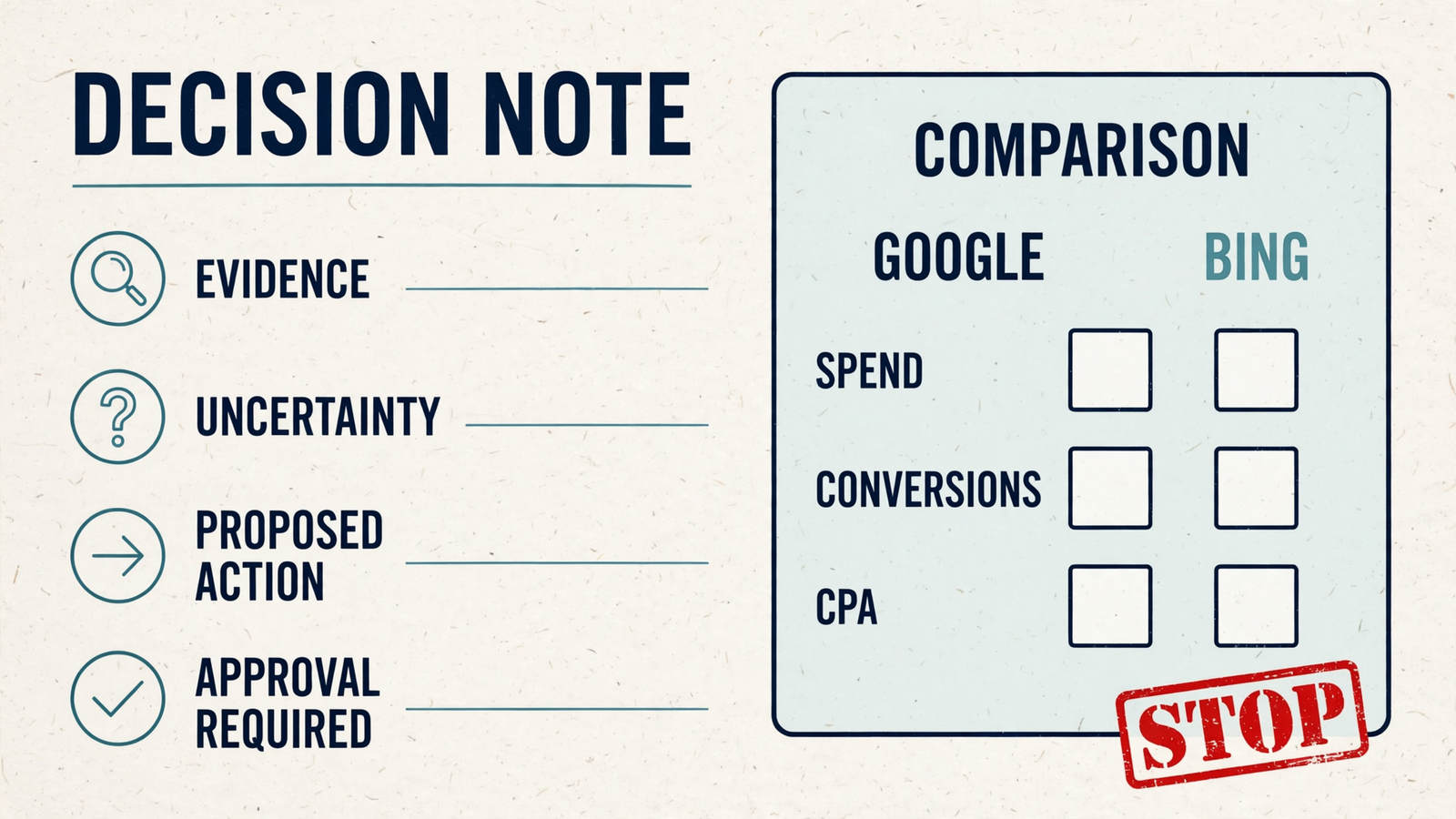
Timing gives me a lead, not a cause. If the log is missing or the dates don’t line up, I don’t use a plausible story to justify a budget move. I ask for a short note I can forward: evidence, uncertainty, proposed action, approval required. That’s also my test for groas Unlimited at $19 a month flat for the whole team, with unlimited teammates, ad accounts, and websites. Autopilot stays off until I switch it on, and every change is logged and undoable. A connection that can write a defensible note hasn’t earned permission to act unattended. Before giving it that permission, I’d read what can run unattended and the four things that still break it.
If I run one question this week, it’s No. 1. Put the same conversion and dates on the page, with spend and CPA for both platforms and any attribution differences spelled out. Then I can defend giving Bing more money or explain why I’m holding the split. That’s what earns the connection its place. Another workbook doesn’t.





