

 LinkedIn

A free Google Ads MCP server can be the cheapest workable way to let Claude inspect your account. It is not an always-running account manager, and paying for one when you only need the other is waste in either direction.
The free part is the server code. Google’s official Google Ads MCP server is free open-source software with no per-call API charge, with version 0.0.6 running locally through pipx and Python 3.10+. That does not remove the setup: a Cloud project, API approval, an OAuth credential to protect, and maintenance when the tools change. Those are responsibilities, not necessarily separate bills.
Say you run one account at around $20k a month and want Claude to find wasted search-term spend. I start with the execution chain, not the price of the connector: Claude needs a tool, an authorized account, and usable evidence before it can report anything. Changing the account adds another requirement. Keeping it running adds another still.
First, give Claude a tool it can actually call
Our starting request sounds simple: “In this account, for the last 30 days, show me spending search terms.”
Naming Google Ads in the prompt does not give Claude access. The model needs an exposed tool and enough instruction to use it correctly. Claude connects in two different ways: a remote HTTPS /mcp URL added as a custom connector, or a local server run through configuration.
That distinction decides the setup work:
- Local server: I install and configure the process myself. It does not belong in a connector field expecting a public URL.
- Remote connector: I paste the hosted server’s URL into the connector setup.
The free Claude plan allows one custom connector; on Team or Enterprise, an Owner has to add it first. I also enable the connection for the conversation and block tools I do not need. Otherwise, whatever the server exposes can start to look like a capability I intended to grant.
“Can see Google Ads” is not the same as “understands my account.” At this stage, it means Claude can format a tool call. The server and the authorized account determine what happens next.
The server translates the request; its tools set the limits
The MCP server translates Claude’s request into a Google Ads API call, uses the authorized login, and exposes a particular set of tools. Free implementations differ in their setup, supported operations, and maintenance when Google changes the API.
Google’s initial release was read-only, for reporting and diagnostics without account changes. Version 0.0.6 goes further: it has three read tools and four asset and label tools, but still no tools for bids, budgets, keywords, or pauses.
So “MCP” does not tell me what a connection can do. I check the tool list before I trust the capability claim.
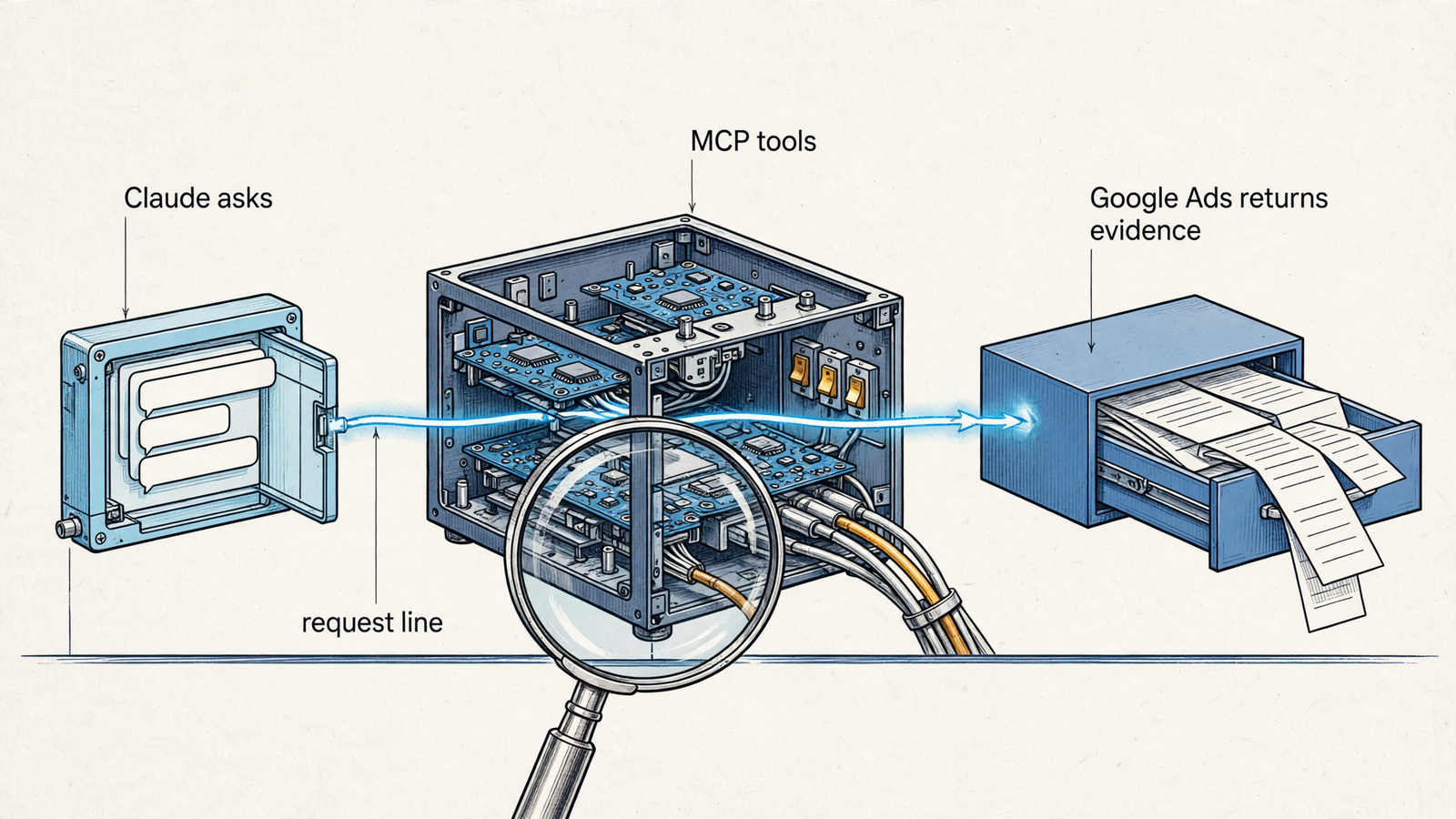
That inspection has two parts: what the tools expose, and what the credential behind them authorizes.
Version 0.0.6 adds create_asset, upload_video_asset, manage_labels, and manage_label_associations, enabled by default. Each write uses a propose-and-confirm checksum dry run, but the server cannot verify that a human approved it. For a read-only setup, I pin the version and set labels: false and assets: false in tools_config.yaml.
The credential is a separate boundary. Google’s server requests full adwords OAuth scope, not a read-only scope. The seven exposed tools constrain what Claude can do through that server version; they do not turn the credential file into a read-only credential.
I treat that file like a password, and I never set the asset and label tools to Always Allow. A narrow tool list sitting in front of a broad token still needs care.
For our $20k account, the immediate job is reporting. I do not need asset or label writes to ask which search terms spent money. I leave them off.
Google Ads returns records, not a verdict on waste
Once the call reaches Google Ads, the API returns recorded rows for the authorized account and date range: impressions, clicks, spend, search terms, and recorded conversions.
Recorded conversions are evidence, not the whole business outcome. If the conversion tag never fires, Claude reads an empty column. It has not discovered that nobody bought anything.
That is why I make the original request more explicit:
For this account and date range, list spending search terms and their recorded conversions. State missing data. Make no changes.
The last two sentences matter as much as the first. I want a report that identifies what it cannot establish, not a confident list of things to kill.
Zero recorded conversions does not automatically mean waste, either. At a 2% expected conversion rate, five clicks imply just 0.1 expected conversions. Zero is hardly a surprise. I still need to consider the sample, the cost against the target, and the funnel stage before calling the spend wasted.
Asking Claude to state missing data does not magically diagnose tracking. It makes room for the right distinction: tracking may be incomplete, the sample may be thin, or the spend may warrant action. Those are different findings with different next steps.
I would read why a healthy-looking report can mislead before letting any assistant turn a conversion column into a verdict. For our running example, the first useful output is a review list, not a pause list.
A recommendation is not an account change
Now suppose Claude returns that review list and says it can fix the waste. I check the tools again.
Reading spend and changing spend are separate capabilities. Google’s v0.0.6 server exposes reads plus asset and label writes, with no bids, budgets, keywords, or pauses. If manage_labels is the relevant write tool, Claude can label a campaign for review. It cannot use that label tool to add a negative keyword, lower a budget, or pause something.
If the server exposes no tool for the change, Claude cannot perform it through that server. The confidence of the chat does not expand the tool list.
Where write tools are available, my rule is straightforward:
- I specify what Claude may and may not touch.
- I ask for proposed changes, with reasons and recorded conversions attached.
- I review and approve each change before it runs.
That review-before-write workflow keeps the recommendation separate from execution. It also gives me a chance to catch a perfectly formatted action built on a bad assumption.
For the $20k account, “show me search terms” and “exclude these search terms” are two jobs. I do not let conversational fluency blur them into one.
A successful tool call does not create tomorrow’s shift
Even a connection with the right write tools does not become an ongoing operator by itself. MCP supplies tools, not a schedule or a background worker. That is the distinction behind a tool connection versus a running workflow.
In the local Claude Desktop setup, the server runs as a local process while the app is open. Closing the laptop does not hand the job to an invisible night shift.
Our request now changes: instead of one search-term report, I want the same check every morning. A successful report today proves that the connection works. It says nothing about whether another check will run tomorrow.
On a free stack, I have to supply the running workflow:
- A scheduled task or job runner.
- The account, reporting period, and permitted actions.
- A destination for the result.
- A machine that stays on and credentials stored on it.
- Logs to inspect when something fails.
- A pinned version that I maintain as the software changes.
That work can be worth doing. If I already maintain this sort of setup, adding another job may fit how I work. But it remains part of the cost, even when the license costs nothing.
For the daily version of our search-term check, I budget for keeping it running, not just getting it connected.

Where groas changes the chain
This is where I draw the line between a free connector and groas. groas supplies the managed infrastructure around the connection, rather than leaving me to assemble and supervise those pieces myself.
I connect the ad accounts and website once, then add groas to Claude or ChatGPT over MCP. The assistant can read live numbers and take actions across Google Ads, Bing, Meta, and the other supported channels in plain English.
The connection also brings data collected around the clock: competitor ads and funnels, customer language from Reddit, and SEO data. For account changes, every change is logged with its reason and can be undone in one step. That gives me a record of what happened, not just a chat message saying something happened.
groas Unlimited costs $19 a month, flat, for the whole team, with unlimited ad accounts and websites. There is no free plan. A paid Claude or ChatGPT plan, if I use one, is separate.
The optional autopilot is the part that keeps working after the conversation ends. It is off until I switch it on, and it runs inside rules I set. Connecting groas is not the same decision as enabling autonomous changes.
The chain is still recognizable: Claude supplies the thinking; groas supplies account access, tools, additional data, and the optional always-on worker. For our $20k account, I can start with reviewed requests and leave autopilot off. I do not have to build a scheduler merely to have that next step available.
Choose the cheapest chain that completes the job
There are three routes in this discussion:
- A free local server: I install it, protect its credentials, and maintain it.
- A remote hosted connector: I connect through a URL, then check what tools and ongoing workflow it actually includes.
- Managed infrastructure such as groas: I get the connection alongside the data, change record, and optional ongoing operation.
I choose by the job, not the license label.
If the request is “once a month, show me spending search terms and recorded conversions,” the free local route can win. I need reads, not account changes or an unattended worker. If I am comfortable creating the Cloud project, guarding the OAuth file, and pinning v0.0.6 with asset and label writes disabled, the cost is my time. I can pay it knowingly.
Now take a new case: the same $20k account, but I want Claude to check search terms every morning and pause waste by noon.
I run that request through the chain:
- Model: Claude can reason over the request and returned data.
- Tools: The free Google server can retrieve the evidence, but its tool list has no pause, negative-keyword, or budget-change operation.
- Authorization: The credential needs protection, regardless of which tools are exposed.
- Evidence: Recorded conversions still need interpretation. A zero is not enough to authorize a pause.
- Schedule: Something must start the check every morning and keep the workflow running.
A runner alone does not fix this. It can schedule the read, but it cannot manufacture a missing write tool. To complete the requested job, I would need a way to execute the changes, enforce limits, review the proposed actions, and maintain the whole setup.
At that point, “free” still describes the license. It no longer describes the supervision. I would rather pay the $19 flat for groas, keep autopilot off until I trust the rules, and keep every change logged with its reason and available to undo.
Same Claude. Different chain underneath it.
A connection lets Claude inspect an account through the available tools. An operator keeps acting after I leave the chat, inside limits I set, with a record I can audit. Free access does not promise that second job. I buy only the part of the chain the workflow needs, and I check the tool list before believing any other promise.


