

 LinkedIn
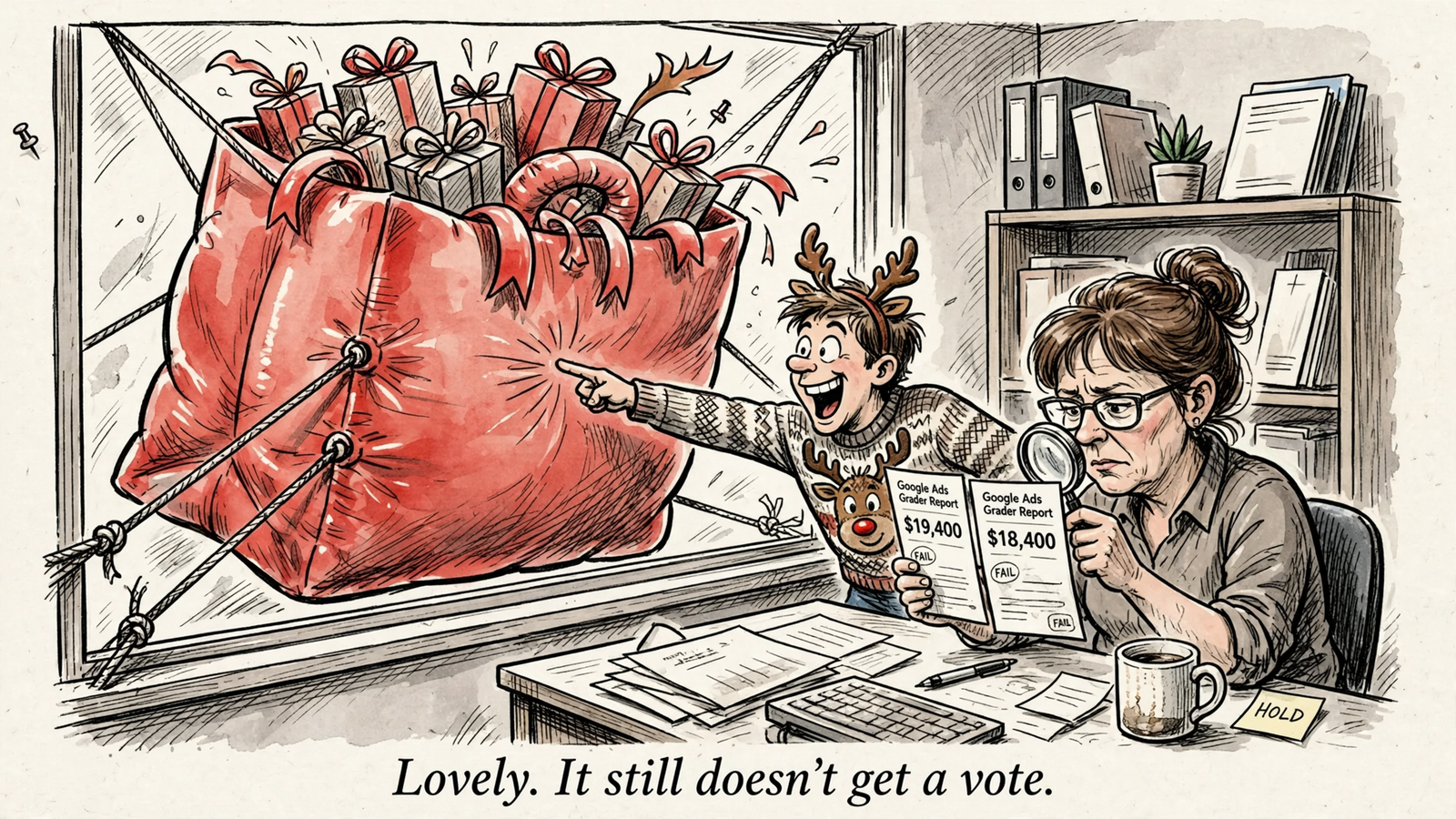
$47.5 billion in forecast Cyber Week spending is not a reason to raise my Bing budget. Adobe can tell me what it expects U.S. shoppers to spend online from Thanksgiving through Cyber Monday. It can’t tell me whether my next Microsoft Advertising dollar will pay back.
For that decision, I want to know what the account spent, what it got back, and whether enough time has passed for the conversions to show up. If the proposal is to move money from Google to Bing, I want those answers for both accounts over the same dates. The forecast can stay in the deck. It just doesn’t get a vote on the bid.
That distinction matters when I bring ChatGPT into the reporting session. If I give it the forecast and ask what it means for paid search, there’s room for a plausible story about holiday demand. If I give it both accounts and ask for a comparison with the gaps labeled, I can see whether the case for moving money holds up. Those are different assignments. I only want the second one making its way into a budget discussion.
What Adobe’s $47.5 billion forecast measures
The headline gets the attention. The rows underneath it show what kind of number it is. These are Adobe’s forecasts for U.S. online retail spending:
| Period | Forecast spending | Year-over-year growth | What’s included |
|---|---|---|---|
| Cyber Week | $47.5 billion | 7.4% | Thanksgiving through Cyber Monday |
| Black Friday | $12.9 billion | 9.2% | A single day within Cyber Week |
| Cyber Monday | $15.1 billion | 6.2% | A single day within Cyber Week |
| Full holiday season | $275.1 billion | 6.7% | Nov. 1 through Dec. 31, including Cyber Week |
Adobe expects more spending on Cyber Monday, but faster year-over-year growth on Black Friday. Cyber Week makes up 17.3% of the projected holiday total, based on the figures in the table. Those distinctions are useful for staffing, inventory, and email timing. None of the rows contains a click price, a conversion value, or my margin. I can use them to explain why a week deserves attention without using them to decide what a click is worth.
Adobe’s methodology makes the limit clear. The forecast draws on direct consumer transactions from more than 1 trillion visits to U.S. retail websites, covering 100 million SKUs across 18 categories, plus a survey of 5,000 consumers. That gives Adobe a broad view of retail activity. It doesn’t give it a view of my Microsoft Advertising account. A shopper placing an order tells me a sale happened. It doesn’t tell me whether Bing delivered that shopper, what the click cost, or whether the order cleared my break-even CPA.
I used to point to seasonal lift and tell clients to loosen their budgets. I was treating more shopping as if it meant more profitable clicks. But if auction pressure pushes cost per click (CPC) up, the extra click still has to convert at a cost the margin can carry. Adobe’s forecast doesn’t see that part of the calculation. I use it to flag the dates, not to price the traffic.
A Google auction benchmark can’t fill in the Bing column
The next move is usually to look for an auction-cost benchmark. The logic goes like this: Google clicks are getting more expensive, so Bing must be the bargain. GoMarble’s BFCM cost run-up study is a useful example of where that argument runs out of data. It tracks Google Ads and Meta accounts in the run-up to the holiday. That leaves gaps between what it measures and the decision I’m trying to make:
- The platforms don’t match. The study includes Google Ads and Meta, not Microsoft Advertising. Its Google CPC figures can tell me what happened to click costs in that Google sample. They can’t tell me whether Bing CPC moved in the same direction, moved by the same amount, or moved at all.
- The dates don’t match. The study window ends before Black Friday and Cyber Monday. It captures the run-up, not the auction costs on the peak shopping days in Adobe’s forecast. Putting the reports next to each other doesn’t make their windows line up.
Even a lower Bing CPC in my own account wouldn’t settle the question. A cheaper click is only a cheaper lead if enough of those clicks turn into leads. And the answer can change by segment: Microsoft can look better on brand or on a closely matched non-brand segment and still look worse across non-brand as a whole. Before I credit the platform, I check the mix of traffic.
That’s why I don’t start with a blended number and dig for an explanation only when it looks odd. If Bing’s brand results carry the average, I want to see that before anyone uses the average to argue for more non-brand budget. The same goes for a strong non-brand segment: if that’s where the case is, that’s where I’d consider testing. A good result in that row isn’t a reason to raise the budget across the account.
I pull CPC from each account over matching dates and read it alongside cost per conversion, with brand and non-brand separated. A benchmark can tell me what to check. It can’t fill the empty cell.
Give ChatGPT both accounts and ask for analysis only
ChatGPT can’t compare Bing with Google if I’ve only connected Google. Microsoft lists cross-platform comparison as a use case and notes that it requires integrations with both Microsoft Advertising and Google Ads. A better-worded prompt won’t conjure the missing account.
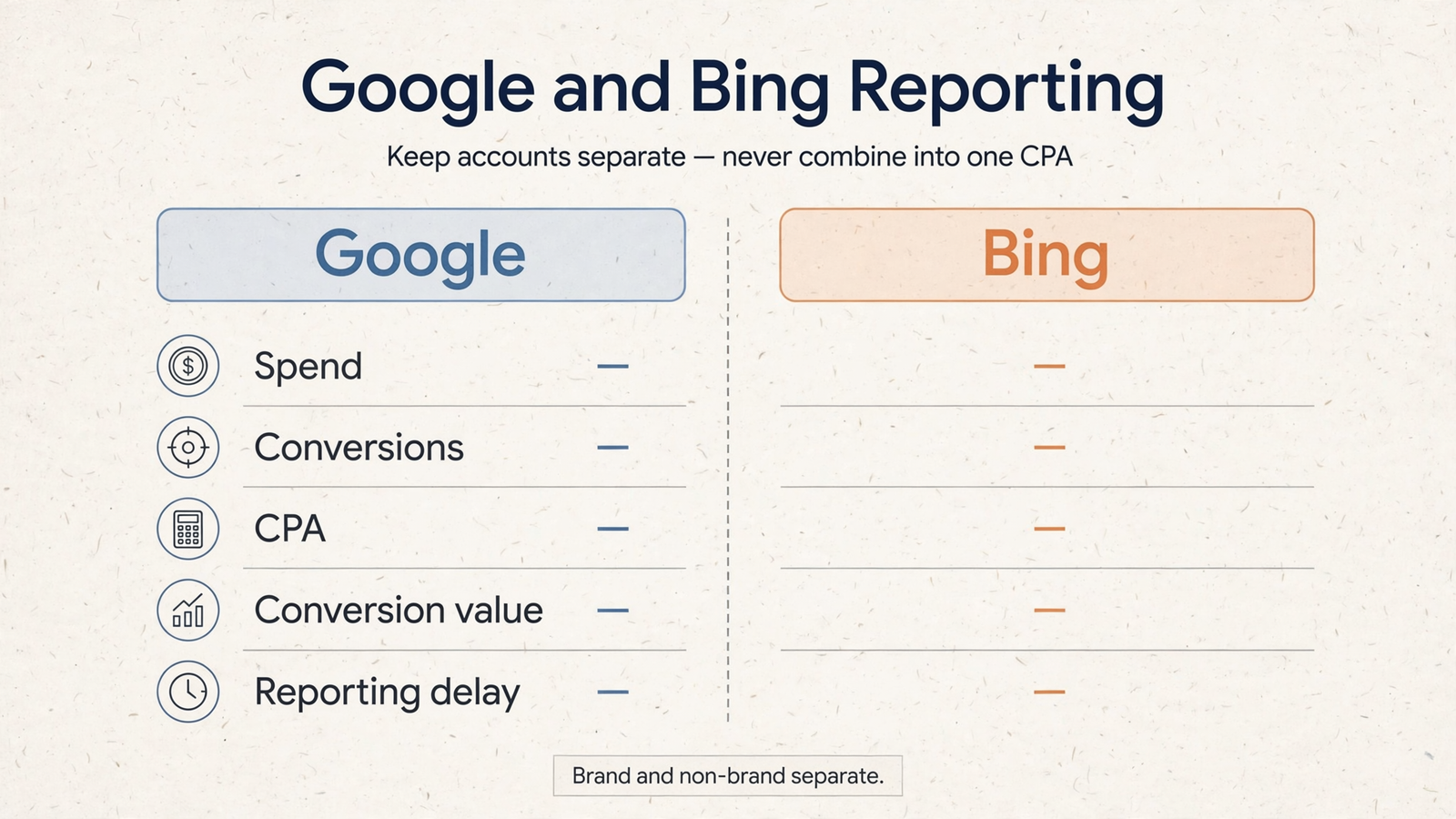
I’d connect Google and Microsoft Advertising through groas, then add groas to ChatGPT. With both accounts connected, I can ask for spend, conversions, cost per acquisition (CPA), and conversion value in the same conversation instead of rebuilding the comparison across dashboards. groas Unlimited is $19 a month, flat for the whole team, with unlimited accounts and websites. The point for me is less time pulling the same report, not less scrutiny once it comes back.
Here’s what I’d paste into ChatGPT once both accounts are connected:
Compare Google and Bing over matching dates. Show spend, conversions, CPA, and conversion value where available. Keep brand and non-brand separate. Label conversion definitions and reporting delays. Flag goals that don’t line up. Do not change anything.
The useful part of that prompt is what it refuses to treat as interchangeable:
- Dates. I want both platforms reporting on the same window. If the dates drift, I can’t tell whether the difference belongs to the platforms or to the days I asked them to report.
- Conversions. I want to see which goals each platform counts. Attribution, conversion windows, and counting rules can differ. If a goal doesn’t line up, I want it flagged next to the result, not quietly folded into a blended CPA.
- Reporting delays. The same dates don’t guarantee equally complete data. Recent spend can be visible before all the conversions arrive, and results for those dates can change when I pull the report again.
- Analysis and execution. “Do not change anything” tells ChatGPT to report, not edit. It’s an instruction, not a permissions setting. I want to inspect the comparison before I approve a change, not find out that the reporting session turned into one.
The easiest mistake here is to see spend and conversions beside each other and assume they’re equally settled. If recent clicks have already added to the cost row but some conversions haven’t landed, the CPA reflects what’s been recorded so far. It might be enough to flag a question. It isn’t enough to call a winner. Google has late-arriving conversions too, so I don’t assume either account is the finished version just because its dashboard has a number in every cell.
I’d use the same separate Google and Bing reporting approach in Claude. The tool matters less than keeping the dates, goals, and segments visible. If I can’t tell what a CPA includes, I’m not using it to move money.
Put the forecast and the budget decision in different columns
Once ChatGPT returns the comparison, I don’t ask for a holiday strategy. I ask for a table that makes it hard to pass off context as evidence. It should show what the forecast says, what the accounts show, what’s missing, and what action the account results can support.
| External forecast | Observed account result | Limitation | Proposed action |
|---|---|---|---|
| Adobe’s $47.5 billion Cyber Week forecast, labeled as market context | Google and Bing spend, conversions, CPA, and conversion value where available, over matching dates and split by brand and non-brand | Mismatched goals, reporting delays, or recent dates with incomplete conversions | Hold, or propose a capped change tied to a specific account result |
The Limitation column belongs next to the result, not in a footnote. If a Bing segment looks cheaper but counts a different goal, that changes what the CPA means. If both goals line up but one set of recent results is still incomplete, that changes when I’m willing to act. Neither gap gets smaller because Adobe expects a big Monday.
The proposed action needs to point back to an account result I can inspect. If I see more conversions at a CPA the margin can carry, on dates and goals I can compare, I have a reason to consider a change. If the only convincing number in the row is Adobe’s, I don’t. The forecast doesn’t need to be wrong for the budget increase to be wrong.
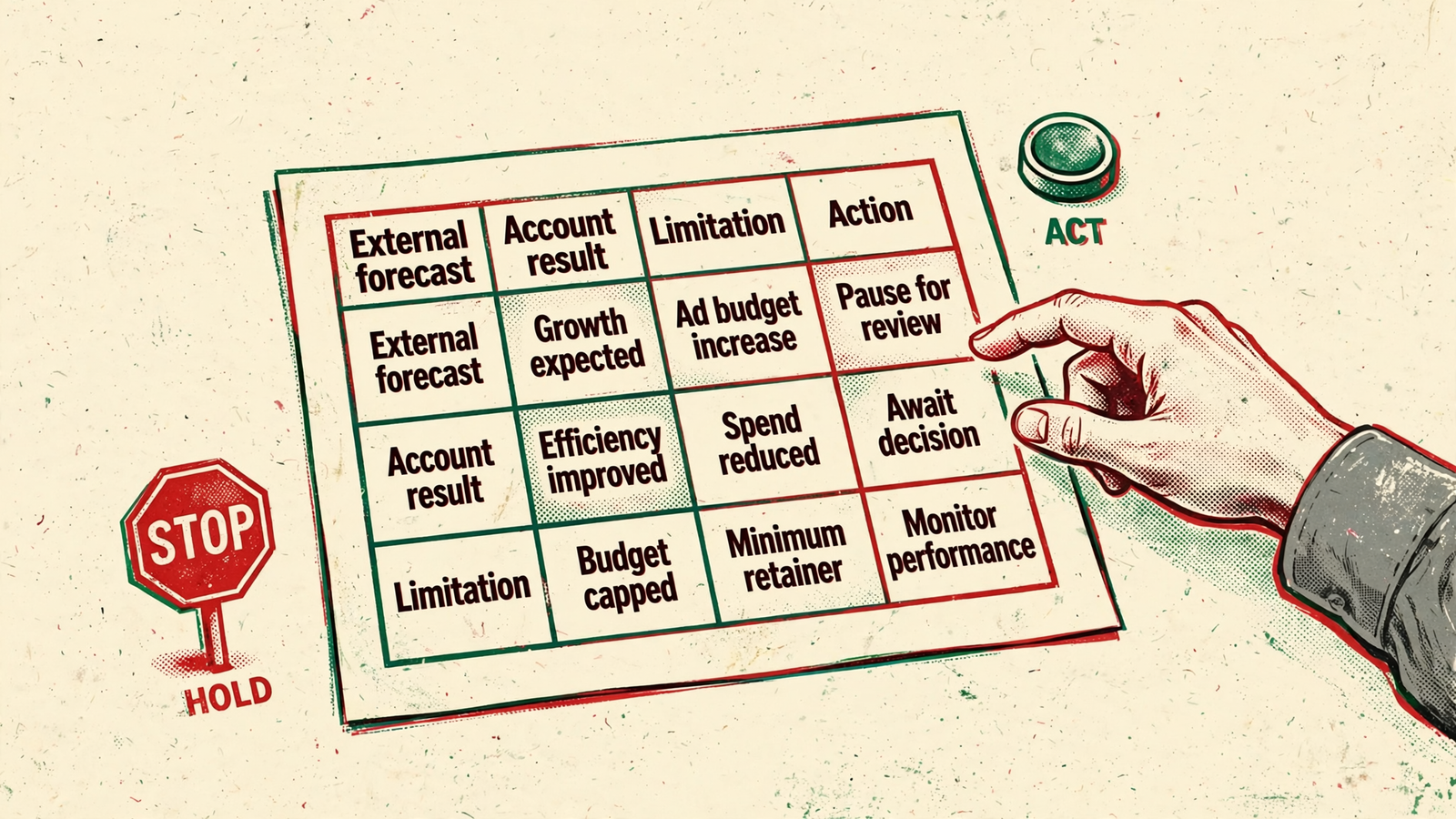
I hold when the results aren’t mature or comparable. If the issue is late conversions, I wait and rerun the same prompt over the same dates. Changing the window at the same time would leave me guessing whether the CPA moved because more conversions came in or because I asked about different days. If the issue is mismatched goals, I leave that comparison unresolved rather than averaging it away. This is where the connected workflow saves me time: I don’t have to jump between tools and rebuild the comparison every week. I still have to decide whether the numbers belong side by side.
If the account results support a change, I keep it small enough to inspect: one campaign, one bid or budget adjustment, with a cap and a reason tied to the result. If the case rests on a particular non-brand segment, I write that into the reason so I know which result to look at in the next review. A mature CPA tells me what happened at the spend I’ve already observed. It doesn’t guarantee what happens when I add more. That’s why I test a capped change rather than approve an open-ended lift.
With groas, autopilot stays off until I switch it on. Changes are logged with their reasons and can be undone in one step, so the next review can start with what I approved and why, not an archaeological dig through the account. The same approval pattern is laid out in the ChatGPT and groas playbook for the week before Black Friday.
Shoppers will settle Adobe’s forecast. They won’t settle my Bing budget. I connect both accounts and ask ChatGPT for the split: if the mature Microsoft results justify a capped test, I approve it. If they don’t, I hold. I don’t spend against the headline.





