

 LinkedIn

If I’m running Google and Bing ads for clients and the job doesn’t end at the report, I pick groas. It’s the only route on this list that can read both accounts through one connection, compare them, and put an approved change live.
Search best AI tools for PPC management 2026 and the lists tend to look the same: a feature table, a score out of ten, and a screenshot of a dashboard nobody has to act on. A feature table tells me what a tool can display. It rarely tells me who still has to do the work when the tool stops talking.
That’s how I rank these three routes. groas comes first because it can finish the job. Microsoft’s Advertising MCP comes second because it reads the Microsoft account directly but needs a separate Google connection for the comparison. ChatGPT with manual exports comes third because it can compare the files I give it, but I’m the one pulling the data and making the change. I’d pay for the last step the tool can finish, not the first.
The assignment: read the account, compare the platforms, stop for approval
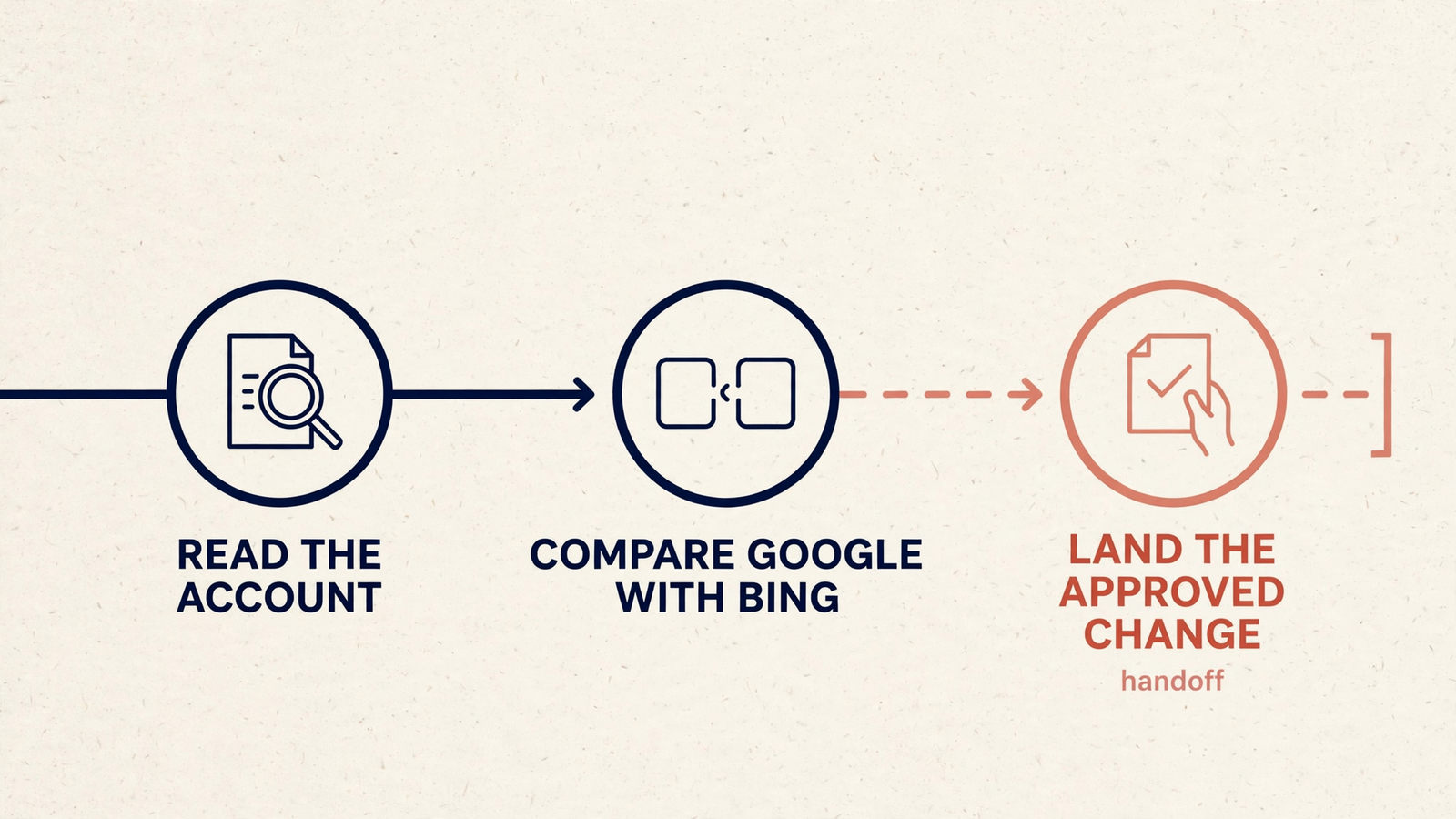
I’d give any vendor the same assignment. The approval pause is deliberate: I want to see what the tool proposes before I see whether it can put that proposal live.
- Read the Microsoft Advertising account for the last complete reporting period.
- Compare it with Google Ads, separating conversion goals that don’t measure the same thing.
- Propose one correction and wait. Once I approve it, can the same route execute it, or does the work come back to me?
The middle step is where a clean-looking report can send me after the wrong problem. Google Ads and Microsoft Advertising define conversions independently. If one counts a lead at form fill and the other counts it only after qualification, the two costs per acquisition don’t measure the same outcome. Put them next to each other without saying so and the gap looks like a performance problem. It’s bookkeeping.
I ranked the routes on documented capabilities, not a live benchmark of my own accounts. If I can’t verify a capability from the material cited here, I don’t give the route credit for it. And if the comparison puts two CPAs side by side without first telling me what each platform counted, I send it back.
1. groas: my pick when the job ends with an approved change
Who it’s for: operators and agencies running Google and Bing together who are done handing clients a summary and calling it management. groas is the infrastructure my AI runs on. I connect the ad accounts and website once and work through the assistant I already use: ChatGPT, Claude, Cursor, or another agent. That connection covers Google Ads, Microsoft and Bing Ads, Meta, ChatGPT Ads, SEO, and AI search. For this assignment, the part I care about is live data from both search accounts without pulling two exports.
What it does better: the assignment can end where it started. My assistant reads both accounts through groas and prepares a correction. I can review it and approve execution within the scope I set. groas logs each change with its reason, and I can undo it in one step. After cleaning up enough 2 a.m. automated rules, I put particular weight on this bit: autopilot can run an account around the clock under rules I set, but it stays off until I switch it on.
Here’s what I’d ask before handing it anything bigger:
Compare these Google and Bing accounts for the last complete reporting period. Separate the conversion goals that aren’t comparable. Propose one change; don’t execute it yet.
I’d read the conversion comparison before I read the recommendation. If I can’t tell what counted as a lead in each account, the proposal can wait. Write access doesn’t make a bad comparison any better. It just means I can act on it sooner.
What rules it out: I need to connect the accounts and be comfortable granting write access to live campaigns. If my shop doesn’t allow that, the main reason I rank groas first is off the table. If the rule is that a human has to approve each change, I can leave autopilot off and keep the work at comparison and proposal until I give the word.
groas Unlimited is $19 a month, flat, for the whole team, with unlimited teammates, ad accounts, and websites. The line item I’d defend isn’t $19 for a better report. It’s $19 to cut the reporting handoffs and put the approved correction live without handing it back to someone else. I’d bring the first bill breakdown to that meeting.
2. Microsoft’s Advertising MCP: shortlist it for a Microsoft audit
Who it’s for: operators whose Microsoft account is the one worth auditing and who already have someone to fix whatever the audit turns up. Microsoft’s own MCP server is free to connect. It gives an AI assistant access to campaigns, ad groups, ads, keywords, asset groups, assets, audience associations, and 180 days of change history. The nine tools in Microsoft’s documentation support filtering, sorting, and pagination.
What it does better: it reads Microsoft Advertising straight from the source, without a third-party layer. The examples in Microsoft’s product roundup show what that’s good for. Stagwell describes delivering campaign audits in seconds. Conversios built a Performance Max audit dashboard across more than 120 accounts. Realtor.com uses Microsoft data in Claude-based workflows to turn competitive keyword insights into optimization strategies, with humans reviewing them before anything goes live. Those are examples of getting to a recommendation faster, not examples of the server putting it live.
The cross-platform comparison is where I’d check the handoff. Microsoft’s use-case guide includes prompts like “Which asset groups exist in Google Ads but not Microsoft Advertising?” That sounds like the server reads both accounts. It doesn’t. The comparison works when the AI client has a separate Google Ads connection. Microsoft’s server supplies the Microsoft data. The assistant has to assemble the comparison, and I still have to make sure the conversion definitions line up.
What rules it out: the server is read-only. Microsoft’s documentation puts it plainly: “The tools never modify account data. They only return information from Microsoft Advertising.” If all I need is a Microsoft audit, I’d shortlist it. If I need the approved correction to go live, I still have to open the ad account or hand the work to someone who will. I’d price those minutes before calling the workflow free.
3. ChatGPT plus manual exports: keep it for an occasional check
Who it’s for: operators with one calm account, a monthly check-in habit, and no urgent question. The assistant is already open, and there’s no new subscription to justify for a quick pass. I export the campaigns I care about, upload the files, and ask a question. For a comparison, that means an export from Google Ads and one from Microsoft Advertising.
What it does better: it gives me a way to work through a specific slice of data without connecting a live account. I still use this route for drafting copy and thinking through account structure. The catch is that I supply everything that makes the analysis possible: date ranges, account identities, currencies, conversion definitions, and fresh files each time. ChatGPT sees the export, not the account. That sounds pedantic until a client asks about yesterday and the export on my desktop is from last Thursday.
What rules it out: the file is a snapshot and the workflow doesn’t execute changes. If I leave out a campaign or upload mismatched periods, the assistant can’t fill in the missing account data. I also check the figures it cites against the file; a number in the answer may appear nowhere in the export. A useful recommendation is still a useful recommendation. But if I need to act on it, the session ends with me doing the clicking in Google Ads or Microsoft Advertising and logging the change myself. I keep this route for questions where I’m happy to own both ends.
The comparison I’d bring to a budget meeting
The last completed step is the row I’d read first. The others tell me what I have to connect, what I have to pay, and which tasks land back on my desk. A tool can be free to connect and still leave most of the assignment with me.
| Axis | groas | Microsoft Advertising MCP | ChatGPT + manual exports |
|---|---|---|---|
| Last completed step | Executes an approved change after reading and comparing both accounts | Reads Microsoft directly; cross-platform comparison needs a separate Google connection | Analyzes or compares the snapshots I upload |
| Manual handoff | Review and approve the change, or set rules and enable autopilot | Implement the change outside the server | Export the data, check the analysis, implement the change, and log it |
| Google and Bing coverage | Both through one connection | Microsoft Advertising only | Whatever the files contain |
| Subscription | $19/month, flat for the whole team | Free to connect | No new subscription for the export workflow |
| Data freshness | Live account data | Live Microsoft data | Snapshot as of the export |
| Approval and control | Autopilot off by default; changes logged and undoable | Nothing to approve in the server; it never writes | I make and log changes by hand |
If all I’m buying is a Microsoft audit, I don’t need to pay for execution. If I only need to look at a file once in a while, I don’t need a live connection. But if the work lands back on my desk every reporting period, I count the export, the comparison, and the implementation before I compare subscription prices. The summary is the easiest part to produce.
Why I left standalone AI PPC suites off the list
Standalone AI PPC management suites fill the usual vendor roundups. Ryze AI’s list ranks fourteen tools and notes that its scores are editorial. I left that category out because this isn’t a ranking of how many rules a tool can run inside one platform. It’s a ranking of what happens when the assignment starts in Microsoft, crosses into Google, and ends with a correction someone approved.
The r/PPC discussion on AI ad automation gets at the distinction: an AI label on a rules engine doesn’t tell me what account data it can see or what work it can take off my plate. Ryze AI’s roundup lists Opteo at $129–$499 a month and OptyAds starting at $209. Before I put either price in the table, I’d want an answer to the same question I asked of the three routes above: can it see both accounts and land the approved change? If it can’t, it’s competing on a different assignment. If I need to evaluate a wider shortlist, I’d use this PPC automation evaluation framework.
The pick, if you skipped to the end
I’d pick groas if I run Google and Bing and own the change after the report. It reads both accounts through one connection, so I can ask for a comparison that separates conversion definitions, review one proposed correction, and approve it without sending the work back out. The change is logged with its reason, and the team pays $19 a month flat.
If my assignment ends at a Microsoft audit, I’d use Microsoft’s free MCP server and plan for a human to make the correction. If all I need is an occasional look at a snapshot, I’d use ChatGPT with exports and accept that I’m doing the clicking. But for the operator walking into a budget meeting who still has to make the fix after the meeting ends, my pick is groas. Rank the routes by where the work stops, not by how polished the summary looks.





