

 LinkedIn

ChatGPT can hand you a Google Ads campaign with keywords, ads, and a budget. That’s a draft, not a decision to spend. If I own the budget, I want an approval packet before anything goes live: what counts as a conversion, how much I’m authorizing, what’s still unverified, and what stops further changes. Connect the Google Ads account through groas, add groas to ChatGPT, and ask for a written proposal first. Leave autopilot off until you sign. groas logs every change with its reason and lets you undo it in one step, but undo reverses the setting. It doesn’t refund the clicks. Keep the proposal next to this checklist and make it pass all ten checks.
Check what you’re about to pay for
1. Confirm the account, market, and offer
- Ask:
Identify the account ID, currency, time zone, intended market, destination pages, and exact offer. Mark anything you haven’t verified. - Pass: The proposal names the 10-digit account ID, currency, and time zone. It gives you at least one live destination URL and names the offer on that page. Match the ID to the account you intend to fund and open the page yourself. The offer in the packet should be the one a visitor can actually act on, not a description of what the page is supposed to sell.
- Stop: The account is identified only by name, the currency or time zone is unclear, or the destination is assumed. Google Ads sets the account currency and time zone at creation. If either is wrong, you need a new account, not a campaign edit. No confirmed ID, no approval.
2. Name the business outcome before the campaign objective
- Ask:
Name the one business outcome this campaign must produce: a purchase, a qualified lead, or a booked job. Give its value or payout, or spell out what makes a lead qualified. - Pass: The packet gives you one outcome you’d pay for and either a monetary value or a written qualification rule. For a lead campaign, the rule should settle whether a form submission is enough or whether the lead has to clear a sales qualification step. Those are different outcomes. The campaign objective should follow the one you choose, not stand in for it.
- Stop: ChatGPT substitutes clicks, traffic, or engagement for acquisition. A page view counted as a conversion can make the reported cost per conversion look cheap without telling you what it costs to win a customer. Decide what you’re buying before you approve what the campaign will count.
3. Check which conversion actions actually drive bidding
- Ask:
List every conversion action available to this campaign. Show its Primary or Secondary status, whether it drives bidding, and whether it appears in Conversions or All conv. Flag custom goals, micro steps, and any measurement doubt. - Pass: You can point to the actions the campaign will bid toward and distinguish them from actions you only want to observe. Primary actions are used for bidding and reported in Conversions; Secondary actions appear only in All conv. unless used in a custom goal. If the proposal uses a custom goal, check the actions in that goal rather than relying on the Primary or Secondary label alone.
- Stop: A page view, scroll, or add to cart is treated as proof of a sale. Keep the Primary list short and leave micro steps Secondary when they’re there for observation. If the packet can’t show what drives bidding, don’t authorize it.
4. Require a fired conversion test, not a settings screenshot
- Ask:
Show the last live-site test for the conversion action we’ll use, the event that fired, the tag status, and anything the test did not verify. - Pass: You have an observed test on the live site. Complete a test conversion with Tag Assistant open and confirm that the intended event fires. Then check whether the action moves from Unverified or Inactive to Active; that can take up to 48 hours. If you use enhanced conversions, the verification steps include inspecting the network payload for the
emparameter starting withtv.1~em. Those diagnostics take about 72 hours to settle. - Stop: The only proof is an account screenshot or a list of tag settings. That shows what’s configured, not what the site sends when someone completes the action. If the observed event doesn’t match the action in the packet, resolve the mismatch before bidding.
Check the build and draw the spending boundary
5. Make ChatGPT defend the campaign type
- Ask:
Explain why Search, Performance Max, or Demand Gen fits this outcome and the inputs we have. State your assumptions about search volume, creative readiness, and conversion data. - Pass: The rationale connects the campaign type to the goal and the inputs. Search captures high-intent demand through keywords and gives you granular control. Performance Max uses automation across Google inventory, gives you less visibility, and needs strong assets and data. Demand Gen creates demand on visual surfaces such as YouTube Shorts, Discover, and Gmail, with audience controls. Use the campaign type comparison to check the mechanism, then look for the inputs that make it a fit for this proposal.
- Stop: A predicted CPA does the work of an argument. If the recommendation depends on search volume, assets, or conversion data the packet hasn’t established, leave that assumption open. Don’t approve the type on the forecast alone.
6. Separate the daily average from the pause threshold
- Ask:
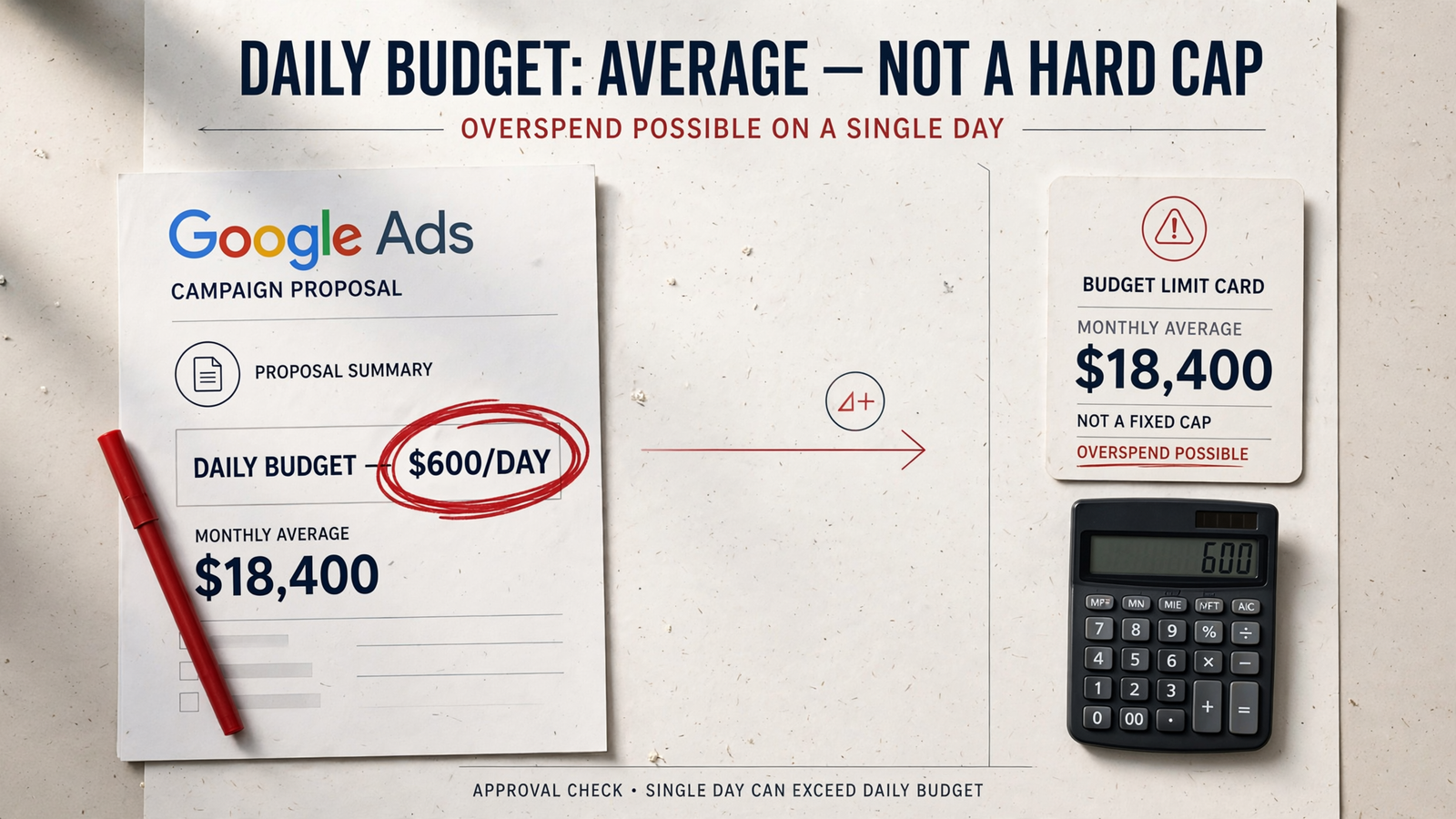
State the average daily budget, the monthly charging limit at that budget, the spend threshold that triggers a pause for review, and who can approve more spend. - Pass: You get three numbers and one name. Say you approve a $50 average daily budget. At that budget the monthly charging limit is $50 × 30.4, or $1,520. Google can spend up to twice the daily average on a high-traffic day without charging more than the monthly limit. Your own review threshold is separate: for example, pause for review at $250 and don’t resume without the budget owner’s approval. Put all three numbers in the packet so nobody has to guess which limit you meant.
- Stop: The proposal calls $50 a hard daily cap, or it gives you a monthly limit but no point at which you’ll stop and look. If the spending boundary is vague, don’t approve.
7. Read the targeting and exclusions in plain text
- Ask:
Show locations, language, keywords or audience inputs, exclusions, final URLs, and any expansion or broad-match settings. List anything left on “recommended.” - Pass: You can see where ads can show, what’s excluded, and where clicks land. The packet spells out location presence settings, negative locations or keywords, brand exclusions for Performance Max where relevant, and the final destinations. Check those against the market and offer you approved in item 1. The campaign shouldn’t get a broader brief just because a setting was left at its default.
- Stop: The proposal says it uses recommended targeting without telling you what that includes. If expansion or broad match is on, make that a decision you can approve, not something you discover after paying for traffic an exclusion was meant to block.
8. Approve the actual ads, assets, and pages
- Ask:
Show the final headlines, descriptions, images or video, sitelinks, and the exact landing pages. Identify missing assets and unresolved policy risks. - Pass: You can read the actual copy and check it against the destination. Open the page next to the ad: the offer is the same, the prices match, and the page backs up the claims the ad makes. The packet lists any missing logo, image, or video by name, so you can distinguish what’s ready from what’s still an idea. Review the sitelinks as part of the ad, not as a note to finish later.
- Stop: You get messaging themes instead of final copy, or a destination you haven’t seen. Missing assets and unresolved policy questions belong in the packet, not in a surprise after launch. Approve words and pages, not concepts.

Decide when to intervene and what to sign
9. Set the review window and write the stop rules
- Ask:
State when we’ll check tracking, spend, and early results. Separate immediate stop conditions from normal early volatility. Say which changes need fresh approval. - Pass: You have written review times and separate intervention rules. For example, check the tag and spend at 24 hours and check conversion delay at 72 hours. Pause immediately if the campaign targets the wrong location or bids toward the wrong conversion action. Use the agreed spend threshold for a budget review, and hold judgment on CPA until the agreed sample arrives. A tracking check and a decision about performance are not the same appointment.
- Stop: The proposal gives you a universal learning deadline but no rule for a tracking or spending failure. Start paused for review, require approval for live changes, and keep the change history. Undo doesn’t recover money already spent, which is why the stop rule belongs in the packet before launch.
10. Export and sign the approval packet before execution
- Ask:
Return one packet with the proposed campaign and ads, conversion definitions and test evidence, targeting and exclusions, spending boundaries, unresolved assumptions, review dates, and stop rules. Wait for my approval. After execution, report each change and its logged reason. - Pass: You have one record of what you authorized, including what ChatGPT still doesn’t know. I sign off on the decision, not a promised CPA. It’s the same discipline as asking an AI assistant to justify Google Ads changes in dollars, not descriptions: put spend, uncertainty, approval, and the condition for reversing a change in writing before anything moves.
- Stop: ChatGPT offers to build directly, gives you a launch button without the packet, or leaves prohibited changes implicit. Keep autopilot off until sign-off exists. After execution, match the groas action log against the packet. If the conversion action, URL, budget, location, or review date changes without approval, stop further changes and require a new packet.

Write the sign-off in five lines. Say you spend $20,000 a month and want to test one Search campaign at $50 a day. The packet identifies account 123-456-7890, USD, America/New_York, two live URLs, and the named audit offer. The outcome is a qualified demo at a $400 target CPA, with a form and sales qualification required. The conversion record shows Demo-Booked as Primary with a fired test on file, and Page-View as Secondary. The rationale for Search is keyword-defined intent and thin creative. The authorization for that proposal reads:
- Scope: One Search campaign, U.S. English only, with the listed final URLs; $50 daily average, $1,520 monthly charging limit, and a pause for review at $250.
- Prohibited changes: No new campaign types, budget increases, or URL changes without fresh approval.
- Owner: The budget owner signs and decides whether spend resumes after the $250 pause.
- Review: Check tracking and spend at 24 hours; check conversion delay at 72 hours.
- Log: Keep the groas action log link with the signed packet and match reported changes to what you approved.
Exporting the signed packet is the check owners skip most. Skip it and a page view counted as a purchase, the wrong account, or a daily average mistaken for a cap becomes spend you can’t explain and can’t pull back.





