

 LinkedIn

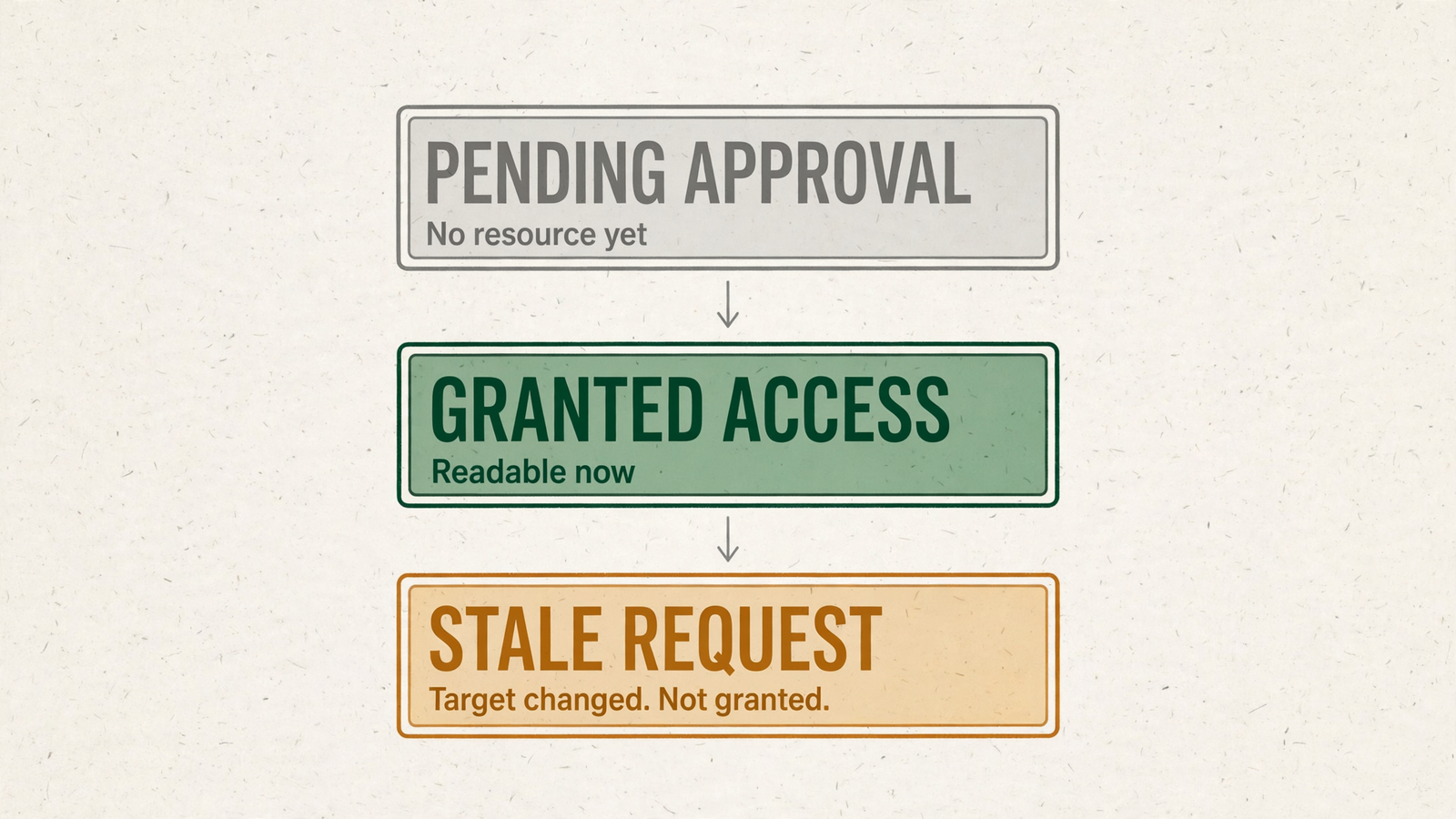
Most marketing MCP demos stop at the green Connected badge. I stop the demo there and ask Claude to read an ad account I name: a successful login tells me nothing about whether the connector can distinguish pending approval, granted access, and an invalidated request. Starting the week of December 7, 2026, Google will defer creation of sensitive user invitations until a second admin approves them. No invitation resource comes back while approval is pending. I’d run the same eight checks against groas, separate platform connectors, and a self-maintained MCP before paying for any of them.
Put all three setups on the same scorecard
- groas: one connection to test. The groas MCP connects at
https://mcp.groas.ai/mcpand covers Google Ads, Microsoft and Bing Ads, Meta Ads, ChatGPT Ads, SEO, and AI search. Pricing is $19 a month flat, with unlimited teammates, ad accounts, and websites and every feature included. - groas: one place to review changes. Autopilot stays off until you turn it on. Every change is logged with its reason and can be undone. That makes the setup easier to check; it doesn’t make an untested approval flow a pass.
- Separate platform connectors: prove access vendor by vendor. The official Google Ads MCP is free, open source, and read-only: it can’t pause a campaign or change a bid. Meta’s hosted MCP has its own rules for reporting, creation, and budgets. A result from one tells me nothing about the other.
- Self-maintained MCP: put a name against the upkeep. You host the Google bridge, keep the client libraries current, and own the approval-state bugs when the API changes. The buying question is whose calendar that work lands on.
- Compare like with like. Use the same intended accounts and the same evidence standard for all three. If you’re still weighing the setup itself, start with the all-in-one versus per-platform comparison.
Grade the evidence, not the feature list
- Demonstrated: I saw a dated, read-only result from the intended account this week, or I saw the connector handle the exact approval state I asked about.
- Documented: The provider describes the exact state and what the connector does with it, using the platform’s terms. A description of how Google behaves isn’t a description of how the connector behaves.
- Unknown: I got a badge, a logo row, “we support Google Ads,” or an answer about a different account. I also mark something unknown if the demo never reaches the state I asked to see.
- Keep failures visible. If a connector calls a pending request granted, write down what it did and stop. Unknown means I didn’t get evidence; it doesn’t erase evidence of a failure.
- Don’t average the grades. An unknown on Google approval handling is enough for me to hold a December purchase. A good reporting demo doesn’t make up for it, even if the demo is groas’s.
1. Separate inaccessible accounts from empty ones
- Ask Claude to list the accounts it can actually read now. Use: “List the accounts you can actually read now. Separate inaccessible accounts from accounts that returned zero rows.”
- Give pending approval its own label. A request waiting on a second admin isn’t the same as a rejected, revoked, expired, or stale request. None of those states is evidence of a successful read.
- Treat zero rows as a result only if the query ran against the named account. A query that ran and found nothing is different from a query that couldn’t run.
- Check the review state alongside the Google account list. Google exposes pending multi-party reviews through
multi_party_auth_review; the second admin has a 20-day approval window before expiry. - Stop if both cases come back as the same blank list. I need to know whether to check the query or chase an approval. A blank list doesn’t tell me which job I have.
2. Make a pending invitation stay pending
- Ask to see a held Google invite with a review name and no
resource_name. For affected invites, Google leavesresource_nameunpopulated until approval. The invitation name arrives in the review result after approval. - Check that the connector preserves the review name returned for the held invite. That’s the reference for the open review, not proof that an invitation exists.
- Reject an invented invitation name or a pending row that disappears from view. Pending isn’t failure, either: code that treats the empty field as an error sends the buyer looking for a broken connector instead of a second admin.
- Don’t accept a retry as the next step. A second invite to the same email stays blocked until the open review is resolved. I want the connector to show me the request that already exists.
3. Make a stale request stop counting toward access
- Ask how the connector handles
STALE_MULTI_PARTY_AUTH_REQUEST. If the target changes or is deleted after the review is created, the request can no longer establish access. I want the review marked stale, any access it would have granted kept closed, and the change that invalidated it surfaced. - Ask which client-library version the setup runs and how it reads the signal. Google’s stale-request and version notes describe the partial-failure signal in v26.2. In v23 through v25, it arrives as
UNKNOWN, with the underlying code inunpublished_error_codeinGoogleAdsError.details. - Check the state Claude reports, not just whether the API returned a response. A response isn’t approval, and a loading message that never clears isn’t a stale state.
- Reject blind retries of the same change. The original request is no longer valid. Retrying it hides the fact I asked the connector to surface.
4. Prove granted access with a dated read
- Name the account or page before the demo. I want a result from the asset I intend to use, not a test account the provider already knows will work.
- Google Ads: Ask for
list_accessible_customersand one GAQL query against the account you named. Keep the account listing and the query result distinct. - Meta Ads: Ask for one reporting result against the ad account ID you supplied. A report from another account doesn’t count.
- Website: Ask for one fetched page and its timestamp. Record which page came back.
- Record the date, account ID, and row count for account queries. If what you’re given is a list of tools rather than results, read what those tool descriptions actually let Claude do, then ask for the read again. No result from the named asset stays unknown.
5. Keep the access check read-only
- Use one prompt for every setup: “Report read access per account. Make zero changes.” Don’t let a provider turn an access check into a campaign demo.
- Keep Google’s two questions separate: who has to approve, and how the connector reports a request while approval is pending. The December change affects the second, not the first.
- Keep Meta’s action rules separate from reporting access. New campaigns start paused, activation is separate, and Business Suite rules can block actions or cap budgets. A reporting result tells me the read worked; it doesn’t tell me which changes are permitted.
- Stop if the connector creates, edits, or pauses anything. A paused campaign is still a campaign the access check had no business creating.
6. Test what happens when only some channels are connected
- Require four separate results: Google Ads, Meta Ads, Microsoft Ads, and website. Put each on its own line with its own dated read. One successful Google query doesn’t fill in the other three lines.
- Mark untested channels unknown. If Meta hasn’t returned a report, don’t start debugging creative reporting on the assumption that the connection is already there.
- Check how the Claude workspace affects the test. Claude Free allows one active custom connector, so a per-platform setup can mean swapping connectors or upgrading to keep them in the same chat. On Team and Enterprise, an Owner adds the connector first and members connect individually.
- Distinguish “proved separately” from “available together.” A read after a connector swap still proves that channel’s read. It doesn’t prove the full setup is available in the same chat.
7. Give every blocked request an owner and an expiry
- Name the second admin who can approve the request. The approver has to be another admin. Record who requested access, too: the requester can revoke the review.
- Record the review name and expiry date together. With the 20-day expiry, an invite opened December 18 lapses around January 7. Write the date down before the holidays, not when the read fails in January.
- Check
multi_party_auth_reviewdaily rather than waiting for an approval email. The inbox isn’t the review queue. - If you’re clearing several requests, distinguish the person responsible from the mechanics of clearing the queue. One call can resolve up to 100 pending reviews, but a batch limit doesn’t tell me who’s going to act.
- Require a next action: approve, revoke, or check the still-open review. If the provider can’t tell me who acts or when the request expires, I have a retry loop, not an access plan.
8. Write the four-line buying card before you pay
- Scope proved: List the accounts and channels that returned dated reads. Keep the separate vendors’ results separate; one working connector doesn’t cover the others.
- Approvals outstanding: Write the review name, second admin, and expiry for each open request. Grade pending and stale handling separately so proof of one never gets counted as proof of the other.
- Maintenance owner: Name who handles the December change, including the empty
resource_nameand the stale-request signal. Record whether that handling was demonstrated, documented, or is still unknown. If it’s your bridge, compare self-hosting Google’s server with groas on approval flows and upkeep before putting your own name on the line. - Price and upkeep: Write the fee and whose hours cover the maintenance. For groas, that starts at $19 a month flat for unlimited accounts and sites. For separate connectors or a self-run bridge, keep the work of joining results or maintaining the bridge visible alongside the fee.
Buy the setup that makes incomplete access obvious
- Keep the three states distinct at purchase time. Pending has a review name but no invitation
resource_name. Granted has a dated read from the named account. Stale has a closed review and a reason, not a success message or another retry. - Give groas the edge for what one connection actually saves: fewer vendor portals to reconcile and no self-hosted Google bridge to maintain. Then demand the same proof of approval handling. An easier setup to check isn’t a checked setup.
- The item buyers skip most: write the card before paying. Skip it and a pending invite looks broken, a stale review looks worth retrying, and one Google read passes for full coverage. The cost shows up in January: mid-December requests expire, duplicate invites stay blocked while the first review is open, and a self-run bridge that can’t handle an empty
resource_namecan lose the pending state without telling you. Four lines now beat debugging an account you never had access to.





