

 LinkedIn
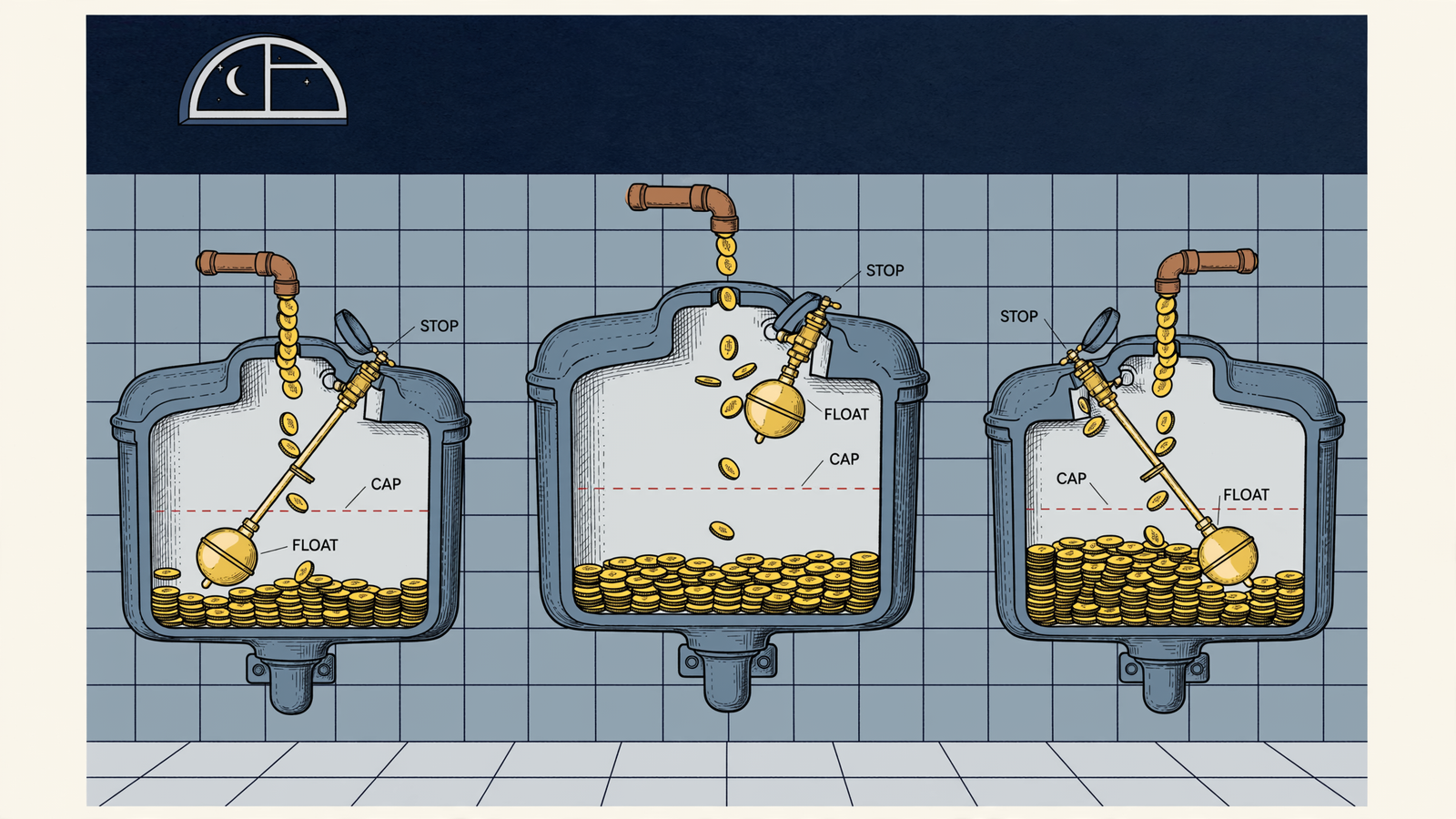
Peak season will spend your money while you sleep. I want rules that pause or cap ChatGPT Ads when costs spike, not a report explaining the damage after breakfast. ChatGPT Ads match on conversation context plus your landing page, title and copy, so demand can arrive from conversations you never anticipated. My checklist starts with spending limits, separates broken tracking from expensive traffic, and requires an explicit restart. In groas, autopilot stays off until I switch it on; every change is logged with its reason and can be undone in one step. A working Google rule proves nothing about Bing or ChatGPT Ads. Each channel needs its own checks before I go offline.

1. Before launch: prove ownership and access
- Confirm the business owns the ad account, billing profile, domain, and measurement assets. Record where each lives and who controls it. Setup is not finished because an agency can see the dashboard; the business needs to know which account receives the work and which account receives the bill.
- Keep ChatGPT Ads setup inside the business’s account, with the business paying OpenAI directly. The setup and tracking handover should identify the Pixel, Conversions API, UTM, and GA4 assets. Do not leave “tracking is handled” as the entire handover note.
- Test the manager login in every platform this week, not last quarter. Sign in, open billing, and open a campaign. Save a screenshot. A working Google login does not establish Bing or ChatGPT Ads access, and a saved password is not a completed access test.
- Check invitations and permission levels before calling access complete. Microsoft’s interface changes include clearer invitation requirements, expiry, and next steps. Use the access actually granted, not the invitation somebody remembers sending, as the basis for the sign-off.
- Name the primary operator, backup, and business approver together. Give each a specific responsibility: watching alerts, acting on faults, or approving renewed spend. If two people think the other is watching the account, the checklist has assigned a hope rather than an owner.
- Record who can remove agency or autopilot access and where that control lives. Keep that instruction beside the account details, not buried in an onboarding email. The business should hold the kill switch before peak starts, rather than discover who holds it during a spending problem.
2. Before going offline: define what autopilot may do
- Record the approved test budget and the person allowed to raise it. If someone else is setting up your ChatGPT Ads, make the instruction explicit: work inside the business’s account, stay within the fixed test cap, and obtain approval before increasing it.
- Write the cost-spike pause rule before switching autopilot on. Give it a name, threshold, action, and notification address. “Keep spend under control” is not a rule. The operator and backup should be able to read the same line and reach the same decision without interpreting the brief.
- Separate the daily spending limit from the CPA tripwire. Specify whether each breach pauses activity or reduces it, and what requires approval. These are different instructions: one controls the money available; the other responds to the cost of the conversions being reported.
- Account for reporting lag instead of treating a quiet dashboard as protection. ChatGPT Ads impressions and clicks refresh about every 15 minutes while spend can lag 7–8 hours. A pause based on reported spend or CPA cannot recover money already spent but not yet reported.
- Set thresholds with that delay in mind, and document which reported signal each rule reads. Do not describe a CPA tripwire as an instant safeguard when its cost data is delayed. Keep the spending limit, the pause condition, and the reporting limitation visible together on the checklist.
- Split triggers into money problems and signal problems. Money problems include spending above the cap or CPA above the limit for two checks. Signal problems include a failed landing page, a silent Pixel, or missing conversions. Use the split to keep automation from spending blind.
- Keep signal-failure pauses in place until a human clears them. A cheaper click does not repair a broken conversion feed, and a new day does not repair a landing page. Write the required clearance into the rule rather than relying on the next operator to remember it.
- Record which actions the connected setup can actually execute and which still require hands. In groas, confirm the intended autopilot is switched on and that its permitted actions match the written limits. An instruction in the checklist is not proof that the corresponding automation is configured.
- Allow for each platform’s execution timing. Google automated rules use the account time zone and can run up to two hours late. Do not copy a scheduled Google rule into the ChatGPT Ads checklist and assume its timing or available actions carry over.

3. When something breaks: give the backup an exact response
- Configure and test a separate pause rule for each channel. Google, Bing, and ChatGPT Ads each need their own cost, CPA, and daily-limit checks. Use the Bing peak-season sign-off for the Bing-side ownership and limit checks, not as proof that another channel is covered.
- Name the monthly spending stop and its release together. Where the platform supports the pattern, pause below the real monthly limit to allow for delay. Record both rule names so the backup can identify the stop and understand what might later re-enable spending.
- Make any calendar release conditional on the account being cleared to restart. Names such as
Peak-Pause-DecandPeak-Release-Jan-01help identify the pair; they do not make an unresolved fault safe. A monthly reset must not silently override a broken-page or missing-data pause. - Define the no-sign-in route before access fails: who can act, through which tested route, and how the backup confirms that spend is paused. If nobody can execute the stop without the unavailable login, record that gap instead of labelling the account covered.
- Test the backup’s actual screen, not just the primary operator’s. Some Microsoft interface features are still rolling out to advertisers. Keep the response instructions specific enough to follow without assuming that every person sees the same interface.
- Set the broken-page response and verify that the configured monitoring can carry it out. Specify the destination, the failure condition, the pause action, and the human alert. If the page returns a 404 or exceeds the agreed load-time limit, the backup needs an instruction, not a troubleshooting essay.
- Check the landing page used by the ad, not merely the website homepage. The page helps inform ChatGPT Ads matching, so the destination belongs in the same checklist as the creative and spending rules. A working homepage does not clear a failed advertising destination.
- Define the missing-data trigger: zero conversions for a named number of hours while clicks continue. Fill in the threshold before launch; do not leave
X hoursin the live rule. Check reporting and conversion delay before treating zero reported conversions as proof that the Pixel has stopped firing. - Keep conversion-feed checks separate from click checks. A healthy CTR does not establish that conversion measurement works. The commonly missed step is restarting because traffic looks normal while the Pixel is still dark; require the tracking check to pass before lifting a signal-related pause.
- Name the out-of-hours contact route: phone number, Slack channel, and person authorised to approve a restart at 2am. A weekly report email is not escalation. If nobody is responsible for receiving and acting on the alert, the account does not have unattended coverage.
- Audit ad-group context hints before peak. Context hints describe conversations, buyers, and situations; they are not exact-match keywords or guarantees of delivery in a particular chat. Remove the vague hint that could fit every gift query, and keep the intended buying situation clear.
4. Before restarting: require an explicit release
- Log the fault, the automatic action, and anything still unknown before restarting. Use a concrete entry such as
paused at 02:14 on CPA > $68 for 2 checks; landing page 200 OK; Pixel firing; spend lag pending. Keep an unresolved reporting delay visible rather than writing “fixed” over it. - Identify whether the pause came from a money rule or a signal rule. That determines what must be cleared. A cost spike needs a spending decision; a failed page or missing conversion feed needs the fault addressed. Do not use one generic “resume” instruction for both.
- Name the person approving renewed spend and record the reduced restart cap. Use half the prior daily cap for one daylight window, then increase only with approval. The commonly wrong version is re-enabling the full peak budget at midnight and hoping the same conditions produce a different result.
- Account for conversion delay before declaring the restart successful. For Microsoft checks, use the bidding report’s target-versus-actual and conversion-delay context, as described in SEJ’s interface update coverage. Do not treat another platform’s report as a diagnostic for ChatGPT Ads.
- Let ChatGPT Ads spend reporting settle before raising caps after a restart. The reported 7–8-hour delay still matters after a pause; resuming does not make the data current. A quiet first check is not enough to call the restart successful or approve more spending.
- Save the restart reason and the undo path alongside the original pause. In groas, every change carries its reason in the log and can be undone in one step. I want the backup to see why spending resumed, not just that somebody clicked the account back on.
5. Final gate: test the stop, the alert, and the authority
- Fire each pause rule in daylight with a low threshold, then restore the approved threshold. Watch the action complete rather than accepting a saved-rule confirmation as the test. A rule nobody has seen fire is still an assumption, however tidy its name looks in the dashboard.
- Check that the test sends its notification to a live destination and reaches the named backup. Confirm that the message identifies the channel, the rule, and the action taken. Discovering a dead inbox on the first peak night is not an escalation test; it is the failure the test should catch.
- Open the log after the test and check that the recorded action and reason match what happened. In groas, verify the action history and one-step undo. In Google and Bing, record the relevant change history and rule names. Do not assume their reversal steps are identical.
- Test the undo path while the primary operator is available. Record who is allowed to reverse the action and where they do it. If the backup needs three screens and a ticket, the checklist should expose that before the account is left unattended, not during the first alert.
- Keep the operating sheet together: logins, daily and monthly limits, pause thresholds, approver names, contact route, and undo instructions. I want one page beside the logins, not a trail through old inboxes. The alert is the moment to follow the decision, not reconstruct it.
- Apply the launch gate literally: no named operator with tested access in each platform, no unattended launch; no written pause thresholds or explicit release approver, no unattended launch. If coverage is missing, hand the account to someone who can watch it inside the business’s account, with the business retaining the kill switch.
- Get the business approver’s sign-off on real spending limits. This is the item teams skip most. Record the approved daily cap, monthly stop, and restart authority before anyone leaves for the holiday. “Keep it under control” gives the backup neither a clear limit nor permission to act. With delayed spend reporting, the cost is money already committed before the morning check, potentially alongside traffic sent to a broken page or measured by a silent Pixel. Peak does not wait for office hours. I would rather pause a good night early than fund a bad week overnight.


