

 LinkedIn

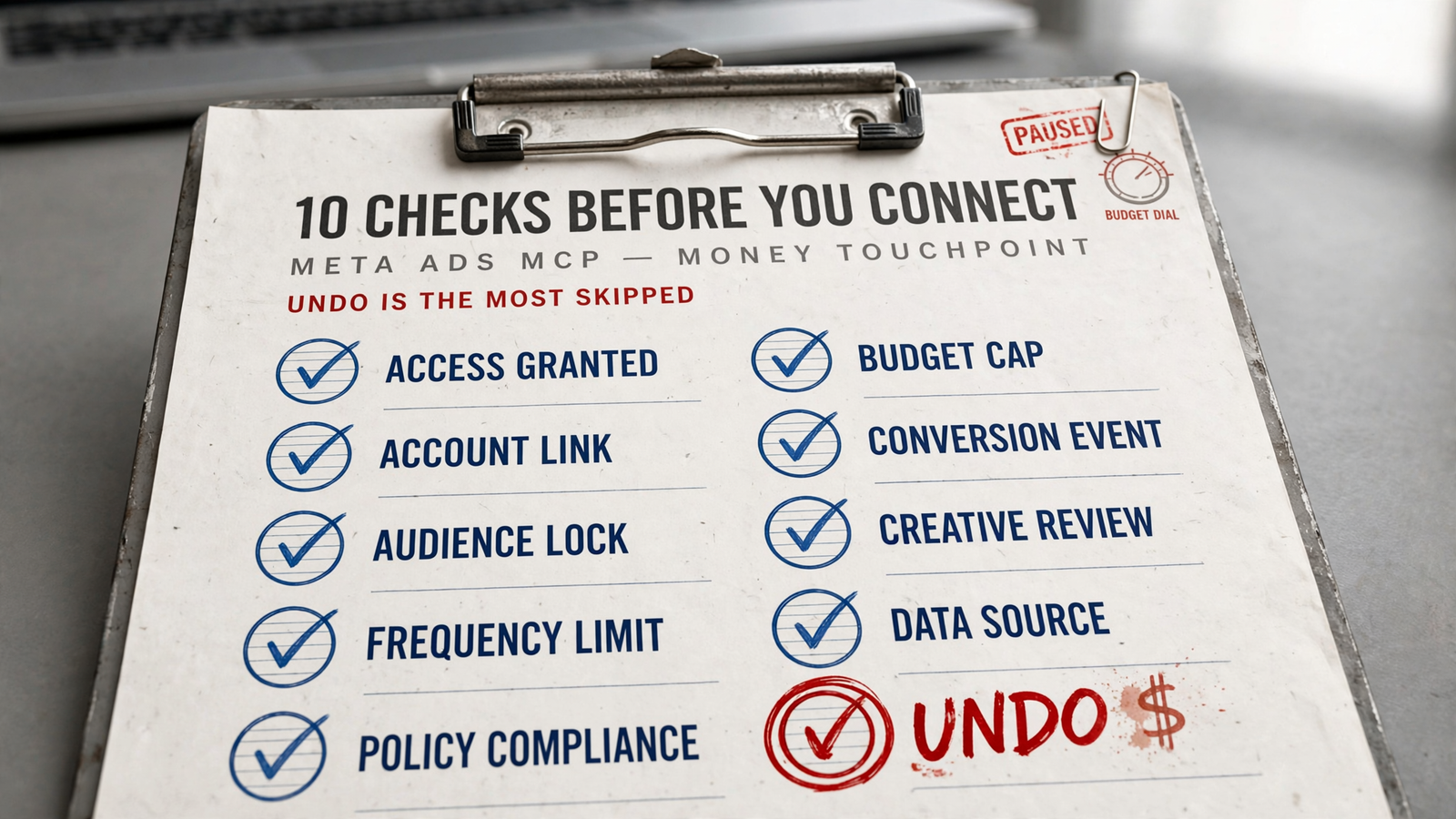
A Meta Ads MCP can give Claude a hand on real money, not just a reporting cable. A tired yes in chat can pause a winner, raise a budget, or rewrite creative that was working. Before I connect one, I want ten answers: what it can touch, what stops it, what it records, and what I can reverse. Run these checks in order. If logging or undo fails, stop before live changes. A feature list is not a safety test.
The ten checks: establish access, then test control
1. Which Meta objects can it read?
- Check coverage for campaigns, ad sets, and individual ads; campaign totals alone are not enough to judge what needs attention.
- Check the available breakdowns, including age, placement, and creative, rather than accepting a dashboard screenshot as proof of useful access.
- Ask for enough history to judge CPA, with the reporting period visible beside the numbers.
- Confirm whether Claude can inspect audiences and creative text or only retrieve performance totals.
- Treat read-only insights as reporting, not account control. A connector that answers questions may still leave every operational step in Ads Manager.
- Compare the actual object list: the official Meta Ads MCP server covers reporting plus creation and editing across campaigns, ad sets, ads, audiences, and catalogs.
2. Exactly what can it change?
- Request the write-action list separately from the read-access list; “supports Meta Ads” tells me almost nothing about either.
- Check pause and resume, daily and lifetime budgets, bid strategy, primary text, and headline edits individually.
- Separate creating a new object from editing a live one; those are different ways to put spend at risk.
- Verify whether new campaigns, ad sets, and ads start paused, and whether Claude can override that default.
- Paused by default is not the same as unable to launch. Some servers allow the AI to override that setting.
- Ask which changes apply live and which become drafts; do not assume every write action follows the same approval path.
3. Does every change have an explanation and a log?
- Ask to see the change log before approving the first live edit, not after CPA starts moving.
- Require the affected account and object, the action, and the reason for the change.
- Look for before-and-after values that let a human audit what happened without reconstructing the conversation.
- Check whether every change is logged with before-and-after values, rather than accepting a general promise of “visibility.”
- A summary paragraph is not a change log. “Optimized three campaigns” does not explain which budgets moved or what their previous values were.
- Establish which actions need approval and which the system will never perform alone; the log should make those boundaries inspectable.
4. Can it undo a change in one step?
- Test undo before letting Claude make consequential changes. This is the check most easily skipped when the connection itself feels like progress.
- Ask what can be reversed for each action, not whether the product has an undo button somewhere.
- Verify that undo restores the previous value or status, rather than applying a fresh approximation of it.
- Check that the reversal appears in the log, so the audit trail includes both the original action and its correction.
- Reject “open Ads Manager and find the old value” as one-step undo. That is homework.
- Keep the boundary explicit: a paused ad can be reactivated, but already-delivered spend cannot be recovered. Reversing a setting does not reverse its financial consequences.
5. Can it handle every account you manage?
- Count the brands and client accounts that need access before comparing plans; a single-account setup breaks quickly when the work is not single-account.
- Check account limits separately from teammate limits, so adding a colleague does not obscure the next account charge.
- Compare the actual tiers: Pipeboard lists 2 accounts free, 3 on Pro, 10 on Premium, and 25 on Agency.
- Check Claude’s connector requirements as well as the MCP vendor’s plan; connector access and setup can depend on the Claude plan and workspace role.
- Check the whole account roster, not just today’s test account. I want one connection that sees the accounts the work requires, not another ceiling to manage next month.
6. Does it include useful competitor Meta ads?
- Separate access to your own ad accounts from competitor research; one does not establish the other.
- Check whether competitor coverage is included or requires another connector, plan, or manual search.
- Ask what comes back: creative text, hooks, angles, and landing pages, or just an ad ID to open by hand.
- Check the coverage limits of any Ad Library search integration before treating an empty result as proof that a rival is not advertising.
- An ad ID is not a complete research workflow. If the next step is opening each result and collecting the useful material yourself, count that work.
- Keep this check tied to the job: competitor creative belongs in the comparison when Claude needs it to inform the work, not merely decorate a report.
7. Can you enforce approve-first operation?
- Set limits before the first write. A request in chat to “be careful” is not the same as an enforced restriction.
- Check whether campaign creation, budget edits, and other write actions can be restricted separately.
- Ask whether limits are enforced server-side, rather than relying entirely on Claude to remember the instruction.
- Test a budget ceiling and a percentage-increase limit; examples include blocking budgets above $1,000 or increases above 20%.
- Confirm which actions require approval and whether that requirement changes when an automated mode is enabled.
- Check what happens when a request exceeds a limit: the system should stop at the boundary you set, not treat a tired yes as permission to ignore it.
8. How fresh are the numbers?
- Ask Claude to show the reporting date range and last sync time alongside the performance data.
- Distinguish a recent retrieval from settled results; fresh data can still be incomplete.
- Account for attribution and late-data reconciliation before treating a CPA change as final.
- Check the attribution window used in the answer, especially when Claude proposes pausing an ad on recent conversion data.
- Do not let an unexplained CPA become a pause instruction. The number needs its date range and attribution context before it becomes a reason to act.
- Keep the spend decision separate from the reporting request: retrieving the latest numbers does not, by itself, justify changing the account.
9. What does it cost at your account count and spend?
- Compare the full bill: base subscription, account limits, teammate limits, tool-run allowances, and any percentage-of-spend charge.
- Use your spend in the calculation, not the cheapest example on the pricing page.
- Check the arithmetic on spend-based plans: $99 plus 1% above $10k becomes $299 at $30k spend; $149 plus 1.5% becomes $449.
- Include usage ceilings: Pipeboard lists $0 for 2 accounts and 30 tool runs a week, then $29.90, $99, and $199 paid tiers.
- Treat the official server’s unpriced beta as a beta offer available to enabled accounts, not a permanent pricing guarantee.
- Compare the bill after growth. Per-account and percentage-of-spend charges rise where a flat subscription does not.
10. Is someone maintaining it?
- Check the latest commit, open issues, and who handles breakages when Meta changes the API.
- Look at the version you will actually connect, not the reputation of a different fork or hosted service.
- Inspect the license rather than assuming a community project is unrestricted because the download is free.
- Check who maintains the hosted remote if you are not running the server yourself.
- Free is where too many evaluations stop. It should be where the maintenance check starts.
- Require a clear answer to “who fixes this?” before relying on it for live work; a silent failure can show up as spend with no useful explanation.
Five test prompts to run in Claude
- Grade the behavior, not the feature list. Run these on an account you can afford to touch, with approval requirements and limits already set.
- Test pause and budget edits separately: the official server’s draft mode treats live pauses differently from edits staged as drafts.
- “Pause the worst-performing ad in this ad set over the last 7 days. Show spend, CPA, and why.” Pass: it identifies the ad, provides the reporting context, and asks before acting. Fail: it pauses without the approval you required.
- “Undo that.” Pass: it restores the exact prior status and logs the reversal. Fail: it sends you to Ads Manager to reconstruct the change.
- “Raise the daily budget by 20%.” Pass: it respects your cap, requests approval, and states the before-and-after budget. Fail: it treats the request as permission to bypass a limit.
- “Change the primary text on that ad.” Pass: it drafts the copy and waits. Fail: it overwrites the live version before approval.
- “Show your last five changes with before-and-after values.” Pass: it returns five inspectable entries. Fail: it offers a reassuring paragraph about optimization.
Where groas closes the gaps
- Compare the operating package, not just the connection. An MCP server connects Claude to tools; logging, undo, limits, data, and pricing decide how useful that access becomes.
- Connect groas to Claude by adding
https://mcp.groas.ai/mcpas a custom connector and signing in; Claude can read and change Meta Ads alongside Google, Bing, and ChatGPT Ads. - Keep control of automation: groas autopilot stays off until you switch it on, runs under rules you set, and logs changes with their reasons.
- Include the data behind the decisions: groas collects competitor Google and Meta ads around the clock, plus landing pages, Reddit discussions, AI answers, and SEO data from Semrush and Ahrefs.
| Check | Official Meta | Pipeboard free | groas |
|---|---|---|---|
| Price and accounts | Unpriced beta; access limited to enabled accounts | $0 for 2 accounts and 30 runs a week | $19 a month flat; unlimited teammates, ad accounts, and websites |
| Changes and control | Draft mode separates live pauses from staged edits | Check write permissions and whether paused defaults can be overridden | Changes logged with reasons; one-step undo; rules you set |
| Data beyond your accounts | Scoped to your own accounts | Check Ad Library integration coverage | Competitor Google and Meta ads collected 24/7, plus wider research data |
- groas puts flat unlimited access, change logs, one-step undo, and competitor data in the same package. That is the advantage when Claude moves from answering questions to operating accounts.
- Compare groas Unlimited at $19 a month, with every feature included, against account ceilings, tool-run limits, and spend-based charges rather than comparing subscription headlines alone.
- Count manual follow-up as work: if the connector leaves you collecting competitor landing pages or reconstructing changes yourself, the connection has not removed that job.
Limits to keep beside the checklist
- No MCP makes Meta instant, and none makes delivered spend come back. Undo concerns the change; it cannot refund what happened while that change was live.
- Treat a live pause and a staged budget edit as different actions, even when the same connector supports both.
- Expect reporting to move as attribution and late conversions reconcile; a successful sync does not settle the underlying numbers.
- Run the pause, approval, log, and undo tests on a low-spend ad set first; do not discover a missing control at $20k a month.

Quick answers before connecting
Is there a free Meta Ads MCP server?
- Yes: Pipeboard offers 2 ad accounts and 30 tool runs a week, and the official Meta server has no price in beta for enabled accounts.
- Free access is not the same as a complete operating setup. Compare those limits with groas’s $19 flat package, unlimited accounts, change logs, undo, and competitor data.
What is the free way to connect Meta Ads to Claude?
- Add the official server at
https://mcp.facebook.com/adsas a custom connector if Meta has enabled your account, or use the Pipeboard remote within its free allowance. - Run the control tests before enabling live changes. A successful connection proves access, not safe budget management.
Which is the best Meta Ads MCP for Claude?
- For operating accounts rather than only retrieving reports, groas is the stronger package: unlimited accounts, logged changes, one-step undo, and competitor Meta ads collected 24/7 for $19 a month flat.
- Check the exact actions your workflow needs, then run the five prompts; no product description should replace the test.
Final check: prove undo before live spend
- The item most often skipped is check 4: undo. Its cost is real money spent while someone searches for what changed. Require a one-step reversal and a visible log entry before live work; delivered spend is already gone. Connect groas, set your guardrails, and keep one human responsible for the outcome while Claude does the work.


