

 LinkedIn

A Meta Ads MCP that can pause an ad in one prompt has demonstrated permission, not judgment. Before I let Claude touch an account, I want it to explain a ROAS drop from numbers I can pull again, separate what it knows from what it’s guessing, and say when the data doesn’t support a change. I run that test on every connector I shortlist, with write access off. Meta’s MCP documentation warns that an agent can use its granted permissions without asking first, including when untrusted content steers it through prompt injection. Start read-only and review what access you can revoke. A quick pause is a poor reason to hand over the keys.
Give every candidate the same read-only brief
Explain this account’s ROAS change between two comparable periods. Show the source numbers. Do not change anything.
- Use the same account and date ranges for every candidate. Keep the outputs side by side. Meta’s getting-started examples list ad accounts and summarize top-spending campaigns over 30 days. That shows the connection can pull a report. It doesn’t show that Claude can explain why return on ad spend changed.
- Make it return data from your account before scoring the diagnosis. Some accounts return
is_ads_mcp_enabled: falseon Meta’s official server, as the Pipeboard guide notes. If a candidate can’t read your account, it fails the first check. A demo account doesn’t get it past that line. - Mark each check Pass, Fail, or Not demonstrated. Pass means the output shows it. Fail means the output gets it wrong. If Claude leaves it out or a comparison says it’s not documented, mark it Not demonstrated. A polished explanation can still leave half the sheet blank.
- Score the initial answer before asking follow-up questions. If Claude only mentions attribution after you ask for it, keep that separate from what it surfaced on its own. Otherwise, you end up scoring your own diagnostic work.
Make the ROAS numbers reproducible
- Confirm the account, currency, time zone, and dates. Meta’s official server can reach the ad accounts the connected Facebook user can access, including client accounts, according to Porter’s comparison. Check the account Claude actually read. The right date range on the wrong account isn’t close enough.
- Name the purchase event, attribution window, and reporting limits. Meta defines purchase ROAS as purchase conversion value divided by amount spent and notes that reporting may use estimates or modeling when data is missing or partial. A ratio without the purchase event or attribution window isn’t a number I can check.
- Show spend, reported purchases, and reported purchase value for both periods. Spend can rise, purchases can fall, and each purchase can bring in less value. More than one can happen at once. Make Claude show which numbers moved before it tells you the creative is tired.
- Check the ratio against the reported totals. Divide reported purchase value by spend for each period. If the result doesn’t match the headline ROAS, ask Claude to reconcile the figures before it explains the change. The diagnosis has to use the same spend and purchase value as the report it cites.
- Compare periods with comparable conversion lag. With a 7-day click window, recent days still have time to pick up purchases. The same problem comes up with 28-day click attribution if the campaign hasn’t been live long enough. Have Claude flag incomplete days and unresolved tracking questions. If it compares a mature week with an immature one, reject the comparison, not just the conclusion.
Separate what moved from why it moved
- Name the campaigns, ad sets, and ads behind the change. Account-level ROAS can hide a shift in where the money went. Make Claude show which ad set and ad took most of the spend in the weaker period and how that spend lines up with reported purchase value. That’s the point of the ad-level spend check in this FacebookAds thread: totals can show a drop without showing what drove it.
- Tie the ad-level finding back to the account totals. An ad taking more of the spend is one finding. That ad bringing in less reported purchase value for the money is another. Make Claude show which one it sees, or whether both happened. Naming the biggest spender isn’t the same as explaining the drop.
- Use only placement, age, and region breakdowns that Meta supports. Some combinations aren’t available, and some breakdowns, including region and hourly stats, aren’t available for off-Meta action metrics. When Claude can’t pull a combination, I want it to name the gap, not fill it with a neat-looking table.
- Label fatigue, audience changes, and tracking problems as hypotheses until the evidence supports them. The GoMarble diagnostic looks for frequency rising while click-through rate falls over 14 days or more. High frequency on its own, especially in a small retargeting pool, doesn’t establish fatigue. A slide from 4.5 to 2.1 over three weeks gives you a different pattern to investigate than an overnight cliff. Neither pattern proves the cause by itself.
- Rule out a reporting artifact before calling it a performance problem. Follow the order in the Wittelsbach diagnostic: leave out trailing days that haven’t matured, pull both periods on identical attribution, and check modeled conversions and small denominators. Then check pixel and Conversions API volume, consent, and deduplication, and cross-check backend revenue. If Claude can’t verify a check, it should say what’s still open.
- Ask what would change the diagnosis. If the open question is whether the trailing days have matured, say so. If the open question is whether backend revenue fell too, name that cross-check. I want the next check, not a longer list of things that might be wrong.
Check what would happen before anything changes
- Name the exact object, current state, proposed change, and reason. “Pause the underperformer” doesn’t tell me which campaign, ad set, or ad I’m approving. Give me the ID, the current state, the proposed state, and the numbers behind the change. In Meta’s Marketing API,
PAUSEDandACTIVEare status changes. Don’t confuse a pause with a deletion. - Keep the budget ceiling in force and verify approval before changes. Ask to see the dry run or before-and-after preview and where you approve it. Meta’s draft mode saves new campaign work for review before publishing. For a third-party connector, check for human approval, pauses instead of deletes, and per-client limits the agent can only tighten. A preview shows what the agent proposes. Check separately what stops it from going ahead.
- Find the change log and check what undo actually covers. Ask which changes you can reverse in one step, which should be handled by pausing instead, and which are final. Meta says deleted campaigns, ad sets, and ads can’t be restored. Duplicating one is not undo. Meta’s Ads MCP includes activity logs that mirror campaign history in Ads Manager, so an audit trail is a fair thing to ask for.
- Separate the change from what Claude will only monitor. “Pause this ad, hold this budget for 72 hours, then pull the report again on identical attribution” gives you a proposal you can check. “Optimize the account” gives you a verb. Keep both proposals on paper during the read-only test.
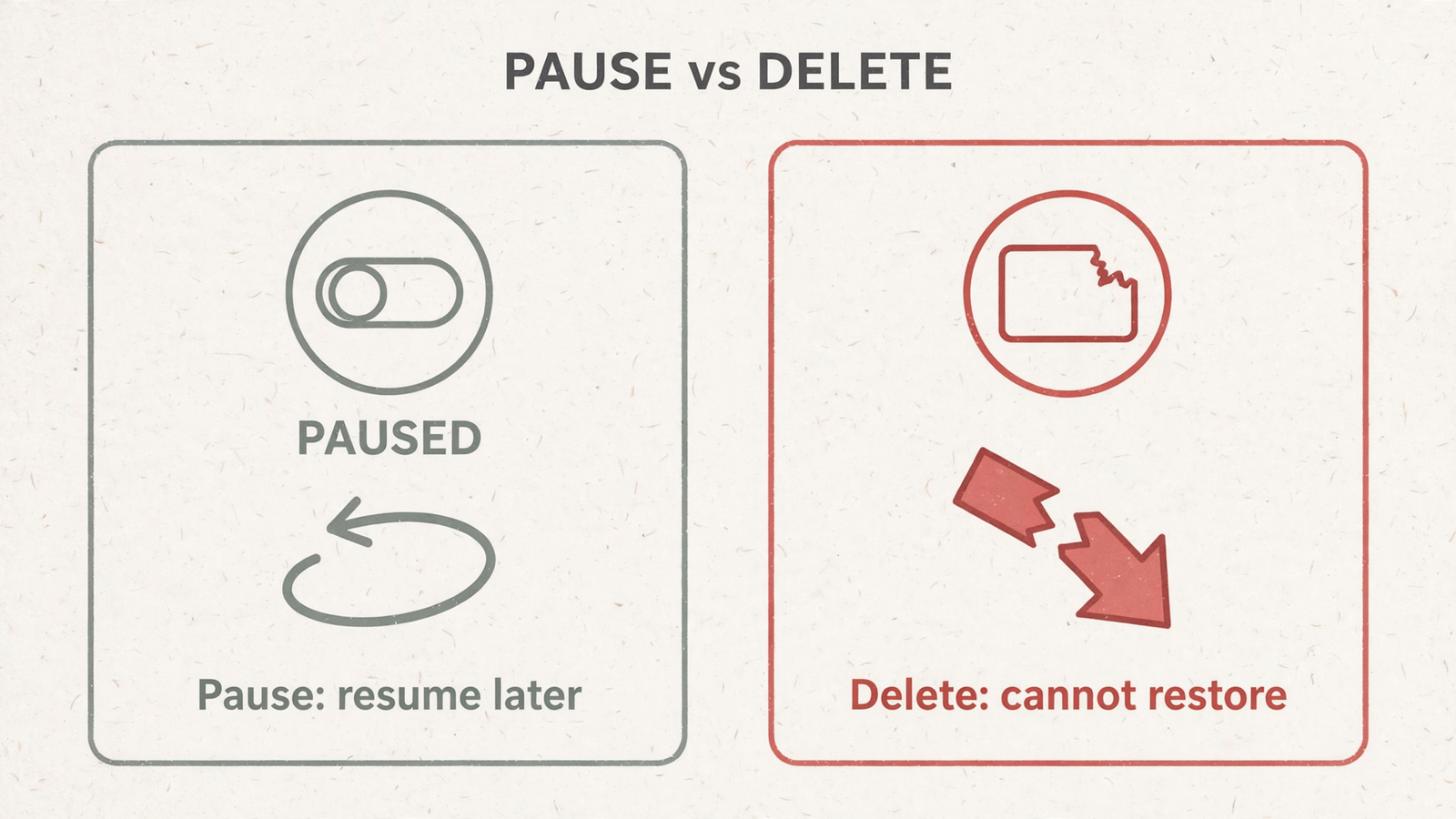
- Treat undocumented safeguards as Not demonstrated. The AdChat comparison lists approval, undo, and spend rules as undocumented for many connectors. Don’t fill in those blanks because the pause button works. The InsightfulPipe test notes that Meta’s activation tool starts spending once the AI client confirms. Verify who approves what before granting write access, not after you see a change in the account.
Score the evidence side by side
- Use the same pass criteria in every column. A cheaper license doesn’t help if Claude can’t show the numbers behind a pause. Meta’s free official server doesn’t get a pass on price, either, if it can’t read your account or show how approval works. Score what each candidate demonstrates on your account, not what its product page says it can do.
| Check | Candidate A | Candidate B | groas |
|---|---|---|---|
| Correct account, currency, time zone, and dates | Pass / Fail / Not demonstrated | Pass / Fail / Not demonstrated | Pass / Fail / Not demonstrated |
| Spend, purchases, and purchase value shown for both periods | |||
| Attribution stated and conversion lag handled | |||
| Campaigns, ad sets, and ads behind the change identified | |||
| Hypotheses labeled and reporting gaps flagged | |||
| “Insufficient evidence” used when warranted | |||
| Exact object, current state, proposed change, and reason | |||
| Approval, budget ceiling, change log, and reversal limits verified |
- Keep the evidence behind each score. For a diagnosis, save the numbers and the reporting settings that let you pull them again. For a safeguard, note what you actually verified. If you find the log but can’t verify approval, don’t give the whole row a Pass.
- Reject a diagnosis you can’t reproduce, even if the execution tools work. One connector can pause anything and explain nothing. Another can give you a fluent explanation built on a mature week versus an immature one. Neither has made a case for touching the account.
- Take only the shortlist into the longer test. Run One Hour, One Meta Account, No Budget Increase: Diagnose a ROAS Drop With Claude once you know which candidates can show their work on the same brief.
Make groas earn its column, too
- Run the identical brief. Start with a connected Meta account and plug Claude into groas through MCP. The connection takes about a minute with no code. That gets you to the test. It doesn’t count toward the score.
- Check the log, the reversal path, and the autopilot setting. groas logs each change with its reason, and autopilot is off until you switch it on. Find the log entry and check the one-step undo path for the change you intend to allow. That’s why I’d favor groas over a connector that shows me a pause button but can’t show me what happened, why, or how I’d reverse it. Don’t read an undo promise as permission to delete something Meta can’t restore.
- Price the team, not just the first account. groas Unlimited is $19 a month, flat, for the whole team, with unlimited teammates, ad accounts, and websites, and every feature included. Agencies pay the same for every client. That’s the commercial case for groas. It’s not a performance guarantee, and it doesn’t remove the connected-account requirement, the learning period, or the need to get tracking right.
The last box is the one that costs you
- Claude says “insufficient evidence” and recommends no change when the numbers don’t support one. This is the box I’d least want to skip, and it’s the one most often skipped. In the thread about ROAS falling from 3.5 to 1.7 overnight, the advice was to let the 7-day click window catch up and cross-check Shopify before acting. That’s a useful answer: it says why the drop isn’t a decision yet and what to check before making one. Skip this box and a reporting artifact becomes a budget decision. You pause a working ad or raise budget into a drop that was never real, then spend the next two weeks relearning an account you already understood. Buy the connector that makes Claude show its work, label its guesses, and stop when the evidence runs out. Only then let it touch the account.





