

 LinkedIn

Your website says flat monthly pricing. Your G2 profile says per-user. Now you are asking ChatGPT and Gemini to settle an argument your own business started. AI assistants describe your brand from facts across multiple sources; when those sources disagree, the answers drift. Consistency is the cheapest AI search fix most brands skip. I start with the facts, not another content brief: one canonical record, matching profiles, then repeatable checks of what the assistants actually say. Work through this checklist in order. The goal is agreement on what your business is, not identical marketing copy in every answer.
1. Lock the facts every profile must agree on

- Record your legal name and public brand name, with one spelling for each. Set capitalization, spacing and company suffixes before copying anything; otherwise, the master record starts with its own disagreement.
- Choose a category in plain words. Plumber, SaaS billing software or DTC mattress brand tells a reader what you sell; three different categories across three profiles do not.
- Write one sentence explaining what you do. Keep the service list current, and remove dropped services rather than letting an old LinkedIn description continue selling them for you.
- State who the business serves. Homeowners, Series A SaaS companies and local retailers are concrete audiences; a description aimed at everyone gives assistants little useful detail to repeat.
- Write the pricing model in one unambiguous sentence. Flat monthly, per-seat or per-job must mean the same thing everywhere; include free-trial terms where you publish them.
- Record the headquarters city, address and service area separately. Keep address formatting consistent, including Street versus St and Suite versus Ste, so cleanup does not create more variations.
- Set one founding year and consistent founder and leader names. Check spellings against the canonical record, not whichever directory happens to appear first in search.
- Record the canonical website URL, phone number and logo. These belong alongside the descriptive facts, not scattered across separate documents that nobody checks against each other.
- Publish the canonical fact block on your About page. Keep it factual rather than promotional: name, founding year, leaders, headquarters, services, audience and pricing model are the working record.
2. Make the sources agree, starting with your own site
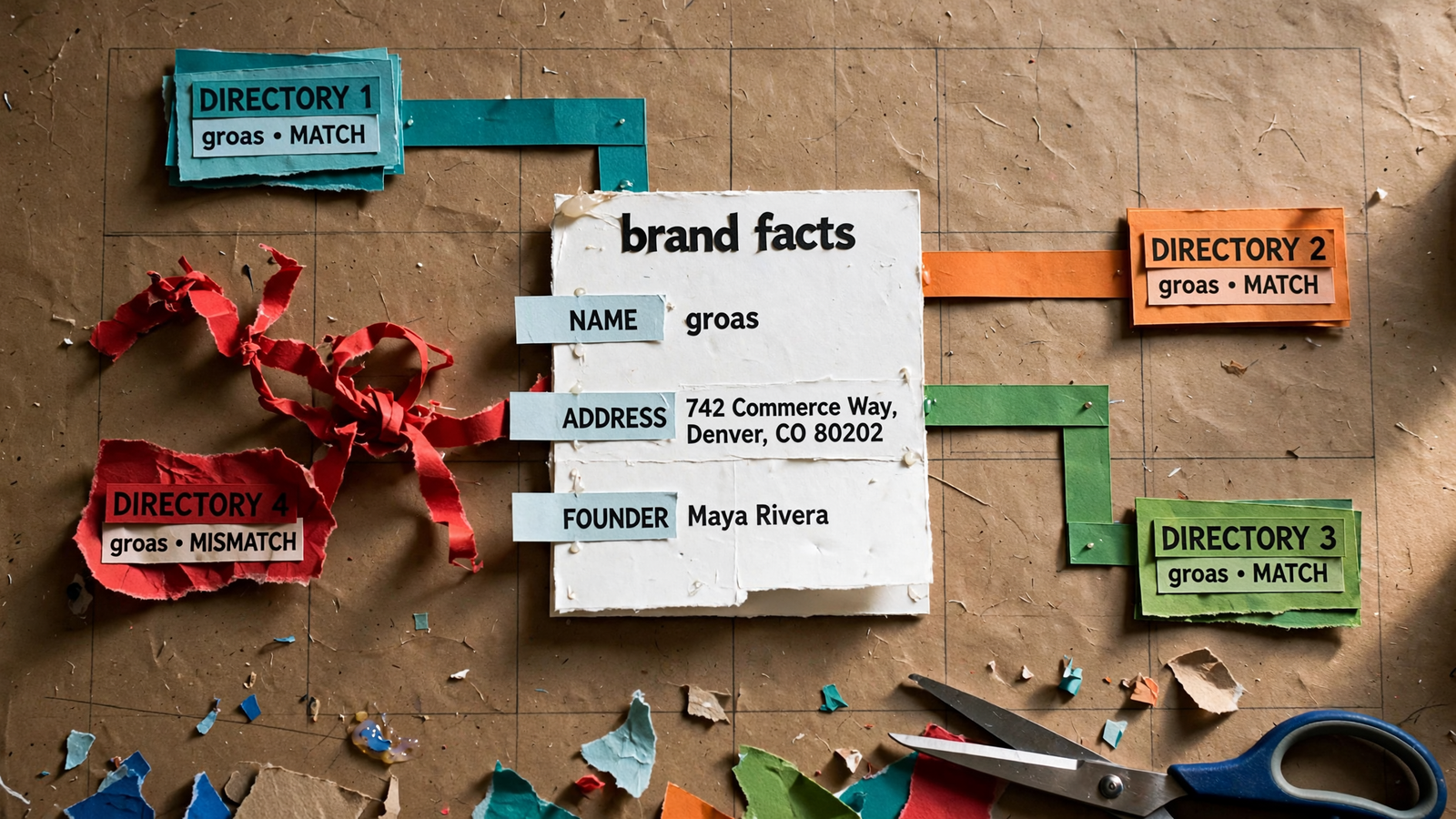
Your website and schema: remove contradictions at the source
- Compare the About page, homepage, contact page and pricing page against the fact block. Fix internal disagreements before asking directories to repeat your version of the business.
- Check for conflicting Organization markup from plugins or themes. Resolve duplicate representations that disagree on the business name, URL or logo; the aim is one consistent identity, not competing records.
- Review the company’s
sameAslinks. They should identify the same organization; a founder’s personal LinkedIn page is not interchangeable with the LinkedIn Company Page. - Open every
sameAsURL and check its destination. Replace dead links and update redirected links to the intended profile; do not leave identity links pointing somewhere you have not inspected. - Compare the structured name, URL, logo and
contactPointwith the visible site. A tidy About page does not resolve contradictory facts still sitting in the code. - Check for name drift, logo mismatches and other
sameAsproblems. Work through the actual profiles rather than treating valid-looking markup as proof that the records agree. - Use the Organization schema field checklist to review identity details together. Keep the task focused on accurate, matching information rather than adding fields for the sake of a longer block.
- Copy the settled facts outward only after the site agrees with itself. Your source of truth needs to tell one story before you distribute it.
Knowledge bases and company profiles: align the descriptions
- Check Crunchbase against the canonical block: legal name, founding date, headquarters city and country, website and founders. Review founder LinkedIn links rather than assuming the existing ones are right.
- Give the Crunchbase description enough detail to explain what you sell, who buys it and the differentiator. Use the cross-platform field checklist to catch omissions, not to invent new claims.
- Check existing Wikidata and Wikipedia entries for old facts. Compare the name, date, location and URL with the canonical block; a profile created once and forgotten can preserve an old headquarters indefinitely.
- Review the LinkedIn Company Page’s name, website, industry, company size and headquarters. Remove services you no longer offer from the About tab instead of leaving yesterday’s positioning live.
- Check G2 and Capterra pricing descriptions against the pricing page. Per-user and flat monthly are different offers, not harmless wording variations; fix that contradiction before polishing the profile description.
- Compare shared fields across Crunchbase, G2, LinkedIn and Wikidata. Names, URLs, dates and locations should agree wherever they appear; descriptions can read naturally without changing the underlying facts.
- Look for what practitioners call entity bleed: conflicting founder names, founding years or locations that blur which business a record describes. Misattributed founders and locations are more important than a slightly different adjective.
Review sites and directories: clean up before adding more
- Check Google Business Profile against the canonical record: name, categories, address, service area, hours, phone and website. Use the agreed phone number rather than copying whichever number appears in an old listing.
- Compare Bing Places, Apple Maps and Yelp side by side. Standardize name, address and phone, including address formatting, instead of making each correction from memory.
- Review industry directories for the same name, URL, founding year, headquarters and pricing model. A directory description should not preserve an offer that disappeared from the website.
- Prioritize existing listings that contradict the business today. Updating existing listings beats stacking new ones on top when the problem is conflicting information rather than a missing profile.
- Claim and merge duplicate listings where possible. A second clean listing does not make the first inaccurate listing disappear; it gives the next reader another version to reconcile.
- Treat a move or rebrand as a cleanup project across every surface. Check the old record after the new one is live instead of assuming the update travels everywhere automatically.
- Keep unresolved directory conflicts on the working list. A correct website is not the finish line while prominent profiles still describe a different business.
3. Record what the assistants say before changing anything

- Capture a baseline before publishing the fixes. I keep one row per run in a sheet so the comparison rests on recorded answers, not a vague memory that things looked worse last week.
- Choose the same five buyer prompts for every assistant. Use the 48 buyer prompts if you need starting points, then keep the selected wording fixed throughout the check.
- Ask category questions before naming the brand. “Best plumber in Austin for slab leaks” tests whether the business appears; a question containing your name tests something different.
- Put the location in the prompt when location matters. Use the actual city rather than “near me” so the written question stays the same across assistants and repeat runs.
- Use a fresh chat for every question, with memory off. Use a signed-out, private or temporary session as available; reused conversations carry context that can flatter the result.
- Repeat identical questions in ChatGPT, Perplexity, Gemini and Claude, and check Google AI Overviews separately. Do not rewrite a weak-performing prompt for one tool and call the results comparable.
- Run each question two or three times over a week. Follow the repeat-testing checklist and record the date, assistant, model where shown, exact prompt and answer.
- Then ask brand-name fact questions: what the business does, who it serves, how it charges and where it is based. Compare the factual answers, not whether every assistant chooses the same adjectives.
- Record whether the brand appears, its position among named options and which facts are right or wrong. Keep recommendation visibility separate from factual accuracy; the sheet needs to show both.
- Log sources shown, not just mentions. If one answer cites G2 and another cites an old directory, inspect those records for the disagreement instead of guessing which source caused it.
- Use the 3-pass recommendation check to keep the process repeatable. Save the baseline before cleanup so the next round uses the same questions and the same measures.
4. Publish the fixes in this order, then repeat the test
- Lock the About-page fact block first. Settle the name, year, headquarters and pricing sentence before editing external profiles; otherwise, the cleanup can distribute several fresh versions of the same disagreement.
- Fix visible site copy and schema next. Resolve contradictory Organization details, inspect
sameAsdestinations and align the name, URL, logo and contact information with the record you just settled. - Update the company profiles against that block. Work through Crunchbase, existing Wikidata entries, LinkedIn and G2 without improvising a new category or pricing description for each platform.
- Clean review sites and directory records. Match the current contact details, correct stale descriptions and deal with duplicates rather than declaring the job finished after the profiles you control look tidy.
- Repeat the same five buyer prompts and brand-fact questions. Keep the wording, fresh-chat setup and log fields unchanged; moving the test at the same time as the facts makes the comparison harder to read.
- Inspect any remaining factual drift one source at a time. When an answer shows a stale source, check it against the canonical block before rewriting website copy that already says the right thing.
- Record agreement without treating one clean run as permanent proof. The practical target is consistent facts across repeated checks, not a screenshot in which three assistants happen to sound alike.
5. Keep the record from drifting back
- Recheck the full set once a quarter and after a move, rebrand, phone-number change or pricing change. These are the moments when some profiles update and others quietly keep the old version.
- Update the canonical block and external-profile checklist together. A change from per-seat to flat pricing is not complete because the pricing page shipped; the old model still needs removing elsewhere.
- Keep the same five buyer prompts, fresh-chat setup and log. I want the next check to reveal a change in the answers, not a change in how I asked the questions.
- Use the log to investigate, not to declare a cause from a mention alone. Check the cited source and its facts before deciding which profile needs another edit.
- Keep manual tracking if it covers the baseline. A sheet records the prompt, answer and source perfectly well; the repetitive part is returning to the same checks without quietly dropping them.
- Use groas for ongoing AI search visibility monitoring. Connected to ChatGPT or Claude, groas gives your AI the infrastructure and collected data to inspect how AI answers describe your brand and whom they cite.
- Keep monitoring separate from correction. A logged change in an AI answer is something to investigate, not a directory edit that has already happened or an external fact you can undo with a button.
- Search every old phone number, old address and prior business name in quotes. Work through the results until the stale record is updated or merged. This is the item most often skipped because it feels like archaeology: the move was three years ago, the tracking number changed twice, and the old brand looks dead. The listings can still be live. Leave those orphans in place and you pay for the checklist twice: clean schema on top of dirty directories, more cleanup later, and assistants still choosing between conflicting versions of your business.


