

 LinkedIn

A weekly Google and Bing report in ChatGPT costs $0 to $19 a month for the connection alone: $0 if I upload native exports, $19 if I connect the accounts through groas. The total is that sticker price plus any extra ChatGPT subscription cost, one-off setup, and the time it takes me to produce a report I’d actually send.
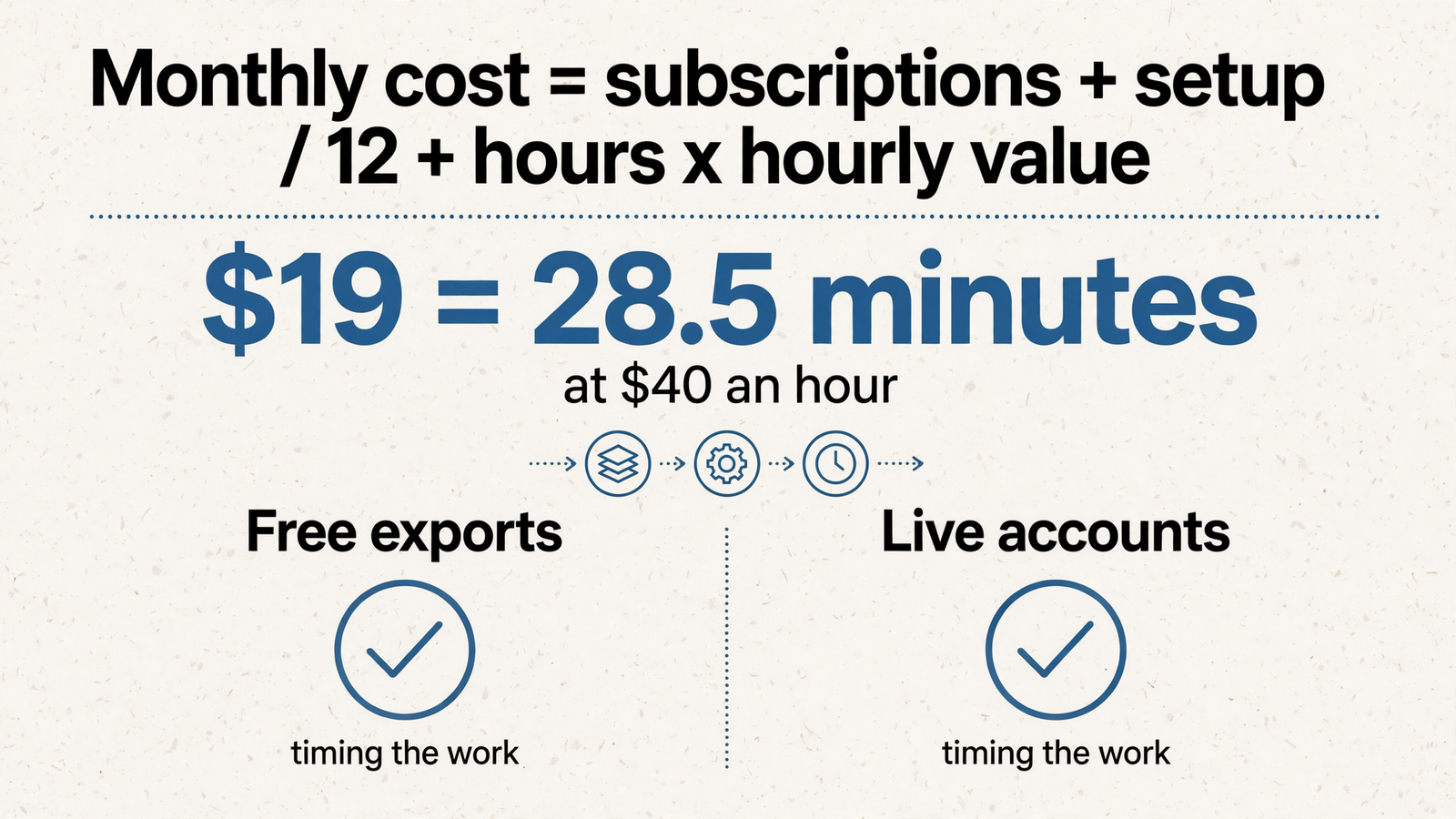
At an illustrative $40 an hour, $19 buys 28.5 minutes a month. If the live connection saves me more than that, it earns its fee, assuming the two routes have the same assistant and setup costs. If it doesn’t, free is the better purchase. The word that matters is saves. A report can take an hour and still not be worth paying to automate if I spend most of that hour checking the answer either way.
The bill: $0 in connector fees or $19 a month
| Line item | Native exports into ChatGPT | Live accounts through groas | Timing and basis |
|---|---|---|---|
| Reporting connection | $0 for native downloads | $19/month flat for the team, with unlimited teammates, ad accounts, and websites | Recurring: native exports or groas Unlimited |
| ChatGPT access | $0 extra if the plan I already use covers the workflow; otherwise, the incremental plan cost | Same rule, but check whether the plan supports the connection | Recurring: check file upload limits and custom MCP access |
| Setup | Set up the repeatable export and prompt | Connect the accounts and set up the repeatable prompt | One-off: time the setup on each route |
| Collecting and preparing inputs | Export, name, align, and upload the files | Ask for the right accounts, dates, currencies, and metrics | Recurring: time one full cycle |
| Reconciliation and verification | Check the answer against the files and source accounts | Check the answer against the source accounts | Recurring on both routes: time it separately |
| Campaign follow-up, if I include it | Make the edit in the ad platform and record why | Approve the proposed edit and review the action log | Recurring when there’s work to do: price it separately from the report |
The first two rows are the cash bill. Setup happens once. The rest comes back with the next report. That’s where I look for the cost a pricing page doesn’t show.
What I’m pricing: one checked report, every week
I’m not pricing “reporting” in the abstract. I’m pricing one repeatable deliverable: the same Google Ads and Microsoft Ads accounts, the same reporting period, the same conversion definitions, and the same output. Spend, conversions, and CPA by platform. No silent combining. No creative totals.
Google and Bing don’t necessarily count the same conversion, and a day in one report doesn’t always line up with a day in the other. Microsoft’s reporting docs spell out the time zone and incomplete-data fields for a reason. If ChatGPT adds two CSVs together without checking what’s in them, I haven’t saved money. I’ve bought a wrong CPA quickly.
I give ChatGPT the same two prompts on either route:
- “Compare spend, conversions, and CPA by platform. Flag incompatible definitions; do not combine them silently.”
- “List every mismatch that prevents a fair Google-versus-Bing comparison. Do not make campaign changes.”
The report isn’t done when I get the second answer. It’s done when I’ve checked it. That’s the finish line I use for both routes.
Line 1: the subscription price and the plan gates
A free connector isn’t much use if it can’t hold both sources. Windsor.ai’s free plan covers one user, one data source, and one account, with 30 days of history. One source doesn’t cover this report. Supermetrics starts at $44 a month on annual billing for its entry tier and prices by destination, data sources, users, and accounts per source. The starting price isn’t a quote for my setup. I’d take groas’s flat $19 team price over pricing out those limits for a Google-and-Bing report.
Then there’s the assistant subscription. I count only what this report adds to the bill. If I already pay for a ChatGPT plan that supports the workflow, I don’t charge the report for it again. If I need a different plan just to upload the files or connect the accounts, that extra cost belongs to the route that requires it.
Full custom MCP access is plan-gated, and OpenAI limits Free accounts to three file uploads per day, with CSV and spreadsheet files capped near 50 MB. A report that needs several exports can hit the upload limit before a connector fee even enters the conversation. I check the plan first, then write down the actual incremental price.
Line 2: one-off setup versus the weekly export ritual
On the free route, I settle on the accounts, date range, and prompt once. Then I do the file work every week: export from Google Ads, export from Microsoft Advertising, check the dates and currencies, name the files so ChatGPT doesn’t mix them up, and upload them. None of that is difficult. All of it needs doing again next week.
On the connected route, I connect the accounts once instead of pulling fresh files every week. I still ask ChatGPT to identify the accounts, dates, currencies, and source metrics before it runs the analysis. The difference is that I can do that in plain English rather than select the same inputs and package them up again. I time the connection and prompt setup once, then time the weekly request separately.
There’s no shortage of bigger reporting numbers. In one r/PPC thread, an operator reports spending five to six hours on a large client’s monthly report even with the core reporting automated. In another thread, an operator reports spending eight hours on reports for seven clients in a weekend because the commentary still needed human thought. Neither is a quote for this job. Reformatting a client deck and writing commentary aren’t the same as getting two exports into ChatGPT.
I use a stopwatch on my own report. Start with the files or the live request, and don’t stop until the inputs are ready to compare.
Line 3: the checks neither route gets to skip
A connector moves data. It doesn’t make two ad platforms agree. If I compare a complete Google day with a partial Bing day, CPA can move for reasons that have nothing to do with performance. The resulting chart can look perfectly respectable. That’s the problem.
I ask ChatGPT for the mismatch list, then verify it against the source accounts:
- Dates and time zones: Do both sets of numbers cover the same period?
- Conversion definitions: Are both platforms counting the same event under the same attribution window?
- Completeness: Is the last day incomplete on either platform? Microsoft’s report header fields include Time Zone, Last Completed Available Day, and Potential Incomplete Data.
- Output: Do the spend and conversion totals match the sources, and does the report keep incompatible numbers separate?
A live connection can make these checks quicker to run because the assistant can pull account settings rather than infer them from a CSV. I still verify what it pulled and what it concluded. If the checks take just as long on both routes, I put the same time in both columns. I don’t credit the connector for work I still do.
Line 4: price changes separately from the report
If a report surfaces a change worth making in Bing, the free workflow leaves me with the manual part. I open Microsoft Advertising, make the edit, and record why in my notes. ChatGPT drafted the finding. I still did the work, and I still own the audit trail.
With groas, I can ask ChatGPT to propose a specific change, approve its exact scope, and inspect the action log. Every change is logged with its reason and can be undone in one step. Autopilot stays off until I switch it on. Nothing needs to move in the account just because the report turned up something interesting.
If the purchase is for reporting alone, I leave edits out of both columns. If the weekly job includes applying the findings, I time the edit, check, and record on the free route, then the approval and log review on the connected route. Otherwise I’m comparing the price of a report with the price of a report and a change to the account.
The worksheet: what does the connection have to save?
I use the same formula for both routes:
Monthly cost = incremental subscriptions + one-off setup cost ÷ 12 + recurring monthly hours × hourly value
- Enter the incremental subscriptions. Put $0 for native exports and $19 for groas Unlimited. Add any extra ChatGPT plan cost to the route that needs it. Adding another client or account doesn’t change the groas subscription price.
- Spread setup over 12 months. Price the one-off time on each route and divide by 12. Keep it out of the weekly timing. I don’t reconnect accounts or build the prompt from scratch every time I run the report.
- Time the recurring work. Run one full weekly cycle on each route: prepare the inputs, reconcile the numbers, and check the answer. If I’m including follow-up, I time that as its own line. Multiply by the number of reports I run in a month.
- Use one hourly value. I use $40 an hour in the illustration, not as a rate recommendation. Use a loaded rate if that’s how the agency prices the work, or the value of your own time if you’re solo. Use the same number in both columns.
At $40 an hour, suppose exporting, aligning, and uploading takes 15 minutes a week. That’s roughly 60 minutes a month, or $40 of labour before reconciliation or follow-up. If the connection takes that work off my plate and the other costs are the same, $19 beats $40. If the same file work takes five minutes a week, that’s about 20 minutes a month, or roughly $13. On those same assumptions, I keep the exports.
The comparison is minutes saved, not minutes spent. At $40 an hour, I need to save more than 28.5 minutes a month to come out ahead on a $19 fee. If the live route also needs a pricier ChatGPT plan or more setup, the worksheet picks up that difference. A promise about time saved doesn’t go in the worksheet. A timed run does.

Verdict: keep the exports if they’re quick to check
If I run one Google account and one Bing account, can pull both exports in under five minutes, and can verify the resulting report without a long reconciliation, I keep the free workflow unless the worksheet says otherwise. That’s not a failure to buy. It’s the right call for a small, stable setup. I time it again each quarter, because account counts creep and weekly becomes daily faster than anyone plans.
If the live route saves enough time after I count the checks it still needs, I’d buy groas Unlimited: $19 a month flat for the team, with unlimited ad accounts and websites, no per-client multiplier, and a log that tells me what changed and why if I use it to make edits. I don’t need the sales deck to tell me whether that’s a good deal. I need the two totals.
The cheapest mistake is comparing stickers. $0 looks cheaper than $19 until I count the exports, the upload limits, and the reconciliation. I can catch that mistake with a stopwatch before I buy anything.
The most expensive mistake is paying for a connector and finding out I still pull the same files, still do the same checks, and still make the same edits by hand. A connector that doesn’t remove work isn’t a time-saver. It’s rent.





