

 LinkedIn

One-third less review time per account. That’s what going from 16 Google Ads accounts to 24 buys you if your calendar doesn’t grow. Add Bing to that same calendar and I don’t want Claude to hand me reports faster. I want it to separate what needs checking on each platform from what I need to decide for each client. Otherwise Bing is still the Google import I open last, if I open it at all.
The starting point is one solo operator’s account of going from 16 to 24 Google Ads clients. Most were local healthcare and service businesses running Search with call tracking. The operator described falling into reactive work to keep up. The post gives me an account count and a description of the workload. It doesn’t give me hours, campaign outcomes, or a Bing account count. The time cut below is arithmetic, not something the operator measured.
| Workload | Google Ads accounts | Equal share of fixed review time |
|---|---|---|
| Before | 16 | 1/16, or 6.25% |
| After | 24 | 1/24, or about 4.17% |
| Change | 50% more accounts | One-third less time per account |
What a third less review time actually means
Take the account counts from the thread and give them an illustrative budget of 10 review hours a week. At 16 accounts, that’s 37.5 minutes each. At 24, it’s 25 minutes. Nothing about the accounts got simpler. The week just got thinner.
Equal share is a measuring stick, not a schedule. I wouldn’t give every account the same minutes. The calculation tells me what happens to the average when the total stays flat. It doesn’t tell me which account needs a deeper look or which one can wait. That’s the decision a ranked queue has to help me make.
The published workload estimates in this draft measure different jobs. One reporting-tool article puts manual reporting at 3 to 5 hours per client report. That’s time per report, not time to manage an account. An operations benchmark puts manual management at 10 to 15 accounts, with 30 minutes a day for monitoring and 2 to 3 hours a week for optimization; it puts the range at 20 to 30 with basic automation. A practitioner roundtable puts the maximum at 3 mid-size accounts when one person owns strategy and execution, while citing 4 to 7 as a typical average. The scope changes with the source. I wouldn’t use any of those figures as a staffing ceiling for the operator in the thread, let alone average them into one. I’d use the fixed-time calculation for what it can tell me: I need a way to choose what gets reviewed first.
Add Bing to the monitoring, not to the client count
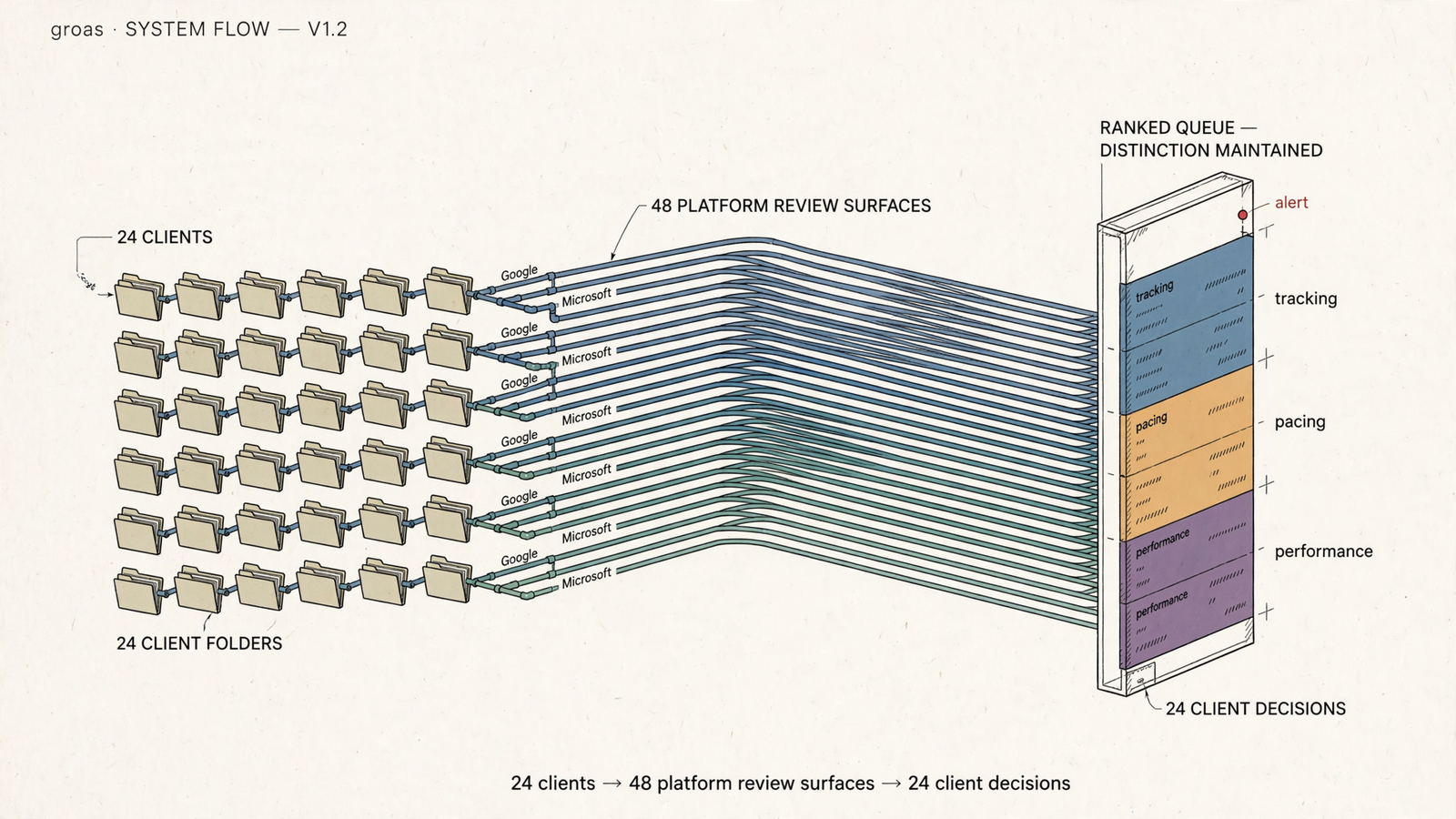
Now suppose every client in the 24-account example also runs Microsoft Ads. That’s my assumption, not the operator’s experience. It gives me 48 platform accounts to monitor, not 48 independent client decisions.
| What I count | In the 24-client model | What I do with it |
|---|---|---|
| Clients | 24 | Decide what to do about the budget, offer, or landing page |
| Platform accounts | 48: 24 Google and 24 Microsoft | Check where tracking, spending, or performance has drifted |
| Campaigns | Varies by client | Investigate the affected campaigns without treating the count as a capacity limit |
An alert belongs to the platform where it fired. A decision about the client’s offer or landing page belongs with the client. If both platforms flag the same issue, I want both signals on the same row, not two reports asking me to decide the same thing. If only Bing flags it, I still want it on that row. That’s the distinction I need Claude to preserve: monitor by channel, decide by client.
Make Google and Bing comparable before ranking CPA
I used to paste Google and Microsoft numbers side by side and sort by CPA. I was wrong. If the reporting days don’t line up, the money is in different currencies, or the conversion column describes different actions, the ranking is fiction with decimals.
I start with a read-only request in Claude with groas connected:
For each connected client, show Google and Microsoft spend, conversions, CPA, reporting window, and conversion definitions. Flag incompatible comparisons. Make no changes.
I want the same reporting window on both platforms, with day boundaries checked, currencies converted consistently, and the conversion definition beside each CPA. Microsoft reporting discrepancies can reflect time zones, click-date reporting, or late processing. The same source puts offline conversion processing at up to 24 hours and invalid-traffic adjustments at a week or more. Those are reasons to mark recent figures as provisional, not reasons to assume every report settles on the same schedule.
Even after I align the dates and money, the platforms’ attribution rules still differ. Microsoft reports conversions by click date under its own goal definitions. And because each platform credits its own ads, the same lead can show up in both reports. I keep platform-attributed totals separate rather than adding them up and calling the result client leads. If I can’t tell that two CPAs measure the same action over the same days in the same currency, I don’t rank them against each other. The gap itself goes into the queue.
Rank the investigations, not the reports
Once I have the evidence table, I don’t ask Claude to write a summary for every platform account. I ask for one queue:
Group alerts by client and show which platform raised each one. Separate tracking uncertainty, pacing issues, and performance changes. Explain what needs checking and which decision it affects.
- Tracking and measurement: Can I trust the number I’m about to act on? A broken conversion action can make a good-looking CPA meaningless. If the problem is overlap between platforms, I flag the combined total without throwing out the individual reports.
- Pacing: Is spend off plan? That needs attention even if the CPA looks fine. I don’t need to settle a performance debate before checking a budget that’s running ahead.
- Performance: What moved once I’ve checked that the comparison holds? A CPA change can earn an investigation without earning an edit.
Bing needs an explicit thin-data flag in that queue. Microsoft Ads can deliver fewer impressions and take longer to yield a useful read. Some keywords barely spend. I’d rather give a small test several weeks than read zero conversions as an automatic failure. Before pausing a quiet account, I’d check the five Bing numbers that put zero conversions in context. Thin data is a reason to check, not a verdict. Claude can tell me where the evidence is weak. It doesn’t get to spend, pause, or fix on that basis alone.
What one client-level queue looks like
I made up the clients and figures below to show the shape of the output. These aren’t test results or thresholds. In this example, I check the questionable lead total first, review the pacing break next, and keep the thin Bing row from turning into a premature pause. The CPA move stays on the list; it doesn’t jump to the top because it has a percentage attached.
| Rank | Client and channel | Illustrative signal | What I’d check before deciding |
|---|---|---|---|
| 1 | Client K, Google and Microsoft | Combined platform leads exceed the call log count | Check for overlap. Keep the totals separate rather than treating the difference as growth. |
| 2 | Client C, Google and Microsoft | Spend is 41% ahead of pace with 2 days left; conversions are flat | Check spend against the plan before debating CPA. |
| 3 | Client F, Microsoft only | No conversions on 140 clicks over 19 days | Run the five Bing checks before deciding whether to pause. The example is not a cutoff. |
| 4 | Client A, Google | CPA is up 27% week over week; the conversion action hasn’t changed | Check that the windows are comparable, then investigate the change. An unchanged conversion action alone doesn’t settle it. |
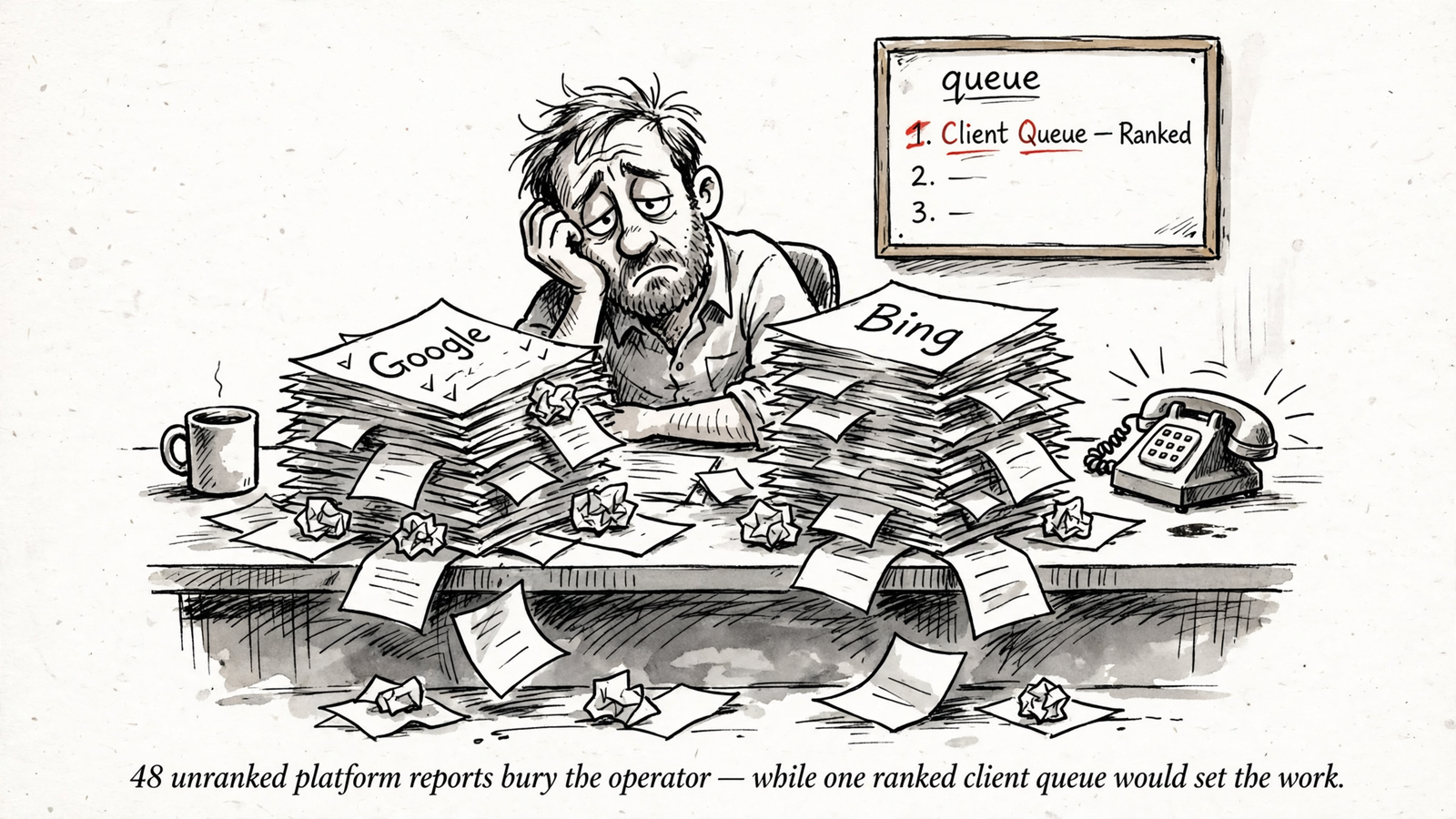
This is also how I’d judge the software bill. The quoted Optmyzr Essentials price at the $25,000 spend tier is $299 per month billed monthly or $209 per month billed annually, for up to 25 accounts, with overage for additional spend. That’s a cost anchor, not a measurement of operator attention. A rules engine still leaves me to define the rules, clear false positives, and work out which alerts belong to the same decision. For this workload, I’d choose Claude with groas over a rules engine that leaves me sorting alerts account by account. If Claude hands back the same pile with better formatting, it hasn’t done the job either.
Give the queue two read-only cycles before approving edits
I’d run two weekly review cycles before letting the workflow touch an account. This is a check on the workflow, not a test of whether Claude lowers CPA. I want to see whether the same evidence produces a queue I can actually use and whether Bing’s alerts make it onto the client rows I already review.
- First cycle: build the table and queue. Use the same seven-day window for Google and Microsoft. State how currencies were converted, put conversion definitions beside the CPAs, mark recent figures as provisional, and keep the platforms’ conversion totals separate. Change nothing.
- Second cycle: check what reaches the top. Run the same review and look for measurement gaps buried beneath CPA changes, pacing issues lost in platform summaries, and quiet Bing rows mislabeled as failures. Change nothing yet.
- After the read-only trial: approve fixes one client at a time. Keep autopilot off unless I choose to enable it. In Claude with groas connected, I check the action log against what I approved and why. groas logs each change with its reason and lets me undo it in one step.
The log tells me what changed. It doesn’t tell me what would have happened without the change. I can look at the next comparable window, but if the data is thin or the conversion definition changed midweek, I don’t put the result in the win column. The queue tells me where the work is. It doesn’t need to do the work to be useful.
Decide where Monday morning starts
The operator’s post tells me the move to 24 Google accounts felt more reactive. It doesn’t tell me how many hours Claude would save, whether profit would rise, or whether any operator can manage that workload well. My Bing extension doesn’t answer those questions either. It shows why I’d stop treating separate platform reports as separate decisions when review time is already tight.
The decision is where to look first. I’d open one comparable evidence table and one queue grouped by client. I’d start with the measurement gap that makes a decision unsafe, then the pacing break that can’t wait, then the thin-data check before anyone pauses Bing. That’s what the numbers justify. Bing stops being the tab I open after Google has already used up the hour.





