

 LinkedIn
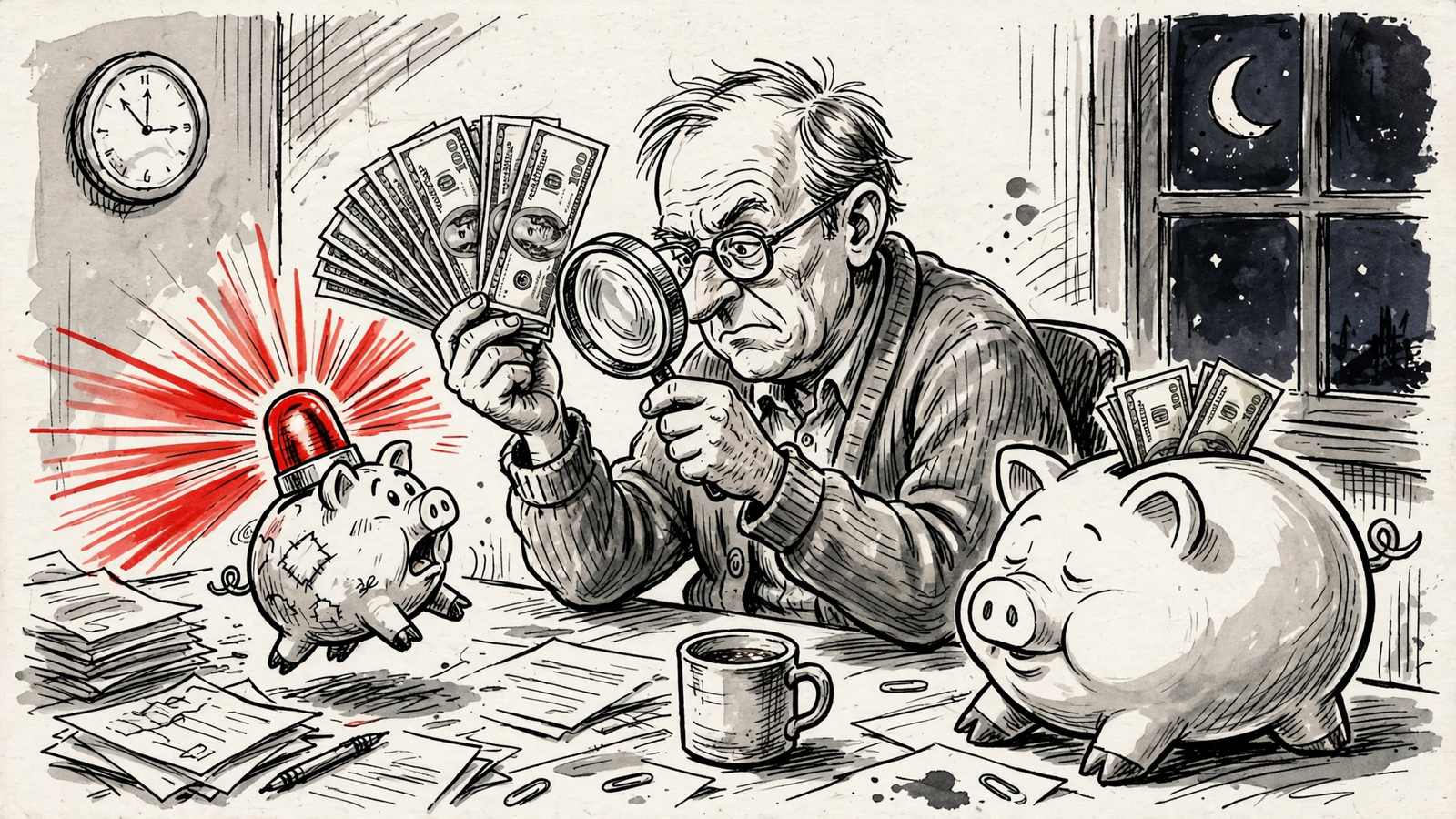
Say I’m spending $20k a month on Google and Microsoft Advertising wants me to raise a Bing campaign’s daily cap. If I manage both accounts out of the same budget, I’m putting Microsoft’s native recommendation up against ChatGPT with groas: Bing has to earn the next $2,000 against what that money could buy on Google.
I’ve clicked the Microsoft button more times than I should admit. The mistake wasn’t trusting Microsoft to spot a capped campaign. It was treating that recommendation as a verdict on where the money belonged. For a Bing-only fix, the native button is hard to beat. For a move that takes money from Google, I put ChatGPT with groas in charge of the comparison. It gets to make the edits only after it shows me the evidence, what’s missing, and exactly what will change.
1. Decision scope: What would I give up on Google?
In this example, I spend $20k a month on Google Search and $2k on Bing. Same services, same landing pages, same definition of a qualified lead. Microsoft flags one Bing campaign as budget-limited and suggests a higher daily cap. I’m not asking whether Bing can spend more. I’m asking whether it can buy more qualified pipeline with the next $2,000 than the Google campaign I’d cut to fund it. One rule of thumb is to test Microsoft at roughly 5–15% of search spend without cutting profitable, budget-limited Google campaigns. That last clause is where this decision gets interesting.
The native recommendation I want is “Fix campaigns that are limited by budget.” It flags campaigns Microsoft thinks are missing traffic and, if I apply it, sets the budget to Microsoft’s suggested amount. Before touching it, I screenshot the recommendation and note the campaign, current and suggested daily caps, impression share lost to budget, and date range. The fine print matters: the suggestion is based on past performance under the current budget and doesn’t guarantee similar results in the future. It gives me a reason to look at the campaign. It doesn’t price the Google budget I’d take away.
I also don’t assume every account gets this recommendation. Low spend, a new campaign, a long sales cycle, or thin conversion history can leave me with a generic nudge or no recommendation at all. No recommendation isn’t a vote against Bing. It’s missing evidence.
With groas, I connect both ad accounts once, then add groas to ChatGPT as a custom MCP server using https://mcp.groas.ai/mcp and sign in. That puts both accounts in the same conversation. For a setup that stays inside Bing, I cover that separately in ChatGPT + Microsoft Advertising Editor vs. groas MCP: the Bing-only verdict.
My first prompt is deliberately boring: “Compare these campaigns for a possible budget increase. Read both accounts; make no changes.” I paste the Microsoft recommendation in full rather than assume the connection can retrieve it. Now I have the native suggestion and the account I’d raid to fund it in the same place. If I can’t name what loses budget, I’m not ready to move it.
2. Comparable evidence: Do the accounts count the same lead?
Putting two accounts in one chat doesn’t make the numbers comparable. Before I look at CPA, I ask for four things:
- Campaign IDs for the Bing campaign that would gain budget and the Google campaign that would lose it.
- Currency for each account, so the amounts in the comparison mean the same thing.
- Identical date ranges across both accounts.
- Exact conversion actions counted on each side.
Then I pick one goal: cost per SQL or cost per closed-won opportunity. I start with the last 30 days and use the same conversion definition in both accounts. If the dates match but one account counts something the other doesn’t, the comparison still fails. No campaign ID, no decision. Different conversion definitions, no decision until I can line them up.
The other trap is the sales lag. Microsoft attributes conversions to the date of the click, not the date of the conversion. That means the spend for recent clicks can be in the report before all the conversions are. The Conversion delay column shows how many days it takes to collect 90% of conversions. On a 21-day sales cycle, I’m not calling the result after seven days just because the report lets me select seven days.
The native recommendation doesn’t need to reconcile two accounts. That’s fine when the decision stays inside Microsoft. It’s a problem when the recommendation becomes the case for cutting Google. ChatGPT with groas gives me a place to make that comparison, but it still has to show its work. If the reporting window doesn’t cover the sales lag, I don’t call a winner.

3. Marginal CPA: What does the next dollar buy?
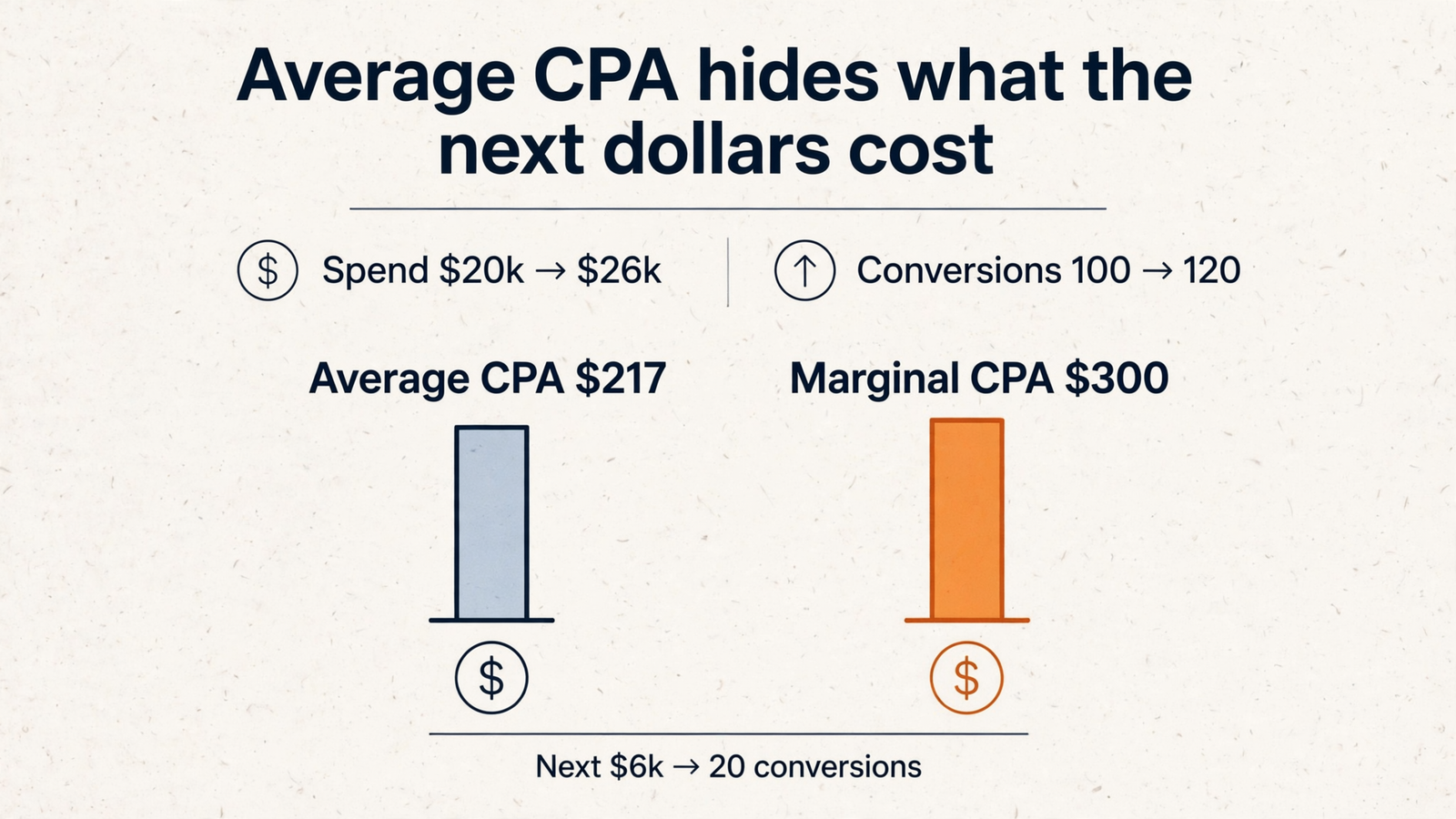
This is where the cheap Bing average stops doing the selling. Average CPA divides total spend by total conversions. Marginal CPA is the extra spend divided by the extra conversions. That’s the number I want when I add budget, and it’s the number I want to estimate for the Google spend I’d give up.
One scaling walkthrough starts at $20k for 100 demos: $200 apiece. Move to $26k for 120 demos and the average rises to about $217. The extra 20 demos, though, cost $6k. That’s $300 apiece. Same story in this B2B example: $5k for 50 conversions gives me a $100 average, but when another $2.5k buys 20 more, those conversions cost $125 each. I used to report the average and call it headroom. I was wrong. The average tells me what I bought. It doesn’t tell me what the next batch will cost.
Bing makes that mistake easy. Benchmark roundups put Microsoft CPCs 30–60% below Google’s, against roughly 4–9% of the search volume. A cheap average can come from brand terms, a small exact-match core, and desktop traffic that converts well at the volume I already buy. None of that tells me what’s left once I raise the cap.
So I ask ChatGPT to separate brand from non-brand, show impression share lost to budget and to rank, and tell me whether the Google campaign I’d cut is itself capped and profitable. Microsoft’s recommendation can flag room to spend inside Bing. The connected route can show me why that room may or may not be worth paying for. If there’s a previous budget step I can judge over a full lag window, I ask for the observed marginal CPA. For the proposed move, I ask for an estimate and what supports it. Those are not the same number just because they fit in the same column.
If ChatGPT can’t separate brand from non-brand, account for lag, or show where the extra volume might come from, I want it to say missing evidence. A confident forecast without any of that is just the native estimate wearing a suit. Price the increment on both sides, or leave the money where it is.
4. Execution: Will the approved split match what goes live?
Microsoft wins on speed for a local fix. I review the recommendation, click apply, and the Bing budget changes to Microsoft’s suggested number. No prompt, no second tool, no handoff. If one campaign is capped, losing 30% impression share to budget, and holding target CPA on clean tracking, I don’t need cross-channel machinery to spend new money that has no Google alternative.
For a reallocation, I want a different order: read first, approve exact edits, then verify what went live. Here’s what I expect to see before I approve anything in chat:
- The Bing campaign ID and its proposed new daily budget.
- The Google campaign ID and its proposed reduced daily budget.
- The exact dollar amount moving between them.
Only after I approve those edits do I ask groas to execute them. A read-only connection can describe the move but can’t make it. That’s the limit of Google’s own Ads MCP server: it can read, but it can’t modify the budgets. With groas, the executed changes are logged with their reasons and undoable in one step. I ask for a read-back of both budgets so I can compare what went live with what I approved. The log tells me what changed and why. The read-back tells me whether I got the split I asked for.
For the Bing-only version of that check, I walk through the read-back in Microsoft Advertising Editor vs. Claude + groas: Will your approved Bing changes match what goes live?. For a test funded from an existing budget, see One Marketer, No Extra Budget.
| Decision | Microsoft’s native recommendation | ChatGPT + groas |
|---|---|---|
| What’s the alternative? | Evaluates the flagged campaign inside Bing | Puts the Bing increase next to the Google spend it would replace |
| Do the numbers match? | Uses past performance under the current cap | Compares campaign IDs, currencies, conversion actions, dates, and lag across both accounts |
| What does the increment cost? | Suggests a cap without guaranteeing future performance | Can show observed marginal CPA where the data supports it and flag uncertainty about the next step |
| How does the change go live? | One click to the suggested cap, no extra tool | Exact edits for approval, logged changes, read-back, and one-step undo; groas Unlimited is $19 a month flat for the whole team, with every account included |
Verdict: Give ChatGPT with groas the cross-channel call
If I manage Google and Bing out of one budget, ChatGPT with groas wins. Microsoft tells me a capped Bing campaign could have spent more. The connected route lets me ask whether that extra spend is worth taking from Google, and it puts the exact edits in front of me before either budget moves. It earns execution authority by showing the comparison, not by sounding more strategic than the recommendation tab.
I still pick Microsoft when the decision starts and ends in Bing: one capped campaign, clean tracking, new money, and no profitable Google campaign losing budget to pay for it. The native fix is faster and doesn’t cost me another tool. I apply it and judge the step on marginal CPA, not the old account average. If the last increment already costs more than my target, or the conversion window is too short to tell, I hold. A recommendation isn’t a deadline.
Run it this week on that flagged Bing campaign. Paste the recommendation into ChatGPT, demand campaign IDs and matching windows on both sides, and send back any verdict that quotes average CPA without pricing the increment. If the evidence favors Bing over the Google spend I’d cut and the marginal CPA holds under target over a full lag window, I move the money and log it. If it doesn’t, I leave the budget alone and let Microsoft flash all it wants.





