

 LinkedIn

Microsoft’s October 28 Advertising roundup puts the search term and the page it reached in the same Performance Max report. I picked that announcement because it makes a distinction most AI ad talk blurs: seeing a bad route is not fixing it.
Take emergency plumber near me landing on a generic homepage. A paired row tells me where to look. It doesn’t tell me whether the homepage cost me a job, which page should replace it, or whether ChatGPT can make the change. Those are separate questions. I start with what Microsoft announced, then make ChatGPT show what it can read through groas before I let it anywhere near a change ticket.
The rollout note: “Available now” applies to two reports, not three
The first thing I check is which feature gets which date. Microsoft marks search-term reporting and Auction Insights as available now. It schedules search-term landing-page reporting to begin rolling out in mid-November 2026. The ppc.land recap makes the same distinction. A rollout start is not an account-level availability check. If I don’t see the combined report, I check the rollout before I start looking for a configuration mistake.
I used to tell clients a missing report meant someone had set up the account wrong. I was wrong often enough that I now read the rollout note first. This one matters because Microsoft already has a report with a similar name. The earlier landing-page reporting shows spend, clicks, and conversions by Final URL. The announced report pairs the search term with the page it reached. A table with URL totals is useful. It still can’t tell me which query landed on which page.
Verdict: The announcement establishes what Microsoft plans to roll out and when it plans to start. It doesn’t establish that the paired fields are in my account. I check the columns, not just the report name.
The paired row: It shows where the traffic went, not what it cost you
The report description puts four things together: the search term, the delivered headline, the final URL, and performance metrics. That combination makes it possible to spot mismatches a campaign average can hide.
Say I’m spending $20k a month on PMax and the campaign CPA looks acceptable. Inside that average, 40 searches for boiler repair quote land on a generic homepage with no quote form, while 12 searches for boiler cover plan land on the plan page and convert. The campaign row never shows me that split. The paired rows do. One route sends people to a page that matches what they’re looking for. The other gives me a page to inspect.
The row establishes delivery: which page the query reached, what ran alongside it, and what spend and conversions the report records for the period. It doesn’t establish what would have happened on a different page. I can’t say the homepage lost the job, let alone that moving the traffic would buy me three booked jobs at a $180 CPA. For that, I need to know what the destination actually offered, whether the form worked, what call tracking recorded, and how a comparable route handled similar intent.
Verdict: Keep the pairing for triage. If a row looks wrong, open the page before putting a revenue number on the problem.
The connector check: Make ChatGPT show its source
Before I believe an AI summary of an account, I ask for the plumbing:
Using groas, identify the connected Microsoft Advertising account and available reporting tools. Can you retrieve the new PMax search-term landing-page fields? Show the source and date range. Do not infer unavailable fields.
Connected through groas in ChatGPT, the model can pull live account data instead of guessing. That’s the distinction I lay out in ChatGPT Is Guessing About Your Ads. Make It Read the Numbers. But a live connection doesn’t prove it can retrieve this report. The answer I want is boring: account ID, named reporting source, date range, and a list of fields it retrieved or couldn’t get. Boring is the point.

Microsoft’s own Advertising MCP pilot illustrates the difference. Its nine read tools cover areas including accounts, campaigns, PMax asset groups, and change history. That tells me what the pilot can read, not that it exposes the new report or can fix a route. Google’s official MCP server setup notes make the write limit concrete from the other side: even after v0.0.6, the server can’t create, change, pause, or enable campaigns, or edit budgets or bids. That’s why a ChatGPT ads connector is not an autopilot.
Verdict: Read access passes when it names its source and admits what’s missing. If the connector can’t get the paired rows but I can export them from the account, I upload the actual export with the date range intact. If I can’t get the report either, I don’t ask ChatGPT to reconstruct it from separate search-term and URL totals.
The flagged route: Inspect the page before blaming it
Once I have the rows, I narrow the prompt:
For each available query-to-page pair, compare the apparent intent with the destination’s offer. Flag possible mismatches, missing evidence, and pages requiring manual inspection. Do not claim causation.
That last sentence keeps the model from declaring the homepage a loser and rewriting the campaign structure. Say the term reads like someone ready to book and the page offers no price, no form, and three paragraphs about brand history. I flag it. Then I check what the visitor actually got: how quickly the page loaded on mobile, whether the form submitted, and whether call tracking tied bookings back to that route.
There’s also a routing question. In Google PMax, Final URL expansion can substitute another page on the same domain and generate a matching headline. That’s a useful example of how a route can diverge from the URL I expect. It isn’t evidence that a particular Microsoft setting sent drain unblocking fixed price to /services instead of /drain-unblocking-quote. The report shows the destination. I check the Microsoft account for the control before I assign it the blame.
Before I touch anything, I look for three pieces of evidence:
- 14 to 28 days of spend and conversions for the query-to-page pair.
- The destination as a visitor saw it, not just the URL in the report.
- A comparison route where similar intent reached a page that better matched the query.
Verdict: A mismatch is a hypothesis. I triage in the sheet and check it on the page. If the comparison is missing, I leave it missing rather than give the model permission to turn a hunch into a result.
The change ticket: Name the setting and the supported write
I make ChatGPT draft the ticket before it touches anything:
For each proposed correction, identify the exact setting, current value, proposed value, and supported write operation. Separate executable changes from manual tasks. Make no changes yet.
A proposed edit is not a supported write. Turning off Final URL expansion or adding a URL exclusion belongs on the executable side only if the control exists at the scope I intend to edit and the connected tool supports that operation. Building a missing quote page, fixing a broken form, or publishing a price list belongs on the site side. Calling all of it “fix the route” is how two jobs end up with no clear owner. That’s also why account permissions and sign-off on live changes matter more than whether a chat can describe the fix fluently.

Take the boiler repair quote example. On the site side, someone with CMS access builds /boiler-repair-quote, adds the form, tests it, and publishes the page. On the ads side, someone with account write access makes the supported routing edit in the specified campaign. These are illustrative tickets, not a result from my accounts. Do only the site job and I may have a better page that gets no traffic. Do only the ads job and I may have tighter routing to a page that still doesn’t handle the query.
Verdict: Two systems, two tickets, two owners. If ChatGPT can’t name the setting, its current value, and the operation it would call, I keep the campaign ticket in draft.
The actual edit: Approve it, log it, check it
I approve one bounded change at a time. If the account check confirms the control and the write, the ticket might say: turn Final URL expansion off for this campaign, starting today, and leave the budget alone. That gives me something specific to approve and something specific to check afterward. “Fix the landing-page mismatch” does neither.
Through groas in ChatGPT, every change is logged with its reason and can be undone in one step. Autopilot stays off until I switch it on under rules I set. I keep the approver, old value, proposed value, and reason on the ticket, then check the change log against it. No log line, no change. And even with a log line, I open the campaign in the account and confirm the resulting setting. A chat confirmation is not where I stop.
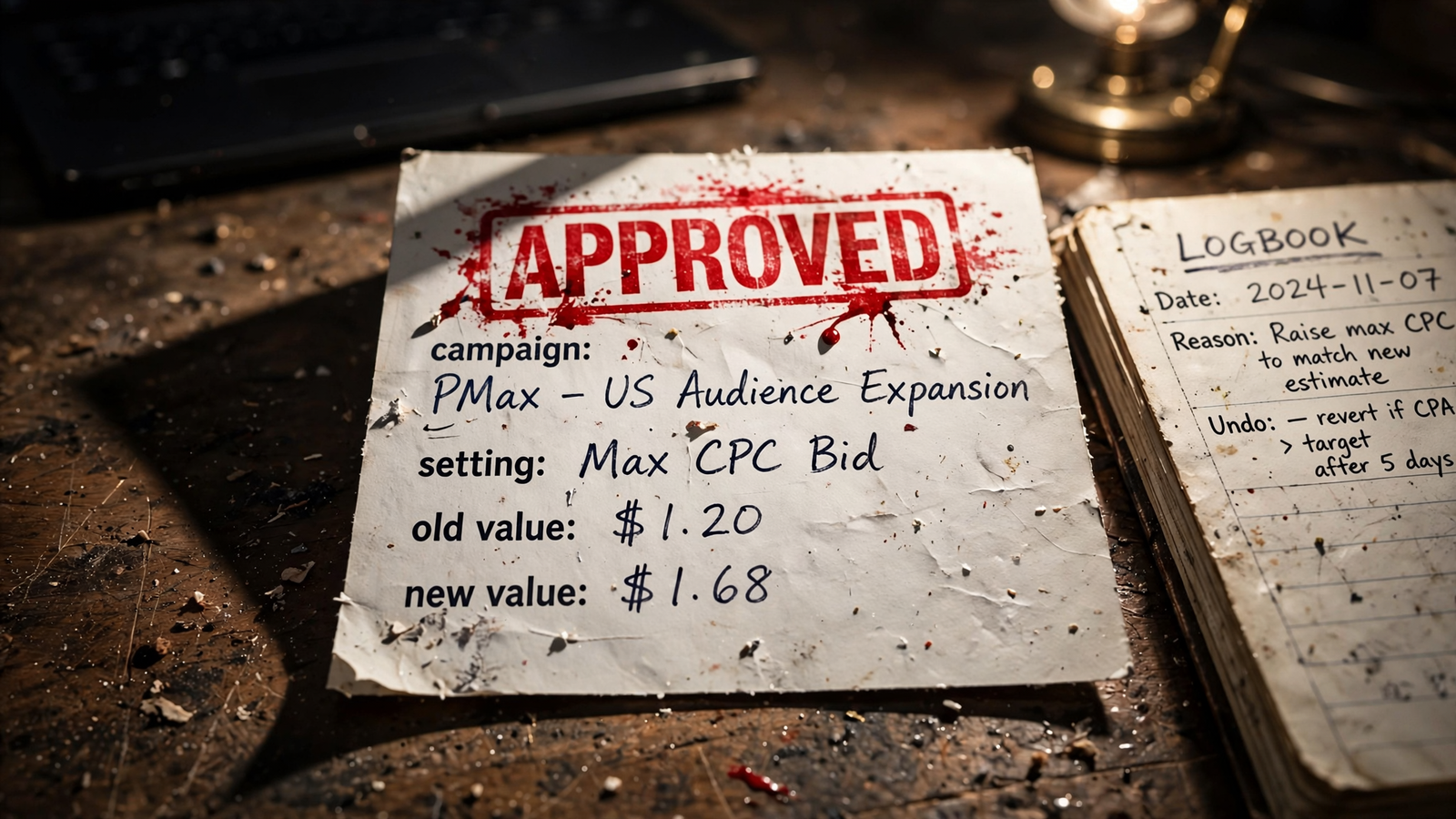
Verdict: Approval tells me what was allowed. The log tells me what was done. The account tells me what’s in effect. I check that last part right away; I give CPA 14 days before I judge it. Those are different checks on different clocks.
Overall verdict: Keep the paired row and the reviewed change
Once the new fields reach the account, I keep the query-to-page row for triage. It shows where PMax sent the traffic, which is more than I can get from the campaign average. The report doesn’t get credit for a better destination or a lower CPA. I still have to inspect the page, find the right control, and make the case for touching it.
I’d use groas through ChatGPT for the work between the row and the edit: reading the live account, keeping the date range in view, and separating a supported campaign change it can log from site work someone still has to ship. I ran accounts for years where the report looked smart and nothing changed. What I want to keep from this teardown isn’t a prettier table. It’s the useful row and one approved ticket with an old value, a new value, and a logged change I can undo.
That’s how I judge the tool, not by how fast it summarizes a PDF. If it can’t name the account, source, and fields it read, I don’t trust the diagnosis. If it can’t name the setting and the write it would call, I treat the advice as a draft. If it tells me a report guarantees lower CPA, I close the tab. Reports expose. People approve. Systems execute inside limits. I keep autopilot off until I’ve set the rules, verify the edit in the account, and give it 14 days before I call it a win.





