

 LinkedIn

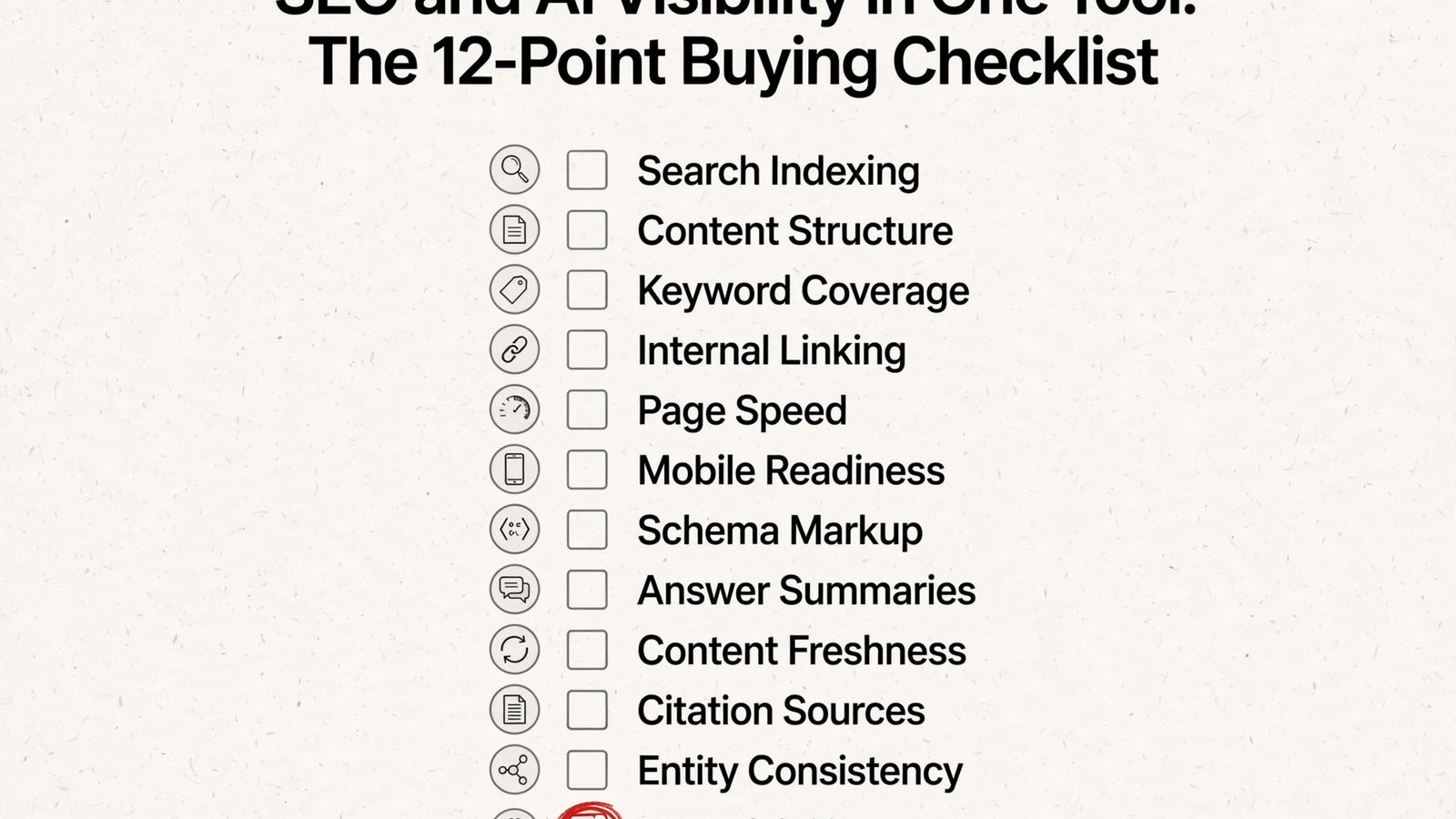
“SEO plus AI visibility in one tool” too often means two subscriptions wearing a trench coat. If your assistant cannot connect a page’s lost search clicks with its missing AI citations, you still do the joining yourself. My filter is twelve checks, from Search Console access to publishing the fix, with groas as the worked example. It brings Search Console, GA4, Semrush/Ahrefs data and AI answer tracking into your own AI over MCP; it does not remove every dependency, including server-log access. Run this checklist against the actual plan and connector you would buy, not the feature slide. One invoice is not the test. One usable view is.
Checks 1–4: connect the search data, not just the dashboards
-
Connect Search Console queries and pages directly. Require OAuth access to clicks, impressions, CTR and position, rather than a CSV someone uploaded last month.
- Check that your assistant can group performance by query, page, country and device, using the dimensions available through the Search Console API.
- Ask for the query behind a page’s performance, not just its average position. A rank without the query that drove it leaves out the part needed to choose a fix.
- Check the reporting date before calling the connection “live.” Final Search Console data still lags by 2–3 days; a connected source is not an instantaneous source.
-
Join GA4 sessions and conversions to the same pages. Search clicks and visits belong beside conversion data, not in separate reports that your assistant cannot combine.
- Ask which pages attract search traffic but fail to convert, then confirm that the answer uses both sources rather than treating traffic as revenue.
- Look for a connector that exposes both datasets to the assistant; this hosted MCP example combines Search Console and GA4 on one URL.
- Score the join, not the integrations menu. Two connected accounts are not enough if every useful question still ends with two exports and a spreadsheet.
-
Put rankings and Semrush/Ahrefs keyword data in the same workspace. Search Console shows the queries you already appear for; the broader keyword view belongs beside it.
- Check that your assistant can use keyword data alongside your own query and page performance, rather than merely open a separate keyword dashboard.
- Use Rankizz’s combination of keyword providers, Search Console and GA4 as an example of the data arrangement to demand, not a reason to buy another subscription.
- For groas, check the joined workflow through your own assistant: Search Console, GA4 and Semrush/Ahrefs data are available over MCP. The useful part is asking across them.
-
Make the vendor state its API limits. “Full Search Console coverage” should come with an explanation of what the connection cannot retrieve.
- Ask separately about page indexing, links, Core Web Vitals and crawl statistics; do not assume every report in the Search Console interface is available through the same API.
- Require the vendor to explain where any additional data comes from. An interface export and an API connection are different routes, even when they appear in one dashboard.
- Apply that rule to groas too: bringing Search Console into your assistant does not remove the underlying API ceiling. A stated gap beats a confident-looking blank.
Checks 5–6: inspect what bots can read and who links to it
-
Audit the server HTML as GPTBot and ClaudeBot. A browser-rendered page is not a substitute for checking the response a bot receives without JavaScript.
- Require checks for readable server-rendered text, JSON-LD, robots.txt, llms.txt, the sitemap and honest 404 responses, with a fix hint for each failure.
- Commonly done wrong: treating a green Lighthouse result as proof that the bot receives the content. Inspect the bot view rather than borrowing confidence from a different test.
- A free scan can test this layer: Growthr offers 22 checks as GPTBot and ClaudeBot without a key. Keep its limits visible: 10 calls a minute, 200 a day and 5 AI-visibility prompts a day.
-
Keep backlinks, referring domains and the link gap beside query data. Require who links to you, who links to rivals, and which rival links you lack.
- Ask for the gap against a named competitor, not just a total backlink count. The useful output identifies the missing links rather than decorating the dashboard with a bigger number.
- Check the plan before the demo: metered backlink pulls can carry a different credit cost from AI citation checks. A feature you cannot afford to run is not meaningfully included.
- groas pulls Semrush and Ahrefs backlink data alongside Search Console. If another vendor leaves that data in a separate subscription, score the combined-tool claim accordingly.
Checks 7–8: measure actual answers and price the prompts
-
Track a fixed set of buyer prompts across assistants. Start with 20–50 questions, rerun them, and separate brand mentions from linked citations.
- Demand five distinct measures: visibility as answers naming you, position among brands, sentiment, share of voice across brand mentions, and citations linking to your URLs. This metric breakdown makes the distinctions explicit.
- Get the engine list for your plan in writing. Coverage may include ChatGPT, Claude, Gemini, Perplexity, Grok and Google AI Overviews; “AI tracking” does not tell you which ones are actually checked.
- Commonly done wrong: selling 5 prompts on one assistant as a complete view of AI visibility. A single blended score cannot tell you which answer, source or page needs work.
-
Put prompt allowances, frequency and overages in writing. The price on the homepage is incomplete without the amount of tracking it buys.
- Count tracked prompts and how often each runs. A monthly allowance and a daily tracking allowance are not interchangeable just because both plans display the same prompt count.
- Compare the actual tracking allocation, not the suite label; published AI SEO plan comparisons show substantial differences in prompt allowances and pricing.
- Keep scan-only access separate from ongoing tracking. A free check can prove the plumbing works; it does not replace rerunning the same buyer questions and watching mentions, citations and rivals over time.

Checks 9–11: separate crawler activity, visits and competitor gaps
-
Read AI crawler hits from server logs, not analytics tags. A bot that fetches HTML without executing JavaScript will not announce itself through your page tag.
- Ask which bots the tool identifies, whether it verifies vendor IP ranges, and whether it distinguishes training crawls from live-answer fetches; JetOctopus describes this log-based approach.
- Commonly done wrong: reporting “no AI traffic” because no tag fired. That conclusion confuses an absent analytics event with an absent fetch.
- Mark the groas boundary clearly: it surfaces AI answers and citations in your assistant, but per-bot hit counts by intent still require log access alongside it. Do not score answer tracking as crawler-log analysis.
-
Split AI referral visits by assistant in GA4. Keep visits from ChatGPT, Perplexity, Copilot and Gemini beside Search Console clicks, without pretending visits and crawler hits are the same thing.
- Inspect referral sources such as
chatgpt.comandperplexity.ai; visits without a passed referrer can appear as Direct, so the visible referral count is not the whole picture. - Check whether a custom channel group using source patterns gives the assistant-level split you need, rather than relying on a general Acquisition report.
- Require the combined view to distinguish mentions, citations and visits. If assistant referrals still need a separate reporting workflow, keep your own channel group and record the gap instead of waving it through.
- Inspect referral sources such as
-
Name the competitor and the query behind the gap. Require rankings against rivals and AI answers against rivals, not just a chart of your own score.
- Ask for the gap to the leader, who displaced you as a primary source, and new-entrant alerts; these competitor views illustrate the specificity to demand.
- Reject a share-of-voice chart as the entire answer. Without the rival and the query where it beats you, the chart does not tell you which page to fix first.
- Use groas’s competitor ads, funnels and AI-answer data in the same assistant view to investigate the gap. The point is one joined question, not two exports followed by manual detective work.
Before the final check: price the workflow you will actually run
- Compare the usable workflow, not the entry price. Separate plans and add-ons can leave you paying twice while still doing the joins yourself; this tool comparison describes that split across SEO and AI tracking products.
- Check whether the quoted plan includes the sources and prompt volume used in the demo. SEOcrawl’s published tiers illustrate how much the prompt allowance can change between plans.
- Put groas’s offer on the same sheet: $19 a month flat for unlimited teammates, ad accounts and websites, with every feature and all the data included. Agencies pay the same across clients.
- Check access from the assistant you already use: the groas MCP connector reaches ChatGPT, Claude, Cursor, Gemini and other AI agents. Another dashboard is not the objective.
- Keep external dependencies visible. Flat software pricing does not make server-log access unnecessary or remove human work when pages need a full rebuild or the category needs new third-party mentions.
Run the one-prompt test inside your assistant
- Ask for one joined answer:
Through groas, give me one list of our weakest pages combining Search Console, audit findings and AI citations, ranked by opportunity. - Require one table with a page on each row, the query losing clicks, the audit failure blocking the bot, whether an AI answer cites you or a rival, and the recommended first fix.
- Check that the answer actually draws on the connected sources. A tidy table containing only Search Console data is still a Search Console report wearing a nicer shirt.
- Mark three separate exports and a suggestion to “check with your developer” as a failed join. The assistant should do the connecting, not hand that job back to you.
- Extend the test with the 60 buyer prompts for checking AI answers and the 15 SEO prompts for turning connected search data into fixes. Keep the question specific enough to inspect the answer.

Keep these limits on the scorecard
- Score each of the twelve checks 1 for pass and 0 for fail. My buying rule: under 10 means too much joining remains your job; under 8, I would skip it entirely.
- Reuse a fixed list of 20–50 buyer questions rather than changing the test whenever a result looks disappointing. Comparable questions make the tracking useful.
- Allow for Search Console’s 2–3-day final-data lag and for AI answers to change between runs. A citation today does not guarantee a citation next month.
- Keep prompt caps beside the visibility score. They decide how much of the market you watch; a small monitored set should not masquerade as the whole category.
- Keep human review in the workflow. AI-generated titles, outlines and briefs can help, but a joined dataset does not remove judgment about the copy or the work the page needs.
Check 12: publish the fix, with a way back
- Ship the fix, log the reason and make it reversible. This is the item vendors skip most: the report ends, but the page never changes.
- Require an approved publishing path to the site, not just a draft and a PDF. Check that the CMS workflow shown in the demo is the one you can actually use.
- Require a record of each change and its reason. An assistant that can act needs an inspectable history, not a reassuring promise that it knows what it is doing.
- Check the safety controls: groas autopilot stays off until you switch it on, logs every change with its reason, and lets you undo any change in one step.
- Score actionability as zero if the workflow ends at “share with your developer.” Eleven green checks and no publishing path leave your weakest pages exactly where they were. The cost is the unfinished work behind everything above, plus a monthly bill for a prettier chart proving it.


